Best Agentic Analytics Platforms for Data Analytics in 2026: 8 Platforms Compared
Compare the best agentic analytics platform for data analytics in 2026, with AI agents, pricing, governance, and tools that answer questions in plain words.

- Editor's choice
 ThoughtSpot
Natural language search
Starts at$25 per monthVisit thoughtspot.comFull review - Great alternative
 Tableau
Governed visual analytics
Starts at$15 per monthVisit tableau.comFull review - Also consider
 Microsoft Power BI
Microsoft 365 analytics
Starts at$14 per monthVisit powerbi.microsoft.comFull review
TL;DR:
- Agentic analytics means AI agents that plan, query, check, and explain work, not just a chat box on top of a dashboard.
- ThoughtSpot and Tableau lead on governed natural language search, because they tie AI answers to a defined data model.
- Power BI suits Microsoft shops, while Hex and Sigma suit analyst led teams that work close to the warehouse.
- Always check AI quotas and grounding rules, since an agent that invents a metric is worse than no agent at all.
Quick comparison
| Tool | Best for | Starts at | Free plan? | |
|---|---|---|---|---|
| ThoughtSpot | Natural language search | $25 per month | Free trial | Visit |
| Tableau | Governed visual analytics | $15 per month | Free trial | Visit |
| Microsoft Power BI | Microsoft 365 analytics | $14 per month | Yes | Visit |
 Domo | Executive dashboards with AI | See website | Free trial | Visit |
 Sigma | Warehouse spreadsheet BI | See website | Free trial | Visit |
 Hex | Analyst notebooks with AI | $36 per month | Yes | Visit |
 Julius AI | Fast data chat for analysts | See website | Yes | Visit |
 Qlik Cloud Analytics | Associative exploration | $300 per month | Free trial | Visit |
The best agentic analytics platforms for data analytics
An agentic analytics platform lets you ask a question in plain words and get an answer that an agent builds, checks, and explains. The agent may pick tables, write a query, run it, and show a chart with sources. The best tools keep that agent inside guardrails, so it uses approved metrics instead of guessing.
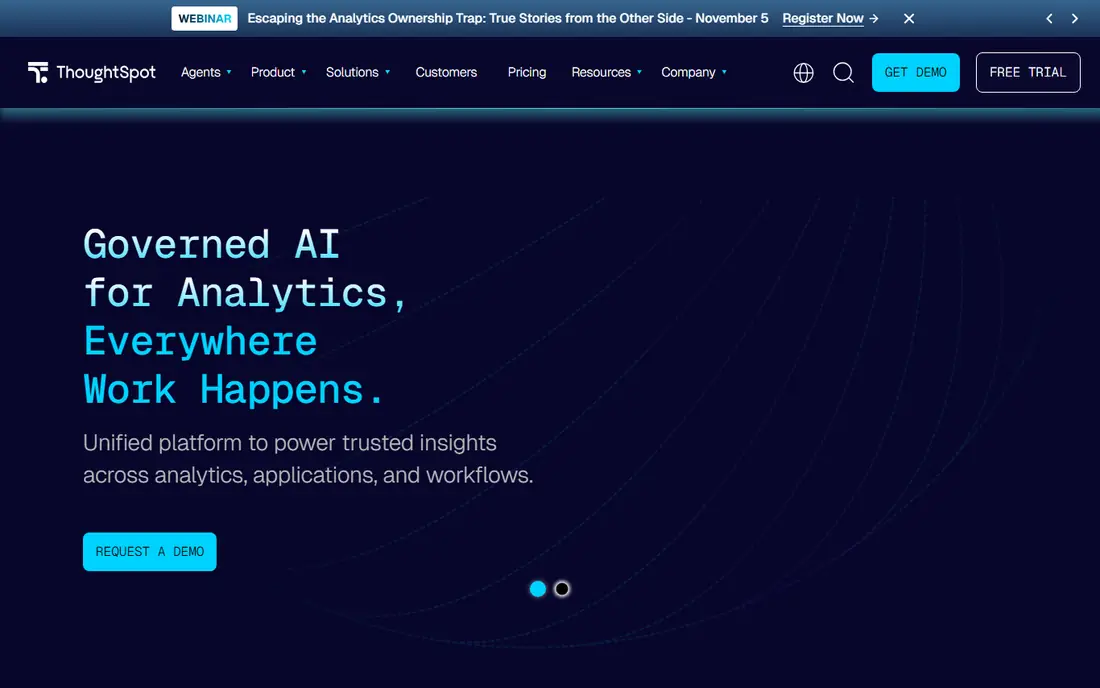
ThoughtSpot built its name on search driven analytics, and its Spotter agent extends that idea. You type a question, Spotter picks the right data model, runs the query, and returns a chart with an explanation. That flow suits business users who need answers without waiting for an analyst.
The catch is quota and model quality. Lower plans limit Spotter queries per user each month, and the agent is only as good as the data model behind it. Teams that invest in clean models and definitions get far better answers than teams that point the agent at raw tables.
- Spotter agent for plain word questions
- Search driven analytics
- Strong governance
- AI query limits on lower plans
- Pricing rises with seats
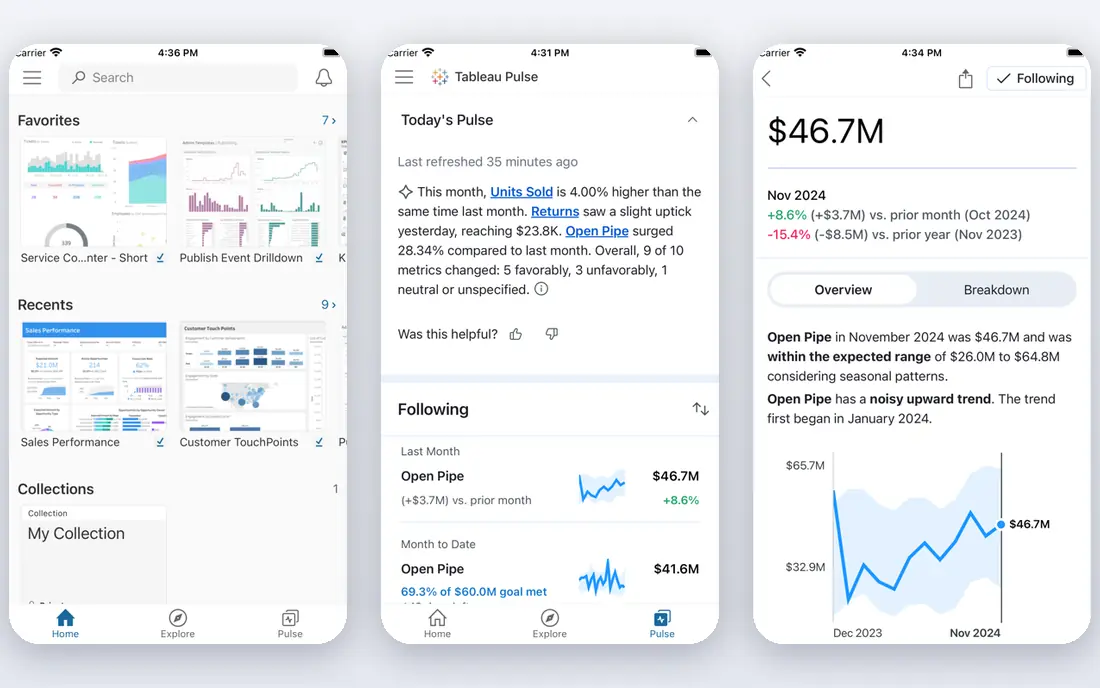
Tableau, now part of Salesforce, pairs strong visual analysis with Tableau Agent and Pulse. Agent helps users ask questions and build views, while Pulse sends personalised insights and alerts. That combination suits firms that already use Tableau for dashboards and want AI help inside the same tool.
AI availability varies by plan, and the newer Tableau Next tier costs more. Analysts should also check which data sources Agent supports for their setup. For visual storytelling with governed metrics, Tableau remains a top choice.
- Tableau Agent and Pulse
- Strong visuals
- Large community and connectors
- AI features vary by plan
- Full enterprise pricing is higher
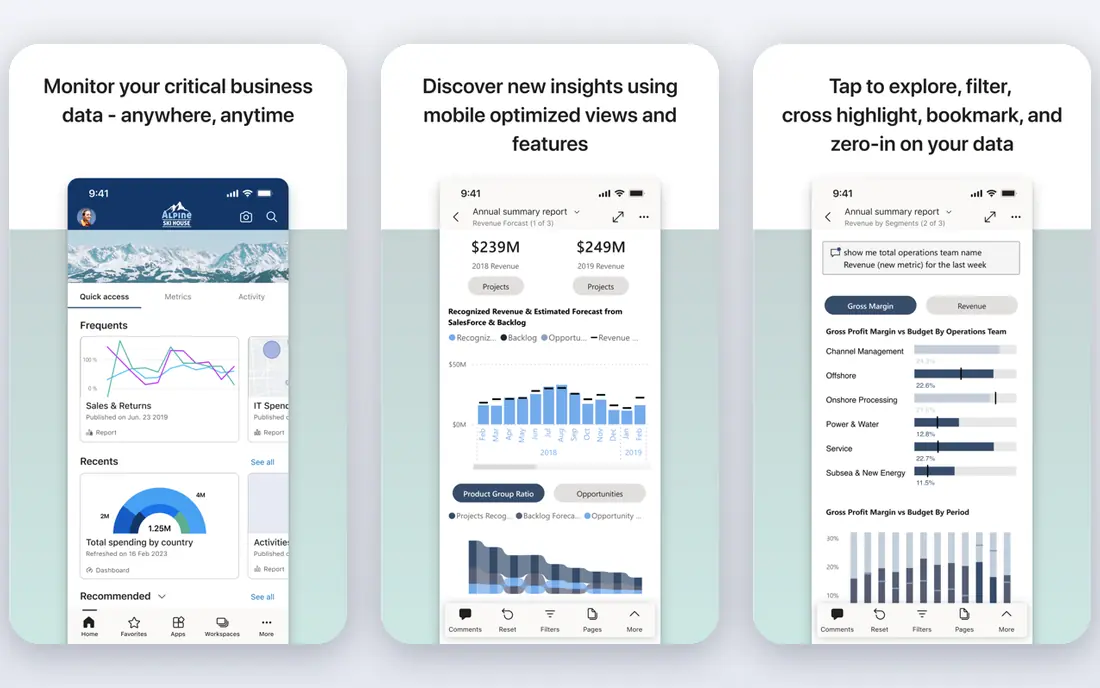
Power BI Pro starts at $14 per user per month, which makes it one of the cheapest entry points here. Copilot adds AI summaries, question answering, and report help, but it requires Fabric capacity or Premium capacity on top of Pro seats. That extra cost matters when budgeting for a team.
For Microsoft shops, the integration payoff is large. Data flows from Excel, Teams, and Azure into one reporting home, and sharing inside Microsoft 365 is simple. New analysts should still learn data modelling, since Copilot works best on a clean model.
- Copilot AI on higher capacity
- Low Pro price
- Deep Excel and Teams links
- Copilot needs paid capacity
- Modelling learning curve for complex data
Domo combines data ingestion, transformation, and dashboards in one cloud platform. Its AI Chat answers questions in plain words, and custom AI agents can run scheduled checks and alerts. That breadth suits executives who want one place for KPIs, commentary, and drill down.
Pricing is credit based and quote led, so small teams should ask for a clear estimate tied to users and data volume. Domo also imports data into its own store in many setups, which differs from warehouse native tools. For firms that want an all in one platform, that trade-off may be worth it.
- AI Chat and custom agents
- 1,000 plus connectors
- Mobile friendly dashboards
- Credit based quote pricing
- Can be costly for small teams
Sigma lets analysts work in a spreadsheet style interface directly on warehouse data, without copying it into a separate BI store. Its Assistant and agent features answer questions, build tables, and suggest next steps while queries run live against Snowflake, BigQuery, or similar warehouses. That design keeps governance in the warehouse.
The main drawback is price transparency, since Sigma requires a sales conversation. Teams also need a warehouse in place before Sigma makes sense. For warehouse led firms, the familiar spreadsheet feel plus live queries is a strong combination.
- Spreadsheet interface on live warehouse data
- Sigma Assistant and agents
- No data copying
- Pricing is quote based
- Salesforce data must first land in the warehouse
Hex is built for analysts who work in notebooks, mixing SQL, Python, and charts in one shared document. Its AI features help draft queries, explain results, and build apps from analysis. Threads let teams discuss a result in context, rather than in a separate chat tool.
Pricing starts at $36 per editor per month on published comparisons, with AI credits per seat that expire each month. That model suits small analyst teams, but large viewer groups should check how viewers are priced. Hex shines when analysis itself, not just dashboards, is the product.
- Collaborative notebooks
- AI agents and threads
- Strong for analyst workflows
- AI credits expire monthly
- Per editor pricing adds up for large teams
Julius AI is a lighter agentic tool. Upload a spreadsheet or connect a database, ask questions in plain words, and get charts and tables back quickly. That speed suits analysts who need a fast answer for a one off dataset, without building a full dashboard.
It does not offer the same governance, permissions, and semantic modelling as ThoughtSpot, Tableau, or Sigma. Treat it as a fast analysis aid for smaller datasets, and move governed reporting to a full BI platform when the work becomes recurring.
- Chat with spreadsheets and databases
- Fast charts
- Low friction start
- Less governance than enterprise BI
- Free plan limits are tight for large files
Qlik Cloud Analytics uses an associative engine that shows how selections relate to the rest of the data, including values that are excluded. Its Insight Advisor suggests charts and answers natural language questions. That exploration style helps analysts spot patterns they did not plan to look for.
The Starter plan is listed at $300 per month for 10 users with fixed capacity, which is a clear entry point but not cheap for a tiny team. Larger use moves to higher plans. Qlik fits teams that value guided exploration over simple dashboard viewing.
- Associative engine shows related data
- Insight Advisor AI
- Strong for exploration
- Starter plan covers 10 users and fixed capacity
- Pricing jumps for larger use
How we picked these
We compared official feature pages, pricing pages, and public BI pricing comparisons for tools with agent style AI in October 2026. We favoured tools where an agent can query, explain, and monitor data within governed models, not just summarise a chart. We did not claim hands-on testing. Where pricing is quote based, we wrote See website rather than inventing a figure.
How to test an agentic analytics tool safely
Start with a small set of approved metrics and a test dataset you know well. Ask the agent questions with known answers, and check whether it picks the right tables, filters, and calculations. A tool that gets easy questions right but fails on date ranges, currency, or joins will fail on real work too.
Next, test guardrails. Ask a question it should refuse or flag, such as a metric that does not exist, and see how it responds. Check whether answers link back to the query or data model, and whether admins can limit which tables an agent can read. Finally, check AI quotas and costs at your real user count, since a cheap seat price can hide a costly AI allowance.
FAQ
What is agentic analytics?
Agentic analytics uses AI agents that plan and carry out analysis steps, such as choosing data, writing a query, running it, and explaining the result. It goes beyond a simple chat summary, because the agent acts on data with tools. Good platforms keep agents inside governed models and show their work.
Is agentic analytics reliable enough for business decisions?
It can be, when answers are grounded in approved metrics and checked by a human. It is not reliable when an agent guesses at table joins or definitions. Always verify high stakes numbers, check the query or sources shown, and keep a human review step for board or client reporting.
Which agentic analytics platform is best for small teams?
Hex and Power BI offer the lowest published starting prices in this list, while ThoughtSpot offers the clearest natural language search. Small teams should pick based on where their data lives and how many people need AI access. Test AI quotas on a real workload before choosing.
Do agentic tools replace data analysts?
No. They speed up routine questions and first drafts, but analysts still define metrics, check logic, and explain context. Agents handle repeatable work well and struggle with ambiguous business definitions. The best setup pairs an agent for speed with an analyst for judgment.
How much do AI features add to BI pricing?
It varies. Some tools include AI in the base plan with monthly query limits, while others need a higher tier or paid capacity. Power BI Copilot needs Fabric capacity, and ThoughtSpot limits Spotter queries on lower plans. Always ask for the AI quota, overage price, and which plans include agent features.