Platforms for Hosting Full-Stack Web Apps in 2026: The 5 Best Options Side by Side
Best platforms for hosting Full-Stack web apps: 5 contenders ranked by fit, with entry costs and free tiers. Limits and pricing notes included. Details below.
- Editor's choice
 Render
Easy-to-learn cloud infrastructure for expanding apps
Starts at$25 a monthVisit render.comFull review - Great alternative
 Netlify
Prompt-to-app and agent-assisted workflows
Starts at$9 a monthVisit netlify.comFull review - Also consider
 Vercel
Modern framework full-stack apps and agents
Starts at$20 a monthVisit vercel.comFull review
Direct answer
Render comes first here, mainly for easy-to-learn cloud infrastructure for expanding apps. Listed starting prices: Render from $25 a month, Netlify from $9 a month and Vercel from $20 a month. If your case is different, Netlify suits prompt-to-app and agent-assisted workflows and Vercel suits modern framework full-stack apps and agents. All 5 tools are compared below on price, free plan and limits.
TL;DR:
- Render sits first on this list: easy-to-learn cloud infrastructure for expanding apps.
- Render, Netlify, Vercel: these are the 3 tools out of 5 that offer a free plan.
- The cheapest monthly starting price in the list is $5 per month, offered by Heroku.
- For completely managed, battle-tested app hosting, Heroku is worth a look.
- The main caution on Vercel: best value relies on framework fit.
Last checked November 2026. Prices and plan details were read from the vendors' own pages in November 2026; vendors change plans often, so confirm the current price on the vendor site before you buy.
Quick comparison
| Tool | Best for | Starts at | Free plan? | |
|---|---|---|---|---|
| Render | Easy-to-learn cloud infrastructure for expanding apps | $25 a month | Yes | Visit |
| Netlify | Prompt-to-app and agent-assisted workflows | $9 a month | Yes | Visit |
| Vercel | Modern framework full-stack apps and agents | $20 a month | Yes | Visit |
 DigitalOcean App Platform | Straightforward, economical app deployment | See website | Not stated | Visit |
 Heroku | Completely managed, battle-tested app hosting | $5 a month | No | Visit |
5 platforms for hosting Full-Stack web apps in detail
LinkVetted compared 5 platforms for hosting Full-Stack web apps. The goal is a practical shortlist: published prices, free plan facts, best-fit use cases and honest limits for every entry.
Render makes the most sense for easy-to-learn cloud infrastructure for expanding apps. Render positions itself as the cloud for builders, with a promise to deploy and scale any app or agent from your first user to your billionth on easy-to-learn cloud infrastructure for the modern web.
Also, Render's simplicity can mean fewer knobs for highly specialized infrastructure needs. From a buyer's view, pick Render when you want a balanced, builder-friendly product instead of maximum configurability. Entry price for Render: $25 per month. Render has a free plan.
Downsides: Feature depth varies by service type.
- Designed for modern web apps and agents
- Easy-to-learn cloud infrastructure
- Complicated architectures need careful planning
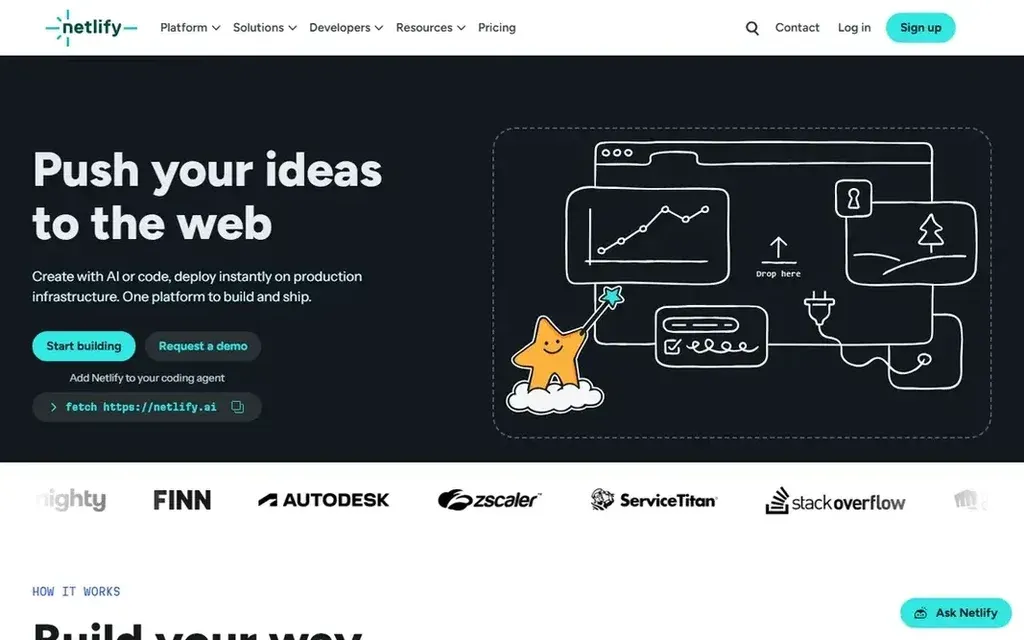
Netlify works best for prompt-to-app and agent-assisted workflows. Netlify describes itself as where apps come to life, letting you start with a prompt, an agent, or code and then build, share, and run your app at any scale. That makes it a good fit for teams that want a quick path from idea to deployed full-stack app, notably when front-end workflows dominate.
On top of that, Netlify is less oriented toward deep infrastructure customization or long-running custom servers. From a buyer's view, choose Netlify when speed and a guided workflow matter more than low-level control. Netlify pricing: $9 per month. Netlify offers a free plan.
Trade-offs to know: Advanced infrastructure control is restricted.
- Or code
- Start from a prompt, agent
- Complicated backends may need additional services
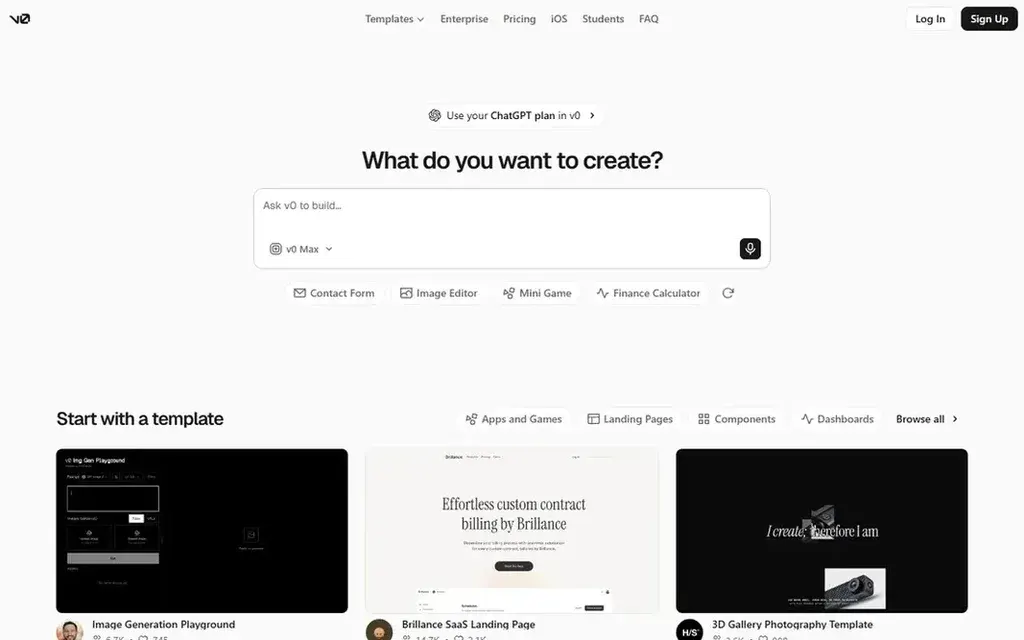
Vercel works best for modern framework full-stack apps and agents. Vercel presents itself as the autonomous stack for every app and agent, which makes it a natural candidate for full-stack web apps built on modern JavaScript frameworks.
From a buyer's view, Vercel is most comfortable when your stack matches its framework-centric model. What you pay to start with Vercel: $20 per month. You can start on Vercel without paying.
Where it is weaker: Less suited to traditional server stacks.
- Capable fit for modern front-end frameworks
- Simplified deployment workflow
- Best value relies on framework fit
DigitalOcean App Platform
Best for: Straightforward, economical app deployment
DigitalOcean App Platform serves simple, economical app deployment. DigitalOcean App Platform is described as a straightforward, economical option to build, deploy, and scale apps rapidly, going from code to production in just a handful of clicks.
Small and mid-size projects commonly benefit from its direct approach. In daily use, teams needing broad managed service catalogs or deep customization should compare alternatives. Check the vendor site for DigitalOcean App Platform pricing; none is listed in this comparison. Free plan details: Not stated.
Where it falls short: Complicated architectures may outgrow it.
- Straightforward path from code to production
- Scale rapidly
- Fewer advanced system features
Choose Heroku for fully managed, battle-tested app hosting. Projects centered on newer agentic workflows may find other systems more aligned.
Highlights: Completely managed app hosting.
Heroku's managed model can feel constrained for teams that want deep runtime or infrastructure control. From a buyer's view, Heroku presents itself as the cloud application product for developers, offering completely managed app hosting that just works on a battle-tested product that defines the industry. The starting price for Heroku: $5 per month. Heroku has no free tier.
Honest limits: Customization can be constrained.
- Build, deploy
- Battle-tested product
- Less oriented to modern agent workflows
How the list was put together
Each tool was reviewed on what its vendor publishes: price, plan limits, core features and stated drawbacks. We did not run hands-on tests. Where a price is missing, the vendor does not list one publicly or ties it to a quote. Always confirm before budgeting. Tools are placed by general fit for platforms for hosting Full-Stack web apps, with price clarity and free access as tie-breakers. A different team can reasonably rank them differently.
Things to verify first
- Confirm the entry price on the vendor page. For DigitalOcean App Platform that means a quote rather than a fixed price.
- Look at free plan limits closely: Render, Netlify and Vercel have one, and the caps decide whether it is usable for real work.
- Before choosing Render, weigh its main limit: feature depth varies by service type.
- Look at the renewal terms for Netlify: auto-renewal, notice periods and price changes can matter more than the first-year price.
- Confirm you can export your data from Render, so leaving later does not mean losing records.
FAQ
Can I try these options before paying?
Often, yes. Render, Netlify and Vercel have a free plan. Use your own data and a real task during the test, and check what the free tier or trial limits before you rely on it.
How do Vercel and Netlify differ for full-stack apps?
Vercel describes an autonomous stack for every app and agent, whereas Netlify emphasizes starting from a prompt, agent, or code and running apps at any scale.
Which options for platforms for hosting Full-Stack web apps have a free plan?
Render, Netlify and Vercel offer a free plan in this list. Free plans usually cap users, projects or features, so check the limits on the vendor page.
How are the tools for platforms for hosting Full-Stack web apps ordered?
Render sits first and Heroku last because the order follows typical fit for platforms for hosting Full-Stack web apps, then price clarity and free access. It is a judgement call, so read each profile for fit and limits.
Is Render the right pick for everyone comparing platforms for hosting Full-Stack web apps?
No single tool suits every team. Render comes first because it fits intuitive cloud infrastructure for growing apps, while Netlify suits prompt-to-app and agent-assisted workflows and Vercel suits modern framework full-stack apps and agents. Match the tool to your own size, budget and workflow before deciding.
Sources
- https://render.com
- https://www.netlify.com
- https://vercel.com
- https://www.digitalocean.com/products/app-platform
- https://www.heroku.com