The 6 Best Platform to Hire Freelance Excel Experts in 2026, Ranked
Compare 6 best platform to hire freelance excel experts, with prices, free plans and who each fits. Strengths and weak spots are spelled out. Read the profiles.
- Editor's choice
 Freelancer.com
Competitive bidding on Excel projects
Starts atSee websiteVisit freelancer.comFull review - Great alternative
 Workana
Remote Excel talent in Latin America
Starts atSee websiteVisit workana.comFull review - Also consider
 Codeable
WordPress-related Excel tasks
Starts at$420Visit codeable.ioFull review
Direct answer
This list puts Freelancer.com first for competitive bidding on Excel projects. Listed starting prices: Codeable from $420 and Contra from $29 per month. Workana is better for remote Excel talent in Latin America, and Codeable is better for WordPress-related Excel tasks. Prices, free plans and limits for all 6 tools follow.
TL;DR:
- Top of the list is Freelancer.com, which targets competitive bidding on Excel projects.
- Just one of the 6 tools, Contra, has a free plan.
- Fiverr is the one to check for fast access to Excel specialists.
- Starting prices begin at $29 per month with Contra.
Last checked November 2026. Prices and plan details were read from the vendors' own pages in November 2026; vendors change plans often, so confirm the current price on the vendor site before you buy.
Quick comparison
| Tool | Best for | Starts at | Free plan? | |
|---|---|---|---|---|
| Freelancer.com | Competitive bidding on Excel projects | See website | Not stated | Visit |
| Workana | Remote Excel talent in Latin America | See website | Not stated | Visit |
| Codeable | WordPress-related Excel tasks | $420 | Not stated | Visit |
 Contra | Teams comparing choices in this category | $29 per month | Yes | Visit |
 Toptal | Vetted, high-stakes Excel projects | See website | Not stated | Visit |
 Fiverr | Fast access to Excel specialists | See website | Not stated | Visit |
The 6 tools in detail
LinkVetted put together this guide to platform to hire freelance excel experts for readers who want a clear shortlist without reading every vendor page. It compares 6 tools on starting price, free plans, who each one suits and where each one falls short.
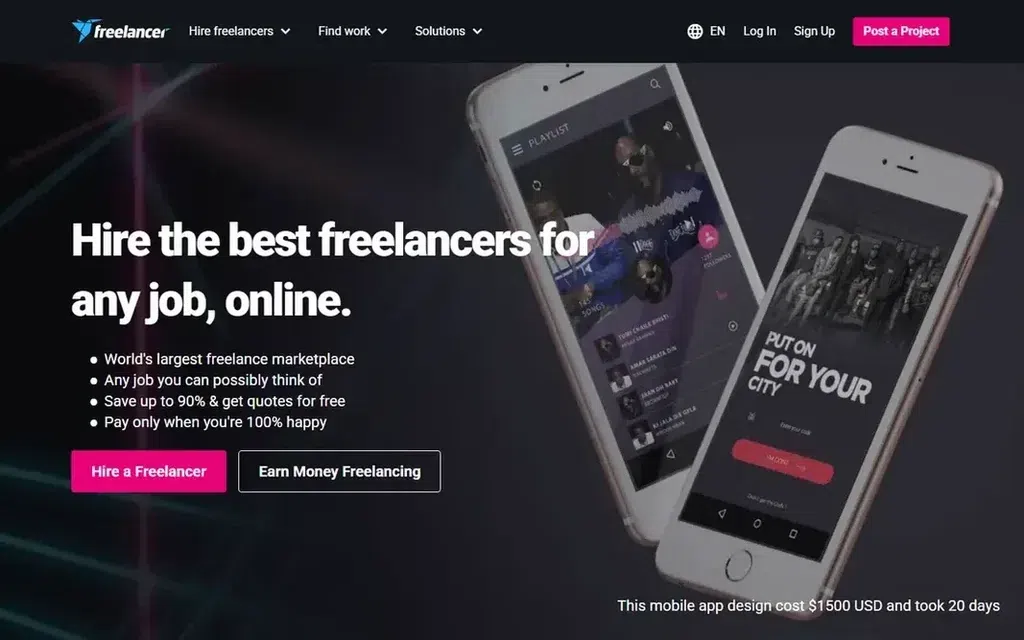
Freelancer.com works best for competitive bidding on Excel projects. For Excel work, you can describe your requirements and let interested experts come to you.
Points against: Can need more management.
It fits those who prefer a bidding model and want to compare several supplies before choosing. Pricing for Freelancer.com is not stated here, so ask the vendor for current figures. Free options: Not stated.
- Large freelancer community
- Project posting with bids
- Variable quality
Choose Workana for remote Excel talent in Latin America. Workana is a product for hiring freelancers and IT developers, with a solid presence in Latin America. For Excel experts, it provides access to remote talent that is ready to start.
Workana's talent pool is more concentrated in certain regions, which may limit choices if you need Excel experts in other areas. It is also less globally recognized than some bigger marketplaces, so you may have to verify credentials more carefully. Pricing for Workana is not stated here, so ask the vendor for current figures. As for free access: Not stated.
Honest limits: Less known globally.
- Regional focus
- IT and freelance talent
- Geographic concentration
Codeable targets WordPress-related Excel tasks. Codeable is a system exclusively for WordPress freelancers, matching customers with vetted experts. Also, Codeable is not aimed at general Excel tasks like financial modeling or data analysis.
What users get: Vetted WordPress experts.
Beyond that, if your Excel project involves WordPress, like integrating spreadsheets with a WordPress site or automating data imports, Codeable can be a solid fit. It ensures you work with professionals who have proven WordPress skills. From a buyer's view, if your needs are purely Excel-focused without WordPress, you should choose a broader system like Fiverr or Toptal. Codeable starts at: $420. Free plan details: Not stated.
Downsides: Narrow niche.
- Specialized focus
- Quality assurance
- Not for general Excel work
For teams comparing choices in this category, Contra is a natural candidate. It appeals to firms that prefer working straight with standalone operators and value a modern, network-driven approach.
Watch-outs: Smaller talent pool.
On top of that, as a newer product, Contra may have a smaller pool of Excel specialists compared with bigger marketplaces. The starting price for Contra: $29 per month. Contra offers a free plan.
- Professional network focus
- Tools for standalone operators
- Less specialized Excel focus

Pick Toptal if this describes you: Vetted, high-stakes Excel projects. If your Excel needs are straightforward or budget is a primary concern, a marketplace like Fiverr might be more suitable.
For Excel experts, this means you can expect a higher level of proven experience. The rigorous vetting and premium positioning mean Toptal is usually more pricey and may take longer to match you with a freelancer. Check the vendor site for Toptal pricing; none is listed in this comparison. Free access: Not stated.
Trade-offs to know: Longer matching process.
- Access to top talent
- End-to-end options
- Higher cost barrier

Fiverr targets fast access to Excel specialists. For Excel tasks, you can find freelancers specializing in formulas, data analysis, dashboards, and automation. Since sellers set their own offerings, quality and expertise can vary widely.
Drawbacks to consider: Quality varies by seller.
Where it shines: Simple browsing and ordering.
Also, for those, consider products with stricter screening like Toptal. In practice, Fiverr is a freelance services marketplace where professionals offer predefined services, often called gigs. Fiverr may not be well suited to highly complicated or confidential Excel projects that need deep vetting. No starting price is listed for Fiverr here; confirm pricing on the vendor site. Free access: Not stated.
- Broad range of services
- Global talent pool
- Restricted vetting process
What went into this list
Pricing pages, product documentation and feature lists were the main sources, and every entry carries at least one honest drawback. Treat prices as a snapshot: vendors change plans often, so check the vendor site for the figure that applies today. The order reflects how well each tool fits the most common buying scenario for platform to hire freelance excel experts, then price clarity, then free plan access. It is a starting point, not a verdict.
What to check before you buy
- Ask Freelancer.com, Workana, Toptal and Fiverr for a written quote, since no starting price is shown.
- Test the free plan from Contra against your real workload before relying on it.
- Before choosing Freelancer.com, weigh its main limit: variable quality.
- Check how data leaves Freelancer.com: formats, limits and whether exports are available on every plan.
- Check whether the features you need in Contra sit on the entry plan or only on higher tiers.
FAQ
Is Fiverr well suited to complex Excel projects?
Fiverr can work for complicated projects if you carefully review seller profiles and reviews. Even so, for highly critical or confidential work, a product with stricter vetting like Toptal may be more suitable.
Is Freelancer.com the right pick for everyone comparing platform to hire freelance excel experts?
No single tool suits every team. Freelancer.com comes first because it fits competitive bidding on Excel projects, while Workana suits remote Excel talent in Latin America and Codeable suits WordPress-related Excel tasks. Match the tool to your own size, budget and workflow before deciding.
How are the platform to hire freelance excel experts ordered?
Freelancer.com sits first and Fiverr last because the order follows typical fit for platform to hire freelance excel experts, then price clarity and free access. It is a judgement call, so read each profile for fit and limits.
Can I try these tools before paying?
Often, yes. Contra has a free plan. Use your own data and a real task during the test, and check what the free tier or trial limits before you rely on it. All 6 picks in this platform to hire Freelance Excel Experts comparison list a starting price, free plan details and the main limits on their cards above.
What should I look for in a product for hiring Excel experts?
Consider the level of vetting, the size of the talent pool, and the hiring model (bidding vs. matching). Also check for Excel-specific skills in freelancer profiles and read the system's payment protection policies.
Do these tools publish their prices?
Not all of them. Freelancer.com, Workana, Toptal and Fiverr publish no starting price, so expect a quote request for those. The rest, Codeable included, show a starting price, though seats and billing terms still change the final cost.
Sources
- https://www.freelancer.com
- https://www.workana.com
- https://www.codeable.io
- https://contra.com
- https://www.toptal.com
- https://www.fiverr.com