Best Platform for Sync in 2026: Prices, Free Plans and 5 Picks
Shortlisting the best platform for sync? 5 products compared on cost, free access and ideal buyer. Concise write-ups of every option. Jump to the table.
- Editor's choice
 Box
Content management with workflow automation
Starts atSee websiteVisit box.comFull review - Great alternative
 ShareFile
Secure document workflows and sharing
Starts at$16.50 per user per monthVisit sharefile.comFull review - Also consider
 Egnyte
Enterprise content governance and large files
Starts at$22 per user a monthVisit egnyte.comFull review
Direct answer
Box is the first pick on this list for content management with workflow automation. Listed starting prices: ShareFile from $16.50 per user per month, Egnyte from $22 per user a month and Dropbox from $9.99 a month. ShareFile is the stronger choice for secure document workflows and sharing, while Egnyte suits enterprise content governance and large files. The remaining 2 options are covered below with prices and limits.
TL;DR:
- This list starts with Box, which is built for content management with workflow automation.
- A permanent free plan is missing from all 5 tools, Box and Dropbox included; plan for a trial or a premium start.
- For the cheapest start, look at Dropbox: $9.99 per month.
- For steady cross-device file sync, Dropbox is worth a look.
- The main caution on Microsoft OneDrive: best features tied to Microsoft ecosystem.
Last checked November 2026. Prices and plan details were read from the vendors' own pages in November 2026; vendors change plans often, so confirm the current price on the vendor site before you buy.
Quick comparison
| Tool | Best for | Starts at | Free plan? | |
|---|---|---|---|---|
| Box | Content management with workflow automation | See website | Not stated | Visit |
| ShareFile | Secure document workflows and sharing | $16.50 per user per month | Free trial | Visit |
| Egnyte | Enterprise content governance and large files | $22 per user a month | Free trial | Visit |
 Microsoft OneDrive | Microsoft-centric personal and team sync | See website | Not stated | Visit |
 Dropbox | Steady cross-device file sync | $9.99 a month | Free trial | Visit |
The 5 tools in detail
LinkVetted put together this guide to platform for sync for readers who want a clear shortlist without reading every vendor page. It compares 5 tools on starting price, free plans, who each one suits and where each one falls short.
Box targets content management with workflow automation. Box can be more complicated to configure than more straightforward sync tools, and smaller teams may not need its governance depth.
Where it falls short: Complicated setup for small teams.
Box shows no starting price here, so confirm the cost on the vendor site. On free options: Not stated.
- External collaboration controls
- Solid content governance
- Higher-tier features can be expensive
Pick ShareFile if this describes you: secure document workflows and sharing. ShareFile is a secure document workflow and file sharing product meant to help teams share and collaborate without sacrificing security.
Downsides: Interface can feel dated.
In daily use, some users find the interface less modern than competing tools, and advanced workflow features may sit in higher levels. ShareFile cost at the entry level: $16.50 per user per month. Free options: Free trial.
- Security-focused sharing
- Client-friendly collaboration
- Advanced features need higher levels
Egnyte was built for enterprise content governance and large files. Egnyte is an AI context layer and content cloud for enterprises, used by numerous firms to collaborate on massive files and govern sensitive content on one secure system.
Trade-offs to know: Configuration needs planning.
It suits large organizations that require strict control over where content lives and who can access it. What you pay to start with Egnyte: $22 per user per month. Free plan details: Free trial.
- AI context layer for content
- Deals with massive files
- Enterprise focus may overwhelm small teams
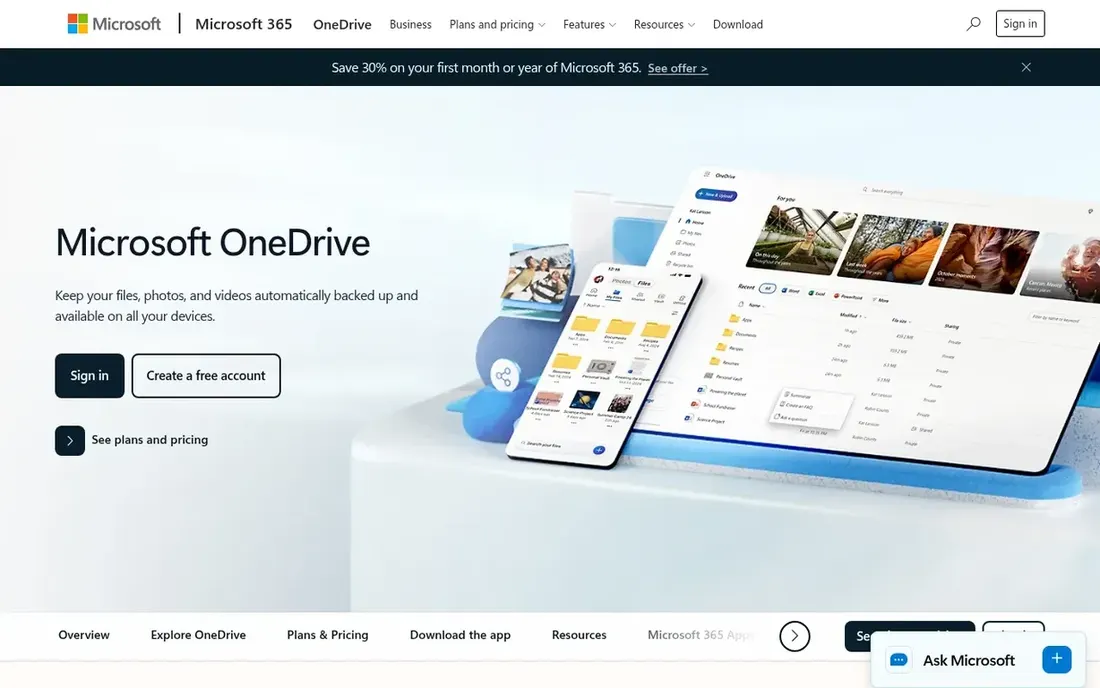
In short, Microsoft OneDrive is for Microsoft-centric personal and team sync. It integrates closely with Microsoft accounts and Office applications, so files sync automatically across Windows devices and other products for users who already depend on Microsoft tools.
What to check first: Occasional sync conflicts on several devices.
Its strengths are most apparent when you use Microsoft services, and users outside that ecosystem may find fewer advantages. No starting price is listed for Microsoft OneDrive here; confirm pricing on the vendor site. On free options: Not stated.
- Family and friend sharing
- Deep Microsoft account integration
- Best features tied to Microsoft ecosystem

Dropbox makes the most sense for dependable cross-device file sync. It is widely known for dependable sync behavior and a clean interface, making it a solid fit for individuals and teams that require files to stay consistent across laptops, phones, and shared computers.
Honest limits: Advanced admin features cost additional.
Its consumer-friendly roots mean some advanced governance and admin controls sit in higher levels, and storage limits may push heavy users elsewhere. The starting price for Dropbox: $9.99 per month. Free plan details: Free trial.
- Solid sync across devices
- Wide app integrations
- Storage levels can feel restricted
Selection criteria
Pre-purchase checklist
- Ask Box and Microsoft OneDrive for a written quote, since no starting price is shown.
- Run a trial of ShareFile, Egnyte and Dropbox with real work before paying for a year; your own workflow is the best test.
- Before choosing Box, weigh its main limit: complicated setup for small teams.
- Check whether Egnyte bills monthly or annually, and what cancelling early costs.
- Verify that exporting from Dropbox is possible on your plan and covers all your records.
FAQ
How do enterprise sync systems differ from consumer ones?
Enterprise systems like Egnyte and Box emphasize governance, auditability, and workflow automation. In practice, your choice should reflect how much control and administration you need.
Do these tools publish their prices?
Not all of them. Box and Microsoft OneDrive publish no starting price, so expect a quote request for those. The rest, ShareFile included, show a starting price, though seats and billing terms still change the final cost.
What is the cheapest option for platform for sync in this list?
On published monthly entry prices, Dropbox is the lowest here at $9.99 per month. Entry price is only part of the cost, because seats, add-ons and billing terms can change the total. For the full picture, the cards above cover all 5 entries of this platform for sync list, including price, free plan and limits.
Can I try these tools before paying?
Often, yes. ShareFile, Egnyte and Dropbox offer a free trial. Use your own data and a real task during the test, and check what the free tier or trial limits before you rely on it.
How are the tools for platform for sync ordered?
The order follows typical fit for platform for sync, with Box first and Dropbox last, then price clarity and free access. It is editorial judgement, not a score, so another team could rank the tools differently.
Sources
- https://www.box.com
- https://www.sharefile.com
- https://www.egnyte.com
- https://www.microsoft.com/en-us/microsoft-365/onedrive/online-cloud-storage
- https://www.dropbox.com