Choosing Platform for Blended Learning in Community Colleges in 2026: 5 Options Compared
Best platform for blended learning in community colleges: 5 tools compared on price, free plans and fit. Cost notes and weak points included. Read the profiles.
- Editor's choice
 Moodle
Highly configurable open learning ecosystems
Starts atPricing on requestVisit moodle.comFull review - Great alternative
 Microsoft Teams for Education
Live class communication and collaboration
Starts atPricing on requestVisit microsoft.comFull review - Also consider
 Zoom
Dependable video meetings and webinars
Starts atPricing on requestVisit zoom.usFull review
Direct answer
Moodle comes first here, mainly for highly configurable open learning ecosystems. Look at Microsoft Teams for Education for live class communication and collaboration, and at Zoom for dependable video meetings and webinars. Prices, free plans and limits for all 5 tools follow. None of these vendors publish plan prices, so pricing is on request for every option.
TL;DR:
- Moodle is the opening pick, best for highly configurable open learning ecosystems.
- Canvas LMS suits approachable core teaching and learning.
- Moodle, Canvas LMS and the 3 others all sell by quote; expect sales conversations before you see a price.
- Moodle, Canvas LMS and the 3 others all need a premium plan or a trial, since no free plan is listed.
Last checked November 2026. Pricing on request: vendors did not publish plan prices when this guide was last checked (November 2026), so ask each vendor for a written quote.
Quick comparison
| Tool | Best for | Starts at | Free plan? | |
|---|---|---|---|---|
| Moodle | Highly configurable open learning ecosystems | Pricing on request | Not stated | Visit |
| Microsoft Teams for Education | Live class communication and collaboration | Pricing on request | Not stated | Visit |
| Zoom | Dependable video meetings and webinars | Pricing on request | Not stated | Visit |
 Panopto | Lecture capture and searchable video | Pricing on request | Free trial | Visit |
 Canvas LMS | Approachable core teaching and learning | Pricing on request | Not stated | Visit |
Tool-by-tool breakdown
LinkVetted put together this guide to platform for blended learning in community colleges for readers who want a clear shortlist without reading every vendor page. It compares 5 tools on starting price, free plans, who each one suits and where each one falls short.
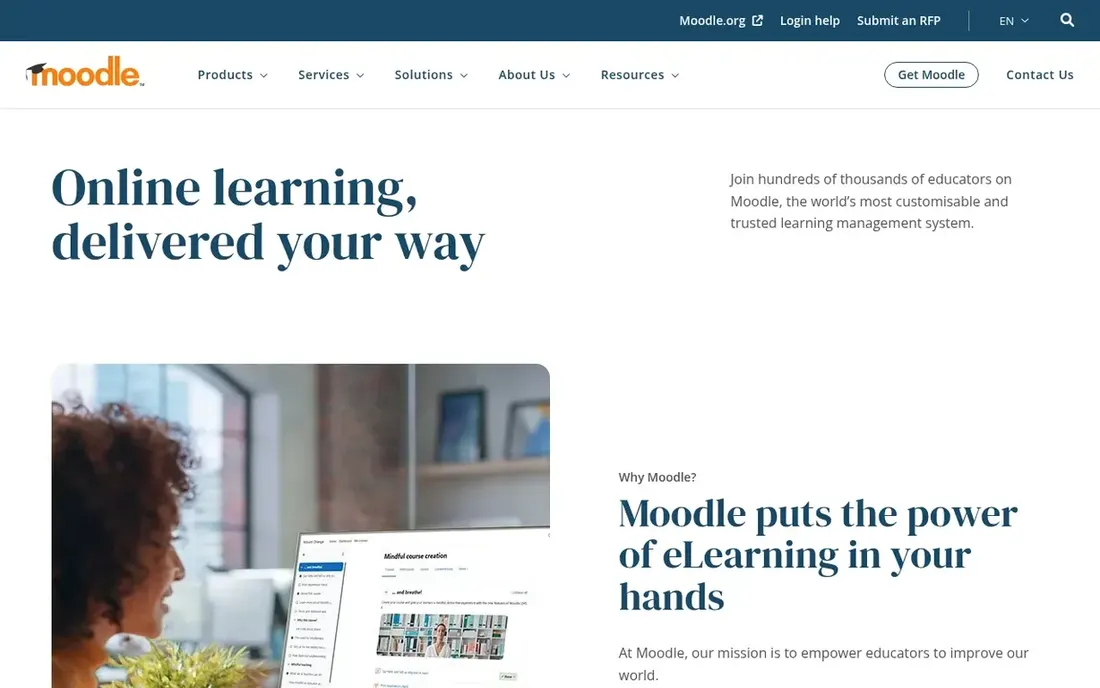
Moodle makes the most sense for highly configurable open learning ecosystems. Moodle is described as the most configurable and widely used LMS for education, enterprise and public sector organizations. It hands colleges broad latitude to shape courses and site structure.
Limits to weigh: Setup complexity may slow small teams.
That adaptability includes configuration work, so colleges without dedicated technical staff may find upkeep demanding. If you prefer a ready-to-use interface with less administration, Canvas LMS is the more straightforward starting point. The range of choices can also overwhelm faculty who want a straightforward blended setup. Pricing for Moodle is not stated here, so ask the vendor for current figures. Free options: Not stated.
- Broad customization choices
- Solid fit for education and public sector
- Customization can demand technical support
Microsoft Teams for Education
Best for: Live class communication and collaboration
Microsoft Teams for Education works best for live class communication and collaboration. Microsoft Teams for Education is a video conferencing and communication app for schools that supports both in-person and remote students.
Colleges outside the Microsoft ecosystem may face additional setup friction. Pair it with Canvas LMS or Moodle when you need a full teaching system. Check the vendor site for Microsoft Teams for Education pricing; none is listed in this comparison. On free options: Not stated.
What to check first: Not a full course management system.
- Suits institutions already using Microsoft tools
- Supports in-person and remote students together
- Depends on wider Microsoft ecosystem
Zoom makes the most sense for dependable video meetings and webinars. For blended community college courses, it is a dependable choice for live lectures, remote guest speakers, virtual office hours and recorded sessions students can revisit. For everyday use, Zoom does not organize courses, assignments or grades, so it complements instead of replaces a learning management system.
Use Zoom when live video quality and adaptability matter most. Colleges wanting one consolidated product may prefer tools with built-in meeting features. Zoom shows no starting price here, so confirm the cost on the vendor site. Free plan details: Not stated.
Downsides: Not a course management system.
- Whiteboard and events support
- Video meetings
- Needs pairing with a LMS for content
Panopto makes the most sense for lecture capture and searchable video. Panopto concentrates on video, so course structure, assignments and grading still need a LMS.
Community colleges use this kind of tool for lecture capture, flipped-classroom recordings and searchable video libraries that let students review material at their own pace. Panopto shows no starting price here, so confirm the cost on the vendor site. Free options: Free trial.
Downsides: Needs a LMS or portal alongside.
- Searchable video library
- Supports training and learning content
- Concentrated on video rather than full course delivery
Canvas LMS is designed for approachable core teaching and learning. Canvas LMS is a learning management system built to ease teaching and enhance student learning, and its approachable design makes it a natural centerpiece for blended courses.
Trade-offs to know: Advanced customization can need extras.
Worth adding: programs with very small enrollments may also find a full LMS heavier than needed. Canvas LMS shows no starting price here, so confirm the cost on the vendor site. Free plan details: Not stated.
- Approachable interface for faculty and students
- Central hub for course content and communication
- Feature depth may exceed small program needs
How these tools were picked
For each of the 5 tools we noted price, free plan or trial, fit for platform for blended learning in community colleges and the main limit, using vendor pages and documentation. Treat prices as a snapshot: vendors change plans often, so check the vendor site for the figure that applies today. We ordered the tools by general fit, then by how clearly pricing is shown, then by free access. A buyer with unusual needs may reorder them.
Before you commit
- Ask each vendor, from Moodle to Canvas LMS, for a written quote; none of them publishes a starting price.
- Use real work to test the free trial from Panopto, rather than a demo project.
- Before choosing Moodle, weigh its main limit: customization can demand technical support.
- Check how data leaves Canvas LMS: formats, limits and whether exports are available on every plan.
- Total up the real monthly cost of Zoom, including add-ons, extra users and usage-based fees.
FAQ
Is Moodle the right pick for everyone comparing platform for blended learning in community colleges?
No single tool suits every team. Moodle comes first because it fits highly customizable open learning ecosystems, while Microsoft Teams for Education suits live class communication and collaboration and Zoom suits reliable video meetings and webinars. Match the tool to your own size, budget and workflow before deciding.
Can I try these tools before paying?
Often, yes. Panopto offers a free trial. Use your own data and a real task during the test, and check what the free tier or trial limits before you rely on it.
How are the platform for blended learning in community colleges ordered?
The order follows typical fit for platform for blended learning in community colleges, with Moodle first and Canvas LMS last, then price clarity and free access. It is editorial judgement, not a score, so another team could rank the tools differently.
Does any tool for platform for blended learning in community colleges here have a free plan?
A permanent free plan is not offered by Moodle, Canvas LMS or the other tools here. Panopto offer a trial. Plan a short evaluation period instead.
Sources
- https://moodle.com
- https://www.microsoft.com/en-us/education/products/teams
- https://zoom.us
- https://www.panopto.com
- https://www.instructure.com/canvas