5 PC Lifecycle Management Software for Hospitals Worth Shortlisting in 2026
Compare 5 best PC lifecycle management software for hospitals, with prices, free plans and who each fits. Each pick comes with its main catch. Decide faster.
- Editor's choiceKaseya VSA
Remote monitoring and automatic remediation
Starts atSee websiteVisit kaseya.comFull review - Great alternative
 Lansweeper
Deep asset discovery and inventory visibility
Starts atSee websiteVisit lansweeper.comFull review - Also considerDell Technologies SupportAssist
Dell PC health and support automation
Starts atSee websiteVisit dell.comFull review
Direct answer
This list puts Kaseya VSA first for remote monitoring and automatic remediation. Listed starting prices: PDQ Deploy & Inventory from $12 per device/year. Lansweeper is better for deep asset discovery and inventory visibility, and Dell Technologies SupportAssist is better for Dell PC health and support automation. Prices, free plans and limits for all 5 tools follow.
TL;DR:
- Number one here is Kaseya VSA, a fit for remote monitoring and automatic remediation.
- Lansweeper stands alone as the one tool in this list with a free plan.
- One limit worth knowing about Lansweeper: visibility focus rather than deployment depth.
- For straightforward deployment and inventory tasks, PDQ Deploy & Inventory is worth a look.
Last checked November 2026. Prices and plan details were read from the vendors' own pages in November 2026; vendors change plans often, so confirm the current price on the vendor site before you buy.
Quick comparison
| Tool | Best for | Starts at | Free plan? | |
|---|---|---|---|---|
| Kaseya VSA | Remote monitoring and automatic remediation | See website | Not stated | Visit |
| Lansweeper | Deep asset discovery and inventory visibility | See website | Yes | Visit |
| Dell Technologies SupportAssist | Dell PC health and support automation | See website | Not stated | Visit |
 Microsoft Intune | Cloud endpoint management with Zero Trust security | See website | Not stated | Visit |
| PDQ Deploy & Inventory | Straightforward deployment and inventory tasks | $12 per device/year | Free trial | Visit |
PC Lifecycle Management Software for Hospitals, one by one
Short on time? The summary and table above give the quick view of 5 PC lifecycle management software for hospitals, and the profiles that follow give the detail behind each entry.
Kaseya VSA
Best for: Remote monitoring and automatic remediation
Kaseya VSA is built with remote monitoring and automatic remediation in mind. Hospitals with distributed clinics and numerous workstations can use it to keep devices monitored and remediated without visiting each site. Beyond that, the system leans toward remote monitoring and remediation instead of formal asset lifecycle governance, so asset-focused organizations may pair it with an ITAM tool.
Drawbacks to consider: Setup and tuning need effort.
In daily use, tuning automation rules takes time and should be staged carefully in clinical environments. As for the details, pick Kaseya VSA when remote support and automatic remediation across numerous endpoints are the core need. This comparison lists no price for Kaseya VSA; ask the vendor. Free access: Not stated.
- Links IT workflows
- Remote support for distributed endpoints
- Remote management focus instead of asset governance
Pick Lansweeper if this describes you: deep asset discovery and inventory visibility. Beyond that, Select it when unknown assets and visibility gaps are the main obstacle to a steady lifecycle program.
Scanning OT and clinical networks needs planning to avoid disruption. Lansweeper emphasizes discovery and intelligence instead of software deployment or remote remediation, so it is typically combined with a management tool. Pricing for Lansweeper is not stated here, so ask the vendor for current figures. Lansweeper includes a free tier.
Downsides: Visibility focus instead of deployment depth.
- Discovers managed and unmanaged assets
- OT and cloud environments
- OT discovery needs careful planning
Dell Technologies SupportAssist
Best for: Dell PC health and support automation
Dell Technologies SupportAssist targets Dell PC health and support automation. Dell Technologies SupportAssist is smart technology built into Dell PCs that helps keep systems running like new. It can be opened from the Windows Start menu or downloaded from Dell.
Downsides: Not a full cross-vendor lifecycle product.
More specifically, SupportAssist is tied to Dell hardware and does not offer cross-vendor lifecycle management, so mixed estates need extra tooling. It also should not be treated as a replacement for patching, inventory or asset governance platforms. From a buyer's view, Hospitals standardized on Dell hardware can use it as a baseline for device health and support automation on those machines. Also, choose it as a complement for Dell fleets, not as the backbone of a hospital-wide lifecycle program. Dell Technologies SupportAssist does not show a starting price in this comparison, so check the vendor site for current pricing. Free options: Not stated.
- Keeps systems running with automatic support technology
- Straightforward starting point for Dell fleets
- Centred on Dell hardware
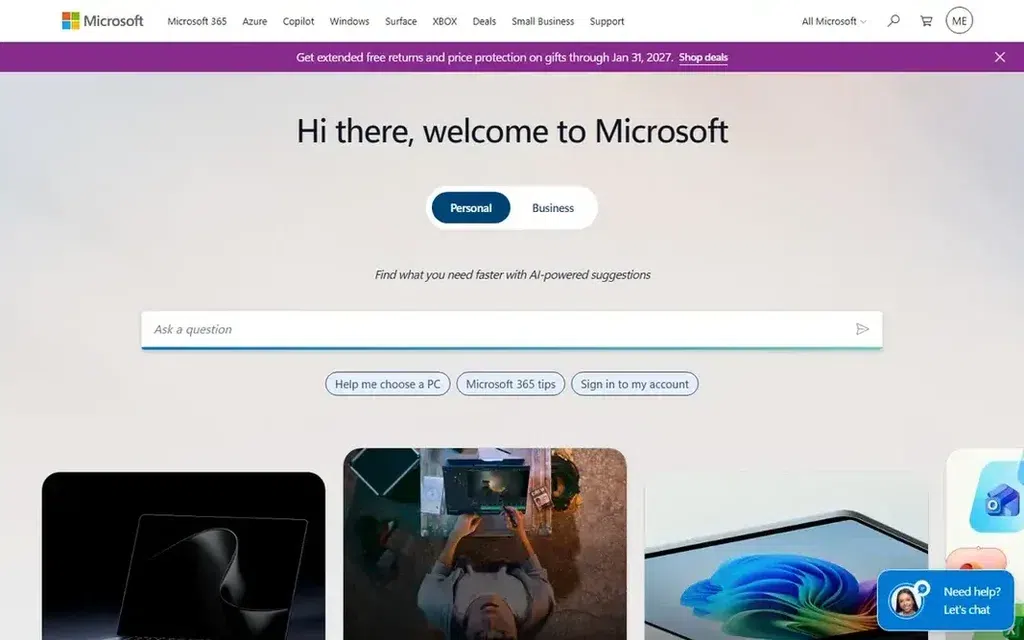
Think of Microsoft Intune for cloud endpoint management with Zero Trust security. Microsoft Intune is a cloud-based unified endpoint management option built on Zero Trust, built to help IT run, secure and govern devices, apps and endpoints. In practice, the system assumes a well-planned identity and cloud strategy, so smaller IT teams may find initial configuration demanding.
Limits to weigh: Deep configuration can be complex.
In practice, choose Intune when cloud-first security and app governance are the priority for your hospital fleet. Environments with strict on-premises requirements or heavily mixed vendor estates may prefer a tool with broader native server and mobile coverage. Pricing for Microsoft Intune is not stated here, so ask the vendor for current figures. Free plan details: Not stated.
- Cloud-based unified endpoint management
- Handles devices
- Needs cloud connectivity and identity setup
PDQ Deploy & Inventory
Best for: Straightforward deployment and inventory tasks
PDQ Deploy & Inventory is designed for straightforward deployment and inventory tasks. It suits teams that want focused, easy-to-run tooling instead of a sprawling management system.
Points against: Narrower than full lifecycle suites.
Choose PDQ when deployment speed and inventory clarity for Windows devices are the immediate priorities. The starting price for PDQ Deploy & Inventory: $12 per device/year. Free options: Free trial.
- Inventory management included
- Simplifies routine admin tasks
- Less suited to mobile device management
How these tools were picked
For each of the 5 tools we noted price, free plan or trial, fit for PC lifecycle management software for hospitals and the main limit, using vendor pages and documentation. Treat prices as a snapshot: vendors change plans often, so check the vendor site for the figure that applies today. Position on the page reflects fit for a typical buyer first, with price clarity and free access breaking ties. Treat it as a guide, not a ruling.
What to confirm before you sign up
- Get a written quote from Kaseya VSA, Lansweeper, Dell Technologies SupportAssist and Microsoft Intune; the list shows no starting price for them.
- Look at the free plan from Lansweeper closely: its caps decide whether it is usable for real work.
- Take the trial from PDQ Deploy & Inventory and push a live task through it before you pay.
- Before choosing Kaseya VSA, weigh its main limit: remote management focus instead of asset governance.
- A short pilot of PDQ Deploy & Inventory with your real workflow tells you more than a feature table.
- Confirm you can export your data from Microsoft Intune, so leaving later does not mean losing records.
FAQ
Do these tools publish their prices?
Not all of them. Kaseya VSA, Lansweeper, Dell Technologies SupportAssist and Microsoft Intune publish no starting price, so expect a quote request for those. The rest, PDQ Deploy & Inventory included, show a starting price, though seats and billing terms still change the final cost.
Can I try these tools before paying?
Often, yes. Lansweeper has a free plan and PDQ Deploy & Inventory offers a free trial. Use your own data and a real task during the test, and check what the free tier or trial limits before you rely on it.
How do asset intelligence tools differ from deployment tools?
Asset intelligence tools for example Lansweeper focus on discovering what exists across IT, OT and cloud, including unmanaged devices. Deployment tools for example PDQ Deploy & Inventory focus on pushing software and patches.
What should hospitals look for in PC lifecycle management software?
Integration with identity, service desk and asset systems matters since hospital IT seldom runs in isolation. Confirm how each tool behaves during clinical hours before committing.
Which options for PC lifecycle management software for hospitals have a free plan?
Lansweeper is the only tool in this list with a free plan. Free plans usually cap users, projects or features, so check the limits on the vendor page. One other tool offers a trial instead. Prices, free plan details and limits for all 5 tools in this PC lifecycle management software for Hospitals roundup sit on the individual cards above.
Is Kaseya VSA the right pick for everyone comparing PC lifecycle management software for hospitals?
No single tool suits every team. Kaseya VSA comes first because it fits remote monitoring and automated remediation, while Lansweeper suits deep asset discovery and inventory visibility and Dell Technologies SupportAssist suits Dell PC health and support automation. Match the tool to your own size, budget and workflow before deciding.
Sources
- https://www.kaseya.com/products/vsa
- https://www.lansweeper.com
- https://www.dell.com/support/contents/en-us/article/product-support/self-support-knowledgebase/software-and-downloads/supportassist
- https://www.microsoft.com/en-us/security/business/microsoft-intune
- https://www.pdq.com