5 Best Patient Intake Software for Chiropractors for 2026, Vetted and Compared
Searching for the best patient intake software for chiropractors? Here are 5 options with prices and free plans. Short verdicts, no fluff. Decide faster.

- Editor's choice
 Jane App
Wellness clinics seeking booking and charting
Starts at$59 per monthVisit jane.appFull review - Great alternative
 Practice Fusion
Medical practices seeking a cloud EHR
Starts at$199 a month per providerVisit practicefusion.comFull review - Also consider
 IntakeQ
Digital patient intake forms and questionnaires
Starts at$49.90 per monthVisit intakeq.comFull review
Direct answer
Start with Jane App if you need wellness clinics seeking booking and charting. Listed starting prices: Jane App from $59 per month, Practice Fusion from $199 a month per provider and IntakeQ from $49.90 per month. For a different need, Practice Fusion covers medical practices seeking a cloud EHR and IntakeQ covers digital patient intake forms and questionnaires. All 5 tools are compared below on price, free plan and limits.
TL;DR:
- The list opens with Jane App, aimed at wellness clinics seeking booking and charting.
- ChiroTouch suits Chiropractic-specific EHR and intake.
- Jane App, ChiroTouch and the 3 others all need a premium plan or a trial, since no free plan is listed.
- The cheapest monthly starting price in the list is $49.90 per month, offered by IntakeQ.
- Before buying IntakeQ, weigh this: not a full practice management system.
Last checked November 2026. Prices and plan details were read from the vendors' own pages in November 2026; vendors change plans often, so confirm the current price on the vendor site before you buy.
Quick comparison
| Tool | Best for | Starts at | Free plan? | |
|---|---|---|---|---|
| Jane App | Wellness clinics seeking booking and charting | $59 per month | No | Visit |
| Practice Fusion | Medical practices seeking a cloud EHR | $199 a month per provider | Free trial | Visit |
| IntakeQ | Digital patient intake forms and questionnaires | $49.90 per month | Free trial | Visit |
 Phreesia | Large organizations needing revenue growth | See website | Not stated | Visit |
 ChiroTouch | Chiropractic-specific EHR and intake | See website | Not stated | Visit |
The full patient intake software for chiropractors list
LinkVetted compared 5 patient intake software for chiropractors. The goal is a practical shortlist: published prices, free plan facts, best-fit use cases and honest limits for every entry.

Choose Jane App for wellness clinics seeking booking and charting. Jane App is an online system for health and wellness practitioners that eases booking, charting, scheduling, billing, and payments.
On top of that, if you need chiropractic-specific tools, ChiroTouch might be a better fit. Jane App is not tailored specifically for chiropractic practices, so some specialized features may be missing. The starting price for Jane App: $59 per month. Jane App has no free tier.
The main drawbacks: May lack some advanced chiropractic features.
- Integrated charting and billing
- Straightforward online booking and scheduling
- Not chiropractic-specific
Practice Fusion targets medical practices seeking a cloud EHR. Practice Fusion is a cloud-based EHR option for medical practices, offering an approachable interface for charting and patient management.
Where it falls short: Restricted practice management features.
More specifically, Practice Fusion lacks chiropractic-specific features and may not connect with chiropractic billing systems. Also, for a more specialized choice, look at ChiroTouch or Jane App. Price to start with Practice Fusion: $199 per month per provider. On free options: Free trial.
- Right for several medical practices
- Approachable interface
- Not chiropractic-specific
IntakeQ targets digital patient intake forms and questionnaires. IntakeQ is a system concentrated on digital patient intake forms and questionnaires, helping practices collect patient information efficiently.
Consider pairing it with a product like ChiroTouch or Jane App for full functionality. IntakeQ starts at: $49.90 per month. Free access: Free trial.
Honest limits: Not a full practice management system.
- Simplifies patient data collection
- Customizable questionnaires
- May need integration with other software
Phreesia works best for large organizations needing revenue growth. Phreesia offers patient intake software meant to help healthcare organizations increase revenue, cut no-shows, and end front-desk chaos.
Trade-offs to know: May be overkill for small practices.
No starting price is listed for Phreesia here; confirm pricing on the vendor site. Free options: Not stated.
- Focus on increasing revenue
- Simplifies front-desk tasks
- Complicated setup
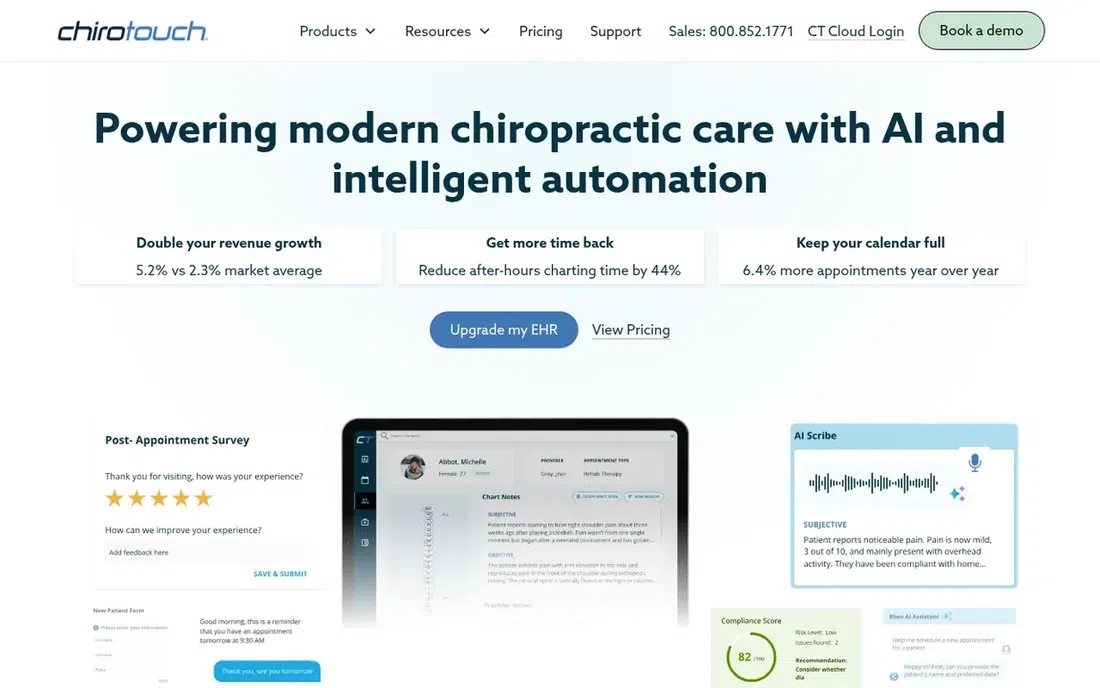
Think of ChiroTouch for Chiropractic-specific EHR and intake. ChiroTouch may be less a good match for practices that require deep customization or multi-specialty support.
Points against: Ramp-up time for new users.
What ChiroTouch does well: patient engagement; Designed specifically for chiropractic practices. Check the vendor site for ChiroTouch pricing; none is listed in this comparison. On free options: Not stated.
- Supports compliance needs
- Integrates EHR, billing
- May be less adaptable for multi-specialty clinics
How these tools were picked
We compared the tools on published pricing, free plan or trial availability, feature coverage for patient intake software for chiropractors, and the limits each vendor documents. Prices and plan limits come from vendor pages and can change, so confirm them on the vendor site before you buy. The sequence is a judgement call: typical use case first, then pricing transparency, then free access. Use the profiles to check fit.
Pre-purchase checklist
- Ask Phreesia and ChiroTouch for a written quote, since no starting price is shown.
- Run a trial of Practice Fusion and IntakeQ with real work before paying for a year; your own workflow is the best test.
- Before choosing Jane App, weigh its main limit: not chiropractic-specific.
- Check whether Jane App bills monthly or annually, and what cancelling early costs.
- Find out what support Practice Fusion includes on your plan, and whether onboarding help costs extra.
FAQ
Can patient intake software help cut no-shows?
Yes, numerous intake options include appointment reminders and online scheduling that can cut no-shows. Phreesia, for instance, specifically markets no-show reduction as a benefit.
Can I try these tools before paying?
Often, yes. Practice Fusion and IntakeQ offer a free trial. Use your own data and a real task during the test, and check what the free tier or trial limits before you rely on it.
What is the cheapest option for patient intake software for chiropractors in this list?
On published monthly entry prices, IntakeQ is the lowest here at $49.90 per month. Entry price is only part of the cost, because seats, add-ons and billing terms can change the total.
Does any tool for patient intake software for chiropractors here have a free plan?
No tool in this list, Jane App and ChiroTouch included, has a permanent free plan. Practice Fusion, IntakeQ offer a trial. Trials and quotes are the usual route, so plan a short evaluation period.
Is Jane App the right pick for everyone comparing patient intake software for chiropractors?
No single tool suits every team. Jane App comes first because it fits wellness clinics seeking booking and charting, while Practice Fusion suits medical practices seeking a cloud EHR and IntakeQ suits digital patient intake forms and questionnaires. Match the tool to your own size, budget and workflow before deciding.
Sources
- https://jane.app
- https://www.practicefusion.com
- https://intakeq.com
- https://www.phreesia.com
- https://www.chirotouch.com