Top 5 Online Form Builder for Nonprofits for 2026 (Prices and Free Plans)
Best online form builder for nonprofits: 5 tools compared on price, free plans and fit. Weak spots flagged for every entry. Built for quick decisions.
- Editor's choice
 Cognito Forms
Workflow automation with approvals
Starts at$24 per monthVisit cognitoforms.comFull review - Great alternative
 Typeform
Engaging, conversational forms
Starts atSee websiteVisit typeform.comFull review - Also consider
 Jotform
Adaptable form building with templates
Starts at$34 a monthVisit jotform.comFull review
Direct answer
Cognito Forms leads the list, best for workflow automation with approvals. Listed starting prices: Cognito Forms from $24 per month, Jotform from $34 a month and Formsite from $21 a month. Typeform is better for engaging, conversational forms, and Jotform is better for flexible form building with templates. The full list of 5 tools follows, with prices and free plan facts.
TL;DR:
- Cognito Forms takes the first slot, best suited to workflow automation with approvals.
- Gravity Forms fits WordPress sites needing custom forms.
- The main caution on Formsite: interface may feel dated.
- A free plan is available from 2 of the 5 tools: Cognito Forms, Jotform.
- The cheapest monthly starting price in the list is $21 per month, offered by Formsite.
Last checked November 2026. Prices and plan details were read from the vendors' own pages in November 2026; vendors change plans often, so confirm the current price on the vendor site before you buy.
Quick comparison
| Tool | Best for | Starts at | Free plan? | |
|---|---|---|---|---|
| Cognito Forms | Workflow automation with approvals | $24 per month | Yes | Visit |
| Typeform | Engaging, conversational forms | See website | Not stated | Visit |
| Jotform | Adaptable form building with templates | $34 a month | Yes | Visit |
| Formsite | Straightforward online forms and surveys | $21 a month | Free trial | Visit |
| Gravity Forms | WordPress sites needing custom forms | $59 a year | No | Visit |
The 5 tools in detail
If you are comparing online form builder for nonprofits, this page covers 5 tools in one place: what each is best for, what it costs to start, whether it has a free plan, and the main limit to know about.
In short, Cognito Forms is for workflow automation with approvals. Cognito Forms is an online form builder that bundles workflow automation, document generation, file uploads, and approvals. It is suited for nonprofits that require to collect data and automate business processes, for example application reviews or volunteer coordination.
Nonprofits with very straightforward form needs might find it more than necessary. More specifically, consider Cognito Forms when you need built-in workflow and approval capabilities. Also, Cognito Forms may have a smaller ecosystem of integrations compared with some bigger competitors, and advanced workflow features might require a premium plan. Cognito Forms pricing: $24 per month. Free access exists with Cognito Forms.
Drawbacks to consider: Advanced features may need premium plan.
- Workflow automation
- Approval processes
- Less known than some competitors
Typeform is designed for engaging, conversational forms. Pick Typeform when engagement and completion rate are top priorities. From a buyer's view, nonprofits needing deep workflow automation or e-signatures should consider other tools.
Watch-outs: Design focus may limit data-heavy forms.
As for the details, Typeform's strength in design and interaction means it may not be the best fit for highly complicated data collection or document-heavy workflows. Nonprofits looking to boost response rates for surveys, feedback, and signups may find Typeform's approach effective, particularly for audience-facing forms where user experience matters. Typeform is a form builder known for creating engaging, conversational forms that can boost completion rates. It supplies AI-powered form creation and automation to trigger follow-up actions. Typeform does not show a starting price in this comparison, so check the vendor site for current pricing. Trial and free access: Not stated. What works well: Interactive form experience.
- Automation triggers
- AI-assisted building
- Less suited for complicated workflows
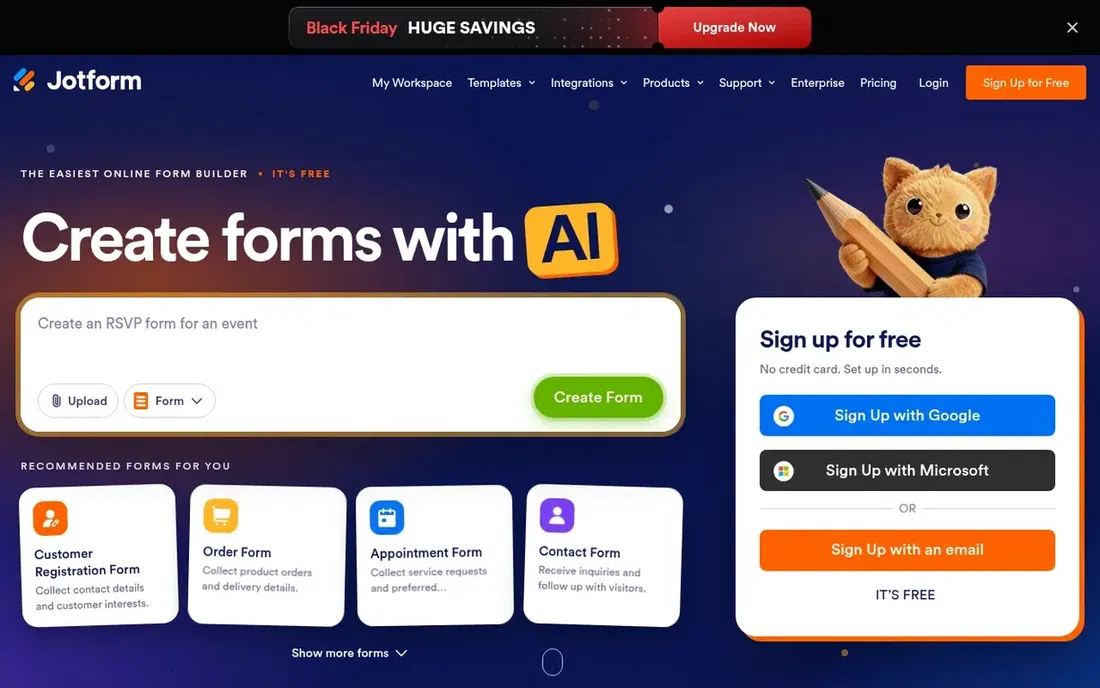
In short, Jotform is for adaptable form building with templates. Jotform is an online form builder that lets you build forms and surveys rapidly with a drag-and-drop interface.
Where it falls short: Advanced choices can overwhelm beginners.
The system is general-purpose and suits organizations that want a straightforward tool for typical form needs. The starting price for Jotform: $34 per month. A free plan is available with Jotform.
- Drag-and-drop builder
- Plenty of integrations
- Feature depth varies by plan
Formsite
Best for: Straightforward online forms and surveys
Formsite works best for straightforward online forms and surveys. Formsite's interface and feature set may not be as modern or deep as some competitors.
It may lack advanced automation or design adaptability. On cost, Formsite starts like this: $21 per month. On free options: Free trial.
Where it is weaker: Interface may feel dated.
- HTML form builder
- Order and registration forms
- Fewer modern integrations
Gravity Forms
Best for: WordPress sites needing custom forms
Pick Gravity Forms if this describes you: WordPress sites needing custom forms. Gravity Forms is a WordPress form plugin that lets you produce custom forms straight on your WordPress site. It is made for simplicity, security, and reliability, making it a capable choice for nonprofits already running WordPress.
Gravity Forms needs a WordPress site and a license for continued updates and support. Also, whereas it is feature-rich, some advanced features may need extras. For everyday use, choose Gravity Forms if your site is on WordPress and you want tight integration. The plugin supports a broad set of field types and integrations, a good match for donation forms, registrations, and surveys. Entry price for Gravity Forms: $59 per year. Gravity Forms does not include a free plan.
Where it falls short: Needs WordPress.
- Secure and steady
- Deep WordPress integration
- License needed for updates
How we compared the tools
We compared the tools on published pricing, free plan or trial availability, feature coverage for online form builder for nonprofits, and the limits each vendor documents. Where a vendor does not publish a price, the entry says quote. Where a price depends on seats or billing term, the entry says so. We ordered the tools by general fit, then by how clearly pricing is shown, then by free access. A buyer with unusual needs may reorder them.
Pre-purchase checklist
- Get a written quote from Typeform; the list shows no starting price for them.
- Read the fine print on the free plans from Cognito Forms and Jotform; seat, project and feature caps differ.
- Run a trial of Formsite with real work before paying for a year; your own workflow is the best test.
- Read the limits listed for Cognito Forms first: less known than some competitors.
- Check how data leaves Formsite: formats, limits and whether exports are available on every plan.
- Pick one real project and run it in Cognito Forms first; a small pilot shows fit faster than a checklist.
FAQ
Can I use a form builder to accept donations?
Look for tools that offer secure payment processing and can manage recurring donations if needed. Check that the form builder connects with the payment gateway your nonprofit already uses.
Can I try these tools before paying?
Often, yes. Cognito Forms and Jotform have a free plan and Formsite offers a free trial. Use your own data and a real task during the test, and check what the free tier or trial limits before you rely on it.
How do form builders help with volunteer management?
Form builders can simplify volunteer signups, collect availability and skills, and automate confirmation emails or reminders. This can save time and boost organization for volunteer coordination.
How are the tools for online form builder for nonprofits ordered?
The order follows typical fit for online form builder for nonprofits, with Cognito Forms first and Gravity Forms last, then price clarity and free access. It is editorial judgement, not a score, so another team could rank the tools differently.
Do these tools publish their prices?
Not all of them. Typeform publishes no starting price, so expect a quote request for it. The rest, Cognito Forms included, show a starting price, though seats and billing terms still change the final cost. All 5 picks in this online form builder for nonprofits comparison list a starting price, free plan details and the main limits on their cards above.
Is Cognito Forms the right pick for everyone comparing online form builder for nonprofits?
No single tool suits every team. Cognito Forms comes first because it fits workflow automation with approvals, while Typeform suits engaging, conversational forms and Jotform suits flexible form building with templates. Match the tool to your own size, budget and workflow before deciding.
Sources
- https://www.cognitoforms.com
- https://www.typeform.com
- https://www.jotform.com
- https://www.formsite.com
- https://www.gravityforms.com