5 Mobile Apps for AI Video Generation Worth Shortlisting in 2026
Best mobile apps for AI video generation in 2026: 5 contenders with entry costs and free tiers. Includes honest limits for each tool. Jump to the table.

- Editor's choice
 InVideo AI
Prompt-driven video creation and editing
Starts at$4 per seat/mo, billed yearlyVisit invideo.ioFull review - Great alternative
 Hailuo AI
Social video and meme-style content
Starts atSee websiteVisit hailuoai.videoFull review - Also consider
 CapCut
Editing and AI generation combined
Starts atSee websiteVisit capcut.comFull review
Direct answer
Start with InVideo AI if you need prompt-driven video creation and editing. Listed starting prices: InVideo AI from $4 per seat/mo, billed yearly and Pika from $10 per month. Hailuo AI is better for social video and meme-style content, and CapCut is better for editing and AI generation combined. The remaining 2 options are covered below with prices and limits.
TL;DR:
- Top of the list is InVideo AI, which targets prompt-driven video creation and editing.
- Only 2 of the 5 tools have a free plan (CapCut, Pika), so check the caps.
- Pika suits multi-model video creation on mobile.
- Starting prices begin at $4 per seat/mo, billed annually with InVideo AI.
- Check the limits for Kling AI before you commit: Multimodal choices add complexity.
Last checked November 2026. Prices and plan details were read from the vendors' own pages in November 2026; vendors change plans often, so confirm the current price on the vendor site before you buy.
Quick comparison
| Tool | Best for | Starts at | Free plan? | |
|---|---|---|---|---|
| InVideo AI | Prompt-driven video creation and editing | $4 per seat/mo, billed yearly | Not stated | Visit |
| Hailuo AI | Social video and meme-style content | See website | Not stated | Visit |
| CapCut | Editing and AI generation combined | See website | Yes | Visit |
 Kling AI | Text and image to video in one studio | See website | Not stated | Visit |
 Pika | Multi-model video creation on mobile | $10 per month | Yes | Visit |
Mobile Apps for AI Video Generation compared in detail
LinkVetted put together this guide to mobile apps for AI video generation for readers who want a clear shortlist without reading every vendor page. It compares 5 tools on starting price, free plans, who each one suits and where each one falls short.
InVideo AI is designed for prompt-driven video creation and editing. InVideo AI supplies an editor for creating and editing AI videos, with an agent-led approach to building content. Also, on mobile, it fits users who want to describe a video and have much of the assembly handled for them, then adjust in the editor.
What to check first: Less suited to single-clip experiments.
From a buyer's view, automation-led creation can mean less granular control over individual shots than a dedicated generator hands. If your goal is experimenting with a single short clip, a focused generation app is more straightforward. Choose InVideo AI when the finished video, not the individual generation, is the deliverable. InVideo AI pricing: $4 per seat/mo, billed annually. Free options: Not stated.
Reasons to shortlist it: Build and edit in one editor.
- Agent-led video creation approach
- Pitched at producing videos without limits
- Automation may cut fine control
Where Hailuo AI fits: social video and meme-style content. Hailuo AI lets users build AI videos and images from text or photos, and bundles video, image and meme tools pitched at creators and social content. If you need precise control over a longer project, a studio tool or editor will serve you better.
Upsides: Text or photo to video generation.
Drawbacks to consider: Social focus may not suit refined projects. Worth adding: on a phone, that makes it a practical pick for quick, shareable clips instead of long-form production. In daily use, treat it as a quick idea generator for short content. Check the vendor site for Hailuo AI pricing; none is listed in this comparison. Free plan details: Not stated.
- Built with social creators in mind
- Image and meme tools together
- Feature set skews toward short content
CapCut targets editing and AI generation combined. CapCut is an AI video editor with smart templates and creative effects, available on mobile, desktop and online, and geared toward YouTube and Instagram editing. In practice, heavy template use can also make output feel familiar instead of distinct.
Because CapCut centers on editing, its AI generation features sit alongside plenty of other tools instead of leading the experience. In practice, for AI video work, it is the place to assemble generated clips, add effects and finish a post-ready video on a phone. CapCut shows no starting price here, so confirm the cost on the vendor site. A free plan is available with CapCut.
What CapCut does well: AI-powered mobile video editor. Where it falls short: Generation is one feature among plenty of.
- Desktop and online
- Smart templates and creative effects
- Template look can feel generic

Kling AI is aimed squarely at text and image to video in one studio. It fits users who move between image and video ideas.
Trade-offs to know: Quality relies on input quality.
Beyond that, if your priority is a narrow, quick prompt-to-clip flow, a leaner app may be less distracting. Check the vendor site for Kling AI pricing; none is listed in this comparison. As for free access: Not stated.
- Image and reference inputs
- Video and image generation together
- Multimodal choices add complexity
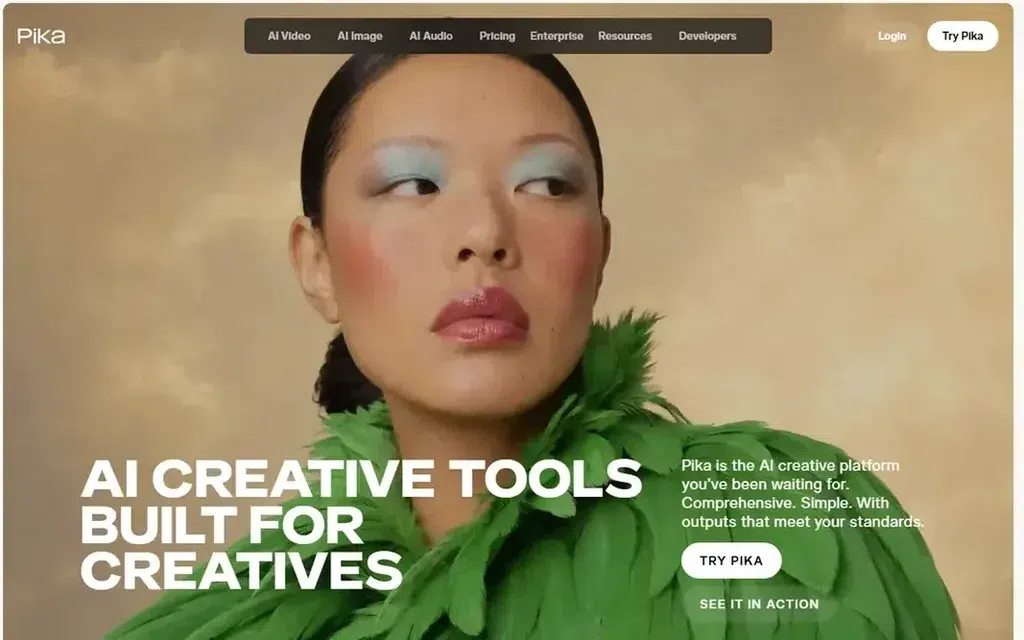
Choose Pika for multi-model video creation on mobile. Pika presents itself as a creative platform for AI video, images and audio, with models for example Seedance, Kling, Veo and Wan available in one place.
Watch-outs: Model choice can overwhelm beginners.
It suits creators who like comparing model outputs and want image and audio support alongside video generation. Price to start with Pika: $10 per month. Free access exists with Pika.
- Multiple video models in one system
- Creative tools beyond plain generation
- Output quality varies by model
How the list was put together
We compared the tools on published pricing, free plan or trial availability, feature coverage for mobile apps for AI video generation, and the limits each vendor documents. Plan names, prices and limits change often. Treat the figures here as a starting point and verify them with the vendor. Order on the page follows fit for the typical buyer first, then price transparency and free access. Your own requirements should decide the final pick.
Before you commit
- Confirm the entry price on the vendor page. For Hailuo AI, CapCut and Kling AI that means a quote rather than a fixed price.
- Look at free plan limits closely: CapCut and Pika have one, and the caps decide whether it is usable for real work.
- Read the limits listed for InVideo AI first: automation may cut fine control.
- Involve the people who will use Kling AI daily; a short pilot beats a long feature checklist.
- Check the integration list for CapCut against the tools you run today, and note which ones need a higher plan.
FAQ
How are the tools for mobile apps for AI video generation ordered?
The order follows typical fit for mobile apps for AI video generation, with InVideo AI first and Pika last, then price clarity and free access. It is editorial judgement, not a score, so another team could rank the tools differently.
Do these tools publish their prices?
Not all of them. Hailuo AI, CapCut and Kling AI publish no starting price, so expect a quote request for those. The rest, InVideo AI included, show a starting price, though seats and billing terms still change the final cost.
Can I edit AI-generated videos on mobile?
CapCut is built as a mobile AI video editor with templates and effects, and InVideo AI merges creation with editing. Plenty of generators focus on producing clips, so pairing a generator with an editor is a typical approach.
Which options for mobile apps for AI video generation have a free plan?
CapCut and Pika offer a free plan in this list. Free plans usually cap users, projects or features, so check the limits on the vendor page.
What is the cheapest option for mobile apps for AI video generation in this list?
On published monthly entry prices, InVideo AI is the lowest here at $4 per seat/mo, billed annually. Entry price is only part of the cost, because seats, add-ons and billing terms can change the total. For the full picture, the cards above cover all 5 entries of this mobile apps for AI video generation list, including price, free plan and limits.
Sources
- https://invideo.io
- https://hailuoai.video
- https://www.capcut.com
- https://klingai.com
- https://pika.art