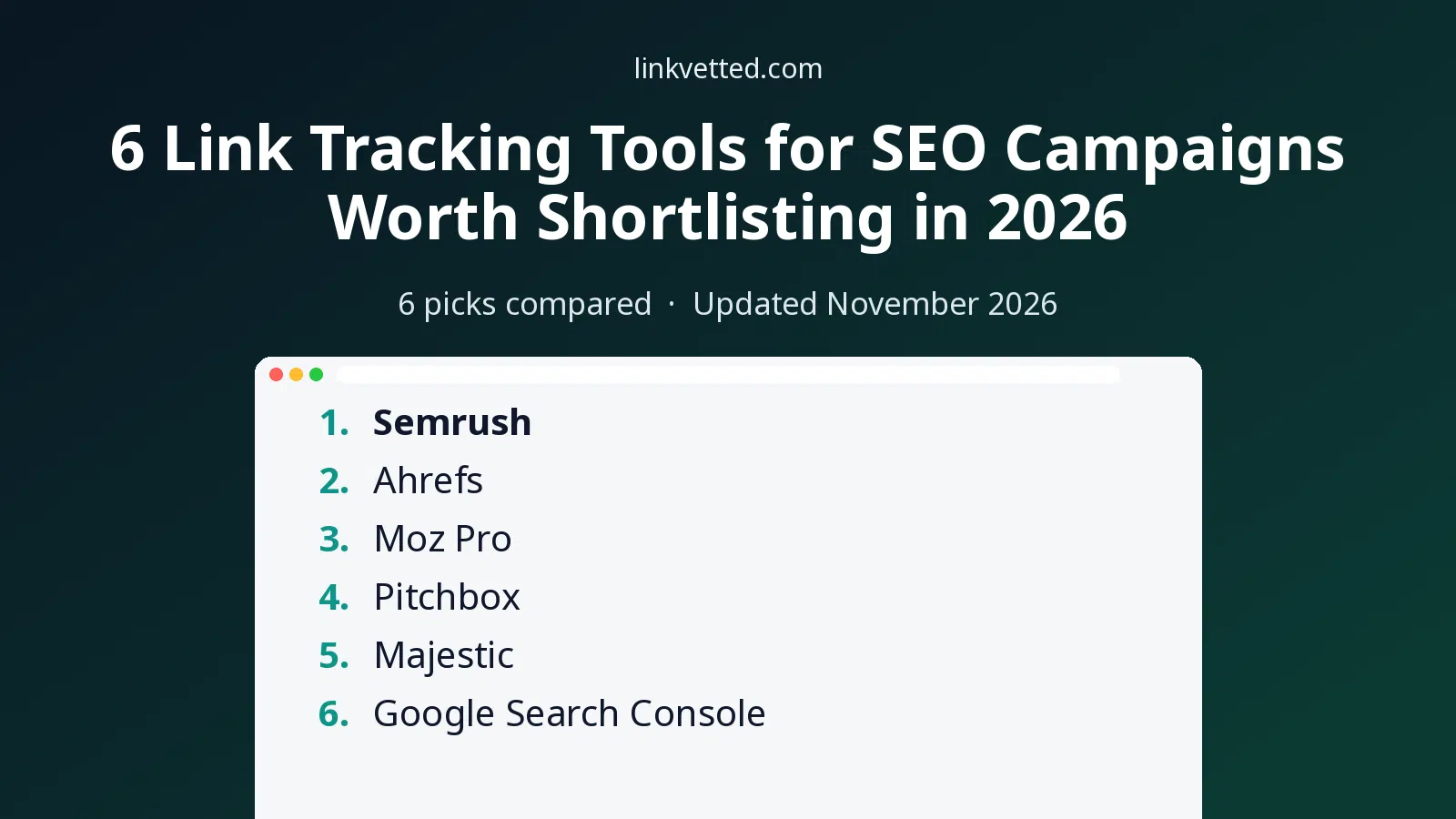
6 Link Tracking Tools for SEO Campaigns Worth Shortlisting in 2026
A practical comparison of the best link tracking tools for SEO campaigns in 2026, covering backlink monitoring, outreach tracking and link reporting.
- Editor's choice
 Semrush
All-in-one link and SEO tracking
Starts atSee websiteVisit semrush.comFull review - Great alternative
 Ahrefs
Backlink monitoring at scale
Starts atSee websiteVisit ahrefs.comFull review - Also consider
 Moz Pro
Beginners and simpler reporting
Starts atSee websiteVisit moz.comFull review
Direct answer
My first pick is Semrush, because its backlink and link-building toolset covers discovery, monitoring and reporting in one place. For outreach pipeline tracking I would look at Pitchbox, and for day-to-day backlink monitoring at scale Ahrefs is a strong second option. Each fits a different part of a link campaign, so the right choice depends on whether you need prospecting, monitoring or reporting most.
TL;DR:
- Link tracking covers three jobs: finding new links, watching existing ones and proving results to clients.
- A backlink index tool is the backbone of most campaigns, but it does not replace an outreach CRM.
- Google Search Console is free and shows links Google has found, but its data is sampled and delayed.
- Alert-based monitoring helps you catch lost links and unlinked mentions before they affect reporting.
- Match the tool to your workflow first, then compare features, because most suites overlap heavily.
Last checked November 2026. Plan prices are not quoted in this guide because they change often; see each vendor's own pricing page for current figures before you buy.
Quick comparison
| Tool | Best for | Starts at | Free plan? | |
|---|---|---|---|---|
| Semrush | All-in-one link and SEO tracking | See website | No free plan | Visit |
| Ahrefs | Backlink monitoring at scale | See website | No free plan | Visit |
| Moz Pro | Beginners and simpler reporting | See website | Free trial | Visit |
 Pitchbox | Managing outreach pipelines | See website | No free plan | Visit |
 Majestic | Deep link history and trust metrics | See website | No free plan | Visit |
 Google Search Console | Free baseline link data | See website | Free plan | Visit |
The best link tracking tools for SEO campaigns compared
I compared these tools from vendor documentation, public help centres and product pages, and I did not run hands-on tests of my own. The notes below focus on how each product fits a link campaign workflow, plus the limits vendors themselves describe. Treat this as a shortlist to evaluate, not a lab result.
Semrush is a broad SEO platform where the backlink analytics and link-building sections handle most link tracking needs. It suits agencies and in-house teams that already want keyword, rank and site audit data in the same account, because link work rarely happens in isolation from the rest of an SEO campaign.
For link campaigns, I would use the backlink audit to review the profile, the link gap view to compare prospects against competitors, and the outreach-oriented link-building tools to keep prospects organised. Position tracking lets you watch whether links coincide with ranking movement, though you should read that as correlation rather than proof.
The main limit is cost and complexity: if you only need a backlink checker, a dedicated tool may be simpler. Skip it if your budget is tight or you want a single-purpose link monitor.
- Backlink analytics and link-building tools in one suite
- competitor link gap analysis
- position tracking alongside link data
- Large interface with many modules
- link data is an estimate, not a live crawl
Ahrefs is known for its backlink data, and the Site Explorer backlink views are where most link tracking happens. It fits teams that monitor many domains and need to see new and lost links quickly, including competitor profiles for link gap work.
In a campaign, I would set up alerts for new and lost links on client domains, use the link intersect report to find sites linking to competitors but not to you, and export prospect lists for outreach. The batch analysis view helps when you need to check many prospect domains at once.
Limits include credit-based usage on some actions and a learning curve for the full interface. Skip it if you mainly need outreach pipeline management rather than link data.
- Large, frequently updated backlink index
- strong new and lost link tracking
- useful link intersect research
- Some actions consume credits
- premium plans needed for heavier use
Moz Pro bundles a link explorer with campaign tracking, site audits and rank monitoring. It fits smaller teams or solo consultants who want a readable link profile view without a steep learning curve, and who value an integrated campaign dashboard.
For link tracking, the link explorer shows inbound links, linking domains and competitor comparisons, and you can save queries for repeat checks. Campaign settings let you monitor a domain over time, which is useful for spotting link gains and losses between reports.
The trade-off is depth: the link index is smaller than the largest rivals, so some niche links may not appear. Skip it if you need the widest possible backlink coverage.
- Clear link explorer interface
- integrated campaigns and rank tracking
- approachable for smaller teams
- Link index is smaller than larger rivals
- fewer advanced link research options
Pitchbox is an outreach and link-building platform rather than a backlink database. It fits agencies and link-building teams that run recurring campaigns and need a shared pipeline for prospects, pitches and placements.
In a link campaign, Pitchbox handles the part most backlink tools ignore: who was contacted, what was sent and what was placed. You can track prospect status, schedule follow-ups and report on outreach activity, then cross-check placements in a backlink tool.
The limit is clear: it does not measure your backlink profile. Skip it if you only need link monitoring, and pair it with a backlink index tool if you run outreach at volume.
- Prospect and campaign management in one place
- outreach sequencing and follow-ups
- reporting on outreach activity
- Not a backlink index
- pricing aimed at teams rather than solo users
Majestic is a dedicated backlink index with a long history of link data. It fits SEOs who want to check link history, compare trust metrics and vet prospect domains before outreach, especially where historical link data matters.
For link tracking, the site explorer shows backlinks, referring domains and history charts, and the comparison tools help assess several prospects side by side. The trust flow and citation flow metrics are widely used in prospecting, though they are third-party estimates rather than Google signals.
The interface feels older than newer rivals and there are fewer campaign features. Skip it if you want an all-in-one SEO suite.
- Long-running link history
- trust and citation flow metrics
- site explorer views for prospect checks
- Dated interface
- fewer campaign and outreach features
Google Search Console is the free baseline every link campaign should include. It fits any site owner who wants to confirm which links Google has found, and it is the reference point for whether a link is actually counted.
The Links report shows top linking sites, top linked pages and internal links. I use it to sanity-check backlink tool data and to spot links that tools miss, though the list is sampled and updates on a delay, so it is not a full inventory.
The limits are real: no full export of every link and limited history. Use it alongside a paid index tool rather than as a replacement.
- Free and official Google data
- shows top linking sites and pages
- useful for confirming indexed links
- Sampled and delayed link data
- limited export and history
How I chose
I built this shortlist from vendor documentation, public help centres and product pages, and I did not run hands-on tests or measure results. My focus was fit: which tool covers discovery, monitoring or outreach, and where each one stops. I also noted the limits vendors describe themselves, such as sampled data, credit usage and index size, because those decide whether a tool suits a small team or an agency running many campaigns.
I left out tools I could not confirm are currently operating, and I avoided anything that depends on link schemes or automated link placement. The result is a shortlist to evaluate against your own workflow, not a ranking. Before committing, check current features and terms on each vendor site, since products change and this page reflects public information at the time of writing.
What to check before you buy
- Confirm the tool covers the part of the campaign you actually run: prospecting, monitoring or reporting.
- Check how often the backlink index updates and whether new and lost link alerts are included.
- Look at export limits and API access if you report to clients or move data into a CRM.
- Review credit or usage limits on actions like batch analysis and report generation.
- Test the prospect and outreach features if you run link building, not just link checking.
- Check data coverage for your market and language, since indexes vary by region.
FAQ
What is link tracking in an SEO campaign?
Link tracking means monitoring the links pointing to a site: new links earned, links lost, and links that competitors have but you do not. It also covers tracking outreach, so you know which prospects were contacted and which placements went live. Most teams combine a backlink index tool with Google Search Console.
Do I need a paid tool if Search Console is free?
Search Console is a good baseline but its link data is sampled and delayed, and it does not show competitor links or outreach status. A paid backlink tool gives wider coverage, competitor comparisons and alerts. Many teams use both: the paid index for research and monitoring, Search Console to confirm what Google has found.
Can these tools track outreach emails and placements?
Only some of them. Pitchbox is built for outreach pipelines, and Semrush includes link-building workflow features. Ahrefs, Majestic and Moz Pro focus on link data, so you would pair them with a CRM or spreadsheet for outreach. Google Search Console does not track outreach at all.
How often should I check for lost links?
A weekly or biweekly check suits most campaigns, with alerts for important pages. Checking daily rarely adds value because indexes update on their own schedule. Review lost links before acting, since some disappear because pages moved or were redirected, and a quick outreach can sometimes restore them.
Are link tracking tools accurate?
No backlink index is complete. Each vendor crawls differently, so counts vary between tools, and Google's own data is sampled. Use one primary tool for consistency, cross-check important links in Search Console, and treat metrics like trust flow as estimates rather than ranking factors.
Sources
- https://www.semrush.com
- https://www.ahrefs.com
- https://moz.com
- https://www.pitchbox.com
- https://majestic.com
- https://search.google.com/search-console