Best Knowledge Base Software for Law Firms for 2026: Our 5 Vetted Picks
5 products for the best knowledge base software for law firms, ranked by fit, with starting costs and free tiers. Read the caveats before you buy. Easy to scan.

- Editor's choice
 Filevine
Case-centered legal workflows
Starts atSee websiteVisit filevine.comFull review - Great alternative
 NetDocuments
Secure document and email management
Starts atSee websiteVisit netdocuments.comFull review - Also consider
 MyCase
Small businesses managing cases and billing
Starts at$50 per user a monthVisit mycase.comFull review
Direct answer
Filevine leads the list, best for case-centered legal workflows. Listed starting prices: MyCase from $50 per user a month. Look at NetDocuments for secure document and email management, and at MyCase for small firms managing cases and billing. The remaining 2 options are covered below with prices and limits.
TL;DR:
- Filevine is the opening pick, best for case-centered legal workflows.
- For the cheapest start, look at MyCase: $50 per user per month.
- A permanent free plan is missing from all 5 tools, Filevine and Litera included; plan for a trial or a premium start.
- Litera suits drafting and document workflow.
- A fair warning about iManage: wide platform may need configuration.
Last checked November 2026. Prices and plan details were read from the vendors' own pages in November 2026; vendors change plans often, so confirm the current price on the vendor site before you buy.
Quick comparison
| Tool | Best for | Starts at | Free plan? | |
|---|---|---|---|---|
| Filevine | Case-centered legal workflows | See website | Free trial | Visit |
| NetDocuments | Secure document and email management | See website | Not stated | Visit |
| MyCase | Small businesses managing cases and billing | $50 per user a month | Free trial | Visit |
| iManage | Firm-wide legal knowledge work | See website | Not stated | Visit |
| Litera | Drafting and document workflow | See website | Not stated | Visit |
The best knowledge base software for law firms
Short on time? The summary and table above give the quick view of 5 knowledge base software for law firms, and the profiles that follow give the detail behind each entry.
Where Filevine fits: case-centered legal workflows. Filevine supplies a legal AI system for law businesses and legal teams, with its homepage framing the product around case work and legal operations.
Where it falls short: Knowledge features tied to matters.
From a buyer's view, businesses with high-volume, case-driven work are the clearest audience. Since the structure follows cases, businesses seeking a standalone searchable knowledge library may find it less direct. No starting price is listed for Filevine here; confirm pricing on the vendor site. Trial and free access: Free trial.
- AI positioned within the product
- Case-oriented structure
- Fit relies on practice type
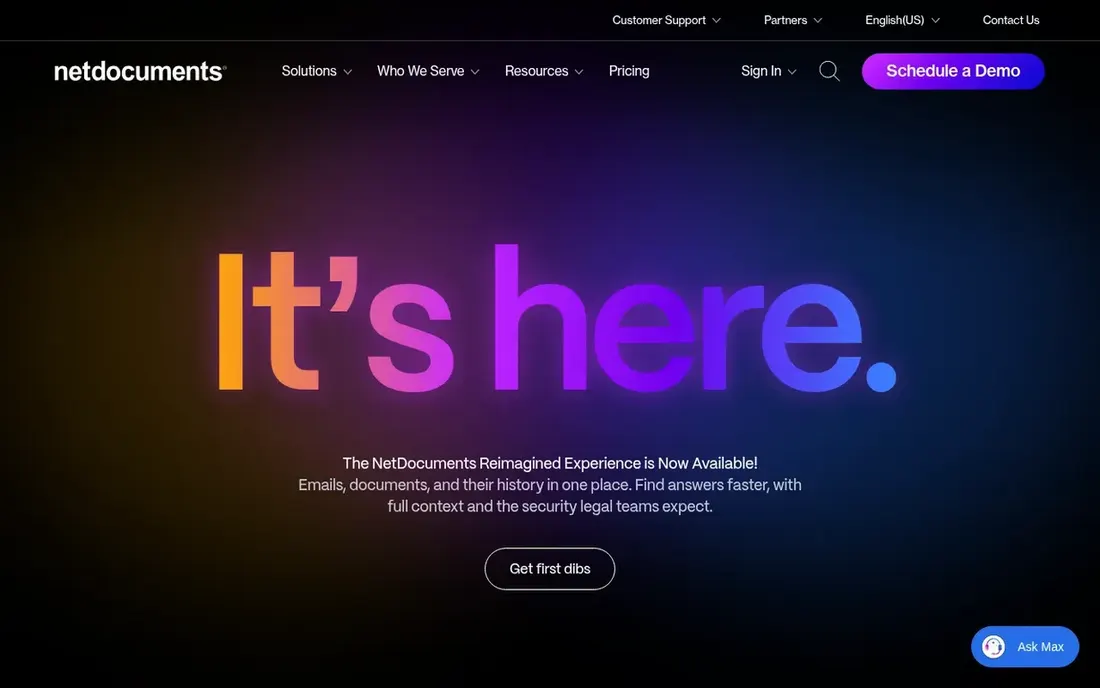
NetDocuments was built for secure document and email management. It fits businesses whose knowledge base is mostly made up of matter documents, emails and work product that must be captured, organized and retrieved dependably.
Where it is weaker: Knowledge features center on documents.
Also, if your central need is billing and case intake instead of document governance, a practice management suite could be a better starting point. NetDocuments does not show a starting price in this comparison, so check the vendor site for current pricing. Trial and free access: Not stated.
- Emphasizes security and compliance
- Accessible from anywhere
- May require process changes
MyCase works best for small businesses managing cases and billing. If your firm needs sophisticated knowledge activation across numerous practice groups, a bigger legal product may serve better. MyCase is legal practice management software built to run a firm, bringing cases, clients, billing and payments into one place.
Upsides: Straightforward practice management focus.
What to check first: Less suited to large businesses. Businesses that value simplicity over deep document governance are a decent match. Its focus is practice management, so dedicated knowledge base and precedent features are restricted compared to document-centric products. MyCase pricing: $50 per user per month. On free options: Free trial.
- Cases, clients
- Billing and payments together
- Knowledge features are secondary
iManage
Best for: Firm-wide legal knowledge work

iManage serves firm-wide legal knowledge work. iManage describes itself as an AI knowledge work system that handles and activates knowledge, helping legal and professional services teams make smarter decisions whereas connecting people and AI securely.
Drawbacks to consider: Best value for bigger businesses.
From a buyer's view, since it is a wide knowledge product, setup and governance take planning, and smaller practices may find it heavier than they need. Businesses with substantial precedent libraries and several practice groups are the natural audience. No starting price is listed for iManage here; confirm pricing on the vendor site. Free plan details: Not stated.
- Positions knowledge as an active asset
- Made for legal and professional services
- Wide product may need configuration
Litera
Best for: Drafting and document workflow

Litera makes the most sense for drafting and document workflow. If you need a single home for matter files and client records, look to a dedicated product and treat Litera as a complement.
Check the vendor site for Litera pricing; none is listed in this comparison. On free options: Not stated.
Downsides: Overlaps with other document tools.
- Legal technology centred on documents
- Targeted at legal professionals
- Not a standalone knowledge base
How we built this list
For each of the 5 tools we noted price, free plan or trial, fit for knowledge base software for law firms and the main limit, using vendor pages and documentation. Where a vendor does not publish a price, the entry says quote. Where a price depends on seats or billing term, the entry says so. The order reflects how well each tool fits the most common buying scenario for knowledge base software for law firms, then price clarity, then free plan access. It is a starting point, not a verdict.
Questions to settle before buying
- Ask Filevine, NetDocuments, iManage and Litera for a written quote, since no starting price is shown.
- Take the trial from Filevine and MyCase and push a live task through it before you pay.
- Read the limits listed for Filevine first: knowledge features tied to matters.
- Make sure Filevine lets you export your data in a format another tool can read.
- Add up seats, add-ons and usage charges for iManage before comparing it with cheaper entries.
FAQ
Do these tools publish their prices?
Not all of them. Filevine, NetDocuments, iManage and Litera publish no starting price, so expect a quote request for those. The rest, MyCase included, show a starting price, though seats and billing terms still change the final cost.
What should a law firm look for in knowledge base software?
Prioritize secure document and email capture, dependable search across matters, and integration with the tools your firm already uses. Confirm how the product manages compliance and who controls access to client information.
Is Filevine the right pick for everyone comparing knowledge base software for law firms?
No single tool suits every team. Filevine comes first because it fits case-centered legal workflows, while NetDocuments suits secure document and email management and MyCase suits small firms managing cases and billing. Match the tool to your own size, budget and workflow before deciding.
Does any tool for knowledge base software for law firms here have a free plan?
A permanent free plan is not offered by Filevine, Litera or the other tools here. Filevine, MyCase offer a trial. Plan a short evaluation period instead.
Can smaller businesses adopt these systems?
Yes, though the fit varies. Smaller practices commonly start with practice management tools and add document management as their knowledge needs grow.
How are the tools for knowledge base software for law firms ordered?
The order follows typical fit for knowledge base software for law firms, with Filevine first and Litera last, then price clarity and free access. It is editorial judgement, not a score, so another team could rank the tools differently.
Sources
- https://www.filevine.com
- https://www.netdocuments.com
- https://www.mycase.com
- https://imanage.com
- https://www.litera.com