5 IT Management Software for Event Planners Worth Shortlisting in 2026
Best IT management software for event planners in 2026: 5 tools with starting prices, free plans and limits. Short verdicts, no fluff. Full profiles inside.
- Editor's choice
 ManageEngine Endpoint Central
Wide device and mobile management
Starts atSee websiteVisit manageengine.comFull review - Great alternativeDatto RMM
Cloud-based remote endpoint management
Starts atSee websiteVisit datto.comFull review - Also consider
 Microsoft Intune
Cloud-first device and app management
Starts atSee websiteVisit microsoft.comFull review
Direct answer
This list puts ManageEngine Endpoint Central first for wide device and mobile management. Listed starting prices: NinjaOne from $1.50 per device a month. For a different need, Datto RMM covers cloud-based remote endpoint management and Microsoft Intune covers cloud-first device and app management. The remaining 2 options are covered below with prices and limits.
TL;DR:
- Top of the list is ManageEngine Endpoint Central, which targets broad device and mobile management.
- NinjaOne is the one to check for unified endpoint operations in one product.
- Before buying Microsoft Intune, weigh this: tied closely to the Microsoft ecosystem.
- NinjaOne is the lowest-priced starter here at $1.50 per device per month.
- ManageEngine Endpoint Central, NinjaOne and the 3 others all need a premium plan or a trial, since no free plan is listed.
Last checked November 2026. Prices and plan details were read from the vendors' own pages in November 2026; vendors change plans often, so confirm the current price on the vendor site before you buy.
Quick comparison
| Tool | Best for | Starts at | Free plan? | |
|---|---|---|---|---|
| ManageEngine Endpoint Central | Wide device and mobile management | See website | Not stated | Visit |
| Datto RMM | Cloud-based remote endpoint management | See website | Not stated | Visit |
| Microsoft Intune | Cloud-first device and app management | See website | Not stated | Visit |
| ConnectWise Automate | Automating technical work for IT teams | See website | Not stated | Visit |
 NinjaOne | Unified endpoint operations in one product | $1.50 per device a month | Free trial | Visit |
IT Management Software for Event Planners, one by one
This LinkVetted guide covers 5 IT management software for event planners. Each profile lists a starting price, free plan details, strengths and drawbacks, so you can drop poor fits quickly.
ManageEngine Endpoint Central makes the most sense for broad device and mobile management. Event planners frequently run a mix of office computers, check-in tablets and staff phones. So a single console handling all of them can ease patching and policy enforcement.
Honest limits: May be more than a small team needs.
For everyday use, the breadth of device coverage means configuration choices multiply, and a small team may need help scoping what to enable first. It is not a dedicated remote monitoring and management platform, so heavy automation of IT service workflows may call for a different tool. ManageEngine Endpoint Central does not show a starting price in this comparison, so check the vendor site for current pricing. Free options: Not stated.
- Runs servers, desktops
- Central console for mixed device types
- Broad scope needs careful configuration
Datto RMM
Best for: Cloud-based remote endpoint management
Datto RMM is aimed squarely at cloud-based remote endpoint management. Datto RMM is described as remote monitoring and management software that lets IT teams remotely handle, monitor and secure endpoints from the cloud.
If you need mobile device and app management as the primary goal, look at a unified endpoint management product instead. Check the vendor site for Datto RMM pricing; none is listed in this comparison. Free access: Not stated.
Downsides: Needs policy setup to be handy.
- Monitoring and security of endpoints
- Run devices from a browser
- Overlaps with other RMM choices here
In short, Microsoft Intune is for cloud-first device and app management. Microsoft Intune is a cloud-based unified endpoint management option built on Zero Trust, letting IT run, secure and govern devices, apps and endpoints. Worth adding: if you need remote monitoring and patching automation as the core capability, a RMM-focused product is the more direct choice.
Event planners already working in Microsoft environments may find it a natural way to apply consistent access and device rules to staff laptops and mobile devices used on site. Its strengths assume a Microsoft-centered stack, so mixed or non-Microsoft environments may need extra tooling. This comparison lists no price for Microsoft Intune; ask the vendor. Trial and free access: Not stated.
Drawbacks to consider: Tied closely to the Microsoft ecosystem.
- Apps and endpoints
- Cloud-based unified endpoint management
- Policy design requires planning
ConnectWise Automate
Best for: Automating technical work for IT teams
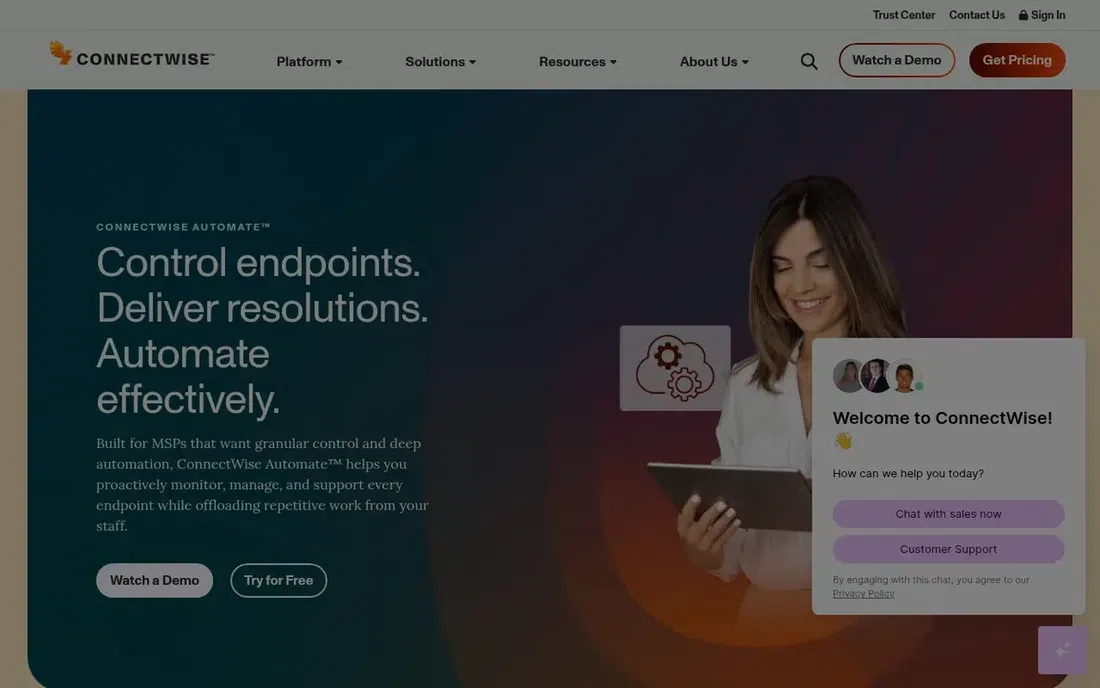
For automating technical work for IT teams, ConnectWise Automate is a natural candidate. Automation also needs review over time as devices and venues change.
From a buyer's view, the product is framed around IT team efficiency, so a planner without dedicated technical staff may find it indirect. More specifically, if your priority is unified device and app security with minimal operational overhead, a cloud endpoint management tool may suit you better. Check the vendor site for ConnectWise Automate pricing; none is listed in this comparison. On free options: Not stated.
The main drawbacks: Oriented toward IT service teams.
- Pitched at improving IT team efficiency
- Capable RMM automation
- Automation rules need continuing tuning
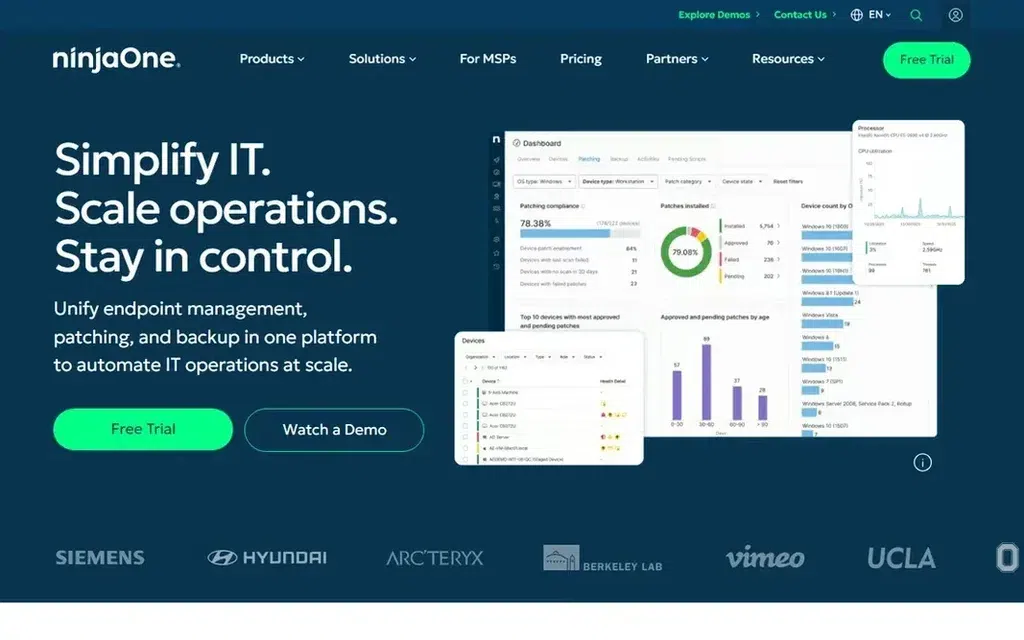
NinjaOne is a good fit for unified endpoint operations in one product. NinjaOne presents itself as a unified IT operations product handling endpoint management, autonomous patching, backup and remote access.
Trade-offs to know: Wide feature set may exceed small team needs.
What you pay to start with NinjaOne: $1.50 per device per month. On free options: Free trial.
- Positioned for IT teams and managed service providers
- Remote access built into the product
- Needs setup effort to configure
How we built this list
Pricing pages, product documentation and feature lists were the main sources, and every entry carries at least one honest drawback. Where a price is missing, the vendor does not list one publicly or ties it to a quote. Always confirm before budgeting. The order reflects how well each tool fits the most common buying scenario for IT management software for event planners, then price clarity, then free plan access. It is a starting point, not a verdict.
What to check before you buy
- Confirm the entry price on the vendor page. For ManageEngine Endpoint Central, Datto RMM, Microsoft Intune and ConnectWise Automate that means a quote rather than a fixed price.
- Take the trial from NinjaOne and push a live task through it before you pay.
- Before choosing ManageEngine Endpoint Central, weigh its main limit: broad scope needs careful configuration.
- Make sure NinjaOne lets you export your data in a format another tool can read.
- Read the plan comparison for ConnectWise Automate carefully; key features often start on a higher tier.
FAQ
How are the tools for IT management software for event planners ordered?
ManageEngine Endpoint Central sits first and NinjaOne last because the order follows typical fit for IT management software for event planners, then price clarity and free access. It is a judgement call, so read each profile for fit and limits.
Can I try these tools before paying?
Often, yes. NinjaOne offers a free trial. Use your own data and a real task during the test, and check what the free tier or trial limits before you rely on it. All 5 picks in this IT management software for event planners comparison list a starting price, free plan details and the main limits on their cards above.
Why would an event planner need IT management software?
Event planners frequently rely on laptops, check-in tablets and registration kiosks that must stay patched and reachable during events. IT management software centralizes monitoring, updates and remote support so problems are caught before they disrupt an event.
Does any tool for IT management software for event planners here have a free plan?
A permanent free plan is not offered by ManageEngine Endpoint Central, NinjaOne or the other tools here. NinjaOne offer a trial. Plan a short evaluation period instead.
Can a small planning team use these tools without dedicated IT staff?
Some choices are aimed at IT teams and managed service providers, so a small team may need outside help to configure policies.
What is the cheapest option for IT management software for event planners in this list?
On published monthly entry prices, NinjaOne is the lowest here at $1.50 per device per month. Entry price is only part of the cost, because seats, add-ons and billing terms can change the total. For the full picture, the cards above cover all 5 entries of this IT management software for event planners list, including price, free plan and limits.
Sources
- https://www.manageengine.com/products/desktop-central
- https://www.datto.com/products/rmm
- https://www.microsoft.com/en-us/security/business/microsoft-intune
- https://www.connectwise.com/platform/automate
- https://www.ninjaone.com