Best Incident Reporting Software Platforms (2026): 5 Picks Checked on Vendor Pages
Compare 5 best incident reporting software platforms, with prices, free plans and who each fits. Each profile ends with a plain caveat. Refreshed for 2026.
- Editor's choice
 xMatters
Automating workflows for DevOps and SRE
Starts at$15 per user per monthVisit xmatters.comFull review - Great alternative
 Incident.io
Unified on-call, response and status pages
Starts at$15 per user a monthVisit incident.ioFull review - Also consider
 FireHydrant
Alerting, on-call and retrospectives together
Starts at$25 per responder a monthVisit firehydrant.comFull review
Direct answer
This list puts xMatters first for automating workflows for DevOps and SRE. Listed starting prices: xMatters from $15 per user per month, Incident.io from $15 per user a month and FireHydrant from $25 per responder a month. Incident.io fits unified on-call, response and status pages; FireHydrant fits alerting, on-call and retrospectives together. Prices, free plans and limits for all 5 tools follow.
TL;DR:
- This list starts with xMatters, which is built for automating workflows for DevOps and SRE.
- Only 3 of the 5 tools have a free plan (xMatters, Incident.io, PagerDuty), so check the caps.
- A fair warning about xMatters: less emphasis on reporting dashboards.
- The cheapest monthly starting price in the list is $15 per user per month, offered by xMatters.
- For automating detection through resolution, PagerDuty is worth a look.
Last checked November 2026. Prices and plan details were read from the vendors' own pages in November 2026; vendors change plans often, so confirm the current price on the vendor site before you buy.
Quick comparison
| Tool | Best for | Starts at | Free plan? | |
|---|---|---|---|---|
| xMatters | Automating workflows for DevOps and SRE | $15 per user per month | Yes | Visit |
| Incident.io | Unified on-call, response and status pages | $15 per user a month | Yes | Visit |
| FireHydrant | Alerting, on-call and retrospectives together | $25 per responder a month | Free trial | Visit |
 ServiceNow | Enterprise-wide workflow and incident governance | See website | Not stated | Visit |
 PagerDuty | Automating detection through resolution | $21 per user per month | Yes | Visit |
Incident Reporting Software Platforms profiles
If you are comparing incident reporting software platforms, this page covers 5 tools in one place: what each is best for, what it costs to start, whether it has a free plan, and the main limit to know about.
xMatters is a good fit for automating workflows for DevOps and SRE. xMatters helps DevOps, SRE and operations teams automate workflows, protect infrastructure availability and deliver products at scale.
On top of that, choose xMatters when automatic operational workflows are the priority. xMatters cost at the entry level: $15 per user per month. A free plan is available with xMatters.
Where it falls short: Suits operations more than general IT.
- Geared toward DevOps and SRE teams
- Workflow automation focus
- Less emphasis on reporting dashboards
Think of Incident.io for unified on-call, response and status pages. It fits engineering teams that want these capabilities in one place so issues resolve quicker.
Where it is weaker: Focused on software reliability.
Its focus on software reliability means it is not a general enterprise workflow suite, so organizations needing wide service management may look elsewhere. Incident.io cost at the entry level: $15 per user per month. A free plan is available with Incident.io.
- On-call and response unified
- Status pages included
- Narrower than full ITSM suites
FireHydrant targets alerting, on-call and retrospectives together. The inclusion of retros makes learning part of the same workflow. Teams with established alerting stacks may face overlap, and retrospectives only deliver value when teams engage with them.
FireHydrant supplies all-in-one incident management with smart alerting, on-call scheduling, AI-powered workflows and post-incident retrospectives. For everyday use, consider FireHydrant when you want response and learning unified instead of split across tools. Price to start with FireHydrant: $25 per responder per month. As for free access: Free trial.
The main drawbacks: May overlap with existing alerting.
Best features of FireHydrant: AI-powered workflows.
- Post-incident retros built in
- Smart alerting and on-call
- Retro quality relies on team input
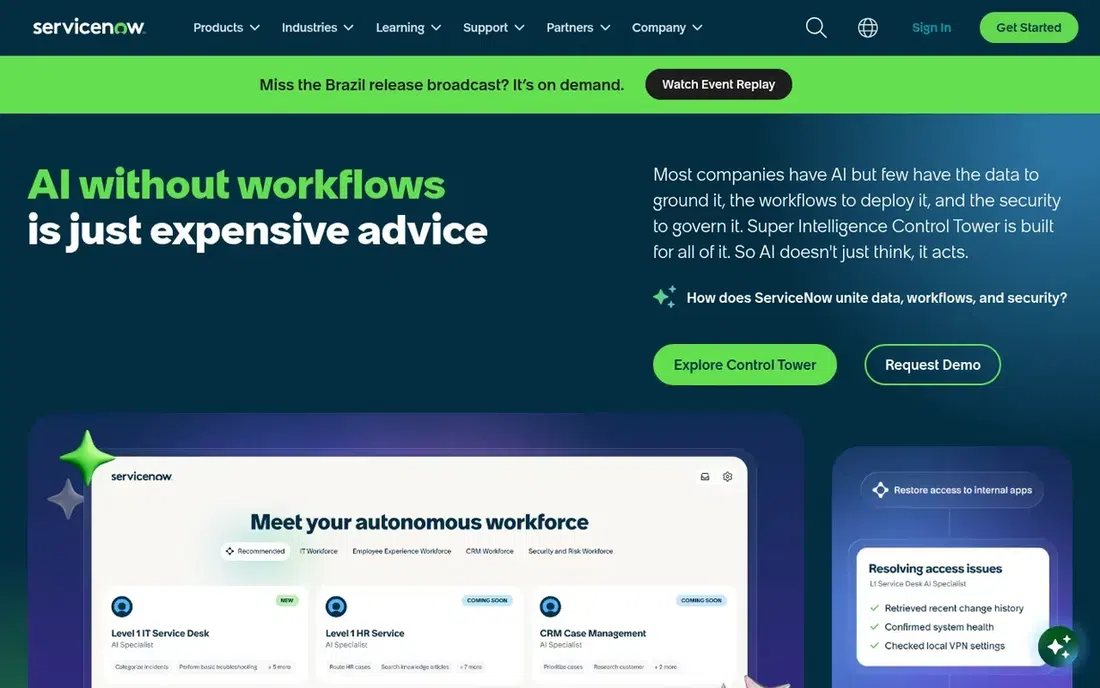
In short, ServiceNow is for enterprise-wide workflow and incident governance. ServiceNow positions its AI Platform around simplifying enterprise workflows for both customers and employees.
Also, large IT and operations groups are the natural audience. ServiceNow shows no starting price here, so confirm the cost on the vendor site. Free options: Not stated.
Where it falls short: Configuration effort can be high.
- Serves customers and employees
- Wide enterprise workflow product
- Heavy for small engineering teams
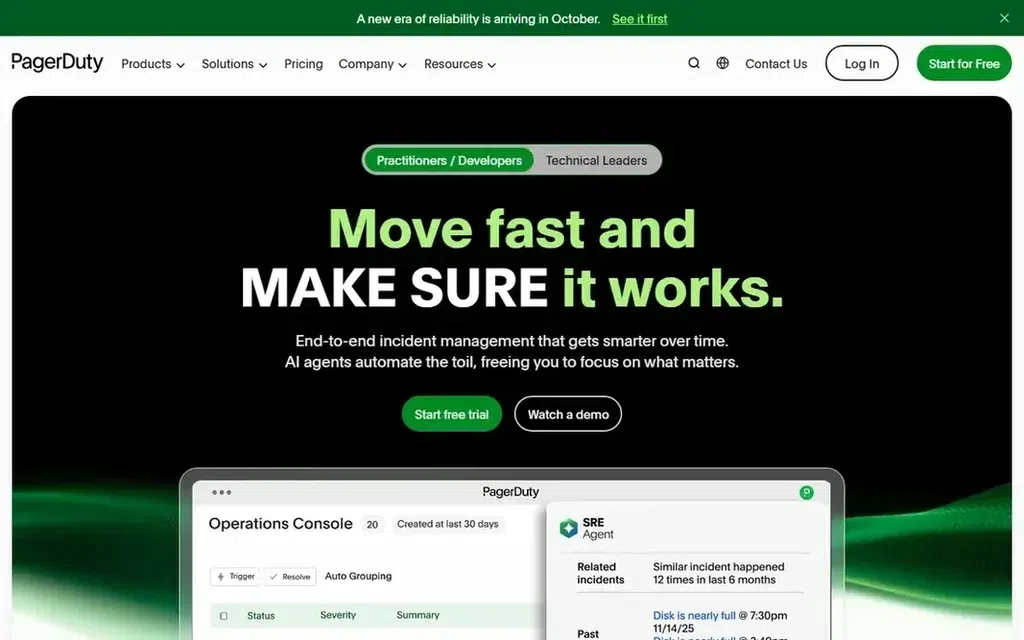
In short, PagerDuty is for automating detection through resolution. Since the system spans a broad lifecycle, smaller teams may find parts of it beyond their current needs. For everyday use, groups wanting only light incident logging may prefer a narrower tool.
Honest limits: Overlaps with adjacent tooling.
As for the details, PagerDuty presents itself as an AI-first operations system built to automate, resolve and prevent critical issues across the incident lifecycle. Choose PagerDuty when cross-team automation and prevention are priorities. Teams with maturing on-call practices commonly start here. PagerDuty cost at the entry level: $21 per user per month. PagerDuty includes a free tier.
- Solid automation focus
- AI-oriented operations product
- Wide scope can feel complicated
How we chose
Questions to settle before buying
- Ask ServiceNow for a written quote, since no starting price is shown.
- Read the fine print on the free plans from xMatters, Incident.io and PagerDuty; seat, project and feature caps differ.
- Use real work to test the free trial from FireHydrant, rather than a demo project.
- Read the limits listed for xMatters first: less emphasis on reporting dashboards.
- Confirm that FireHydrant connects to the apps your team already uses, on the plan you would actually buy.
- Confirm minimum seats and billing terms with xMatters before you commit to an annual plan.
FAQ
What should incident reporting software bundle?
Most systems include detection, response coordination and post-incident review, with alerting and on-call commonly included. Confirm which stages you need before shortlisting, since scope varies widely between tools.
Do these tools publish their prices?
Not all of them. ServiceNow publishes no starting price, so expect a quote request for it. The rest, xMatters included, show a starting price, though seats and billing terms still change the final cost.
Do these products replace existing alerting tools?
Multiple products bundle alerting and on-call, but overlap with existing tools is typical and worth checking. Review integrations and current stack before switching, and confirm on vendor sites how each product suits your environment.
Can I try these options before paying?
Often, yes. xMatters, Incident.io and PagerDuty have a free plan and FireHydrant offers a free trial. Use your own data and a real task during the test, and check what the free tier or trial limits before you rely on it.
What is the cheapest option for incident reporting software platforms in this list?
On published monthly entry prices, xMatters is the lowest here at $15 per user per month. Entry price is only part of the cost, because seats, add-ons and billing terms can change the total. For the full picture, the cards above cover all 5 entries of this incident reporting software platforms list, including price, free plan and limits.
Which options for incident reporting software platforms have a free plan?
On this list, xMatters, Incident.io and PagerDuty include a free plan. Caps on seats, usage or features are common, so test the free plan against your real workload. One other tool offers a trial instead. Prices, free plan details and limits for all 5 tools in this incident reporting software platforms roundup sit on the individual cards above.
Sources
- https://www.xmatters.com
- https://incident.io
- https://firehydrant.com
- https://www.servicenow.com
- https://www.pagerduty.com