Best Incident Management Platforms for SRE Teams in 2026: 8 Tools Compared
Compare the best incident management platforms for SRE teams, including PagerDuty, incident.io, FireHydrant, and Rootly, with pricing, features, and fit.
- Editor's choice
 PagerDuty
Proven on-call and incident platform
Starts atFreeVisit pagerduty.comFull review - Great alternative
 incident.io
Slack-native incident response
Starts atFreeVisit incident.ioFull review - Also consider
 FireHydrant
Runbooks and retrospectives
Starts atFreeVisit firehydrant.comFull review
TL;DR:
- PagerDuty is our pick for most SRE teams, because it covers on-call, alerting, and incident lifecycle in one proven platform.
- incident.io is the best Slack-native option, with a free Basic tier for up to five users and clear Team pricing from $15 per user per month.
- FireHydrant suits teams that want runbooks, retrospectives, and a service catalog together, with a free tier for up to ten responders.
- Rootly suits teams that want AI-assisted incident command inside Slack, while Better Stack is a strong value pick that adds monitoring.
Quick comparison
| Tool | Best for | Starts at | Free plan? | |
|---|---|---|---|---|
| PagerDuty | Proven on-call and incident platform | Free | Yes | Visit |
| incident.io | Slack-native incident response | Free | Yes | Visit |
| FireHydrant | Runbooks and retrospectives | Free | Yes | Visit |
 Rootly | AI-assisted Slack incident command | $20 per user per month | Free trial | Visit |
 Jira Service Management | Atlassian shops and ITSM depth | $20 per agent per month | Yes | Visit |
 xMatters | Regulated enterprise response | See website | No | Visit |
 Splunk On-Call | Splunk-centered operations | See website | No | Visit |
 Better Stack | Monitoring plus on-call value | $29 per responder per month | Yes | Visit |
The best incident management platforms for SRE teams
SRE teams need more than a pager. They need clear ownership, fast triage, a shared incident channel, and a postmortem that actually changes the next response. The platforms below cover that full loop, with different strengths in on-call, Slack workflow, and service ownership.
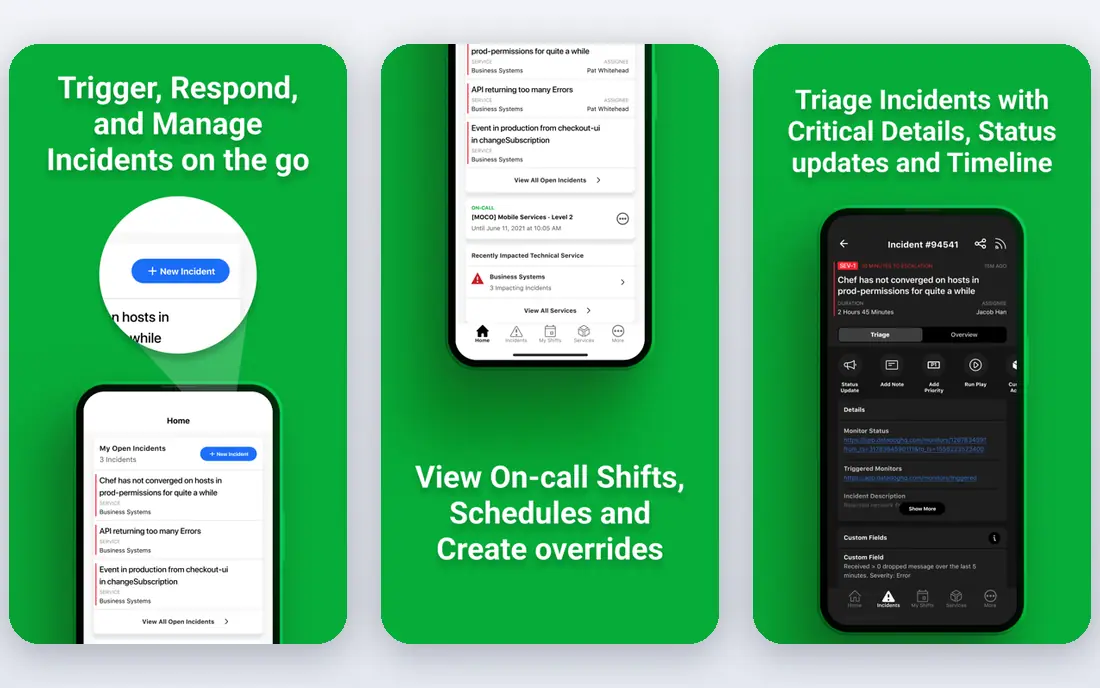
PagerDuty remains the default shortlist for SRE teams that need reliable paging at scale. It handles on-call rotations, escalation policies, event routing, and incident status in one system, with integrations for most monitoring, ticketing, and chat tools. Professional is listed at $21 per user per month billed annually, with a free plan for up to five users, which makes it easy to test with a small team.
The catch is add-on pricing. AIOps and advanced AI features are sold separately, so the headline seat price is not the full platform cost for larger teams. PagerDuty still wins for teams that want a proven, well-documented incident platform and already have monitoring in place, but budget the full first year including add-ons.
- Mature on-call schedules and escalation
- Wide integration library
- Free plan for up to five users
- AI and advanced features are paid add-ons
- Pricing grows with seats and add-ons
- Setup can be detailed
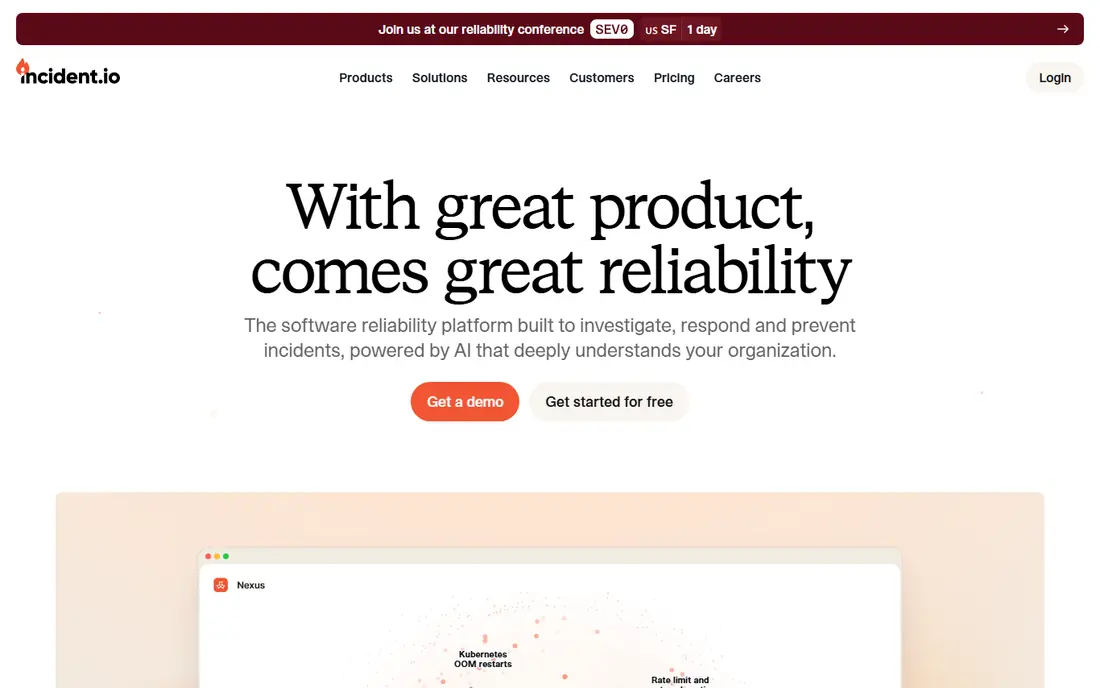
incident.io is the best pick for teams that already live in Slack or Teams. You can declare an incident from a channel, assign roles, track tasks, and build a timeline without leaving chat. Team pricing is listed at $15 per user per month billed annually, with Pro at $25, and on-call as an add-on of $10 to $20 per user per month depending on plan.
That structure is transparent, but it means a full on-call plus response setup costs more than the base plan alone. For SRE teams that value speed and a clean incident record, incident.io is often the most pleasant tool to use day to day, especially for smaller and mid-size teams that want modern workflows without enterprise overhead.
- Fast incident creation from Slack
- Clear roles, tasks, and timelines
- Free Basic tier for up to five users
- On-call is a paid add-on on some plans
- Teams pricing plus on-call can add up
- Smaller integration library than PagerDuty

FireHydrant suits SRE teams that want incident process, not just paging. Runbooks guide responders through known failures, retrospectives capture follow-ups, and the service catalog makes ownership clear before an incident starts. Pro is listed at $25 per responder per month billed annually in recent summaries, with a free tier for up to ten responders.
FireHydrant is a strong choice when postmortems keep producing the same action items with no owner. Its weakness is pricing complexity: check which tier includes the runbook, catalog, and status page features you need, and confirm Signals alerting costs, since that part is charged by alert volume in recent pricing notes.
- Runbooks and retrospectives built in
- Service catalog for ownership
- Free tier for up to ten responders
- Pricing tiers jump between plans
- Signals alerting is usage-based
- Some features need higher tiers
Rootly is built for teams that want incident response to feel like a guided workflow inside Slack. It automates channel creation, role assignment, status updates, and post-incident summaries, with AI help for drafting timelines and action items. Incident Response Essentials and On-Call Essentials are each listed at $20 per user per month in recent summaries, though full platform pricing is often quote-led.
Rootly shines for teams with frequent incidents and a mature Slack culture. It is less compelling for a team that rarely pages, or that works mainly in Microsoft Teams. Run a pilot on real incidents, and check whether AI summaries save time or just add another document to review.
- Slack-native incident command
- AI summaries and workflow automation
- Strong retrospective tools
- Primarily quote-led for full platform pricing
- Slack-centered design may not suit Teams-first shops
- Needs good service data
Jira Service Management is the right pick for teams already standardized on Atlassian tools, especially after Atlassian ended new Opsgenie sales in June 2025 and set Opsgenie shutdown for April 2027. It brings request, incident, problem, and change workflows together, with on-call features inside Jira and a free tier for up to three agents.
It is not as fast or Slack-native as dedicated incident tools, and it needs configuration to feel like a modern SRE platform. For teams that already track work in Jira and need ITSM depth around incidents, that trade is worth it. For teams that want the fastest Slack response, incident.io or Rootly will feel lighter.
- Strong ITSM workflows
- On-call inside Jira
- Free tier for up to three agents
- Natural fit for existing Jira users
- Less Slack-native than incident.io or Rootly
- Agent pricing can grow fast
- Incident workflow needs configuration
xMatters is built for organizations where the right person must be reached, on the right channel, with an auditable trail. It supports targeted alerts by phone, SMS, email, and chat, with workflow automation for escalation and stakeholder updates. That makes it popular in regulated and large enterprise environments where communication compliance matters.
Small SRE teams may find xMatters heavier and pricier than a Slack-native tool, and pricing is by quote, so you should compare total cost and implementation effort. Choose xMatters when notification reliability, audit trails, and complex escalation rules matter more than a light Slack workflow.
- Strong targeted notifications across channels
- Workflow automation for complex escalation
- Suited to regulated industries
- Quote-based pricing
- Enterprise focus may feel heavy for small teams
- Setup needs planning
Splunk On-Call, formerly VictorOps, suits teams that already run Splunk for monitoring and observability. Alerts flow from Splunk into on-call schedules, escalation, and incident timelines without a separate routing layer. For a Splunk-centered SRE team, that integration reduces tool sprawl and keeps alert context close to the data.
As a standalone choice, Splunk On-Call is less widely adopted than PagerDuty or incident.io, and pricing is not published as a simple rate. If you are not already on Splunk, a dedicated incident platform will usually be simpler. If you are, Splunk On-Call deserves a place on the shortlist.
- Deep link to Splunk monitoring and ITSI
- On-call schedules and escalation
- Useful for teams already on Splunk
- Less common as a standalone purchase
- Pricing is not a simple self-serve rate
- Weaker as a general incident platform
Better Stack is the value pick for small SRE teams that want monitoring and on-call together. It combines uptime monitoring, incident management, and status pages, with on-call pricing listed at $29 per responder per month billed annually in recent summaries. A free tier covers basic monitors and status pages, which is enough to test it.
Better Stack will not match PagerDuty on enterprise incident depth, and very large teams may outgrow it. For a startup or small SRE team that currently pays separately for monitoring, paging, and status pages, consolidating into Better Stack can save money and reduce alert routing work.
- Monitoring, status pages, and on-call in one bill
- Free tier with monitors and status pages
- Clear responder pricing
- Smaller incident feature set than PagerDuty
- Less mature for very large SRE estates
- On-call depth varies by plan
How we picked these
We compared official pricing pages, product documentation, and recent pricing summaries for incident platforms that support on-call, alert routing, and post-incident learning for SRE teams in October 2026. We left out Opsgenie as a new purchase, because Atlassian ended new sales in June 2025 and set shutdown for April 2027, and we noted that migration path in the Jira entry. Where pricing is quote-based or add-on based, we say so rather than invent a single figure.
What SRE teams should test before buying
Run a real incident drill, not just a demo. Page the on-call engineer, declare an incident from your chat tool, assign roles, and write a retrospective, all inside the trial. That drill reveals slow setup, confusing roles, and missing integrations faster than any feature list.
Count responders, not viewers
Seat definitions differ across vendors. A responder who can be paged is not the same as a stakeholder who only reads updates. Count only people who will be woken up, plus the managers who need edit access, and price that group. A tool that looks cheap per viewer can become expensive once every responder needs a paid seat.
FAQ
What is the best incident management platform for SRE teams?
PagerDuty is the best overall pick for most SRE teams, thanks to proven on-call, routing, and lifecycle features. incident.io is better for Slack-native teams, FireHydrant is better for runbooks and retrospectives, and Better Stack is better for small teams that want monitoring plus on-call in one bill.
What are the best incident management platforms for SRE teams?
The strongest shortlist is PagerDuty, incident.io, FireHydrant, and Rootly, with Jira Service Management for Atlassian shops and Better Stack for value. xMatters suits regulated enterprises, while Splunk On-Call suits teams already on Splunk. Most teams should shortlist three and run a drill in each.
Should SRE teams still buy Opsgenie?
No, not as a new purchase. Atlassian ended new Opsgenie sales in June 2025, with shutdown set for April 2027, and Jira Service Management is the official migration path. Existing Opsgenie users should plan migration now, rather than building new workflows on a retiring product.
How much does incident management software cost?
Costs vary widely, from free tiers for small teams to $20 to $41 per user or responder per month for paid plans, plus add-ons for AI, on-call, or alert volume. Price only the responders who will be paged, and add AI and on-call add-ons to the total before you compare vendors.
Do SRE teams need a separate incident tool if they have monitoring?
Yes, in most cases. Monitoring tells you something is wrong, while an incident platform pages the right person, coordinates the response, tracks tasks, and captures the retrospective. Monitoring plus a dedicated incident tool is the standard setup for SRE teams with real on-call duties.