Best Heatmap Tools for UX Design (2026): 5 Picks Checked on Vendor Pages
Weighing the best heatmap tools for UX design? We lined up 5 products by cost, free access and fit. Weak spots flagged for every entry. See the full list.

- Editor's choice
 Heap
Digital insights and unknown unknowns
Starts atSee websiteVisit heap.ioFull review - Great alternative
 Userpilot
Product growth and onboarding
Starts at$299 per monthVisit userpilot.comFull review - Also consider
 Hotjar
Behavior insights for midsize and SMB teams
Starts at$39 a monthVisit hotjar.comFull review
Direct answer
Heap leads the list, best for digital insights and unknown unknowns. Listed starting prices: Userpilot from $299 per month, Hotjar from $39 a month and Crazy Egg from $29 a month. Alternatives: Userpilot for product growth and onboarding, and Hotjar for behavior insights for midsize and SMB teams. Prices, free plans and limits for all 5 tools follow.
TL;DR:
- Heap is the opening pick, best for digital insights and unknown unknowns.
- For the cheapest start, look at Crazy Egg: $29 per month.
- The main caution on Heap: Heatmaps are one part of a bigger product.
- A free plan is available from 2 of the 5 tools: Heap, Hotjar.
Last checked November 2026. Prices and plan details were read from the vendors' own pages in November 2026; vendors change plans often, so confirm the current price on the vendor site before you buy.
Quick comparison
| Tool | Best for | Starts at | Free plan? | |
|---|---|---|---|---|
| Heap | Digital insights and unknown unknowns | See website | Yes | Visit |
| Userpilot | Product growth and onboarding | $299 per month | Free trial | Visit |
| Hotjar | Behavior insights for midsize and SMB teams | $39 a month | Yes | Visit |
 Crazy Egg | Fast visual optimization with heatmaps | $29 a month | Free trial | Visit |
 Mouseflow | Behavior analytics with session replay | See website | Free trial | Visit |
5 options for heatmap tools for UX design in detail
Short on time? The summary and table above give the quick view of 5 tools for heatmap tools for UX design, and the profiles that follow give the detail behind each entry.
Think of Heap for digital insights and unknown unknowns. It suits teams that want wide behavioral data capture and are comfortable exploring insights instead of starting from a fixed heatmap question, and it can complement UX research with a wider view of user actions.
This comparison lists no price for Heap; ask the vendor. Heap offers a free plan.
Drawbacks to consider: Heatmaps are one part of a bigger product.
- Surfaces unknown unknowns
- Part of Contentsquare
- May need analytics maturity
Userpilot is designed for product growth and onboarding. Userpilot is oriented toward in-product growth, so confirm how its analytics and insight features align with your UX research plan on the vendor site.
Limits to weigh: May overlap with other growth tools.
On cost, Userpilot starts like this: $299 per month. Free plan details: Free trial.
- Supports onboarding and feature adoption
- No-code product growth system
- Heatmaps are not the primary focus

Choose Hotjar for behavior insights for midsize and SMB teams. Hotjar is a behavior insights system known for heatmaps and related tools that help teams see how visitors interact with pages.
Hotjar performs best when heatmaps and behavior insights are the core need, and teams should confirm current feature scope on the vendor site. On cost, Hotjar starts like this: $39 per month. A free plan is available with Hotjar.
Drawbacks to consider: Deep journey analysis may need Contentsquare.
- Heatmaps combined with behavior insights
- Backed by Contentsquare experience intelligence
- May overlap with broader analytics suites
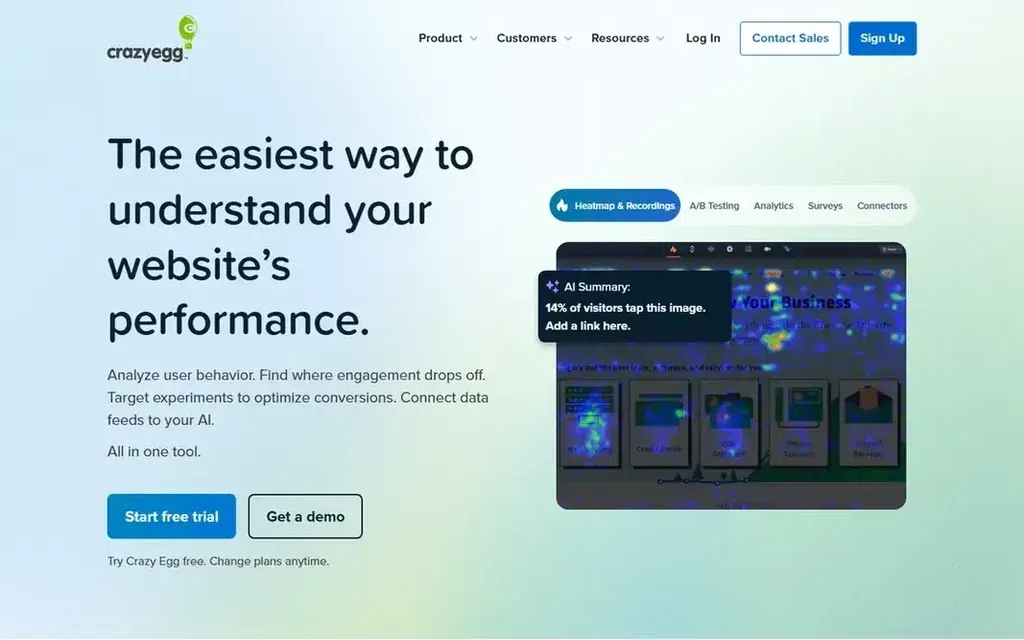
Crazy Egg targets fast visual optimization with heatmaps. Crazy Egg presents itself as a website optimization tool that presents what is hot and what is not.
Watch-outs: May be less suited to deep product analytics.
Its toolkit bundles heatmaps, recordings, surveys and A/B testing, which makes it handy for UX teams that want to spot friction and test changes without stitching together plenty of products. Crazy Egg is most solid for page-level optimization, so confirm the specific heatmap and testing features you need on the vendor site. Crazy Egg cost at the entry level: $29 per month. Free options: Free trial. Best features of Crazy Egg: Heatmaps.
- Clear focus on what is hot and what is not
- A/B testing included in the toolkit
- Feature depth varies by need

For behavior analytics with session replay, Mouseflow is a natural candidate. Mouseflow is a behavior analytics system for optimal website UX. Its homepage flags session replay, heatmaps and feedback as ways to boost user experience and conversions.
If your priority is a complete product analytics stack with experiments and feature flags, a broader product may be a better match. Mouseflow is concentrated on behavior analytics, so check the vendor site for the exact heatmap and feedback capabilities your team needs. Mouseflow shows no starting price here, so confirm the cost on the vendor site. As for free access: Free trial.
Trade-offs to know: May need setup for advanced analysis.
- Focus on improving UX and conversions
- Heatmaps alongside session replay
- Not a full product analytics suite
How we compared the tools
What to check before you buy
- Confirm the entry price on the vendor page. For Heap and Mouseflow that means a quote rather than a fixed price.
- Look at free plan limits closely: Heap and Hotjar have one, and the caps decide whether it is usable for real work.
- Run a trial of Userpilot, Crazy Egg and Mouseflow with real work before paying for a year; your own workflow is the best test.
- Read the limits listed for Heap first: Heatmaps are one part of a bigger system.
- Test the integrations you rely on with Hotjar before committing; some connectors sit on upper tiers.
- A short pilot of Crazy Egg with your real workflow tells you more than a feature table.
FAQ
How are the tools for heatmap tools for UX design ordered?
The order follows typical fit for heatmap tools for UX design, with Heap first and Mouseflow last, then price clarity and free access. It is editorial judgement, not a score, so another team could rank the tools differently.
Can I try these tools before paying?
Often, yes. Heap and Hotjar have a free plan and Userpilot, Crazy Egg and Mouseflow offer a free trial. Use your own data and a real task during the test, and check what the free tier or trial limits before you rely on it.
What should UX teams look for in a heatmap tool?
Look for clear click, scroll and movement visualization, plus session replay if you need context. Confirm privacy controls before collecting behavior data.
What is the cheapest option for heatmap tools for UX design in this list?
On published monthly entry prices, Crazy Egg is the lowest here at $29 per month. Entry price is only part of the cost, because seats, add-ons and billing terms can change the total. All 5 picks in this Heatmap tools for UX design comparison list a starting price, free plan details and the main limits on their cards above.
Do these tools publish their prices?
Not all of them. Heap and Mouseflow publish no starting price, so expect a quote request for those. The rest, Userpilot included, show a starting price, though seats and billing terms still change the final cost.
Sources
- https://heap.io
- https://userpilot.com
- https://www.hotjar.com
- https://www.crazyegg.com
- https://mouseflow.com