Best Google Analytics Alternatives in 2026: 8 Tools Compared
Compare 8 Google Analytics alternatives, from privacy-friendly Plausible and Fathom to product analytics with PostHog and Mixpanel, with prices and free plans.
- Editor's choice
 Plausible
Simple privacy-friendly traffic reports
Starts at$9 per monthVisit plausible.ioFull review - Great alternative
 Fathom
Agencies and multi-site owners
Starts at$15 per monthVisit usefathom.comFull review - Also consider
 Matomo
Full replacement with data ownership
Starts at$19 per monthVisit matomo.orgFull review
TL;DR:
- Plausible and Fathom are the simplest privacy-friendly swaps for basic traffic reports.
- Matomo is the closest full replacement if you want data ownership or self-hosting.
- PostHog and Mixpanel suit product teams that need funnels, retention, and session replay.
- Free plans differ a lot, so check event limits, data history, and cookie use before you switch.
Quick comparison
| Tool | Best for | Starts at | Free plan? | |
|---|---|---|---|---|
| Plausible | Simple privacy-friendly traffic reports | $9 per month | Free trial (30 days) | Visit |
| Fathom | Agencies and multi-site owners | $15 per month | Free trial (7 days) | Visit |
| Matomo | Full replacement with data ownership | $19 per month | Yes | Visit |
 Simple Analytics | Minimal cookie-free reporting | See website | Yes | Visit |
 Umami | Developers and self-hosted sites | Free | Yes | Visit |
 PostHog | Product analytics plus replay | Free | Yes | Visit |
 Mixpanel | Funnels and retention for apps | Free | Yes | Visit |
 Clicky | Live visitor monitoring | $9.99 per month | Yes | Visit |
The best Google Analytics alternatives
Google Analytics 4 is powerful and free, but its reports can feel complex, and privacy rules make some site owners look for a lighter option. The tools below range from simple traffic dashboards to full product analytics, so the right pick depends on whether you need pageviews, user behavior, or both.
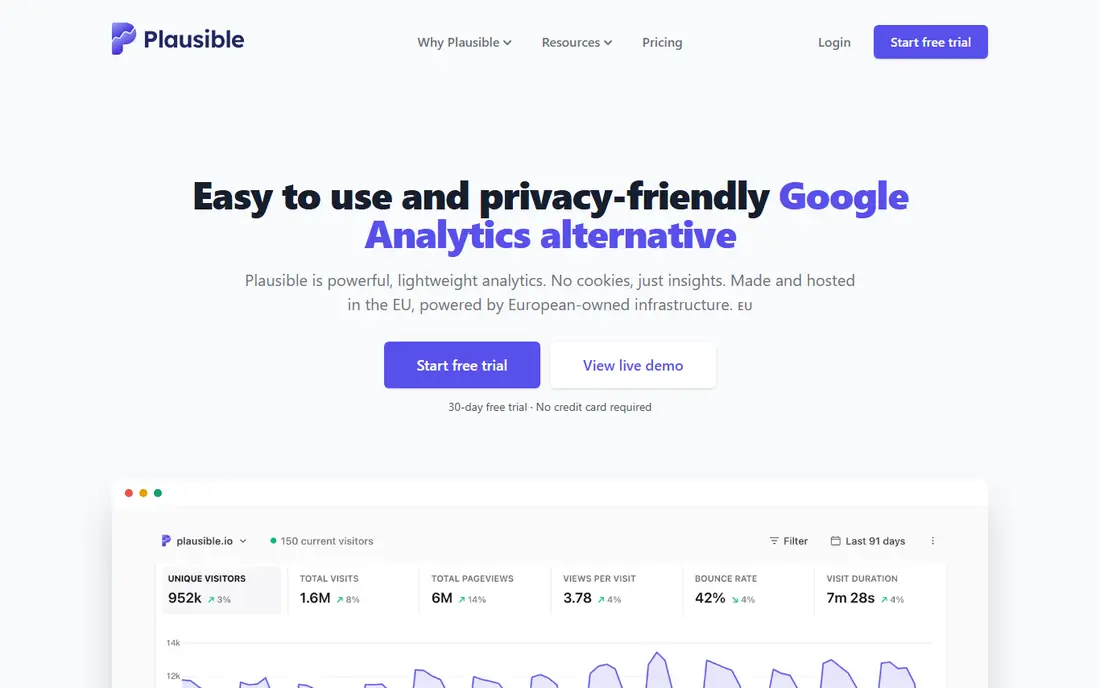
Plausible is a lightweight analytics tool that shows visitors, sources, top pages, and goals without the maze of menus in larger platforms. Its script is small, it does not use cookies by default, and its dashboard reads well on a phone. For a blog, marketing site, or small business site, that clarity is often enough to answer the main question: where did visitors come from, and what did they do.
The limit is depth. Plausible does not try to replace product analytics, session replay, or heatmaps, so product teams will still need another tool. Pricing also rises with pageviews, so a traffic spike can move you to a higher tier. Start with the trial, and check your monthly pageviews before you budget.
- Lightweight script
- No cookies by default
- Clear traffic and goal reports
- No session replay
- Limited depth for complex product analysis

Fathom covers up to 50 sites on its entry plan with 100,000 pageviews, which makes it a strong pick for agencies and owners with several small sites. Reports stay simple, with visitors, referrers, and events in a clean layout, and the tool avoids cookies for basic tracking. If you manage client sites, one login for many dashboards saves real time.
The trial is short at seven days, and there is no free plan, so you need to test quickly. Fathom also stays focused on website traffic, not deep product funnels or replay. For a marketing site, that focus is a plus. For a SaaS product, pair it with a product tool or pick a broader platform.
- Many sites on one plan
- Simple reports
- Privacy-friendly tracking
- Short trial
- No free plan
- Fewer advanced product features
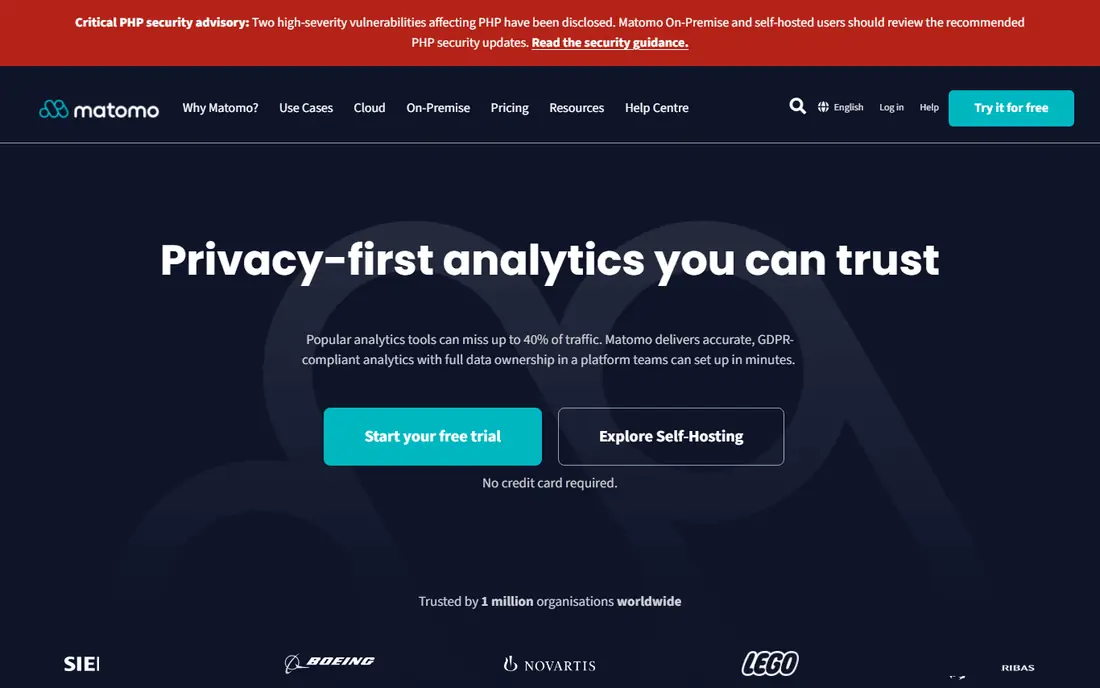
Matomo is the closest like-for-like replacement for Google Analytics in this list, with detailed reports, goals, ecommerce tracking, and optional heatmaps and session recordings. You can host it yourself for free, which gives full control over data, or pay for cloud hosting if you want maintenance handled. Regulated teams and privacy-conscious owners often pick Matomo for that control.
Self-hosting is not free in effort: updates, backups, and security become your job. Cloud pricing can also climb with traffic, and add-ons for heatmaps or media analytics cost extra. If you want a simple dashboard, Plausible or Fathom will feel lighter. If you want depth plus ownership, Matomo is the serious option.
- Self-hosted free version
- Ecommerce and heatmap add-ons
- Full data control
- Cloud pricing is in euros on some plans
- Setup takes more work when self-hosted
Simple Analytics lives up to its name, with a spare dashboard that shows pageviews, referrers, and top pages without cookies or complex setup. A free plan with limited history lets a small site try it with no card, and the paid plans suit owners who want a privacy-friendly traffic layer next to another tool. It is a good second analytics layer for a site that already uses product analytics elsewhere.
The simplicity is also the ceiling. You will not get funnels, replay, or deep segmentation at the level of Matomo or PostHog. Paid pricing depends on traffic, so check the current slider before you commit. For a personal site or a small marketing page, Simple Analytics is calm and clear. For a product, look elsewhere.
- Free plan with recent history
- No cookies
- Very simple dashboard
- Limited depth
- Paid pricing varies by traffic and currency
Umami is an open source analytics tool with a clean dashboard and a free cloud tier for small sites. Developers like it because self-hosting is straightforward, the script is light, and the reports cover the basics without clutter. If you run a personal project or a docs site, the free tier may be all you need.
The free cloud tier limits the number of sites and how long data is kept, and some business features require a paid plan. Umami also focuses on website traffic, not product funnels or replay. For a developer who wants full control, self-hosting removes those limits. For a non-technical owner, a hosted tool with support may fit better.
- Open source
- Free cloud tier
- Clean dashboard
- Self-hosting option
- Free cloud tier limits sites and history
- Advanced features sit on paid plans
PostHog goes beyond pageviews, with product analytics, funnels, session replay, surveys, and feature flags in one platform. Its free tier covers a large monthly event allowance, which makes it practical for early-stage products to learn how users move through onboarding and key flows. Teams that want to watch real sessions and test changes without stitching several tools together will value that breadth.
The breadth can overwhelm a simple site owner, and usage-based pricing needs watching as events grow. PostHog is a product tool first, so its marketing-site reports are less polished than a dedicated traffic tool. If your main question is which blog post brought traffic, pick a simpler tool. If your question is why users drop off in signup, PostHog earns its place.
- Free event allowance
- Funnels, replay, and feature flags in one tool
- Self-hosting option
- Can feel complex for a simple blog
- Usage pricing needs monitoring
Mixpanel focuses on what users do inside a product, with funnels, retention curves, and cohort reports that show whether a change actually keeps users around. Its free tier covers a large monthly event allowance, so a small app can test real product questions before paying. Product and growth teams use it to compare onboarding flows, pricing pages, and feature adoption.
Mixpanel is not the best pick for a simple brochure site, because its strength is event analysis, not pageview dashboards. Usage-based paid pricing also needs care as events scale, and setup requires planning which events to track. If you track user actions, that planning pays off. If you only need traffic totals, a lighter tool will be faster.
- Free event allowance
- Strong funnel and retention reports
- Cohort analysis
- Less suited to simple pageview reporting
- Paid pricing is usage-based
Clicky is a long-running analytics tool known for its live view, which shows current visitors, their pages, and their sources in real time. That live view helps during a launch, a sale, or a traffic spike, when you want to see what is happening now rather than waiting for a daily report. Heatmaps on higher plans add a view of where visitors click.
The interface feels older than Plausible or Fathom, and Clicky does not match PostHog or Mixpanel for product funnels. Its free tier also caps daily views, so busy sites will need a paid plan. For a small site owner who likes watching live traffic, Clicky remains a practical, low-cost choice.
- Real-time visitor view
- Heatmaps on higher plans
- Simple setup
- Older interface
- Less modern product analytics depth
How we picked these
We compared official pricing pages, feature documentation, and public plan details for analytics tools that still operate in 2026. We favored tools with a clear free tier or trial, published limits on pageviews or events, and a stated approach to cookies and privacy. We compared traffic tools and product tools separately in our notes, because a pageview dashboard and a funnel tool answer different questions.
How to choose a Google Analytics alternative
First, name the question you need answered each week. If it is traffic sources and top pages, a privacy-friendly traffic tool is enough. If it is signup drop-off or feature use, you need event and funnel analytics. Second, check limits: pageviews, events, sites, and data history all affect the real price. Third, check privacy: cookie use, data location, and whether you can export or delete data. Run the new tool alongside Google Analytics for a month, compare totals, and only then remove the old script.
FAQ
Can I use these tools with Google Analytics?
Yes, most sites run a second analytics script alongside Google Analytics during a transition. That lets you compare totals and learn the new dashboard before you remove anything.
Are privacy-friendly tools really cookie-free?
Many traffic tools in this list avoid cookies for basic pageview tracking, but features such as logged-in user tracking or cross-site reports may change that. Read the vendor privacy page for the features you plan to use.
What is the difference between pageviews and events?
Pageviews count page loads, while events count actions such as clicks, signups, or purchases. Product tools focus on events, while traffic tools focus on pageviews and visits.
Do I need to self-host for privacy?
No, hosted privacy tools can work well for most small sites. Self-hosting gives more control, but it also adds maintenance, backups, and security work.
Which tool is best for a small blog?
Plausible, Fathom, Simple Analytics, or Umami all suit a small blog. Pick based on how many sites you run, how much history you want, and whether you prefer a free tier or a simple paid plan.