Best Focus Apps in 2026: 9 Apps Compared
Compare the best focus apps for blocking distractions, timing work and playing focus music, with free plans and real prices for 2026, all in one guide.
- Editor's choice
 Freedom
Blocking sites and apps on every device
Starts at$8.99 per monthVisit freedom.toFull review - Great alternative
 Forest
Gamified focus timer
Starts atFreeVisit forestapp.ccFull review - Also consider
 Cold Turkey
Hard desktop blocking
Starts atFreeVisit getcoldturkey.comFull review
TL;DR:
- Freedom and Cold Turkey are the strongest blockers, while Forest and Pomofocus suit people who need a timer and a reason to keep going.
- Brain.fm and Endel cover focus music, Opal and one sec cover phone habits, and Noisli covers custom ambient sound.
- The best focus app depends on your main distraction, phone, websites, noise or poor planning, rather than on the app with the most features.
- Start free where possible and pay only for the app you still open after two weeks of real work.
Quick comparison
| Tool | Best for | Starts at | Free plan? | |
|---|---|---|---|---|
| Freedom | Blocking sites and apps on every device | $8.99 per month | Yes | Visit |
| Forest | Gamified focus timer | Free | Yes | Visit |
| Cold Turkey | Hard desktop blocking | Free | Yes | Visit |
 Opal | iPhone screen time control | Free | Yes | Visit |
 one sec | A pause before distracting apps | Free | Yes | Visit |
 Brain.fm | Music designed for focus | $14.99 per month | Free trial | Visit |
 Endel | Adaptive soundscapes | See website | Free trial | Visit |
 Noisli | Custom ambient sound mixes | Free | Yes | Visit |
 Pomofocus | Free Pomodoro timer in the browser | Free | Yes | Visit |
The best focus apps
The best focus apps do different jobs, and that is why a single list can mislead. Some block distractions, some time your work, some change your phone habits, and some fill silence with sound. The nine apps below cover each job, so you can pick the tool that matches your actual distraction.
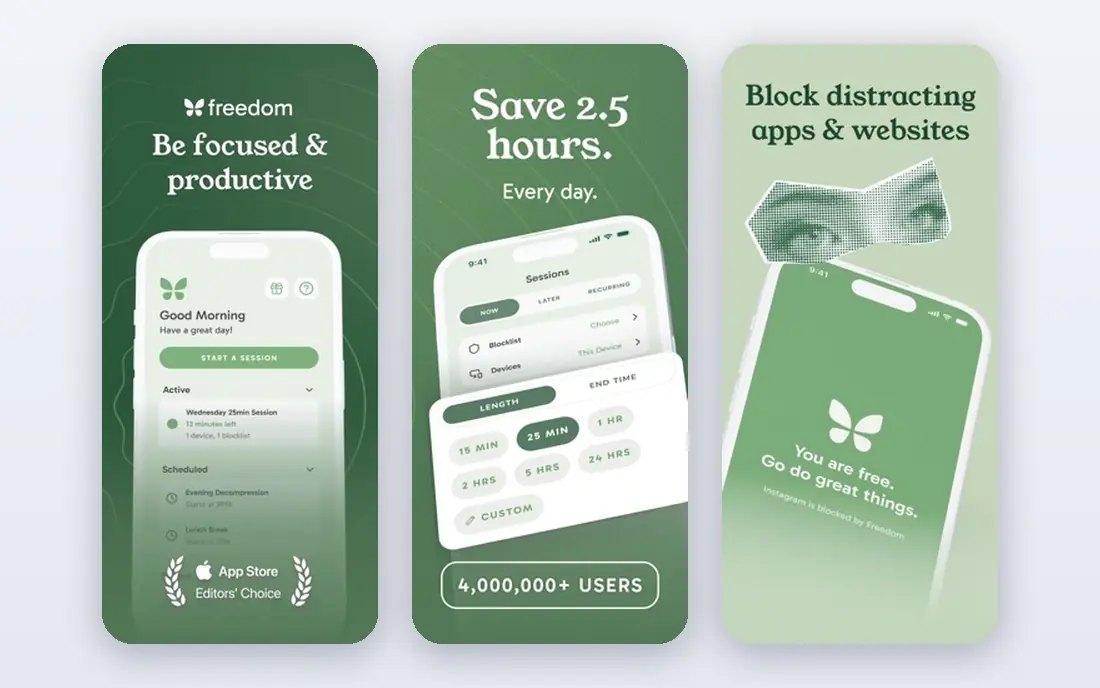
Freedom is our pick for people whose distraction lives on several devices at once. Start a session on your laptop and the same blocklist applies to your phone, so you cannot simply switch screens to escape it. You can schedule recurring sessions, block whole categories or specific sites, and use Locked Mode on paid plans so a session cannot be ended early on a whim.
The free tier covers limited sessions, which is enough to test whether blocking helps you. Paid plans cost around $8.99 a month or $39.99 a year in recent listings, with a lifetime option also offered. If your main problem is one phone app, Opal or one sec may be cheaper. If your problem is every device, Freedom is the most complete blocker here.
- Blocks across Mac, Windows, iOS and Android at once
- Scheduled and locked sessions
- Syncs blocklists
- Full features need a paid plan
- Monthly price is higher than annual billing
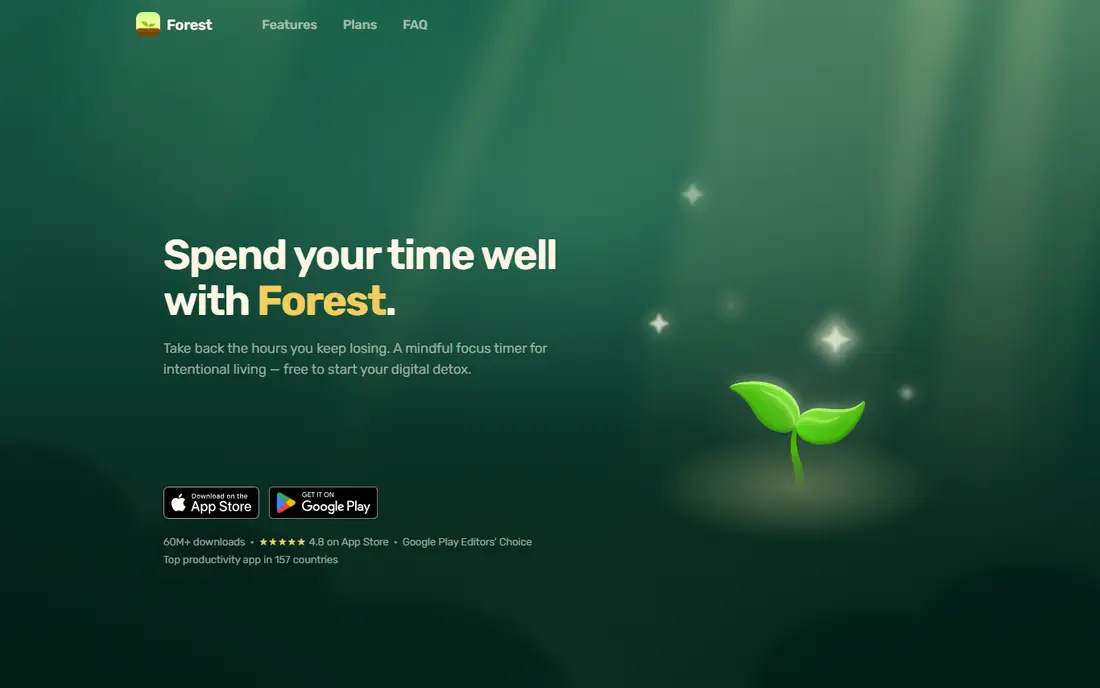
Forest turns a focus session into a small game with a real stake. You plant a virtual tree, set a timer, and if you leave the app to check social media, the tree dies. That gentle pressure works well for people who know they should focus but keep picking up the phone. Over time you build a forest that shows your focus history at a glance, and friends can plant trees together for shared accountability.
Forest is free on Android with ads, while iOS costs a small one-time fee, around $3.99 in recent listings. It is a timer first, not a full blocker, so pair it with Freedom or Opal if you need hard blocking as well. For students and anyone who responds to visual progress, Forest is a friendly, low-cost start.
- Planting a tree makes focus visible
- Friends can plant together
- Simple timer that is easy to start
- IOS version is a small one-time purchase
- App blocking features vary by platform
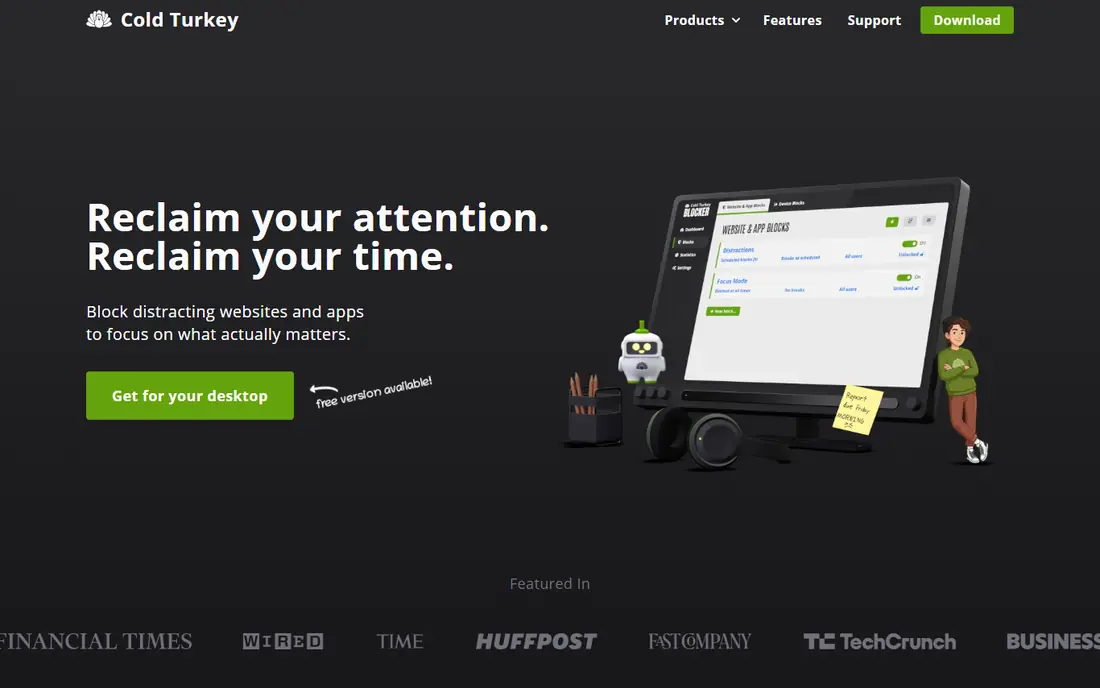
Cold Turkey is the blocker for people who have tried gentle tools and still found a way around them. Once a block starts, it is designed to stay in place, even if you restart the computer or try to delete the app during the session. You can block websites, applications or the entire computer, and schedule blocks for work hours. That strictness is the point, and it suits writers, students and developers with hard deadlines.
The free version covers basic website blocking, while Pro costs around $39 as a one-time purchase in recent listings. Cold Turkey only works on Windows and macOS, so phone distractions need a separate tool. Set short blocks first and test them, since a badly planned all-day block can lock you out of a site you genuinely need.
- Very hard to bypass once a block starts
- Blocks sites, apps and whole computer
- One-time Pro price
- Windows and macOS only
- Strict blocks can frustrate if you set them badly
Opal gives iPhone users a clear view of where screen time goes and a practical way to cut it. You set rules by schedule, time limit or number of opens, and Opal shows a daily score that makes progress easy to see. Hard Mode on Pro removes the off switch for a session, which helps if you usually give in after a few minutes. Focus sessions with friends add a social layer that suits students and remote workers.
The free tier covers one rule and basic blocking, while Pro costs around $19.99 a month or $99.99 a year in recent listings. That is a high price if you only need one simple limit, so test the free tier first. For iPhone users who want detailed screen time control in one app, Opal is the most polished option here.
- Clear screen time score
- App limits and schedules
- Focus sessions with friends
- Full features need Pro
- Android support is more limited than iOS
One sec takes a different approach from hard blockers. When you open a distracting app, it asks you to take a breath and consider whether you really want to open it. That short pause breaks automatic checking without locking you out, which suits people who need occasional access but want fewer mindless opens. Many users report fewer opens within days, not because the app forbids anything, but because it makes the habit visible.
The free tier covers one app, while the paid plan, around $19.99 a year in recent listings, covers more apps and features. One sec will not stop a determined distraction session, so pair it with Freedom or Cold Turkey if you need that. For phone habits driven by reflex rather than need, one sec is a kind, effective tool.
- Adds a breathing pause before chosen apps
- Gentle rather than punitive
- Works on iOS and Android
- Does not hard block apps
- Paid plan needed for more than one app on the free tier
Brain.fm creates music designed to support concentration, using patterns that aim to keep attention steady without lyrics to distract you. You pick a focus session length, choose a style, and the music plays in the background while you work. That suits open offices, noisy homes and anyone who finds silence distracting but finds normal playlists too engaging.
Pricing is around $14.99 a month or $99.99 a year in recent listings, with a trial to test it first. Music preference is personal, so use the trial for real work sessions, not just a quick listen. If Brain.fm does not suit your taste, Endel or Noisli may fit better, and both offer a different kind of background sound.
- Music built for sustained attention
- Focus, relaxation and sleep modes
- Works on web and mobile
- Subscription only after trial
- Music taste is personal, so test before paying
Endel generates adaptive soundscapes that change with the time of day, your activity and other inputs, rather than playing a fixed track on repeat. That variety helps people who get bored with looped music but still want background sound without lyrics. Focus, relax and sleep modes cover the main uses, and the app works on phones, desktop and some smart devices.
Pricing varies, so check the current plan on the Endel site or app store before subscribing, and use the trial for a full work week. Endel suits listeners who want sound handled for them. If you prefer to mix rain, wind and café noise yourself, Noisli gives you that control for less.
- Soundscapes adapt to time of day and activity
- Focus, relax and sleep modes
- Clean design
- Pricing varies by plan and platform
- Less control than mixing your own sounds in Noisli
Noisli is the simplest sound tool on this list, and that is its strength. You mix sounds such as rain, thunder, wind, café chatter and white noise, save favourite mixes, and set a timer. The free tier includes a solid set of sounds and limited daily listening, which is enough for many people. Pro, at around $10 a month billed yearly in recent listings, adds the full library and offline listening.
Noisli does not block distractions or manage tasks, so it works best alongside a timer or blocker. For writers and students who focus better with steady background noise, and who want control over that noise, Noisli is a cheap and pleasant choice.
- Mix your own rain, wind, café and other sounds
- Timer included
- Free tier is genuinely useful
- Pro needed for full sound library and offline use
- No blocking or task features
Pomofocus is a free Pomodoro timer that runs in your browser. You work for 25 minutes, take a short break, and repeat, with longer breaks after several cycles. A simple task list helps you plan the day, and there is nothing to install or pay for to start. That makes it ideal for students, office workers and anyone who wants to try timed work without a new app habit.
The weakness is also its simplicity. A browser tab is easy to ignore, and Pomofocus does not block sites or play focus music. Pair it with Freedom, Cold Turkey or Noisli if you need those layers. For a first step into structured focus sessions, Pomofocus is free, fast and honest about what it does.
- Free, no install needed
- Classic Pomodoro cycles
- Task list built in
- Browser based, so easy to ignore
- No blocking or sound features
How we picked these
We compared official pricing pages, app store listings and published feature pages in October 2026, favouring apps that state their free limits and paid prices clearly and that solve a distinct focus problem. We included blockers, timers, phone habit tools and sound apps, and we left out apps with hidden pricing or very small user bases. We did not claim lab tests of attention or productivity, and prices marked as See website reflect plans that vary by platform or billing period.
Matching the app to your distraction
Start by naming the distraction that costs you the most time. If it is websites on your computer, try Cold Turkey or Freedom. If it is your phone, try Opal or one sec. If it is starting work at all, try Forest or Pomofocus. If it is noise or silence, try Brain.fm, Endel or Noisli. One well-chosen tool beats a stack of five tools you never open.
Use the tool for two weeks before judging it. Set a consistent work block, such as 9am to 11am, and track how many sessions you complete. If the app helps, keep it and consider paying. If it feels like another chore, drop it and try a different approach. Focus tools support good habits, but they do not replace sleep, clear goals and a workspace with fewer interruptions.
FAQ
What is the best focus app?
Freedom is the best focus app for blocking distractions on every device, Forest is best for a gamified timer, and Brain.fm is best for focus music. The best app for you depends on whether your main problem is websites, phone habits, starting work or background noise.
What is the best app for focus and productivity?
A small stack works best for many people: Freedom or Cold Turkey for blocking, Pomofocus or Forest for timing, and Noisli or Brain.fm for sound. Start with one tool for your biggest distraction, then add a second only if a clear gap remains. Avoid paying for several apps at once.
Is there a free focus app?
Yes. Pomofocus is free in the browser, Noisli and Forest offer useful free tiers, and Freedom, Opal and one sec offer limited free plans. Cold Turkey also offers free basic blocking on desktop. Free tiers usually limit devices, rules or sounds, so check those limits before you rely on one app.
Do focus apps really work?
Focus apps help when they match the problem, by blocking a site, timing a session or breaking a phone habit. They work less well if the real problem is unclear goals, poor sleep or an overloaded schedule. Use an app for two weeks with a consistent routine, then judge it by completed sessions, not by how it feels on day one.
Which focus app is best for students?
Forest and Pomofocus suit students because they are simple, cheap and easy to start, while Freedom helps during exam periods when websites are the main distraction. Noisli is a good low-cost sound option for shared housing. Start free, then pay only for the tool you use most weeks.
What is the best focus app for iPhone?
Opal is best for detailed iPhone screen time control, while one sec is best for a gentle pause before distracting apps. Forest also works well on iPhone for timed sessions. If you need blocking on iPhone and computer together, Freedom covers both.