Best Feature Management Software in 2026: 8 Platforms Compared
We compared the best feature management software for controlled rollouts, targeting and safe releases, so you can pick the right platform for your team.
- Editor's choice
 LaunchDarkly
Large teams needing deep targeting and governance
Starts atSee websiteVisit launchdarkly.comFull review - Great alternative
 Harness Feature Management
Harness users wanting flags inside delivery pipelines
Starts atSee websiteVisit harness.ioFull review - Also consider
 Flagsmith
Teams wanting open source flags at a fair price
Starts at$45 per monthVisit flagsmith.comFull review
TL;DR:
- LaunchDarkly remains the most complete enterprise choice, but its pricing scales with usage and seats, so smaller teams should check the free and low-cost options first.
- Open source tools such as Flagsmith and Unleash give teams control over hosting and data, which matters when a release system must stay inside private infrastructure.
- The best tool for feature management depends on how you price growth: per seat, per monthly active user, per request, or per config fetch all behave differently at scale.
- Experimentation is now bundled with many flag tools, so teams that want A/B tests should not buy a separate testing tool before checking what is included.
Quick comparison
| Tool | Best for | Starts at | Free plan? | |
|---|---|---|---|---|
| LaunchDarkly | Large teams needing deep targeting and governance | See website | Free trial | Visit |
| Harness Feature Management | Harness users wanting flags inside delivery pipelines | See website | Free trial | Visit |
| Flagsmith | Teams wanting open source flags at a fair price | $45 per month | Yes | Visit |
 ConfigCat | Simple flag and config delivery for small teams | See website | Yes | Visit |
 Unleash | Self-hosted flags for enterprises | $80 per month | Yes | Visit |
 Statsig | Flags combined with analytics and experiments | See website | Yes | Visit |
 DevCycle | Developer teams wanting fast flag workflows | See website | Yes | Visit |
 GrowthBook | Open source experimentation with flags | $99 per month | Yes | Visit |
The best feature management software
Feature flags let a team ship code separately from releasing it, turn a feature on for a small group first, and turn it off fast if something goes wrong. The tools below all do that core job, but they differ sharply on pricing, hosting, targeting depth, and how much experimentation they include.

LaunchDarkly is the platform many large engineering teams measure others against, because its targeting engine handles complex rules, segments, scheduled changes, and multi-environment workflows in one place. Developers can target by user attributes, roll out by percentage, and keep a clear audit trail of who changed a flag and when, which helps in regulated settings. The platform also covers feature management plus experimentation as an add-on, so product teams can test changes without shipping separate code paths.
The trade-off is cost and complexity. Pricing is based on service connections and client-side monthly active users, so a successful product can see its bill grow even when the number of flags stays flat. Small teams may find the setup heavier than they need, and some advanced controls require an enterprise agreement. For a large team that needs approvals, guardrails, and a long audit history, that cost is often justified, but a startup should model its expected traffic before committing.
- Wide SDK coverage
- Detailed targeting rules
- Strong audit logs and approvals
- Pricing can rise quickly with users and connections
- Enterprise features sit behind higher tiers
Harness Feature Management
Best for: Harness users wanting flags inside delivery pipelines
Harness Feature Management, which grew out of the Split acquisition, puts flags next to deployments, so a team can see a release, its flag state, and its rollout progress without switching tools. That closeness helps when a bad release needs a fast rollback, because the flag change and the deployment record sit in the same workflow. Targeting, percentage rollouts, and kill switches are covered, and the platform is built for teams that already run delivery through Harness.
The main drawback is that buyers who do not use Harness elsewhere may get less value from the integration than a standalone specialist offers. Pricing is also not fully self-serve for larger plans, which makes a quick budget comparison harder. Still, for an organization standardizing on Harness for delivery, adding its flag module keeps release control in one audit trail and reduces the number of vendors to manage.
- Close fit with continuous delivery
- Flag and pipeline visibility in one place
- Broad SDK support
- Less of a standalone flag community than older rivals
- Pricing requires a sales conversation for larger use
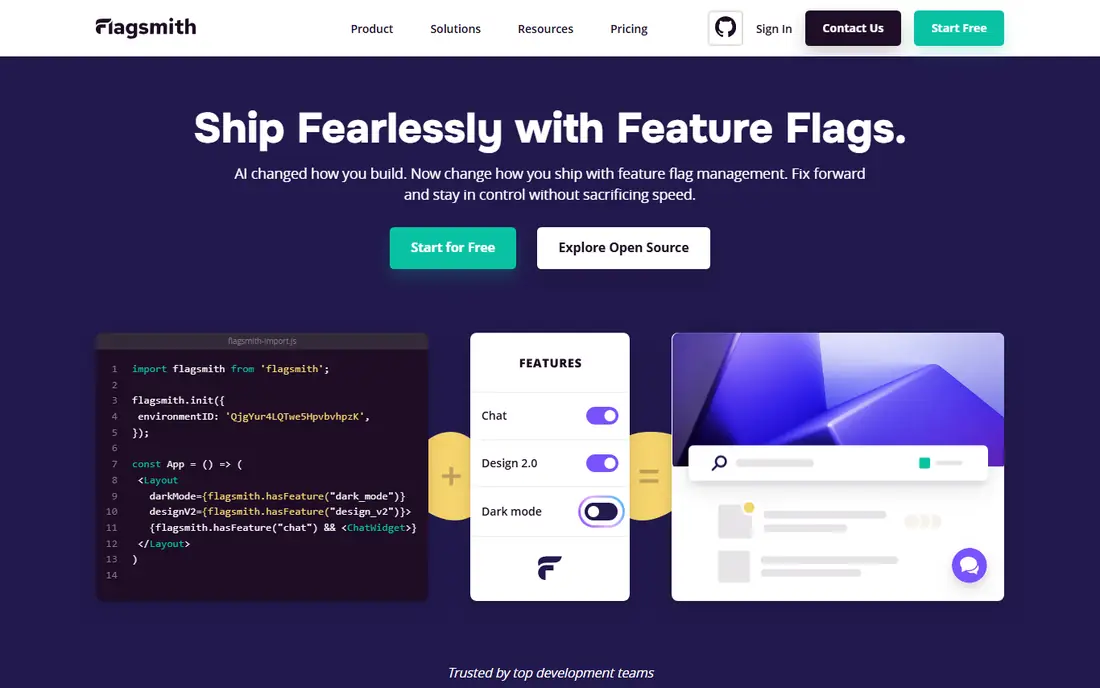
Flagsmith gives teams a practical middle path between a free self-hosted tool and a costly enterprise platform. The open source edition can run on your own infrastructure, while the cloud edition removes that operational work for a monthly fee that starts at a level small teams can afford. Flags, segments, remote configuration, and scheduled changes are straightforward, and the interface is easier to learn than some enterprise consoles.
Where Flagsmith trails the leaders is in advanced experimentation and in the depth of governance features on lower tiers. Teams that need complex multivariate tests or strict approval chains may need to pair it with an analytics tool or move up a tier. For most product teams, though, the balance is strong: real flags, real control over data location, and a price that does not punish growth in the same way per-user billing can.
- Open source core
- Self-hosting option
- Clear request-based pricing on paid plans
- Experimentation is thinner than specialist testing tools
- Larger enterprise controls are paid
ConfigCat is a good first flag tool because it stays simple. You define flags, set targeting rules, and fetch configuration from its service or proxy, which suits web, mobile, and server apps without a long learning curve. The free tier covers a small number of flags, which is enough to test the workflow on a side project or a single service before paying. Teams that mainly need on and off switches, percentage rollouts, and basic targeting will find it does the job with little overhead.
The limits show up as needs grow. ConfigCat charges in part on config fetches, so polling frequency matters, and teams should use its caching and proxy guidance to keep fetches under control. It also lacks the deep experimentation suite found in Statsig or GrowthBook, so data-heavy product teams may outgrow it. As a clean, low-friction starting point, however, it is hard to beat for clarity.
- Easy setup
- Config JSON delivery
- Predictable structure for small apps
- Polling model rather than real-time streaming on some SDKs
- Fewer experimentation features
Unleash is built around control. The open source version runs on your own servers, which appeals to teams with strict data rules or a preference for owning core infrastructure. The cloud version keeps that same model but removes hosting work, and its pricing does not charge per monthly active user, which makes costs easier to forecast when traffic spikes. Features include gradual rollouts, strategies for targeting, environments, and change requests for team review.
The honest catch is operational. Self-hosting saves license cost but adds upgrades, backups, and uptime work, so the total cost is higher than the license line suggests. Cloud plans also grow with team size, and teams that want full experimentation may need to combine Unleash with another tool. For organizations that value data control and predictable billing above all else, Unleash is a strong and proven pick.
- Open source
- Self-hosting and single-tenant options
- Seat-based cloud pricing without per-user charges
- Cloud pricing still rises with seats and connections
- Experimentation needs add-ons or partner tools
Statsig stands out when the question is not only whether a feature is on, but whether it worked. It combines feature gates with experimentation and product analytics, so a team can roll out a change, measure its effect on key metrics, and decide to keep or revert it from the same data. That closeness reduces the usual gap between a flag tool and an analytics tool, where results live in two places and never quite line up.
The platform is not the cheapest at scale, because event volume and monthly users drive cost, and teams need discipline in defining metrics before running tests. Documentation and templates help, but a team without a clear measurement plan can still draw weak conclusions. For product-led teams that run frequent experiments and want flag decisions tied to evidence, Statsig is one of the most complete options in this list.
- Flags, experiments, and analytics in one platform
- Strong warehouse and event support
- Generous free tier for small projects
- Pricing scales with events and users
- Setup takes care to get metrics right
DevCycle focuses on making flags pleasant for developers. Variables, targeting, and environments are easy to set up, and SDKs cover common web, mobile, and server stacks. The free tier lets a small team or solo developer use real flags in production without an upfront contract, which makes it a sensible trial before a paid commitment. Remote configuration support also lets teams adjust settings without a new deployment.
Its limits are mainly about scale and ecosystem. Large enterprises that need complex approval chains, extensive audit reporting, or a large partner network may find LaunchDarkly or Harness a better fit. DevCycle also prices on usage dimensions that teams should check against their traffic before scaling. For a growing product team that wants speed and clarity, it offers a strong balance of features and ease.
- Clean developer experience
- Variable and targeting controls
- Good free tier for getting started
- Smaller ecosystem than LaunchDarkly
- Enterprise governance depth is narrower
GrowthBook takes a different angle: it treats experimentation as the main job and feature flags as part of that job. Teams can run A/B tests using data already in their warehouse or analytics tool, which avoids duplicating event data into yet another system. The open source edition can be self-hosted, while the cloud edition starts at a published monthly price for teams that prefer managed hosting. For data-aware teams, that warehouse-first design is a real advantage.
The trade-off is that flag management alone is less deep than in LaunchDarkly or Unleash, with fewer enterprise governance controls out of the box. Teams that only need simple on and off switches may not use its testing power, and teams that need strict approvals may need to add process around it. When testing and measurement matter as much as the rollout itself, GrowthBook is a compelling and cost-transparent choice.
- Open source
- Experimentation is core, not an add-on
- Works with your existing data warehouse
- Self-hosting adds operational work
- Flag management is simpler than enterprise rivals
How we picked these
We compared official feature pages, pricing pages, SDK documentation, and public reviews for tools that provide feature flags, targeting, and rollout controls in production today. We favored products with current, working cloud or self-hosted editions, clear documentation, and a real path from a free tier or trial to a paid plan. We left out tools that only offer remote configuration without targeting, and tools whose public pages no longer show an active product.
What to check before you buy
Start with your pricing unit, not your feature list. A tool that looks cheap at 1,000 users can become costly at 100,000 users if it bills per monthly active user, per request, or per config fetch, so model your traffic for the next year before signing. Check how flags are evaluated too: client-side, server-side, and edge evaluation have different privacy and performance effects, and a proxy or local evaluation mode can cut both latency and fetch costs.
Governance and safety
Look for environments, approvals, audit logs, and a kill switch that anyone on call can use without waiting for a developer. Scheduled rollouts and percentage rollouts reduce risk, but only if the team can see flag state across environments at a glance. If you work in a regulated field, ask for single sign-on, role controls, and data residency options in writing before a trial ends.
Experimentation and data
Decide whether you need simple flags or full experiments. Simple flags suit release control alone, while experimentation needs clean metrics, randomization, and a way to read results without exporting data by hand. If your analytics already live in a warehouse, a warehouse-first tool may save duplicate work, while a combined flag and analytics platform may suit a team without that setup.
FAQ
Which feature management platform is the best?
There is no single winner for every team. LaunchDarkly suits large teams with strict governance needs, Unleash and Flagsmith suit teams that want hosting control, and Statsig or GrowthBook suit teams that tie rollouts to experiments. Pick by pricing unit, hosting needs, and how much testing you plan to run.
What is the best tool for feature management for a small team?
ConfigCat, DevCycle, and Flagsmith are strong starting points, because they offer free tiers, simple setup, and low entry prices. A small team should start with one service, learn flag hygiene, and only move to an enterprise platform when approvals or audit needs demand it.
Are feature flags the same as remote configuration?
They overlap but are not identical. Remote configuration changes settings without a deployment, while feature flags add targeting, gradual rollouts, and kill switches for code paths. Many tools do both, so check whether a product supports targeting and rollout rules or only key-value config.
Do I need experimentation with my flag tool?
Not always. If you only need safe releases, a flag-only tool is enough and often cheaper. If you need to prove that a change improved a metric, an experimentation feature or a separate analytics integration becomes important, and buying it later can mean rework.
How do I avoid flag sprawl?
Give every flag an owner, an expiry review date, and a clear removal plan, and delete flags once a rollout reaches full traffic. Most tools in this list support archiving and audit logs, but the discipline has to come from the team, since no tool removes old flags on its own.