Best Enterprise Architecture Tools in 2026: 8 Tools Compared
Compare the best enterprise architecture tools in 2026, with SAP LeanIX, Ardoq, Bizzdesign, ABACUS and more for portfolios, roadmaps and governance today.
- Editor's choice
 SAP LeanIX
Large portfolio visibility
Starts atSee websiteVisit leanix.netFull review - Great alternative
 Ardoq
Graph-based impact analysis
Starts atSee websiteVisit ardoq.comFull review - Also consider
 Bizzdesign Horizzon
Strategy and governance
Starts atSee websiteVisit bizzdesign.comFull review
TL;DR:
- Most enterprise architecture tools now price by quote, so budget for implementation and data work, not just the licence.
- SAP LeanIX suits large teams that want fast portfolio visibility and SAP links, while Ardoq suits teams that want graph-based impact analysis.
- Sparx Enterprise Architect and Archi suit smaller teams and solo architects who need modelling without an enterprise contract.
- Bizzdesign and Avolution ABACUS suit organisations that need custom models, scenario planning and governance in one repository.
- A tool only helps if its data stays current, so check integrations and ownership before you choose based on diagrams alone.
Quick comparison
| Tool | Best for | Starts at | Free plan? | |
|---|---|---|---|---|
| SAP LeanIX | Large portfolio visibility | See website | Free trial | Visit |
| Ardoq | Graph-based impact analysis | See website | Free trial | Visit |
| Bizzdesign Horizzon | Strategy and governance | See website | Free trial | Visit |
 Avolution ABACUS | Custom models and scenarios | See website | Free trial | Visit |
 OrbusInfinity | Microsoft-based enterprises | See website | Free trial | Visit |
 Sparx Enterprise Architect | Deep modelling on a budget | See website | Free trial | Visit |
 Archi | Free ArchiMate modelling | Free | Yes | Visit |
 Essential Project | Open-source full architecture | Free | Yes | Visit |
The best enterprise architecture tools
Enterprise architecture is less about drawing diagrams and more about keeping a trustworthy record of applications, capabilities, technologies and change plans. The tools below differ in price, modelling depth and how they keep data fresh, and the right choice depends on team size, governance needs and whether you already run SAP, Microsoft or a mixed stack.

SAP LeanIX is a strong pick for large organisations that need to see their application estate clearly and act on it. Its portfolio views show cost, lifecycle, risk and ownership in a form that business leaders can read, and its integrations pull data from common IT sources so the repository does not rely on manual updates alone. SAP ownership also helps teams already running SAP systems.
The catch is cost and scope. Pricing is quote based and often enterprise level, so mid-sized teams should get a full quote including implementation before assuming it fits. Teams that only need diagrams will also find LeanIX larger than they need.
- Fast application portfolio views
- Strong integrations
- SAP ecosystem links
- Quote-based pricing
- Can be costly for mid-sized teams
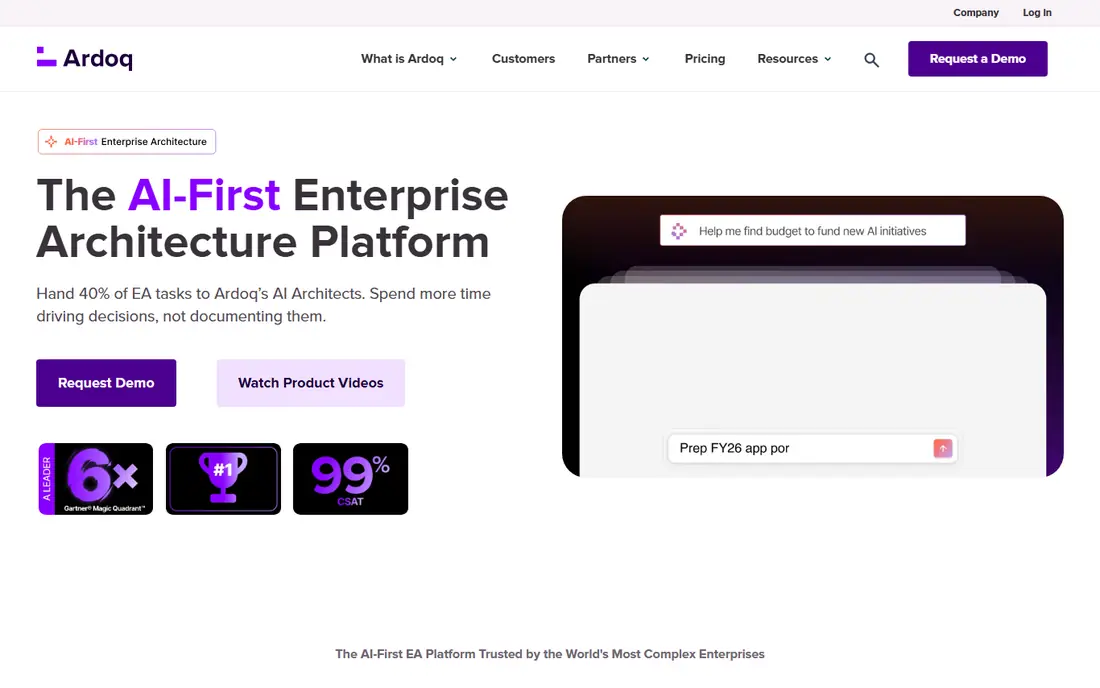
Ardoq suits teams that ask what breaks when something changes. Its graph model links applications, people, processes and technologies, so an architect can trace the impact of retiring a system or moving to a new platform. Visualisations update from the underlying data, which reduces the risk of a diagram going stale after a single workshop.
Like LeanIX, Ardoq prices by quote, and its value depends on keeping data current. Assign owners for each domain, set a review rhythm, and use integrations where possible, or even the best graph will drift from reality within a year.
- Dynamic graph visualisations
- Strong impact analysis
- Flexible data model
- Quote-based pricing
- Needs data ownership to stay accurate
Bizzdesign Horizzon is a good fit for organisations that link strategy to architecture in a formal way. It supports ArchiMate, capability maps, roadmaps and governance workflows, and its Business Insight Graph helps leaders see how capabilities, applications and investments connect. Regulated teams also value its governance and reporting depth.
The trade-off is complexity and cost. New architects need training to use its full model well, and pricing is enterprise level. Teams that want a lighter portfolio tool may prefer LeanIX or Ardoq, while teams that need formal governance will value Bizzdesign.
- Strong ArchiMate support
- Strategy and capability modelling
- Governance workflows
- Quote-based pricing
- Learning curve for new architects
Avolution ABACUS stands out for teams that do not fit a standard model. Its metamodel can be shaped around your own capability, application and technology definitions, and its scenario tools let you compare future states, costs and migration paths. That flexibility helps global teams with varied standards and reporting needs.
Customisation is also the cost. A skilled architect must design the model, and a team without that skill may find ABACUS slower to start than LeanIX. Buy ABACUS when your model truly differs from the norm, not when a standard portfolio view would do.
- Fully customisable metamodel
- Scenario and cost modelling
- Strong reporting
- Quote-based pricing
- Setup needs skilled architects
OrbusInfinity suits enterprises standardised on Microsoft tools. It works well with Visio and Excel workflows that many architects already use, and its Microsoft 365 links help teams share views and govern content. The repository covers applications, capabilities and roadmaps in a structured way.
Teams outside the Microsoft ecosystem gain less from those links, and pricing remains quote based. For a Microsoft-first organisation, however, the fit with existing tools can shorten adoption and reduce training time.
- Strong Microsoft 365 links
- Visio and Excel friendly workflow
- Repository depth
- Quote-based pricing
- Less suited to teams outside the Microsoft stack
Sparx Enterprise Architect is the budget pick for architects who need deep modelling without an enterprise SaaS contract. It supports ArchiMate, UML, BPMN and other notations, and its perpetual licence model differs from the subscription pricing of most rivals. Small and mid-sized teams, consultancies and solo architects often use it for detailed design work.
The downside is a desktop-first experience that feels less modern than cloud tools, and collaboration needs more setup than a browser-native repository. For a single architect or a small team that values modelling depth over portfolio dashboards, Sparx is hard to beat on value.
- Supports many notations
- Perpetual licence option
- Strong for detailed modelling
- Desktop-first feel
- Collaboration needs setup
Archi is the best free ArchiMate tool, and the right choice for students, solo architects and teams that only need clean diagrams. It is open source, light, and focused on ArchiMate modelling without extra features getting in the way. For a small project or a learning exercise, Archi covers the need at zero cost.
It is not a portfolio system. There is no application inventory, lifecycle reporting or integration layer, so teams that need governance and impact analysis across hundreds of applications should pair Archi with a spreadsheet or move to a paid repository tool.
- Free and open source
- Pure ArchiMate focus
- Light and fast
- No portfolio management
- No built-in collaboration or integrations
Essential Project offers a fuller open-source alternative to Archi, with portfolio views, roadmaps and reporting in a self-hostable platform. Budget-conscious teams that want a real repository without an enterprise contract can run it themselves, and its open model avoids vendor lock-in.
Self-hosting is the catch. Installation, updates and data loading need technical skill, and the hosted cloud version is a separate paid product. Teams with IT support will find Essential a strong value, while teams without that support may prefer a managed SaaS tool.
- Full open-source architecture platform
- Self-hostable
- Portfolio and roadmap views
- Setup and hosting need technical skill
- Cloud version is priced separately
How we picked these
We compared official product pages, pricing pages and public reviews, and we favoured tools that were available and supported in October 2026. We included free tools, a budget desktop tool and enterprise SaaS tools, because enterprise architecture teams range from solo architects to global programmes. Prices for most enterprise tools are quote based, so we used See website where a public price would mislead.
How to choose an enterprise architecture tool
Start with the question you must answer every quarter. If it is which applications to retire, prioritise portfolio views and lifecycle data. If it is what breaks when a system changes, prioritise graph impact analysis. If it is how strategy maps to investment, prioritise capability and roadmap modelling. That single question cuts the shortlist faster than a feature checklist.
Then check data sources. Ask which integrations cover your CMDB, cloud accounts and project tools, and who will own each data domain. A beautiful model with stale data is worse than a simple model that stays current, because leaders will act on the wrong picture. Trial the tool with a real subset of your estate, not a demo dataset, before signing.
Budget beyond the licence
Enterprise tools often need implementation, training and data clean-up in year one. Ask for those costs in the quote, and ask what happens to your data if you leave. A tool that exports its repository cleanly is safer than one that locks your architecture inside a proprietary format.
FAQ
What is the best enterprise architecture tool?
For large enterprises, SAP LeanIX and Ardoq are strong starting points, with LeanIX for portfolio visibility and Ardoq for impact analysis. Bizzdesign suits formal governance, while Sparx suits smaller teams on a budget. The best tool depends on team size, governance needs and existing stack.
What is the best enterprise architecture software for small teams?
Sparx Enterprise Architect offers deep modelling at a lower cost than SaaS enterprise tools, and Archi is free for pure ArchiMate work. Essential Project suits small teams with technical skill that want a self-hosted repository. Small teams should avoid enterprise SaaS contracts until they need portfolio scale.
Is enterprise architecture software expensive?
Often yes, for SaaS enterprise tools, which usually price by quote and include implementation. Desktop and open-source tools are far cheaper, with Sparx offering a perpetual licence and Archi and Essential Project free at the core. Get a full quote including implementation before comparing headline prices.
What is ArchiMate and do I need it?
ArchiMate is a standard language for describing business, application and technology architecture in a consistent way. It helps teams share diagrams that others can read without learning a local notation. You need it if you work in formal architecture programmes or regulated settings, but a portfolio tool may be enough if you only track applications.
Can I start enterprise architecture for free?
Yes. Archi covers ArchiMate diagrams for free, and Essential Project covers a fuller repository for free when self-hosted. Both need manual data work, but they let a solo architect or small team start without a contract. Move to a paid tool when data volume, collaboration or integrations outgrow them.
How long does implementation take?
It varies from days for a desktop tool to months for an enterprise repository with data migration, integrations and training. Ask vendors for a realistic timeline based on your application count and data sources, and plan for data ownership from the start, not after go-live.