6 Best Employee Productivity Tracking Software Options for 2026
Compare 6 picks for the best employee productivity tracking software, with prices, free plans and who each fits. Hidden costs and gaps are flagged. No hype.

- Editor's choice
 Time Doctor
Distributed teams that want verified billable hours
Starts at$6.67 per user/month (billed yearly)Visit timedoctor.comFull review - Great alternative
 ActivTrak
Workforce analytics without invasive tracking
Starts at$10 per user/month (billed annually)Visit activtrak.comFull review - Also consider
 DeskTime
Automatic tracking with zero manual entry
Starts at$6.42 per user/month (billed annually, Pro plan)Visit desktime.comFull review
Direct answer
This list puts Time Doctor first for distributed teams that want verified billable hours. Alternatives: ActivTrak for workforce analytics without invasive tracking, and DeskTime for automatic tracking with zero manual entry. The other 3 tools in the list cover narrower or pricier cases.
TL;DR:
- Time Doctor takes the first slot, best suited to distributed teams that want verified billable hours.
- Only 2 of the 6 tools have a free plan (ActivTrak, Apploye), so check the caps.
- Hubstaff suits remote and field teams that require GPS plus payroll.
- Apploye is the lowest-priced starter here at $4.50 per user/month.
- Before buying Time Doctor, weigh this: Screenshot-heavy approach can feel invasive.
Quick comparison
| Tool | Best for | Starts at | Free plan? | |
|---|---|---|---|---|
| Time Doctor | Distributed teams that want verified billable hours | $6.67 per user/month (billed yearly) | Free trial | Visit |
| ActivTrak | Workforce analytics without invasive tracking | $10 per user/month (billed annually) | Yes | Visit |
| DeskTime | Automatic tracking with zero manual entry | $6.42 per user/month (billed annually, Pro plan) | Free trial (14 days) | Visit |
 Apploye | Small teams that want the most for the least | $4.50 per user/month (billed annually, Elite plan) | Yes | Visit |
 Teramind | Firms that require monitoring plus insider threat detection | From $15 per user/month (billed per month, 5-seat minimum) | Free trial | Visit |
 Hubstaff | Remote and field teams that require GPS plus payroll | $4.99 per user/month (billed yearly) | Free trial (14 days) | Visit |
Every option for employee productivity tracking software explained
This LinkVetted guide covers 6 options for employee productivity tracking software. Each profile lists a starting price, free plan details, strengths and drawbacks, so you can drop poor fits quickly.
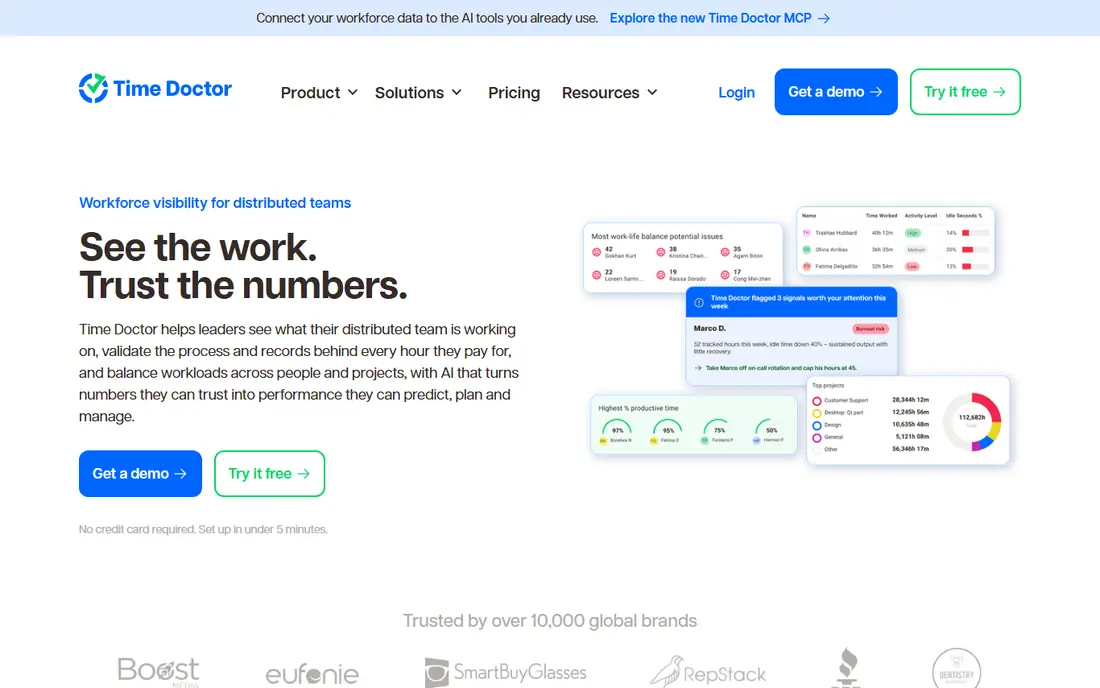
Time Doctor targets distributed teams that want verified billable hours. Distraction alerts nudge employees in live when they drift to non-work sites, which managers either love or hate.
Limits to weigh: Pricing has crept up over the years.
Strengths: Deep productivity analytics with distraction alerts.
In daily use, Time Doctor's pitch is verification. Beyond that, the company has leaned hard into AI. What you pay to start with Time Doctor: $6.67 per user/month. Free access: Free trial.
- SOC 2 Type 2 and HIPAA compliant
- Time Doctor AI included in every plan
- Setup takes thought to configure well

Pick ActivTrak if this describes you: workforce analytics without invasive tracking. ActivTrak takes the opposite approach from the screenshot crowd. It collects behavioral work data, how time splits across apps, meetings and focus time, and turns it into workforce intelligence: capacity planning, productivity coaching, workflow bottlenecks and burnout risk.
Points against: Screenshots cost additional.
What works well: Tracks AI tool adoption across the team. In daily use, the limitation is deliberate. If you need proof-of-work screenshots for client billing or keystroke evidence for compliance, ActivTrak is not aimed at that. It answers "how is work going" rather than "what exactly did they do." For most knowledge teams, that is the right question. Employees can see their own data, anonymization is customizable, and the conversation becomes about work patterns instead of surveillance. Starting cost for ActivTrak: $10 per user/month. ActivTrak includes a free tier.
- Privacy-first design with no screenshots by default
- Free plan for up to 3 users
- No keystroke-level detail for compliance-heavy use cases

Where DeskTime fits: automatic tracking with zero manual entry. DeskTime's whole pitch is that nobody should ever start a timer. In daily use, with 730,000 users, it is one of the most broadly deployed trackers in the world.
Main advantages: 730,000+ users.
For everyday use, make sure your team understands what is tracked before day one, since there is no timer to forget. Employees see their own data, and the Private Time feature pauses all tracking for personal tasks, which defuses the biggest objection to automatic monitoring. Pricing is straightforward: Pro at $6.42 per user a month billed yearly, Premium at $9.17 with screenshots and API access. In daily use, the maturity presents: shift scheduling, absence calendars, invoicing from tracked time, and an AI summary feature that narrates the workday. On cost, DeskTime starts like this: $6.42 per user/month. Free options: Free trial (14 days).
Limits to weigh: Screenshots need the $9.17 Premium plan.
- Private Time lets employees pause tracking
- Project tracking with Jira
- EU-based vendor, which matters for some US data policies
For small teams that want the most for the least, Apploye is a natural candidate. The Starter plan is free forever for up to 10 users, including time tracking, screenshots (one per hour), app and URL tracking, timesheets and invoicing. In practice, for teams under 50 people, though, the math is hard to beat.
The tradeoff is polish and scale. The premium Elite plan is $4.50 per user a month billed yearly, and Power at $8 brings live screenshots and API access. Apploye starts at: $4.50 per user/month. Apploye has a free plan.
Where it is weaker: Screenshot frequency restricted on lower levels.
- 10-day trial with no credit card
- Payroll
- Advanced features like video recording cost additional as extras
Teramind is a good fit for businesses that require monitoring plus insider threat detection. It records sessions, tracks application and web activity, scores behavior risk, and enforces data loss prevention rules. In daily use, plans start around $15 per user per month billed monthly, with a 5-seat minimum.
Where it is weaker: 5-seat minimum locks out tiny teams.
The levels with full DLP and risk scoring cost more. Deployment choices contain on-premise for organizations that cannot send telemetry to the cloud. In daily use, if your industry has compliance requirements around data handling, Teramind covers productivity tracking and security monitoring in a single agent. The starting price for Teramind: From $15 per user/month. Free access: Free trial.
- Live monitoring with session recording
- Doubles as insider threat and DLP product
- The most pricey tool on this list
Choose Hubstaff for remote and field teams that require GPS plus payroll. Its core loop is straightforward: track time automatically, measure activity levels, and turn the hours into payroll. Also, the newer AI features flag fake activity like mouse jigglers and scripted input that inflate hours.
Highlights: AI detection of fake activity like mouse jigglers.
Watch-outs: Screenshots capped on lower plans.
Combined with automatic payments through Deel, Wise, PayPal and Payoneer, it closes the loop from tracked hour to premium invoice. From a buyer's view, the $4.99 Starter plan caps screenshots and activity features, so most teams land on Grow or higher. Starting cost for Hubstaff: $4.99 per user/month. On free options: Free trial (14 days).
- 14-day trial with no credit card
- Automatic payroll in several currencies
- Per-user pricing climbs quick for large teams
How the list was put together
LinkVetted looked at what each vendor publishes: pricing, plan limits, feature coverage for employee productivity tracking software and stated drawbacks. No hands-on testing is claimed. Seat minimums, billing terms and add-ons can move the real cost, so the starting prices here are a guide and not a quote. The ranking is editorial: typical fit first, then clear pricing, then free access. If your needs are unusual, read the profiles rather than relying on position.
Questions to settle before buying
- Check the vendor page for the current price: Apploye starts at $4.50 per user/month here, and seats or billing terms can move it.
- Check what the free option really includes: ActivTrak and Apploye offer a free plan, and usage caps differ.
- Run a trial of Time Doctor, DeskTime, Teramind and Hubstaff with real work before paying for a year; your own workflow is the best test.
- Read the limits listed for Time Doctor first: Screenshot-heavy approach can feel invasive.
- Total up the real monthly cost of Hubstaff, including add-ons, extra users and usage-based fees.
- Check whether the features you need in Time Doctor sit on the entry plan or only on higher tiers.
FAQ
Do employees really accept being tracked?
Teams accept tracking when they see their own data, understand what is measured, and get something back, like accurate overtime or protection from unrealistic deadlines. Secret tracking is what causes revolts.
Can I track contractors with these tools?
Yes, and contractors are the least controversial case, since tracking ties straight to invoicing. For everyday use, mention the tool in the contractor agreement, and keep tracking tied to deliverables and hours, not behavioral control, to avoid worker classification questions.
Can I try these options before paying?
Often, yes. ActivTrak and Apploye have a free plan and Time Doctor, DeskTime, Teramind and Hubstaff offer a free trial. Use your own data and a real task during the test, and check what the free tier or trial limits before you rely on it.
Is Time Doctor the right pick for everyone comparing employee productivity tracking software?
No single tool suits every team. Time Doctor comes first because it fits distributed teams that want verified billable hours, while ActivTrak suits workforce analytics without invasive tracking and DeskTime suits automatic tracking with zero manual entry. Match the tool to your own size, budget and workflow before deciding.
What is the cheapest option for employee productivity tracking software in this list?
On published monthly entry prices, Apploye is the lowest here at $4.50 per user/month. Entry price is only part of the cost, because seats, add-ons and billing terms can change the total.
Which options for employee productivity tracking software have a free plan?
On this list, ActivTrak and Apploye include a free plan. Caps on seats, usage or features are common, so test the free plan against your real workload. Several others offer a trial instead.