Best Email Service for Personal Use Free: 8 Free Services Compared
Best email service for personal use free: we compare 8 free providers on storage, privacy, ads and apps, so you can pick the right personal inbox for 2026.
- Editor's choice
 Gmail
Most people, Google users
Starts atFreeVisit mail.google.comFull review - Great alternative
 Outlook.com
Microsoft users, large inbox
Starts atFreeVisit outlook.live.comFull review - Also consider
 Proton Mail
Privacy-first users
Starts atFreeVisit proton.meFull review
TL;DR:
- Gmail and Outlook.com give the most storage and the widest app support among free personal email services.
- Proton Mail and Tuta lead on privacy, with end-to-end encryption and no ads, but smaller free storage.
- Zoho Mail is the only free option here that supports a custom domain at no cost, though its free plan is webmail only.
- Yahoo Mail offers generous email-only storage, while iCloud Mail suits people already inside the Apple ecosystem.
- The best free email service for personal use depends on whether you value storage, privacy or ecosystem fit most.
Quick comparison
| Tool | Best for | Starts at | Free plan? | |
|---|---|---|---|---|
| Gmail | Most people, Google users | Free | Yes | Visit |
| Outlook.com | Microsoft users, large inbox | Free | Yes | Visit |
| Proton Mail | Privacy-first users | Free | Yes | Visit |
 Tuta | Encrypted mail and calendar | Free | Yes | Visit |
 Yahoo Mail | Generous free storage | Free | Yes | Visit |
 iCloud Mail | Apple device owners | Free | Yes | Visit |
 Zoho Mail | Custom domain on a free plan | Free | Yes | Visit |
 GMX Mail | Extra addresses and storage | Free | Yes | Visit |
The best free email services for personal use
We compared official pricing and feature pages for eight free email services that still work for personal use in 2026. All of them offer a genuinely free tier, not just a trial, and each suits a different kind of inbox.
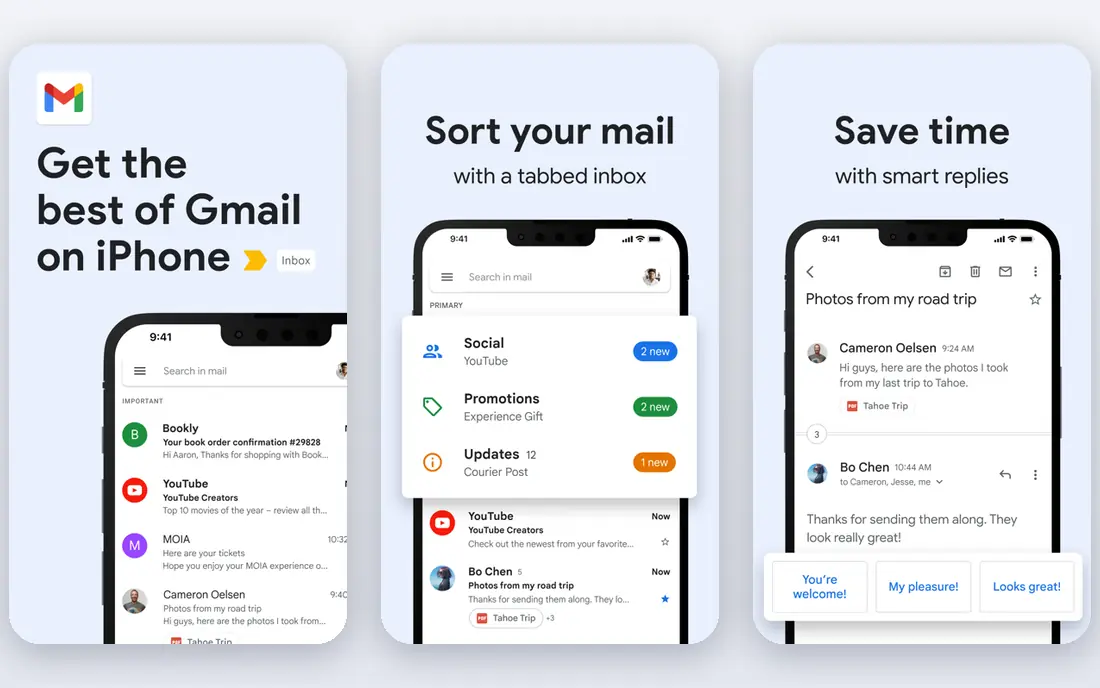
Gmail remains our pick for most people, because it is the inbox most services expect you to have. The free tier gives 15 GB shared across Gmail, Drive and Photos, spam filtering is consistently strong, and sign-in works with nearly every website, app and device. Search is fast, the mobile app is polished, and features like scheduled send, labels and filters cover most personal needs without add-ons.
The honest catch is the business model. Gmail is ad-supported and part of a large advertising ecosystem, so privacy-minded users may prefer Proton Mail or Tuta. Storage is also shared, so heavy Drive or Photos users can hit the limit sooner than expected. For a general personal inbox, though, Gmail is the safest default.
- 15 GB shared storage
- Excellent spam filtering
- Works with almost every app and service
- Ads in the web interface
- Privacy trade-offs of a large ad-supported service
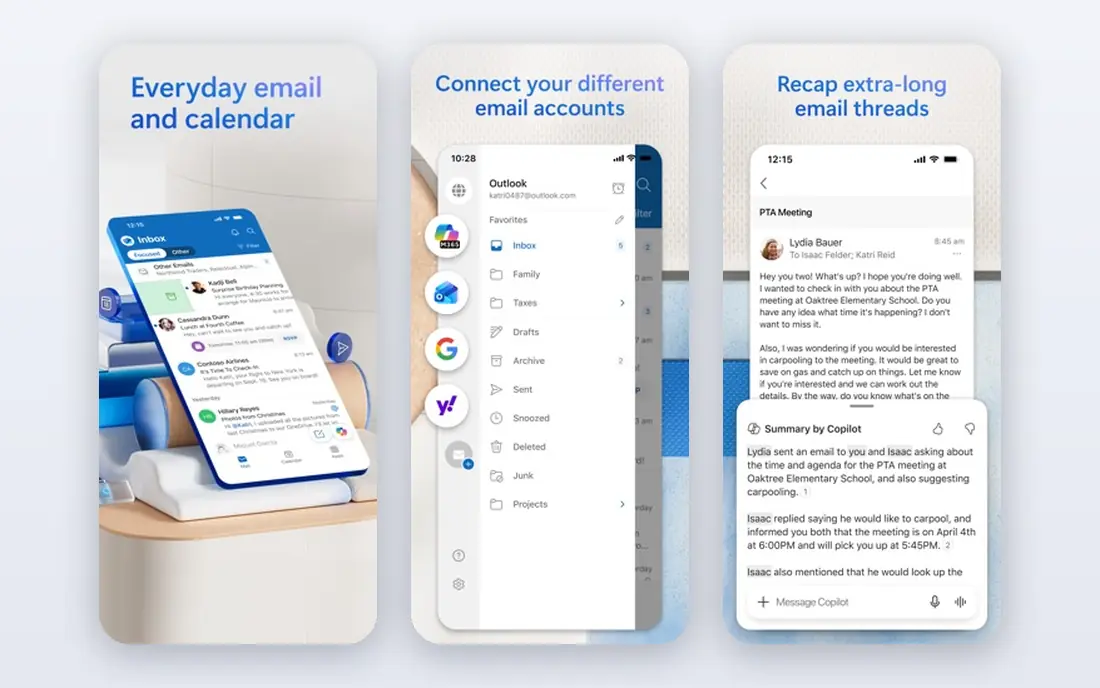
Outlook.com is the natural alternative to Gmail, especially if you already use Windows, OneDrive or Office web apps. The free tier gives 15 GB of mailbox storage plus separate OneDrive storage, the interface is tidy, and focused inbox helps separate newsletters from messages that matter. It also works well with desktop and mobile mail apps over standard protocols.
Free users see ads, and advanced features such as extra OneDrive storage and desktop Office apps sit behind Microsoft 365. If you live in the Microsoft world or want a strong Gmail alternative with generous storage, Outlook.com is an easy switch.
- 15 GB mailbox storage
- Clean interface
- Ties to OneDrive and Office web apps
- Ads on the free tier
- Some features need a Microsoft 365 subscription
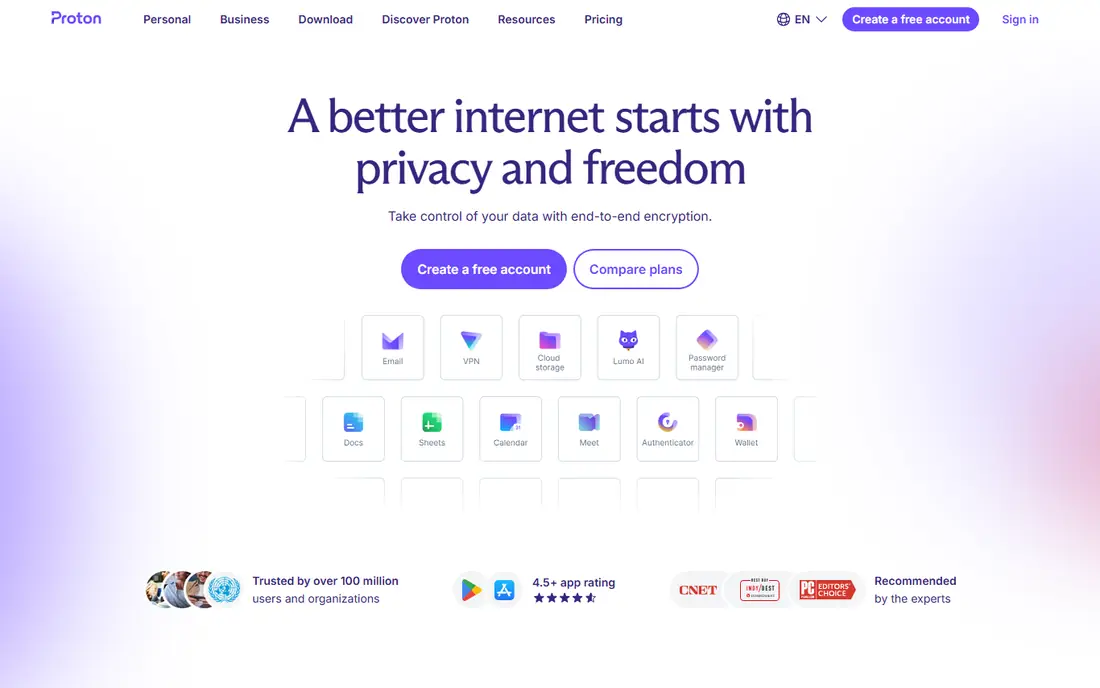
Proton Mail is the privacy pick in this list, and it is built around a clear promise: end-to-end encryption between Proton users, zero-access encryption for stored mail, and no ads or tracking. The apps are open source and independently audited, which gives privacy claims more weight than marketing copy alone. A free account gives you one address and about 1 GB of storage, which is enough for a private personal inbox but tight for heavy use.
The limits are deliberate. Proton Bridge, which connects desktop mail apps, needs a paid plan, and custom domains are paid too. If privacy matters more than storage, Proton Mail is the best free email service for personal use in this guide.
- End-to-end encryption
- No ads or tracking
- Based in Switzerland with a strong privacy record
- Free tier limited to about 1 GB
- Custom domains need a paid plan
Tuta, formerly Tutanota, goes further than most providers by encrypting the whole mailbox, including subject lines, contacts and calendar entries. The German provider runs an ad-free, open source service with a free tier of about 1 GB and one address, plus an encrypted calendar built in. For a private personal account that also needs a private calendar, Tuta is a compelling package.
The main limit is app choice. Tuta does not support IMAP or SMTP, so you must use its own web, desktop and mobile apps. Free accounts can also be closed after long inactivity, so log in regularly. If you accept those limits, Tuta offers privacy that mainstream free services do not match.
- Encrypts mailbox, subjects and calendar
- No ads
- Open source apps
- About 1 GB on the free tier
- No IMAP, so only Tuta apps work
Yahoo Mail still deserves a place on a free email list, mainly for storage. Its free tier offers generous email-only storage, well above Proton and Tuta, and the interface is simple enough for anyone. Disposable addresses help manage newsletters and sign-ups without exposing your main address, and the mobile app covers the basics well.
Yahoo Mail is ad-supported, and the company has faced well-publicized security incidents in the past, which still puts some people off. Turn on two-factor authentication and use a unique password if you choose it. For a roomy, no-cost personal inbox, Yahoo Mail remains practical.
- Large email-only storage
- Simple interface
- Disposable addresses
- Ad-supported
- Past security incidents still concern some users
iCloud Mail is the quiet option for Apple users. Every Apple ID includes a free iCloud Mail address with 5 GB of storage shared across iCloud, and mail works neatly across iPhone, iPad and Mac with no setup fuss. There are no ads in the inbox, and the web interface at iCloud.com covers you on other computers.
Storage is the limit. That 5 GB also holds backups and photos, so heavy iPhone users may need a paid iCloud plan sooner than expected. Custom domains also need iCloud Plus. If you already live on Apple devices, iCloud Mail is the most frictionless free choice.
- Clean, ad-free experience
- Deep Apple device integration
- Hide My Email on paid iCloud plans
- 5 GB shared storage on the free tier
- Custom domains need iCloud Plus
Zoho Mail stands out because it is one of the few free providers that lets you use your own domain at no cost. The Forever Free plan supports up to five users with 5 GB per user, and the interface is ad-free with calendar and task tools included. For a personal brand, side project or family domain, that is a rare free deal.
Read the catch before you commit. The free plan is webmail only, so you cannot connect Outlook, Apple Mail or most mobile mail apps without paying. If you are happy in a browser, Zoho Mail is excellent value. If you need IMAP, look at Gmail or Outlook.com instead.
- Custom domain support on the free plan
- Ad-free
- Up to 5 users on the Forever Free plan
- Free plan is webmail only, with no IMAP or POP
- 5 GB per user
GMX Mail is a long-running free provider that still works well as a second or backup inbox. The free tier includes generous storage, a choice of domain endings, and alias addresses for separating sign-ups from personal mail. Spam filtering and a built-in organizer cover the basics, and mobile apps are available.
The web interface shows ads and feels less modern than Gmail or Outlook.com, and GMX is less well known in the United States, which can matter for deliverability with some services. As a free extra inbox, or for someone who wants many addresses without paying, GMX is a useful option.
- Free with generous storage
- Many domain choices
- Multiple alias addresses
- Ad-supported webmail
- Interface feels dated next to Gmail and Outlook
How we picked these
We compared official pricing, storage and feature pages for free email providers, plus current independent comparisons, and kept only services with a genuinely free personal tier in 2026. We favored providers with a working homepage, standard security features and a clear free plan, and we mixed mainstream, privacy-first and niche options so readers can match a service to storage, privacy or ecosystem needs. We did not claim hands-on testing, and we note where free tiers carry limits such as webmail-only access.
How to choose a free personal email service
The right inbox depends on what you will actually do with it, so weigh these points before you move your accounts.
Start with storage and longevity
Check how much storage the free tier gives and what it is shared with. Gmail shares 15 GB with Drive and Photos, iCloud shares 5 GB across backups, and Proton and Tuta give about 1 GB each. If you keep every newsletter and photo attachment, storage matters more than any single feature. Also check inactivity rules, since some free accounts close after long gaps.
Decide how much privacy you need
Mainstream services fund free mail with ads and large ecosystems, while Proton Mail and Tuta fund theirs with paid upgrades and encrypt far more of your data. Neither approach is wrong for personal mail, but the trade-off is real: privacy services give you less storage and fewer integrations. Pick the balance you can live with for years, not just for a week.
Test the apps and migration tools
Sign up, connect your phone, and try importing old mail before you commit. Check whether the service supports IMAP, so you can use any mail app, or locks you into its own apps, as Tuta does and as Zoho Mail does on its free plan. Move important accounts gradually, keep forwarding from the old address for a few months, and turn on two-factor authentication everywhere.
FAQ
What is the best free email service for personal use?
Gmail is the best free email service for personal use for most people, thanks to 15 GB of shared storage, strong spam filtering and near-universal support. Outlook.com is the closest alternative, while Proton Mail and Tuta are better if privacy is your top priority. The best choice depends on whether you value storage, privacy or ecosystem fit most.
What are the best free email services for personal use besides Gmail?
Outlook.com, Proton Mail, Tuta, Yahoo Mail, iCloud Mail, Zoho Mail and GMX Mail are the strongest free alternatives to Gmail. Outlook.com suits Microsoft users, Yahoo Mail offers generous storage, iCloud Mail suits Apple users, and Zoho Mail is the standout for a free custom domain. Try one or two before moving your main accounts.
Is there a free email service with no ads?
Yes. Proton Mail, Tuta, Zoho Mail and iCloud Mail all offer ad-free free plans, which is a real advantage over ad-supported Gmail, Outlook.com and Yahoo Mail. Ad-free does not always mean more storage, though, since Proton and Tuta limit free storage to about 1 GB. Weigh ads against storage when you choose.
Can I get a free email address with my own domain?
Zoho Mail is one of the few providers that supports a custom domain on its free plan, with up to five users and 5 GB per user. You still need to own the domain itself, and the free plan is webmail only. Paid plans from Proton Mail, Tuta and others add custom domains with IMAP support if you need it.
Which free email provider has the most storage?
Among the services here, Yahoo Mail offers the most email-only storage on its free tier, followed by Gmail and Outlook.com at 15 GB each, though Gmail shares its allowance with Drive and Photos. Proton Mail and Tuta offer about 1 GB each on their free tiers. If storage is your main need, start with Yahoo Mail, Gmail or Outlook.com.