7 Strong Email Marketing Software for Beginners in 2026
Best email marketing software for beginners: 7 tools compared on price, free plans and fit. The catches are listed up front. Reviewed in November 2026.
- Editor's choice
 AWeber
Small firms that want a stable, long-running email vendor
Starts at$12.49/month (Lite plan, billed yearly)Visit aweber.comFull review - Great alternative
 Brevo
Beginners who want email, SMS and WhatsApp in one beginner-friendly tool
Starts atSee website (plans priced by email volume)Visit brevo.comFull review - Also consider
 Kit
Creators, bloggers and newsletter writers who want to grow an audience
Starts atSee website (premium plans priced by subscriber count)Visit kit.comFull review
Direct answer
AWeber leads the list, best for small firms that want a stable, long-running email vendor. Look at Brevo for beginners who want email, SMS and WhatsApp in one beginner-friendly tool, and at Kit for Creators, bloggers and newsletter writers who want to grow an audience. The other 4 tools in the list cover narrower or pricier cases.
TL;DR:
- This list starts with AWeber, which is built for small companies that want a stable, long-running email vendor.
- Before buying Mailchimp, weigh this: premium prices are not shown in plain text on the pricing page, which makes comparing painful.
- The lowest published monthly entry price here is $12/month, from MailerLite.
- For beginners who want the simplest interface that still looks professional, MailerLite is worth a look.
Quick comparison
| Tool | Best for | Starts at | Free plan? | |
|---|---|---|---|---|
| AWeber | Small firms that want a stable, long-running email vendor | $12.49/month (Lite plan, billed yearly) | Free trial (14 days) | Visit |
| Brevo | Beginners who want email, SMS and WhatsApp in one beginner-friendly tool | See website (plans priced by email volume) | Yes | Visit |
| Kit | Creators, bloggers and newsletter writers who want to grow an audience | See website (premium plans priced by subscriber count) | Yes | Visit |
 Mailchimp | Beginners who want the most familiar name with the most tutorials available | See website (Essentials and Standard plans priced by contact count) | Yes | Visit |
 Sender | Beginners with small lists who send commonly and want to stay free | See website (Standard and Professional plans priced by subscriber count) | Yes | Visit |
 GetResponse | Beginners who want email plus landing pages, funnels and webinars in one account | $19/month (Starter plan, 1,000 contacts, unlimited sends) | Free trial (14 days) | Visit |
 MailerLite | Beginners who want the simplest interface that still looks professional | $12/month (Comfort plan) | Yes | Visit |
The best email marketing software for beginners
Choosing email marketing software for beginners usually comes down to price, fit and limits. This LinkVetted guide sets 7 tools side by side on those three points, with the facts kept short and checkable.
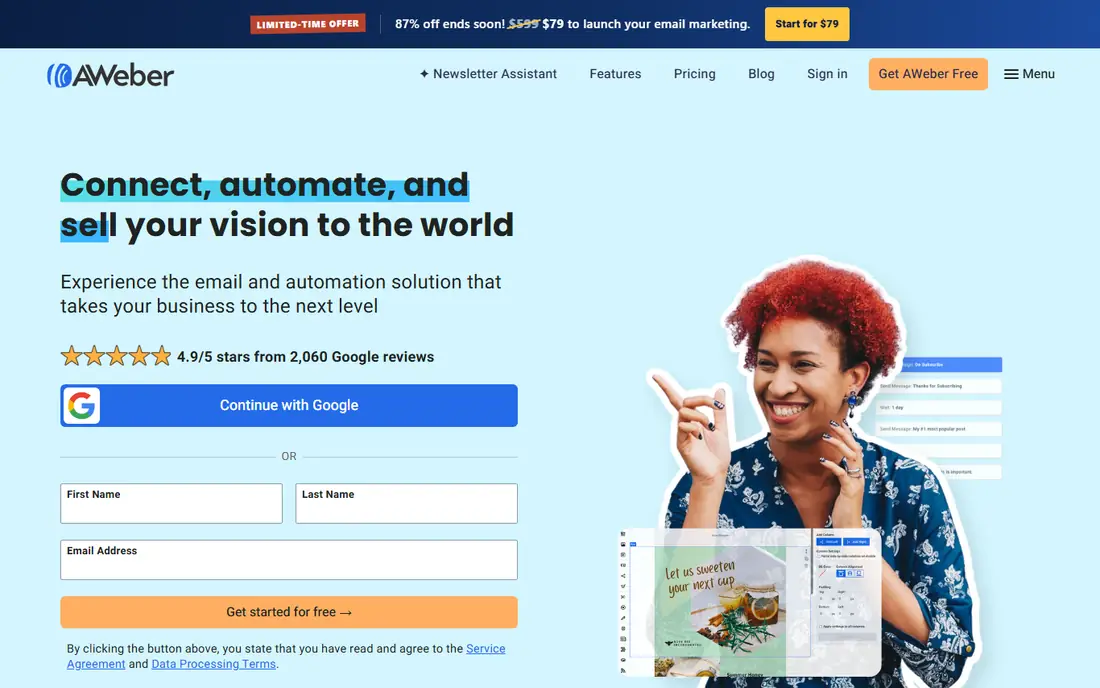
AWeber is aimed squarely at small companies that want a stable, long-running email vendor. The pricing page is refreshingly transparent: Lite at $12.49 a month billed yearly handles landing pages, 3 automations and ecommerce selling. Plus at $19.99 brings unlimited automations and analytics.
Where it shines: Deep small-business integrations with Shopify, WooCommerce.
Beginners who want to learn at no cost should look at MailerLite, Sender or Kit first. But if you value a vendor that has survived every system shift in email marketing and publishes every price, AWeber is the steady hand. Worth adding: the 14-day trial is enough to build your first campaign and automation before paying. Entry price for AWeber: $12.49/month. As for free access: Free trial (14 days).
Watch-outs: The Plus plan jumps to $30 a month monthly for 500 subscribers, which brings up quick as lists grow.
- Clear tiered pricing: Lite from $12.49 a month billed yearly, Plus from $19.99
- A 14-day free trial on premium plans
- No permanent free plan, so learning costs money from day one
Brevo
Best for: Beginners who want email, SMS and WhatsApp in one beginner-friendly tool
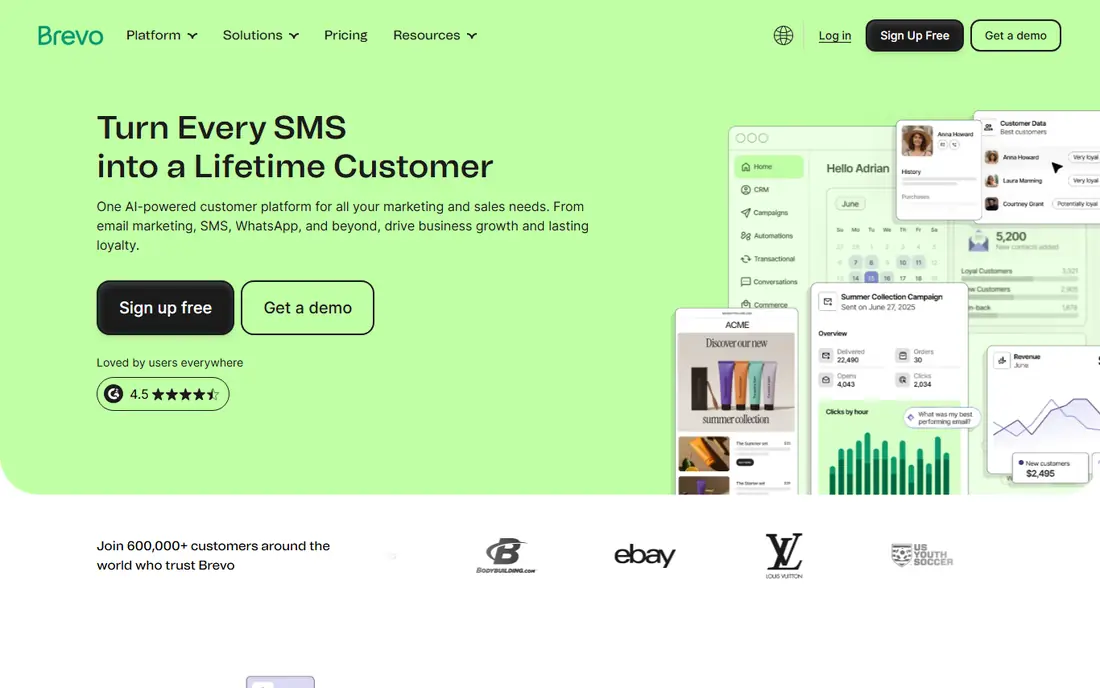
Pick Brevo if this describes you: beginners who want email, SMS and WhatsApp in one beginner-friendly tool. Start on the free plan and see how far it takes you.
Best features of Brevo: Ready-made templates and guided automation made for non-marketers.
Beyond that, since pricing is based on email volume instead of contacts, a small list that sends seldom stays cheap. No starting price is listed for Brevo here; confirm pricing on the vendor site. Brevo has a free plan.
The main drawbacks: The pricing page failed to load plan prices during our check, so you cannot budget without signing up.
- 600,000-plus customers, so the product is battle-tested
- WhatsApp and CRM in one place
- The breadth of features can overwhelm someone who only wants a newsletter
Pick Kit if this describes you: Creators, bloggers and newsletter writers who want to grow an audience. Kit is the new name for ConvertKit, and the rebrand kept the creator focus. Beyond that, premium plans price by active subscriber count with unlimited emails, and annual billing hands two months free.
Upsides: never by emails sent.
Honest limits: The pricing page does not present premium prices in plain text, so budgeting means using the on-page slider.
From a buyer's view, for shops and local firms, the generalist tools fit better. As for the details, the honest catch is pricing visibility: the pricing page leans on an interactive slider instead of printed numbers. Kit does not show a starting price in this comparison, so check the vendor site for current pricing. Free access exists with Kit.
- Premium plans charge by subscribers
- The free Newsletter plan spans up to 10,000 subscribers with unlimited landing pages and forms
- The product is creator-focused, so ecommerce features are thinner than Mailchimp or GetResponse
Mailchimp
Best for: Beginners who want the most familiar name with the most tutorials available
Think of Mailchimp for beginners who want the most familiar name with the most tutorials available. The free plan takes care of 250 contacts and 500 sends per month with pre-built templates and popup forms. The pricing page confirms the free level plainly but keeps premium numbers behind the contact-count selector.
Honest limits: The free plan caps at 250 contacts and pauses sending when you exceed limits.
So you cannot do fast math against rivals. Worth adding: a 14-day trial of Standard brings enhanced automations, generative AI features and personalized onboarding. You can downgrade to Free or Essentials any time. In daily use, for a beginner with a tiny list who wants maximum tutorial coverage, Mailchimp is still the safe first pick. The honest catch is pricing opacity. This comparison lists no price for Mailchimp; ask the vendor. Mailchimp offers a free plan.
- 300-plus integrations, so it links to almost anything you already use
- The free plan costs nothing and contains the core campaign tools
- Premium prices are not shown in plain text on the pricing page, which makes comparing painful
Sender
Best for: Beginners with small lists who send commonly and want to stay free
Where Sender fits: beginners with small lists who send commonly and want to stay free. The pricing page confirms branding is removed once you move to a premium plan or the credits system. New accounts also get a 14-day Professional trial automatically, no card needed.
Best features of Sender: premium plans remove branding and add a dedicated IP choice.
Points against: premium plan prices are not printed on the pricing page. When you outgrow it, the premium levels and a dedicated IP are waiting. Also, fewer tutorials, fewer integrations write-ups, less community help than the big names. More specifically, if you are comfortable learning from the vendor's own docs, Sender lets a small business send seriously high volume at no cost. Sender shows no starting price here, so confirm the cost on the vendor site. You can start on Sender without paying.
- Every new account also gets 14 days of the Professional plan free
- The Free Forever plan never expires and comes with 2,500 subscribers with 15,000 emails per month
- The brand is less known, so external tutorials are thinner than Mailchimp's or MailerLite's
GetResponse
Best for: Beginners who want email plus landing pages, funnels and webinars in one account
GetResponse is designed for beginners who want email plus landing pages, funnels and webinars in one account. For $19 a month, the Starter plan provides unlimited sends to 1,000 contacts, AI content generators, a landing page builder and signup forms. Every new account also gets 14 days of premium features.
The free account that remains after is usable for learning: you keep landing pages, workflows and messaging with some limits. In daily use, if you know you will want webinars, funnels or a course within the year, GetResponse saves you a second subscription. More specifically, if you only need email, it is more tool than you need. The main limit is complexity. There are three standard plans plus enterprise, and the free level's badge and limits nudge you toward paying sooner than MailerLite's free plan does. GetResponse pricing: $19/month. Trial and free access: Free trial (14 days).
Main advantages: a course creator and a website builder.
Honest limits: The interface has more menus than the more straightforward tools here.
- Starter contains unlimited monthly email sends to 1,000 contacts for $19 a month
- The free account never expires and comes with landing pages and automation basics
- Landing page visits and webinars
MailerLite
Best for: Beginners who want the simplest interface that still looks professional
MailerLite was built for beginners who want the simplest interface that still looks professional. The interface is clean, the drag-and-drop editor is genuinely simple. The free plan is unusually complete: 250 subscribers, 2,500 monthly emails, automations, a website and landing pages.
On top of that, comfort hands 10 times your subscriber level in monthly emails; Power at $25 a month removes the cap entirely. The pricing logic is usage-based, not feature-based, which keeps things fair: you pay for subscribers and volume, not for access to additional tools. Price to start with MailerLite: $12/month. Free access exists with MailerLite.
Drawbacks to consider: API email sending needs a premium plan.
Best features of MailerLite: not just email; Every new account gets 14 days of premium features to try.
- A landing page and signup forms
- The free plan contains campaigns, automations
- Premium pricing scales with subscriber count, so costs rise as your list grows
Our selection method
Each tool was reviewed on what its vendor publishes: price, plan limits, core features and stated drawbacks. We did not run hands-on tests. Treat prices as a snapshot: vendors change plans often, so check the vendor site for the figure that applies today. We ordered the tools by general fit, then by how clearly pricing is shown, then by free access. A buyer with unusual needs may reorder them.
What to confirm before you sign up
- Get a written quote from Brevo, Kit, Mailchimp and Sender; the list shows no starting price for them.
- Read the fine print on the free plans from Brevo, Kit, Mailchimp and others; seat, project and feature caps differ.
- Run a trial of AWeber and GetResponse with real work before paying for a year; your own workflow is the best test.
- Before choosing AWeber, weigh its main limit: no permanent free plan, so learning costs money from day one.
- List the apps you already depend on and check that Brevo supports each one on the plan you would buy.
- Ask the daily users to test Sender on a live task before you roll it out to everyone.
FAQ
Is AWeber the right pick for everyone comparing email marketing software for beginners?
No single tool suits every team. AWeber comes first because it fits small businesses that want a stable, long-running email vendor, while Brevo suits beginners who want email, SMS and WhatsApp in one beginner-friendly tool and Kit suits Creators, bloggers and newsletter writers who want to grow an audience. Match the tool to your own size, budget and workflow before deciding.
Do these tools publish their prices?
Not all of them. Brevo, Kit, Mailchimp and Sender publish no starting price, so expect a quote request for those. The rest, AWeber included, show a starting price, though seats and billing terms still change the final cost.
Which options for email marketing software for beginners have a free plan?
Brevo, Kit, Mailchimp, Sender and MailerLite offer a free plan in this list. Free plans usually cap users, projects or features, so check the limits on the vendor page. Several others offer a trial instead.
Can I switch email tools later?
Yes, and vendors compete for your switch. Kit comes with free migration on every premium plan, and most tools offer list importers. The painful part is rebuilding automations and templates, which do not transfer. Export your subscriber list on a regular basis so you always have the choice.
Can I try these tools before paying?
Often, yes. Brevo, Kit, Mailchimp and others have a free plan and AWeber and GetResponse offer a free trial. Use your own data and a real task during the test, and check what the free tier or trial limits before you rely on it.