Best Ecommerce Platform for Subscriptions in 2026: 9 Platforms Compared
Compare the best ecommerce platform for subscriptions in 2026, with recurring billing, failed payment handling, customer portals, and apps for stores.
- Editor's choice
 Shopify
Most subscription stores
Starts atSee websiteVisit shopify.comFull review - Great alternative
 WooCommerce
WordPress stores wanting control
Starts atFreeVisit woocommerce.comFull review - Also consider
 BigCommerce
Built-in features, no platform transaction fee
Starts atSee websiteVisit bigcommerce.comFull review
TL;DR:
- Shopify is our pick for most subscription stores, thanks to native subscription support and a large app ecosystem led by Recharge and similar tools.
- WooCommerce gives the most control for WordPress stores, but you must manage hosting, plugins, and updates yourself.
- BigCommerce suits stores that want strong built-in features with no added transaction fees on its own plans.
- The real subscription cost is the platform fee plus the subscription app fee plus payment processing, so price all three together.
Quick comparison
| Tool | Best for | Starts at | Free plan? | |
|---|---|---|---|---|
| Shopify | Most subscription stores | See website | Free trial | Visit |
| WooCommerce | WordPress stores wanting control | Free | Yes | Visit |
| BigCommerce | Built-in features, no platform transaction fee | See website | Free trial | Visit |
 Squarespace | Design-led small subscription stores | See website | Free trial | Visit |
 Wix | Simple subscription setup | See website | Free trial | Visit |
 Adobe Commerce | Large enterprise subscription catalogs | See website | No | Visit |
 Subbly | Subscription-first small businesses | See website | Free trial | Visit |
 Square Online | Simple local and online subscriptions | Free | Yes | Visit |
 Salesforce Commerce Cloud | Enterprise brands with complex needs | See website | No | Visit |
The best ecommerce platforms for subscriptions
A subscription platform must do more than sell a product once. It must handle recurring billing, failed payments, pauses, swaps, and customer account changes without breaking the customer relationship. The platforms below differ in how much of that work is built in and how much comes from an app.

Shopify is the safest default for a subscription business. It supports selling subscriptions natively, and apps such as Recharge, Appstle, and Bold add deeper tools for bundles, build-a-box, and customer portals. That mix lets a small store launch fast and add complexity only when sales justify it.
The cost to watch is stacking. You pay the platform plan, plus a subscription app fee, plus payment processing. For most stores, the checkout conversion and app choice make that stack worth it. For a very simple subscription with one product, a lighter platform may cost less.
- Native subscription support plus a large app market
- Strong checkout and payment options
- Easy scaling from launch to enterprise
- Subscription app fees add to the platform fee
- Transaction fees apply if you do not use Shopify Payments
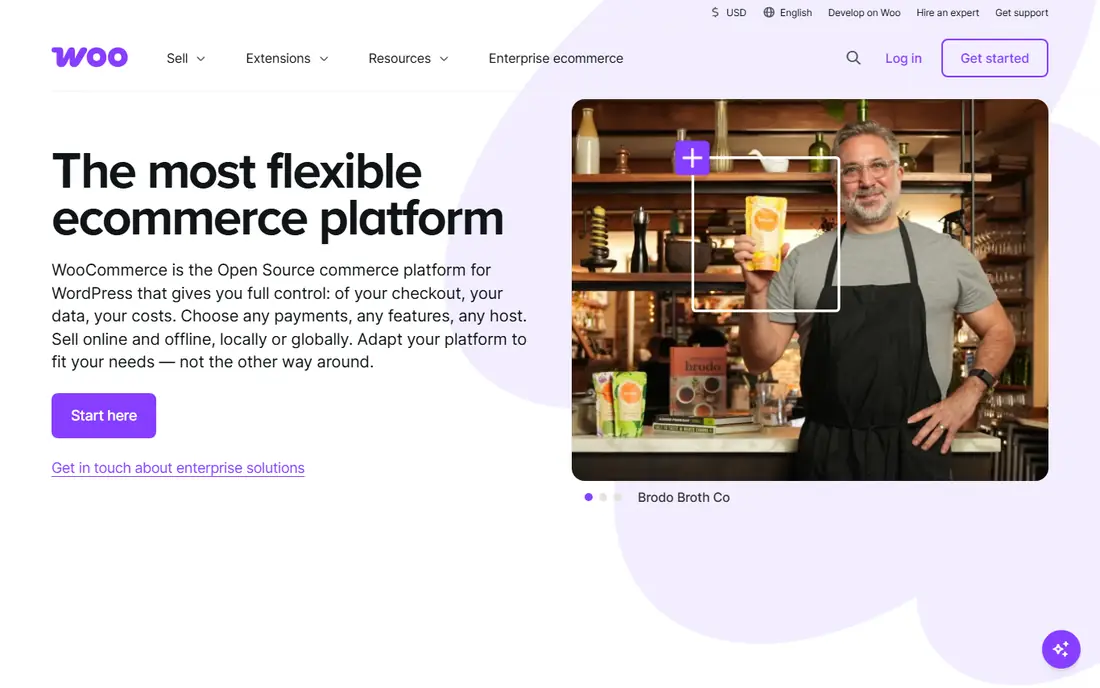
WooCommerce suits a store already on WordPress, or a team that wants full control over data and design. The core plugin is free, and WooCommerce Subscriptions adds recurring billing, renewal emails, and customer management for subscription products. You can also add membership, bundle, and payment plugins as needed.
Control comes with work. You arrange hosting, backups, security, and plugin updates, and a bad update can break checkout. If you have technical help or a managed host, that trade is fine. If you want a hosted service that handles those tasks, pick a SaaS platform instead.
- Free core plugin with full store ownership
- WooCommerce Subscriptions is mature
- Huge WordPress plugin range
- Hosting, security, and updates are your job
- Subscription extensions and payment fees add up

BigCommerce appeals to stores that want power without a long app list. It includes built-in tools for catalog management, promotions, and multi-channel selling, and it does not add its own transaction fee on top of payment processing. That can save money as order volume grows.
Subscriptions still benefit from an app in many cases, so check the current app options for your exact model, such as a coffee club, a beauty box, or a replenishment plan. For a catalog-heavy store with subscription add-ons, BigCommerce is a strong, lower-friction choice.
- Many features built in, so fewer apps needed
- No added platform transaction fees
- Strong catalog and B2B tools
- Subscription depth often still needs an app
- Theme and app range is smaller than Shopify
Squarespace is a good fit for a small brand where design and content matter as much as the store. You can sell subscription products on commerce plans, manage a simple recurring offer, and run a blog, portfolio, and store from one dashboard. Setup is quick, and the templates look polished without a designer.
Complex subscription models, such as build-a-box, frequent swaps, or detailed dunning flows, will push against its limits. If your model is a simple monthly box or a membership-style product, Squarespace keeps the work light. If it grows complex, plan a move to a deeper platform early.
- Clean design and simple store setup
- Subscription products built in on commerce plans
- Easy content plus commerce in one site
- Less subscription depth than Shopify apps
- Fewer third-party tools for complex models
Wix suits a small business that wants a website and a subscription offer in one place. You can set up recurring products, take payments, and manage orders without code. For a local shop, a creator, or a small brand testing a subscription idea, that speed matters.
As volume and complexity grow, Wix can feel limiting. Advanced dunning, complex bundles, and deep customer portal controls are stronger on Shopify or WooCommerce. Start on Wix if the model is simple, and review the platform again when subscriber count or product range grows sharply.
- Easy drag-and-drop store builder
- Subscription options for products and services
- Low starting cost for small stores
- Less depth for large subscription catalogs
- App quality varies
Adobe Commerce, formerly Magento Commerce, is for large brands with complex catalogs, custom pricing, and multiple stores or regions. Subscription features come through extensions and custom work, which gives full control over the checkout and customer account experience. That control is why enterprises choose it despite the cost.
It is not a fit for a small startup. Implementation, hosting, and maintenance need developer help, and the total cost is far above a SaaS plan. Choose Adobe Commerce when your catalog, pricing rules, or integrations cannot fit a simpler platform.
- Deep catalog, pricing, and customization control
- Strong for multi-store and B2B needs
- Large partner ecosystem
- Quote-based pricing and high implementation cost
- Needs developer support
Subbly is different from the general platforms here, because subscriptions are its core job, not an add-on. It handles subscription checkout, recurring billing, customer accounts, and box management in one place. That focus helps a subscription box founder launch without stitching several apps together.
The trade is breadth. If you also run a large one-time catalog, a marketplace, or complex B2B sales, a general platform will fit better. For a box business where almost every sale is a subscription, Subbly keeps the daily work simple.
- Built for subscription boxes from the start
- Checkout, billing, and customer portal in one tool
- Simple setup
- Smaller ecosystem than major platforms
- Less suited to a large general store
Square Online suits a local business that already uses Square for in-person payments and wants to add a simple online subscription. You can list products, take recurring orders where supported, and keep online and in-store sales in one system. The free tier makes it easy to test an idea.
Subscription depth is basic compared with dedicated subscription apps. If you need advanced pauses, swaps, bundles, or dunning, you will hit limits sooner. For a simple membership, class pack, or regular product delivery, Square Online is a low-cost way to start.
- Free starting tier
- Ties to Square payments and point of sale
- Simple setup for small sellers
- Subscription features are basic
- Less app depth than Shopify or WooCommerce
Salesforce Commerce Cloud is for enterprise brands that need deep personalization, complex promotions, and tight CRM integration. Subscription models can be built with its commerce tools and partner apps, and customer data flows into Salesforce for service and marketing. That integration is the main reason to choose it.
Cost and setup are the clear limits. Implementation takes months and a partner team, and the platform suits brands with large teams and budgets. Small and mid-size stores will get faster value from Shopify, BigCommerce, or WooCommerce.
- Enterprise scale and personalization
- Strong integration with Salesforce CRM and marketing tools
- Multi-site support
- Quote-based pricing and long implementation
- Overkill for small stores
How we picked these
We compared official feature pages, pricing pages, and public reviews for ecommerce platforms that support subscriptions in October 2026. We favored platforms with real recurring billing support, a customer portal, and payment options that work in the United States. We also mixed hosted platforms, open-source control, and one subscription-first tool, so readers can match platform type to team skills.
What makes a subscription platform work well
Start with the customer portal. Subscribers should be able to pause, skip, swap a product, update payment details, and change an address without emailing support. A weak portal creates support tickets and cancellations, even when the product itself is good.
Next, check failed payment handling, often called dunning. Good tools retry a failed card at sensible intervals, notify the customer clearly, and let them update payment details in one click. Poor dunning turns a simple expired card into a lost subscriber.
Finally, check analytics and tax handling. You need to see churn, retention, lifetime value, and failed payment rates by product. Tax, shipping, and discount rules for recurring orders must also work without manual fixes each month. Test these flows in a trial with a real test order.
Pricing traps to check
Add the platform fee, the subscription app fee, and payment processing together before you compare. A cheap platform with a costly app can end up pricier than a higher platform fee with built-in tools. Also check transaction fees, since some platforms add a fee when you use an outside payment provider.
Migrating an existing subscription base
Migration is the hardest part of switching platforms. Ask how existing subscribers, payment tokens, and billing dates move, and whether customers must re-enter payment details. A forced re-entry can cause churn, so plan messages, timing, and support cover before you move a live subscriber list.
FAQ
What is the best ecommerce platform for subscriptions?
Shopify is our pick for most stores, due to native subscription support and a deep app range. WooCommerce suits WordPress teams that want control, and BigCommerce suits stores that want built-in features. The best platform for subscription business work depends on model complexity and team skills.
What is the best ecommerce subscription platform for small businesses?
Shopify, Squarespace, Wix, and Subbly all work for small businesses, depending on the model. Subbly is strongest for a pure subscription box, while Shopify gives the most room to grow. Start with the simplest tool that handles your exact subscription model.
Do I need an app for subscriptions on Shopify?
Shopify supports subscriptions natively, but most stores add an app for deeper features such as bundles, build-a-box, and advanced dunning. Recharge and Appstle are common choices. Check app fees and features against your model before you commit.
Is WooCommerce good for subscriptions?
Yes, with the WooCommerce Subscriptions extension and a good host. It gives full control and a mature subscription system. The trade is maintenance: hosting, security, and updates are your responsibility, or your managed host's job.
How do subscription platforms handle failed payments?
Good platforms retry the card, email the customer, and offer a one-click payment update. This process is called dunning, and its quality affects churn directly. Test the failed payment flow in a trial before you launch.
Can I sell one-time products and subscriptions on the same platform?
Yes, all major platforms here support both. Many stores use subscriptions for repeat products and one-time sales for gifts, bundles, and new launches. Make sure the checkout makes the choice clear, so customers do not subscribe by accident.