Best Data Scraping Tools for Web Automation in 2026: 8 Tools Compared
Compare the best data scraping tools for web automation in 2026, from Apify and Octoparse to Bright Data and Zyte, with pricing and lawful-use guidance.
- Editor's choice
 Apify
Teams running scheduled scrapers
Starts at$19 per monthVisit apify.comFull review - Great alternative
 Browse AI
No-code teams monitoring pages
Starts at$19 per monthVisit browse.aiFull review - Also consider
 Octoparse
Beginners needing visual extraction
Starts at$69 per monthVisit octoparse.comFull review
TL;DR:
- Apify and Browse AI suit scheduled, repeatable jobs, while APIs like Zyte and ScrapingBee suit developer pipelines.
- No-code tools win for small teams, but API tools scale better once volume and site variety grow.
- Credit and record pricing can hide the real cost, so price by successful pages, not by headline plan price.
- Lawful use matters: respect site terms, robots rules, rate limits, and applicable law, and avoid personal data without a lawful basis.
Quick comparison
| Tool | Best for | Starts at | Free plan? | |
|---|---|---|---|---|
| Apify | Teams running scheduled scrapers | $19 per month | Yes | Visit |
| Browse AI | No-code teams monitoring pages | $19 per month | Yes | Visit |
| Octoparse | Beginners needing visual extraction | $69 per month | Yes | Visit |
 ParseHub | Desktop research projects | $189 per month | Yes | Visit |
 Bright Data | Enterprises needing collection infrastructure | See website | Yes | Visit |
 Zyte | Developers needing reliable scraping APIs | See website | Free trial | Visit |
 ScrapingBee | Developers needing managed fetching | $49 per month | Free trial | Visit |
 Firecrawl | AI teams needing pages as clean data | $16 per month | Yes | Visit |
The best data scraping tools for web automation
Data scraping tools for web automation turn public web pages into structured data on a schedule, without manual copying. They differ in how much code they need, how they handle blocked pages, and how they deliver data. Use them only for lawful purposes, respect site terms and robots rules, and keep request rates reasonable.

Our first pick in this group is worth a close look. Apify fits teams that want ready-made scrapers for common sites, run on a schedule. Its Actor store covers many targets, and datasets, APIs, and schedules turn a one-off scrape into a repeatable job.
In practice, its main strengths are Ready-made Actors, scheduling and APIs, dataset exports in combination. That mix helps a small team get a working result without adding another vendor for every step, and it keeps the day-to-day workflow in one place. Check the limits on the plan you choose, because entry tiers often cap the volume, seats, or features that matter most after the first month.
The catch is variable quality. Actors are built by different authors, so test output and cost on your target before relying on one. If that limit is a deal breaker, one of the other options on this list will fit better. For the right buyer, though, the trade-off is clear and the price is easy to justify against the time it saves.
- Ready-made Actors
- Scheduling and APIs
- Dataset exports
- Actor quality varies
- Usage adds to plan cost
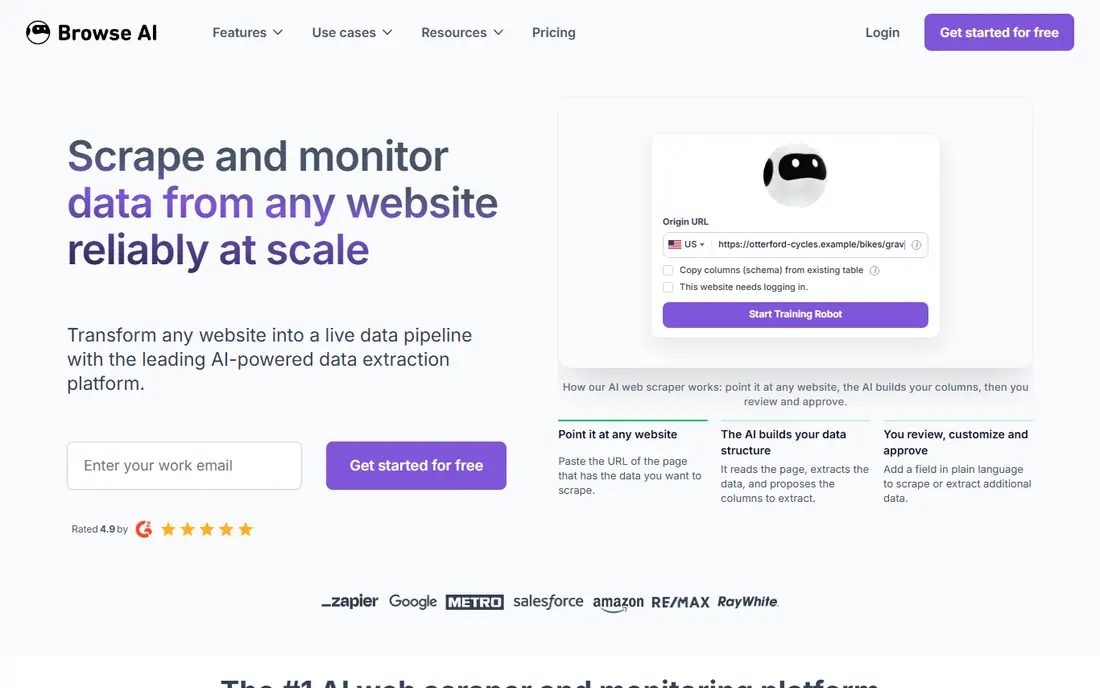
This one suits a narrower buyer, and that focus is its appeal. Browse AI fits no-code teams that want to extract tables and monitor pages without writing code. You train a robot by pointing at data, then run it on a schedule and send results to sheets or other apps.
In practice, its main strengths are No-code robot builder, change monitoring, integrations in combination. That mix helps a small team get a working result without adding another vendor for every step, and it keeps the day-to-day workflow in one place. Check the limits on the plan you choose, because entry tiers often cap the volume, seats, or features that matter most after the first month.
The catch is credits. Costs depend on pages or rows, so model a full month of runs, including retries, before choosing a plan. If that limit is a deal breaker, one of the other options on this list will fit better. For the right buyer, though, the trade-off is clear and the price is easy to justify against the time it saves.
- No-code robot builder
- Change monitoring
- Integrations
- Credit costs need modeling
- Website caps by plan
If you want a proven option with a large community, start here. Octoparse fits beginners who want a visual way to build a scraper for a site. Its point-and-click builder, templates, and cloud scheduling cover many standard extraction jobs without code.
In practice, its main strengths are Visual point-and-click builder, cloud scheduling, templates in combination. That mix helps a small team get a working result without adding another vendor for every step, and it keeps the day-to-day workflow in one place. Check the limits on the plan you choose, because entry tiers often cap the volume, seats, or features that matter most after the first month.
The catch is price for cloud use. Local tasks are cheaper to start, but paid cloud scheduling and volume push the cost up. If that limit is a deal breaker, one of the other options on this list will fit better. For the right buyer, though, the trade-off is clear and the price is easy to justify against the time it saves.
- Visual point-and-click builder
- Cloud scheduling
- Templates
- Paid cloud features cost more
- Heavier for API pipelines
This choice stands out for teams that value simplicity over breadth. ParseHub fits research projects where a desktop visual tool and careful extraction matter more than low cost. It handles dynamic pages and complex selections, with exports and API access for downstream work.
In practice, its main strengths are Visual extraction, handles dynamic pages, API access in combination. That mix helps a small team get a working result without adding another vendor for every step, and it keeps the day-to-day workflow in one place. Check the limits on the plan you choose, because entry tiers often cap the volume, seats, or features that matter most after the first month.
The catch is cost. At around one hundred eighty-nine dollars a month for paid plans, it suits regular work, not a single small job. If that limit is a deal breaker, one of the other options on this list will fit better. For the right buyer, though, the trade-off is clear and the price is easy to justify against the time it saves.
- Visual extraction
- Handles dynamic pages
- API access
- High paid price
- Scheduling needs a paid plan
For buyers who care most about cost control, this option deserves attention. Bright Data fits enterprises that need large-scale collection, proxies, and access handling in one infrastructure. Its Web Access API, Scraper APIs, and datasets cover high-volume work, with a free monthly credit allowance for testing.
In practice, its main strengths are Proxy networks, unblocking APIs, datasets and scraping tools in combination. That mix helps a small team get a working result without adding another vendor for every step, and it keeps the day-to-day workflow in one place. Check the limits on the plan you choose, because entry tiers often cap the volume, seats, or features that matter most after the first month.
The catch is complexity. Several products and pricing surfaces make it easy to buy the wrong tier, so start with one product and one target. If that limit is a deal breaker, one of the other options on this list will fit better. For the right buyer, though, the trade-off is clear and the price is easy to justify against the time it saves.
- Proxy networks
- Unblocking APIs
- Datasets and scraping tools
- Many products and prices
- Enterprise complexity
This is a strong middle option, with fewer surprises than some rivals. Zyte fits developers who want an API that returns data without managing proxies and browsers themselves. Its API handles access, rendering, and extraction, with pricing by successful response and site difficulty.
In practice, its main strengths are Automatic access handling, pay per successful response, data tools in combination. That mix helps a small team get a working result without adding another vendor for every step, and it keeps the day-to-day workflow in one place. Check the limits on the plan you choose, because entry tiers often cap the volume, seats, or features that matter most after the first month.
The catch is price variation. Harder sites cost more, so test your hardest targets, not only easy pages, before budgeting. If that limit is a deal breaker, one of the other options on this list will fit better. For the right buyer, though, the trade-off is clear and the price is easy to justify against the time it saves.
- Automatic access handling
- Pay per successful response
- Data tools
- No recurring free tier advertised
- Site difficulty affects price
We include this one because it solves a specific job unusually well. ScrapingBee fits developers who own the scraper logic but want fetching handled for them. You send a URL, it returns HTML or rendered content, and you write the code that turns that into structured data.
In practice, its main strengths are Managed proxies and rendering, simple API, clear docs in combination. That mix helps a small team get a working result without adding another vendor for every step, and it keeps the day-to-day workflow in one place. Check the limits on the plan you choose, because entry tiers often cap the volume, seats, or features that matter most after the first month.
The catch is credit math. Rendering and proxy options multiply credits, so a rendered job costs more than a plain fetch. If that limit is a deal breaker, one of the other options on this list will fit better. For the right buyer, though, the trade-off is clear and the price is easy to justify against the time it saves.
- Managed proxies and rendering
- Simple API
- Clear docs
- Credits multiply with rendering
- No recurring free allowance
This final pick rounds out the list with a different trade-off from the leaders. Firecrawl fits AI teams that need web pages turned into clean Markdown or structured data for models and agents. Its crawl and scrape APIs produce LLM-ready output, with a free tier of one thousand credits a month for testing.
In practice, its main strengths are Pages to Markdown or JSON, crawling, LLM-ready output in combination. That mix helps a small team get a working result without adding another vendor for every step, and it keeps the day-to-day workflow in one place. Check the limits on the plan you choose, because entry tiers often cap the volume, seats, or features that matter most after the first month.
The catch is focus. It is API-first, so non-developers who want a visual builder should look at Browse AI or Octoparse instead. If that limit is a deal breaker, one of the other options on this list will fit better. For the right buyer, though, the trade-off is clear and the price is easy to justify against the time it saves.
- Pages to Markdown or JSON
- Crawling
- LLM-ready output
- API-first
- Some features still in preview
How we picked these
We compared official pricing pages, feature lists, and public reviews for each tool. We favored tools that are live in October 2026, cover web automation directly, and publish pricing or a clear trial. We weighted scheduled automation, output quality, and cost per successful page over headline credit counts.
How to automate web data collection lawfully and reliably
Start with permission and scope. Check the site terms, robots file, and whether the data sits behind a login. Public data is not a blank check, and data behind a login usually needs authorization. When stakes are high, get legal advice before scaling.
Build for respect and reliability
Rate-limit requests, run jobs at sensible hours, and stop if a site blocks you. Aggressive scraping breaks targets, burns proxies, and creates legal risk. A slower, steady job is usually more reliable over time.
Validate output before you automate downstream work
Check field completeness, duplicates, and date formats on a sample before sending data to a sheet, CRM, or model. A scraper that silently returns partial data is worse than one that fails loudly.
FAQ
What is the best web scraping tool for data automation?
Apify suits scheduled ready-made jobs, Browse AI suits no-code monitoring, and Zyte or ScrapingBee suit developer pipelines. The best choice depends on code skill, volume, and whether you need a visual builder or an API.
Is web scraping legal?
Scraping public data can be lawful in some settings, but it is not without limits. Respect terms of service and robots rules, rate-limit requests, avoid personal data without a lawful basis, and get legal advice when stakes are high.
Do I need proxies for web scraping?
For small volumes on friendly sites, often no. At scale, or on protected sites, proxy rotation and access handling help, which is why tools like Bright Data and Zyte exist. Start small and add infrastructure only when blocks appear.
What is the difference between a scraper API and a no-code scraper?
A scraper API takes a URL and returns content for your code to parse. A no-code scraper gives a visual builder to define extraction. APIs scale better, while no-code tools get a non-developer productive faster.
How much does web scraping software cost?
Entry prices range from free tiers to around sixteen to sixty-nine dollars a month for light use, and higher for volume, cloud scheduling, or enterprise infrastructure. Always budget by cost per successful page.