Best Automation Tools for Web Scraping in 2026: 8 Tools Compared
Compare the best automation tools for web scraping in 2026, from Apify and Browse AI to Axiom, Bardeen, n8n and Make, with pricing and lawful-use notes.
- Editor's choice
 Apify
Teams automating scheduled scrapers
Starts at$19 per monthVisit apify.comFull review - Great alternative
 Browse AI
No-code teams automating page monitoring
Starts at$19 per monthVisit browse.aiFull review - Also consider
 Axiom.ai
Chrome users automating browser scraping
Starts at$15 per monthVisit axiom.aiFull review
TL;DR:
- Browser automation tools like Axiom and Bardeen suit page-by-page work, while workflow tools like n8n and Make suit data pipelines.
- Apify and Browse AI are the most direct scraping automation picks, since scraping is their core job.
- Zapier suits simple triggers and handoffs, but it is not a scraper on its own and needs a scraping step beside it.
- Lawful use applies throughout: respect site terms, robots rules, rate limits, and applicable law, and avoid personal data without a lawful basis.
Quick comparison
| Tool | Best for | Starts at | Free plan? | |
|---|---|---|---|---|
| Apify | Teams automating scheduled scrapers | $19 per month | Yes | Visit |
| Browse AI | No-code teams automating page monitoring | $19 per month | Yes | Visit |
| Axiom.ai | Chrome users automating browser scraping | $15 per month | Yes | Visit |
 Bardeen | Sales and ops teams automating browser tasks | See website | Yes | Visit |
 n8n | Technical teams automating scraping pipelines | Free | Yes | Visit |
 Make | Teams building visual scraping workflows | $9 per month | Yes | Visit |
 Zapier | Teams automating simple scraping handoffs | $19.99 per month | Yes | Visit |
 Octoparse | No-code teams automating visual scrapers | $69 per month | Yes | Visit |
The best automation tools for web scraping
Automation tools for web scraping do two things: they collect data from pages, and they move that data to sheets, CRMs, or other apps on a schedule. Some tools do both. Others handle only the browser or only the workflow, so you may need a pair. Use them only for lawful purposes, respect site terms and robots rules, and keep rates reasonable.
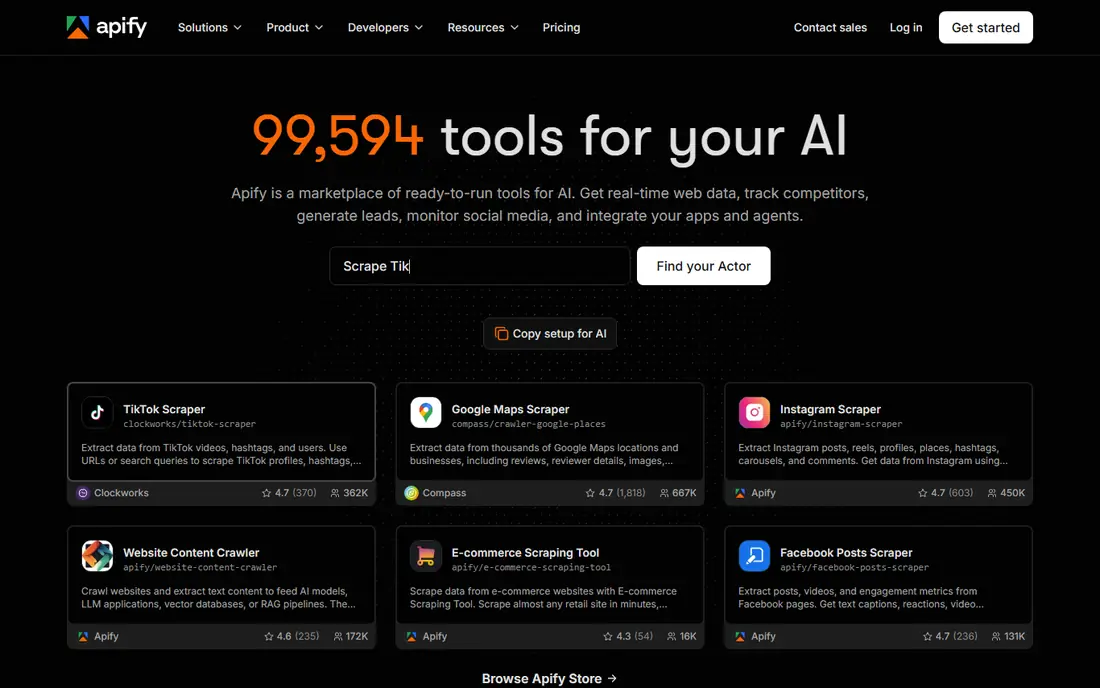
Our first pick in this group is worth a close look. Apify fits teams that want scraping automation as a managed service, not a script they maintain. Actors run on a schedule, store results in datasets, and send data through APIs or webhooks to other tools.
In practice, its main strengths are Ready-made Actors, schedules, APIs and webhooks in combination. That mix helps a small team get a working result without adding another vendor for every step, and it keeps the day-to-day workflow in one place. Check the limits on the plan you choose, because entry tiers often cap the volume, seats, or features that matter most after the first month.
The catch is cost control. Platform usage and Actor charges add to the plan fee, so test a full month of runs before scaling. If that limit is a deal breaker, one of the other options on this list will fit better. For the right buyer, though, the trade-off is clear and the price is easy to justify against the time it saves.
- Ready-made Actors
- Schedules
- APIs and webhooks
- Actor quality varies
- Usage adds to plan cost
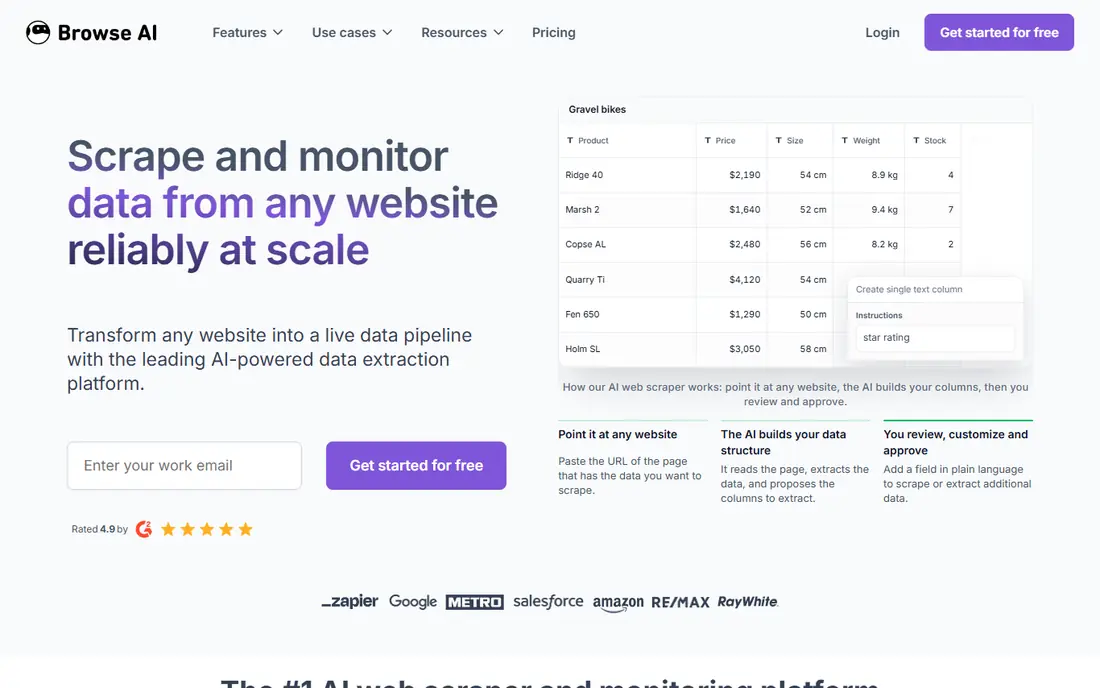
This one suits a narrower buyer, and that focus is its appeal. Browse AI fits no-code teams that want a robot to watch pages and send structured results on a schedule. You train a robot once, then it extracts tables, monitors changes, and pushes results to sheets or other apps.
In practice, its main strengths are No-code robots, schedules, integrations and webhooks in combination. That mix helps a small team get a working result without adding another vendor for every step, and it keeps the day-to-day workflow in one place. Check the limits on the plan you choose, because entry tiers often cap the volume, seats, or features that matter most after the first month.
The catch is volume. Credits depend on pages or rows, so a robot that runs often on a large site can cost more than expected. If that limit is a deal breaker, one of the other options on this list will fit better. For the right buyer, though, the trade-off is clear and the price is easy to justify against the time it saves.
- No-code robots
- Schedules
- Integrations and webhooks
- Credit modeling needed
- Website caps by plan

If you want a proven option with a large community, start here. Axiom.ai fits Chrome users who want to automate browser scraping without code. Its bots click, type, read, and loop through rows in a sheet, with paid plans offering cloud runs on a schedule.
In practice, its main strengths are No-code browser bots, Google Sheets loops, scheduled runs in combination. That mix helps a small team get a working result without adding another vendor for every step, and it keeps the day-to-day workflow in one place. Check the limits on the plan you choose, because entry tiers often cap the volume, seats, or features that matter most after the first month.
The catch is runtime. Plans are priced by bot hours, so a slow site or a large row count can use hours faster than a simple page count suggests. If that limit is a deal breaker, one of the other options on this list will fit better. For the right buyer, though, the trade-off is clear and the price is easy to justify against the time it saves.
- No-code browser bots
- Google Sheets loops
- Scheduled runs
- Chrome-focused
- Runtime hours need planning
This choice stands out for teams that value simplicity over breadth. Bardeen fits sales and operations teams that automate browser tasks, including lead and data work. Its playbooks and AI agent help move data between browser pages, sheets, and CRMs without manual copying.
In practice, its main strengths are Browser playbooks, AI agent help, CRM and sheet integrations in combination. That mix helps a small team get a working result without adding another vendor for every step, and it keeps the day-to-day workflow in one place. Check the limits on the plan you choose, because entry tiers often cap the volume, seats, or features that matter most after the first month.
The catch is scope. It lives in Chrome and stops at the browser edge, so desktop apps and files stay outside its reach. If that limit is a deal breaker, one of the other options on this list will fit better. For the right buyer, though, the trade-off is clear and the price is easy to justify against the time it saves.
- Browser playbooks
- AI agent help
- CRM and sheet integrations
- Chrome only
- Credit limits on some plans
For buyers who care most about cost control, this option deserves attention. n8n fits technical teams that want a scraping pipeline with full control over logic and data. Workflows can call scraping APIs, clean data, and send results to many apps, with code nodes when visual steps are not enough.
In practice, its main strengths are Visual workflows, code nodes, self-hosting option in combination. That mix helps a small team get a working result without adding another vendor for every step, and it keeps the day-to-day workflow in one place. Check the limits on the plan you choose, because entry tiers often cap the volume, seats, or features that matter most after the first month.
The catch is upkeep. Self-hosting is free apart from server costs, but you own updates, backups, and monitoring. If that limit is a deal breaker, one of the other options on this list will fit better. For the right buyer, though, the trade-off is clear and the price is easy to justify against the time it saves.
- Visual workflows
- Code nodes
- Self-hosting option
- Steeper learning curve
- Self-hosting needs maintenance
This is a strong middle option, with fewer surprises than some rivals. Make fits teams that want visual workflows to move scraped data through branching logic. Scenarios can take data from a scraper or API, transform it, and send it to sheets, CRMs, and messaging tools.
In practice, its main strengths are Visual scenarios, routers and iterators, many app modules in combination. That mix helps a small team get a working result without adding another vendor for every step, and it keeps the day-to-day workflow in one place. Check the limits on the plan you choose, because entry tiers often cap the volume, seats, or features that matter most after the first month.
The catch is that Make is not a scraper by itself. You still need a scraping tool or API to supply the data it processes. If that limit is a deal breaker, one of the other options on this list will fit better. For the right buyer, though, the trade-off is clear and the price is easy to justify against the time it saves.
- Visual scenarios
- Routers and iterators
- Many app modules
- Credit math is hard to predict
- Scraping needs a source step
We include this one because it solves a specific job unusually well. Zapier fits teams that want a simple handoff after a scrape, such as a sheet row to Slack or a CRM. Its huge app catalog and guided editor make a two-step automation easy to build in an afternoon.
In practice, its main strengths are Largest app catalog, simple Zaps, tables and interfaces in combination. That mix helps a small team get a working result without adding another vendor for every step, and it keeps the day-to-day workflow in one place. Check the limits on the plan you choose, because entry tiers often cap the volume, seats, or features that matter most after the first month.
The catch is volume and scope. Per-task pricing punishes high-volume flows, and Zapier needs a scraper or webhook to supply the data. If that limit is a deal breaker, one of the other options on this list will fit better. For the right buyer, though, the trade-off is clear and the price is easy to justify against the time it saves.
- Largest app catalog
- Simple Zaps
- Tables and interfaces
- Per-task pricing
- Needs a scraping step
- Logic limits at scale
This final pick rounds out the list with a different trade-off from the leaders. Octoparse fits no-code teams that want a visual scraper running on a cloud schedule. Its builder and templates cover many sites, with cloud runs and exports that feed downstream work.
In practice, its main strengths are Visual builder, cloud scheduling, templates and exports in combination. That mix helps a small team get a working result without adding another vendor for every step, and it keeps the day-to-day workflow in one place. Check the limits on the plan you choose, because entry tiers often cap the volume, seats, or features that matter most after the first month.
The catch is workflow depth. It automates extraction well, but complex downstream logic may still need n8n, Make, or Zapier beside it. If that limit is a deal breaker, one of the other options on this list will fit better. For the right buyer, though, the trade-off is clear and the price is easy to justify against the time it saves.
- Visual builder
- Cloud scheduling
- Templates and exports
- Cloud costs higher
- Less of a workflow platform
How we picked these
We compared official pricing pages, feature lists, and public reviews for each tool. We favored tools that are live in October 2026, cover scraping automation or a clear scraping workflow role, and publish pricing or a clear trial. We weighted scheduled automation, data handoff quality, and cost at real volume.
How to automate scraping without brittle workflows
Start with a stable source. A scraper that depends on a fragile page layout will break often, so choose tools with selectors, retries, and error alerts. Log failures clearly, so a missed run does not silently feed stale data downstream.
Separate collection from delivery
Let one step collect data and another step clean and deliver it. That split makes it easier to fix a broken selector without rebuilding the whole workflow, and easier to change the destination later.
Respect the target site
Use lawful sources, respect site terms and robots rules, rate-limit requests, and avoid personal data without a lawful basis. A workflow that hammers a site is unreliable, and it creates risk that no automation saving can justify.
FAQ
What is the best automation tool for web scraping?
Apify and Browse AI are the most direct picks, since scraping is their core job. Axiom and Bardeen suit browser work, while n8n and Make suit pipelines that move scraped data onward.
Can Zapier scrape websites?
Zapier can move and transform data, but it is not a scraper on its own. Pair it with a scraping tool, API, or webhook that supplies the data, then use Zapier for the handoff.
Do I need code to automate web scraping?
No, for many jobs. Browse AI, Octoparse, Axiom, and Bardeen offer no-code builders. Code helps for complex sites, custom cleaning, or large pipelines, where n8n or an API tool fits better.
How do I automate scraping lawfully?
Use lawful sources, respect site terms and robots rules, rate-limit requests, and avoid personal data without a lawful basis. Data behind a login usually needs authorization, and high-stakes work should get legal advice first.
How much do scraping automation tools cost?
Entry plans range from free tiers to around nine to sixty-nine dollars a month, plus usage for volume, runtime, or tasks. Price a full month at real volume, including retries and downstream tasks.