Best Data Extraction Software for Automation in 2026: 8 Tools Compared
Compare the best data extraction software for automation in 2026, with web scraping, document extraction, and scheduled workflows for teams of all sizes.

- Editor's choice
 Octoparse
Visual web extraction for non-developers
Starts at$69 per monthVisit octoparse.comFull review - Great alternative
 Apify
Developer-friendly cloud extraction
Starts atSee websiteVisit apify.comFull review - Also consider
 UiPath
Extraction inside enterprise automation
Starts atSee websiteVisit uipath.comFull review
TL;DR:
- Octoparse is our pick for non-technical teams that need visual web extraction with scheduled cloud runs.
- Apify is the best choice for developers who want ready-made actors, APIs, and scalable cloud extraction.
- UiPath and Automation Anywhere suit enterprises that need extraction inside wider robotic process automation workflows.
- Always check a target site's terms and robots rules before automating extraction, and respect rate limits and personal data rules.
Quick comparison
| Tool | Best for | Starts at | Free plan? | |
|---|---|---|---|---|
| Octoparse | Visual web extraction for non-developers | $69 per month | Yes | Visit |
| Apify | Developer-friendly cloud extraction | See website | Yes | Visit |
| UiPath | Extraction inside enterprise automation | See website | Free trial | Visit |
 Automation Anywhere | Enterprise document and web automation | See website | Free trial | Visit |
 ParseHub | Visual extraction for small teams | See website | Yes | Visit |
 Diffbot | AI-powered web data extraction | See website | Free trial | Visit |
 Import.io | Managed web data extraction | See website | Free trial | Visit |
 Nanonets | Document data extraction automation | See website | Free trial | Visit |
The best data extraction software for automation
Data extraction software for automation pulls structured data from websites, documents, emails, and applications, then delivers it to a spreadsheet, database, or workflow without manual copying. The tools below differ in whether they target web pages, documents, or full business processes, so match the tool to the source first.
Octoparse is the most approachable web extraction tool for analysts and operations teams without coding skills. Users click on the data fields they want on a page, build a task, and run it locally or in the cloud on a schedule. Preset templates for common sites and data types speed up the first project, and exports go to common formats and APIs.
The tradeoff is that cloud extraction, scheduling, and higher concurrency sit on paid plans, and the free plan is limited to local runs. Complex sites with heavy JavaScript, login walls, or anti-bot measures may also need careful configuration. For recurring catalog, listing, or price extraction by a non-technical team, Octoparse is a strong starting point.
- Point-and-click task builder
- Cloud scheduling and automatic export
- Many preset templates
- Paid plans needed for cloud scheduling
- Complex sites may still need manual tuning
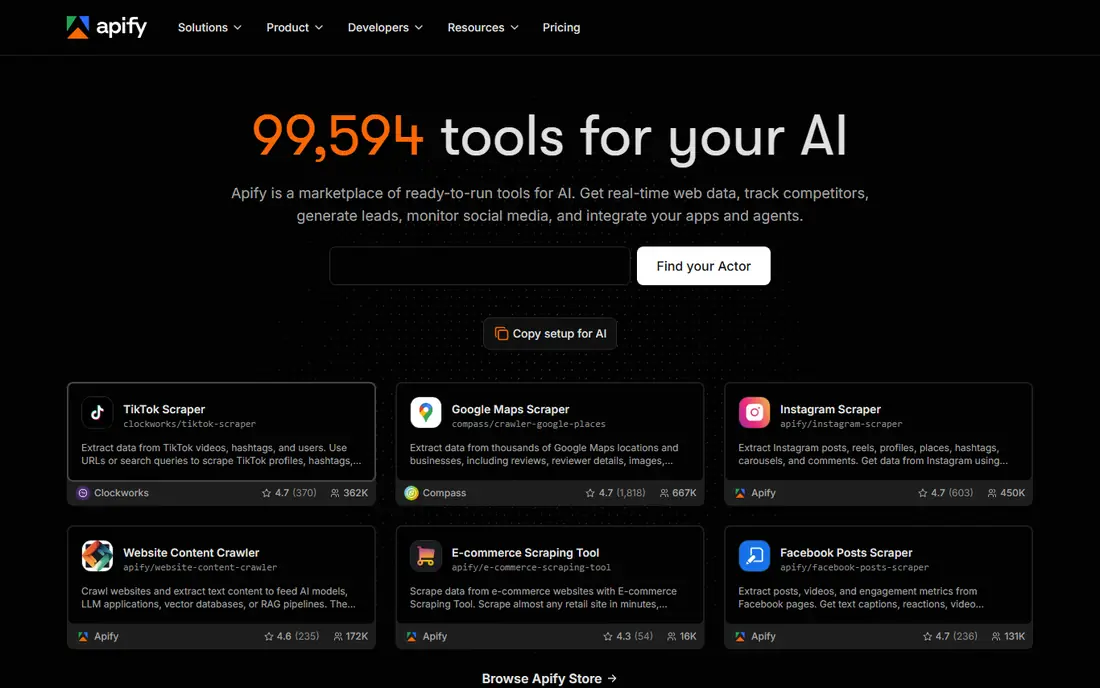
Apify is built for developers and data teams that want extraction as a service. Its marketplace offers ready-made actors for common sites and tasks, while custom actors can be built in JavaScript or Python and run in the cloud on a schedule. Results are available through APIs, datasets, and integrations with common data tools.
The catch is the learning curve for custom work. Non-developers can use ready-made actors, but building and maintaining custom extractors requires coding skills. Usage-based pricing also means teams should monitor compute and proxy costs on large jobs. For teams that treat web data as a regular input to analysis or products, Apify offers a flexible and scalable platform.
- Large library of ready-made actors
- API-first design
- Scalable cloud runs and scheduling
- Developer skills help for custom actors
- Usage-based pricing needs monitoring
UiPath is a full automation platform, not just an extraction tool. Its robots can open applications and websites, read documents with AI-powered document understanding, extract fields, validate results, and push data into business systems. That breadth suits enterprises that need extraction as one step in a longer workflow, such as invoice processing or customer onboarding.
The downside is complexity and cost. UiPath requires design, testing, and governance, and pricing is handled through sales for many plans. Small teams that only need web scraping will find Octoparse or Apify simpler and cheaper. Enterprises that already use UiPath for automation will get the most value by adding extraction to existing robots.
- Document understanding and web automation in one platform
- Strong enterprise governance
- Large integration library
- Pricing is not fully published
- Implementation can be a significant project
Automation Anywhere offers a similar enterprise proposition to UiPath, with a focus on document processing, business process automation, and AI agents. It can extract data from invoices, forms, emails, and web pages, then route results for validation and approval. Audit trails and role-based controls help regulated teams show how data was handled.
The tradeoff is the same as with UiPath. Pricing is quote based, and a successful rollout needs process mapping, exception handling, and ongoing maintenance. For a single scraping task, it is overkill. For an enterprise that wants extraction governed as part of wider automation, it is a credible platform.
- Document automation and AI agents for business processes
- Cloud-native platform
- Strong compliance and audit features
- Quote-based pricing
- Setup requires process design and testing
ParseHub is a visual extraction tool that suits small teams and researchers who need to pull data from dynamic websites without writing code. Users select elements on a page, define how to navigate pagination and details, and export results to common formats. It handles JavaScript-rendered pages better than simple scrapers, which helps with modern sites.
The limit is scale and polish. ParseHub's interface is less modern than Octoparse, and automated cloud runs require a paid plan. For a small project with a handful of sites, the free plan is a useful way to test whether visual extraction fits the workflow.
- Visual point-and-click builder
- Handles dynamic pages and login flows
- Free plan for small projects
- Cloud and scheduling features sit on paid plans
- Interface feels older than Octoparse
Diffbot uses machine learning to identify and extract structured data from web pages without manual field mapping for every site. It offers APIs for articles, products, discussions, and general pages, plus a knowledge graph that links entities such as companies and people. That approach suits teams that need data from many different sites without building a scraper for each one.
The tradeoff is control and cost. Automatic extraction works well for common page types but may miss unusual layouts, and API usage is billed by volume. Teams should test Diffbot on their actual target sites and compare accuracy with a custom extractor before committing to large volumes.
- Automatic extraction from articles, products, and discussions
- Knowledge graph for entities
- API-first delivery
- Pricing is usage based and can rise with volume
- Less control than a custom scraper for unusual layouts
Import.io targets teams that want web data delivered without building or maintaining scrapers themselves. Its managed service designs, runs, and monitors extraction jobs, delivering structured data on a schedule to common destinations. That model helps business teams that need reliable data but lack engineering time.
The catch is price and fit. Managed extraction is typically quote based and makes most sense for ongoing, business-critical data feeds. A team with a single small scrape will find a self-serve tool cheaper. For a company that depends on competitor, pricing, or listing data every day, Import.io removes a maintenance burden.
- Managed extraction service for teams without internal scraping skills
- Scheduled delivery
- Data quality checks
- Quote-based pricing for managed plans
- Less suitable for one-off small scrapes
Nanonets focuses on documents rather than websites. It uses AI models to extract fields from invoices, receipts, purchase orders, and forms, then routes results for validation and approval before they enter accounting or operations systems. That workflow suits finance and operations teams drowning in paper and PDF documents.
The limit is document quality. Scanned, handwritten, or poorly formatted documents produce lower accuracy and need more human review. Teams should test Nanonets on a sample of their real documents, measure field accuracy, and budget review time for exceptions. For clean, structured documents at volume, it can save many hours of manual entry.
- AI extraction from invoices, receipts, and forms
- Validation and approval workflows
- Integrations with common business tools
- Accuracy depends on document quality and training
- Pricing is usage based
How we picked these
We compared official product pages, pricing pages, and documentation for data extraction tools that support scheduled or automated workflows in October 2026. We favored tools with clear extraction, scheduling, and export features, and with a verifiable official homepage. We excluded one-off browser extensions without automation, and tools with no current product page.
How to automate extraction responsibly
Start with permission and legality. Check the target site's terms of service, robots file, and any API that offers the same data, and use the API when one exists. Respect rate limits, avoid overloading servers, and never extract personal data without a lawful basis and proper safeguards. For documents, check retention and privacy rules before sending sensitive files to a cloud extractor.
Next, build validation into the workflow. Extraction breaks when sites change layouts or document formats change, so monitor job success rates, row counts, and field completeness. Route low-confidence results for human review, keep a log of what was extracted and when, and test the pipeline after any target site redesign. Automation should reduce manual work, not hide errors until they reach a report or a customer.
FAQ
What is data extraction software for automation?
Data extraction software for automation pulls structured data from websites, documents, emails, or applications and delivers it to another system on a schedule or trigger, without manual copying. Web tools focus on pages and listings, while document tools focus on invoices and forms. Enterprise automation platforms combine extraction with wider workflows such as approvals and system updates.
Is web scraping legal?
It depends on the site, the data, and the jurisdiction. Some sites prohibit scraping in their terms, some data is protected by copyright or privacy law, and aggressive scraping can breach computer access laws. Use official APIs when available, respect terms and rate limits, avoid personal data unless you have a lawful basis, and seek legal advice for business-critical scraping.
How much does data extraction software cost?
Costs range from free plans for small projects to $69 per month for entry-level visual tools, and quote-based or usage-based pricing for enterprise and API platforms. Total cost depends on pages or documents processed, cloud compute, proxies, and human review time. Test on real data and model costs at expected volume before signing.
Which tool is best for non-technical users?
Octoparse and ParseHub are the best starting points for non-technical users who need web extraction, because both use visual builders. Nanonets is the best starting point for document extraction without coding. Developers who need scale and APIs should look at Apify or Diffbot instead.
How do I keep automated extraction reliable?
Monitor job success, row counts, and field accuracy, and set alerts for sudden drops that signal a site change. Keep extraction rules in version control where possible, test after target site updates, and route exceptions for human review. A pipeline without monitoring will fail silently and produce stale or incomplete data.