Choosing Data Management Software for Beginners in 2026: 5 Options Compared
Best data management software for beginners in 2026: 5 tools with starting prices, free plans and limits. Every pick gets a straight assessment. Plain facts.
- Editor's choice
 Zoho Creator
No-code custom app building
Starts atSee websiteVisit zoho.comFull review - Great alternative
 Google Sheets
Collaborative cloud spreadsheets
Starts atSee websiteVisit workspace.google.comFull review - Also consider
 Knack
No-code database applications
Starts at$19 a monthVisit knack.comFull review
Direct answer
Our first pick is Zoho Creator, best for no-code custom app building. Listed starting prices: Knack from $19 a month, Airtable from $20 per user a month and Caspio from $270 per month. Google Sheets is the stronger choice for collaborative cloud spreadsheets, while Knack suits no-code database applications. The remaining 2 options are covered below with prices and limits.
TL;DR:
- Zoho Creator is the opening pick, best for no-code custom app building.
- Airtable is the only tool of the 5 with a free plan.
- What to know about Google Sheets first: needs internet connection for full functionality.
- Caspio is the one to check for compliance-focused custom apps.
- The lowest published monthly entry price here is $19 per month, from Knack.
Last checked November 2026. Prices and plan details were read from the vendors' own pages in November 2026; vendors change plans often, so confirm the current price on the vendor site before you buy.
Quick comparison
| Tool | Best for | Starts at | Free plan? | |
|---|---|---|---|---|
| Zoho Creator | No-code custom app building | See website | Not stated | Visit |
| Google Sheets | Collaborative cloud spreadsheets | See website | Not stated | Visit |
| Knack | No-code database applications | $19 a month | Free trial | Visit |
 Airtable | Visual database building for beginners | $20 per user a month | Yes | Visit |
 Caspio | Compliance-focused custom apps | $270 per month | Free trial | Visit |
Tool-by-tool breakdown
LinkVetted put together this guide to data management software for beginners for readers who want a clear shortlist without reading every vendor page. It compares 5 tools on starting price, free plans, who each one suits and where each one falls short.
Zoho Creator serves no-code custom app building. Zoho Creator is an AI app development system that helps companies build custom applications, agents, and workflows securely. In daily use, if you need a more straightforward entry point, a spreadsheet-based tool could be more approachable.
Honest limits: Customization may need scripting knowledge.
For beginners, it gives you a no-code environment to produce data management apps without prior programming experience. In daily use, Whereas Zoho Creator is designed for no-code development, some advanced customizations may still need scripting. Pricing for Zoho Creator is not stated here, so ask the vendor for current figures. Trial and free access: Not stated.
- Drag-and-drop app builder
- Connects with other Zoho products
- Steeper ramp-up time for non-technical users
Google Sheets serves collaborative cloud spreadsheets. Google Sheets is a collaborative, AI-powered spreadsheet tool that eases data management for beginners.
On top of that, being cloud-native, it is accessible from anywhere with an internet connection. Check the vendor site for Google Sheets pricing; none is listed in this comparison. Free options: Not stated.
Where it falls short: Less capable for very large datasets.
- Accessible from any device
- AI-powered insights with Gemini
- Needs internet connection for full functionality
Knack is aimed squarely at no-code database applications. Knack is a no-code application development system that lets beginners build solid applications with a drag-and-drop interface. It is especially suited for creating database-driven apps without writing code.
Beyond that, Knack is less suited for ad-hoc data analysis or freeform spreadsheets. The platform emphasizes simplicity, making it a solid fit for small companies or individuals looking to handle data in a structured way. Starting cost for Knack: $19 per month. Trial and free access: Free trial.
Downsides: Restricted freeform spreadsheet features.
- AI app builder for quicker setup
- Easy-to-learn drag-and-drop interface
- May need planning for complicated relationships
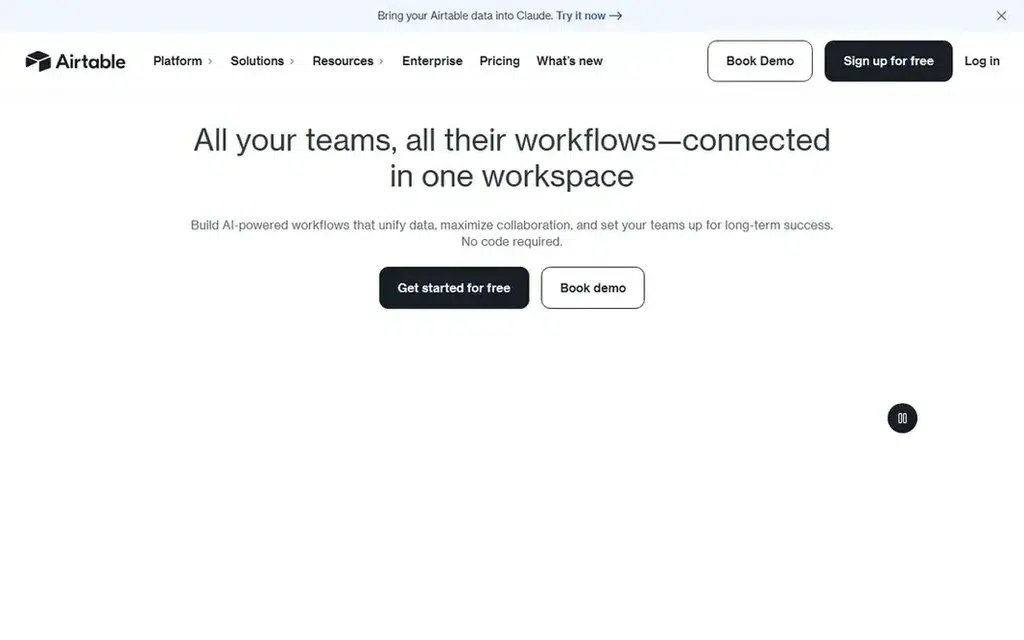
For visual database building for beginners, Airtable is a natural candidate. Airtable merges the simplicity of a spreadsheet with the power of a database, making it a strong starting point for beginners. Its visual interface lets you organize data into tables, link records, and attach files without writing code.
From a buyer's view, consider Airtable when you want to grow into a more structured data system. Worth adding: if you need a tool solely for entry-level calculations or offline work, a traditional spreadsheet might be more suitable. For everyday use, Whereas Airtable is beginner-friendly, its more advanced features like automations and AI workflows can take time to master. On cost, Airtable starts like this: $20 per user per month. Free access exists with Airtable.
Trade-offs to know: Restricted offline functionality.
- Supports relationships between tables
- Templates and automation features
- Advanced features may need learning
Choose Caspio for compliance-focused custom apps. Caspio is an AI platform for building custom business applications, with annually certified HIPAA, SOC 2 Type II, and GDPR compliance. It is aimed at organizations that require solid security and scalability.
Limits to weigh: Pricing may be higher for small teams.
As for the details, Caspio's enterprise focus means it may be more complicated and expensive for individual beginners or small teams. Beyond that, beginners can use its low-code interface to produce data-centric apps, though some technical understanding may be beneficial. What you pay to start with Caspio: $270 per month. Free access: Free trial.
- Unlimited users on all plans
- AI product for business applications
- More technical than some no-code tools
How we built this list
What to check before you buy
- Confirm the entry price on the vendor page. For Zoho Creator and Google Sheets that means a quote rather than a fixed price.
- Test the free plan from Airtable against your real workload before relying on it.
- Use real work to test the free trial from Knack and Caspio, rather than a demo project.
- Before choosing Zoho Creator, weigh its main limit: steeper ramp-up time for non-technical users.
- Find out whether the entry plan of Google Sheets covers your must-haves or only a trimmed-down version.
- Total up the real monthly cost of Caspio, including add-ons, extra users and usage-based fees.
FAQ
What is the cheapest option for data management software for beginners in this list?
On published monthly entry prices, Knack is the lowest here at $19 per month. Entry price is only part of the cost, because seats, add-ons and billing terms can change the total. Each of the 5 options in this data management software for beginners guide has its own card above with the price, free plan and limits.
Do these tools publish their prices?
Not all of them. Zoho Creator and Google Sheets publish no starting price, so expect a quote request for those. The rest, Knack included, show a starting price, though seats and billing terms still change the final cost.
What is the easiest data management software for beginners?
Airtable is commonly considered very approachable since it merges a familiar spreadsheet interface with database features. Also, the best choice relies on whether you need structured data relationships or straightforward spreadsheets.
Are no-code tools like Zoho Creator and Knack a good match for non-technical users?
Yes, both Zoho Creator and Knack are built for non-technical users with drag-and-drop interfaces. Beginners can start with straightforward apps and gradually learn more.
Which options for data management software for beginners have a free plan?
Airtable is the only tool in this list with a free plan. Free plans usually cap users, projects or features, so check the limits on the vendor page. Several others offer a trial instead. All 5 picks in this data management software for beginners comparison list a starting price, free plan details and the main limits on their cards above.
Can I use Excel for database management?
It works well for small datasets and analysis, but for relational data or multi-user access, tools like Airtable or Knack may be more suitable. Excel is a good match for calculation-heavy tasks.
Sources
- https://www.zoho.com/creator
- https://workspace.google.com/products/sheets
- https://www.knack.com
- https://www.airtable.com
- https://www.caspio.com