Best Customer Messaging Platform in 2026: 8 Platforms Compared
We compared the best customer messaging platform options on live chat, AI help, inbox tools, pricing, and ease of setup for US small and growing teams.
- Editor's choice
 Intercom
In product messaging and AI support
Starts at$29 per monthVisit intercom.comFull review - Great alternative
 Zendesk
Full ticketing across channels
Starts at$19 per monthVisit zendesk.comFull review - Also consider
 Freshdesk
Affordable helpdesk messaging
Starts atSee websiteVisit freshworks.comFull review
TL;DR:
- The best customer messaging platforms combine live chat, email, and AI answers in one inbox, so customers do not have to repeat themselves.
- Intercom leads for in product messaging, while Zendesk leads for full ticketing across many channels.
- Entry prices vary widely, and AI pricing can matter more than seat pricing for high volume teams.
- Small teams should start with a simple inbox and a clear help center before buying advanced automation.
Quick comparison
| Tool | Best for | Starts at | Free plan? | |
|---|---|---|---|---|
| Intercom | In product messaging and AI support | $29 per month | Free trial | Visit |
| Zendesk | Full ticketing across channels | $19 per month | Free trial | Visit |
| Freshdesk | Affordable helpdesk messaging | See website | Yes | Visit |
 Help Scout | Simple shared inbox | See website | Free trial | Visit |
 Drift | Sales focused chat | See website | No | Visit |
 Crisp | Small teams on a budget | See website | Yes | Visit |
 LiveChat | Website live chat | See website | Free trial | Visit |
 Tawk.to | Free live chat | Free | Yes | Visit |
The best customer messaging platforms
We chose platforms that let a business talk to customers in real time, follow up by email, and use automation without losing the human touch. Each one below serves a different team size and style.
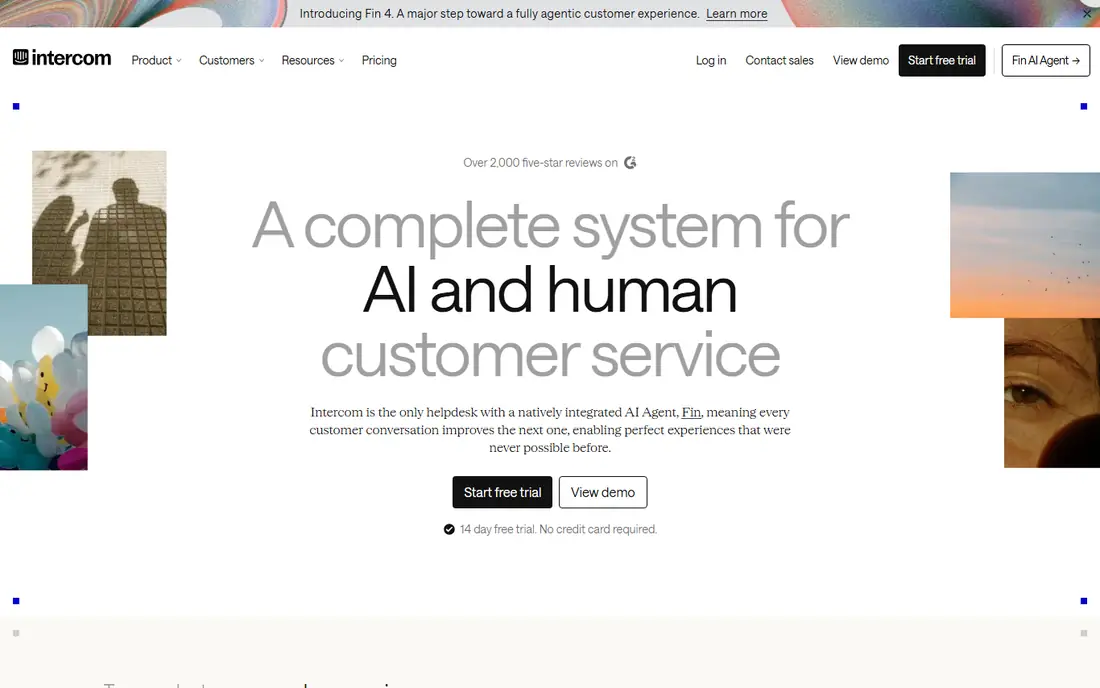
Intercom is our pick for software and subscription businesses where support happens inside the product. Its messenger feels native in an app or website, and customers can get help without leaving the page they are on. The Fin AI agent can answer many common questions first, then hand over to a human with full context when needed.
The pricing model needs care. Seat costs are only part of the bill, because Fin charges per resolution. Teams with high chat volume should model a typical month before committing. For product led teams that want AI first support, Intercom is still the most polished option in this list.
- Strong messenger for web and mobile apps
- Fin AI agent answers common questions
- Good workflows and reporting
- AI costs are per resolution
- Pricing can rise quickly with seats and volume
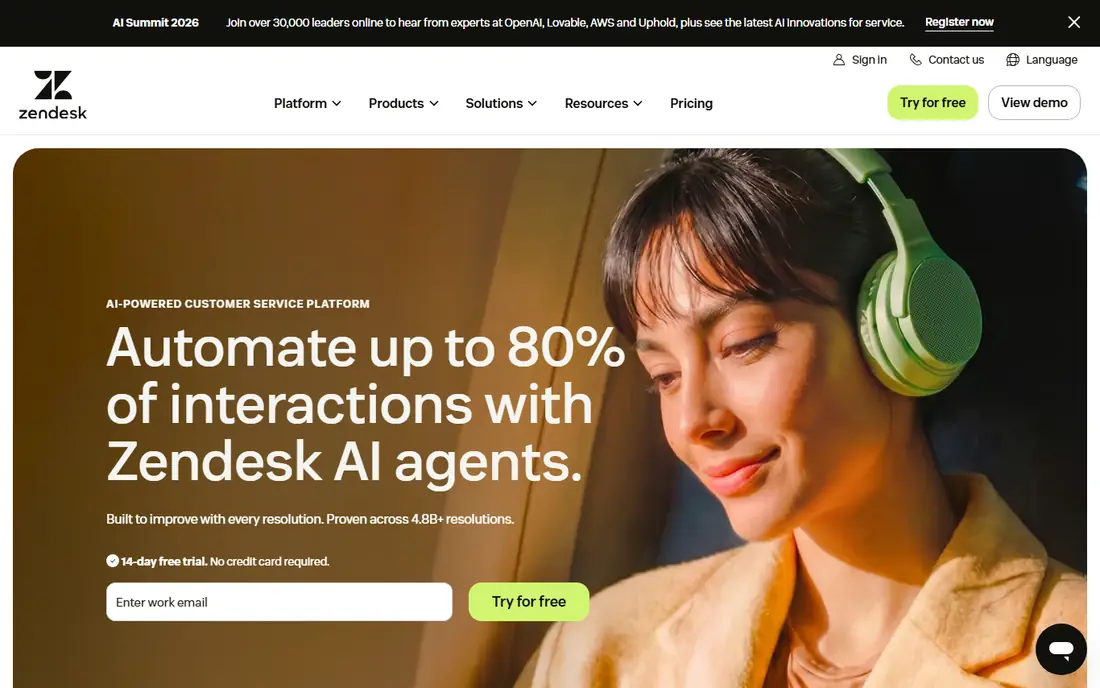
Zendesk suits teams that need a service desk, not only a chat widget. Tickets from email, chat, messaging apps, and phone land in one workspace, with routing, macros, and reporting that scale to hundreds of agents. Its AI agents and Copilot add on can help with routine requests, though those features add cost on top of seat pricing.
Small teams may find Zendesk heavy at first, especially if they only need live chat. Larger teams, or teams with strict service levels, will value the structure. If support is a queue across many channels, Zendesk is the safer long term choice.
- Mature ticketing across email, chat, and phone
- Strong automation
- Large integration library
- Interface can feel complex for small teams
- Suite pricing rises with advanced features

Freshdesk is a practical middle ground for small and midsize teams that want messaging plus ticketing without enterprise pricing. It offers a free tier, shared inboxes, canned responses, and automations that cover most daily support work. Teams can add live chat and phone as they grow.
The main limit is depth. Freshdesk does not match Intercom for in product engagement or Zendesk for large scale service operations. For a team of five to twenty agents that needs a dependable, affordable system, that trade off is often worth it.
- Free tier for small teams
- Clear ticket views
- Good value on paid plans
- Advanced AI and reporting sit on higher tiers
- Chat features are less product focused than Intercom
Help Scout feels like email, which is why many small teams adopt it quickly. Agents share one inbox, assign conversations, add internal notes, and reply without learning a complex ticketing system. Its Docs help center also helps customers find answers before they write in, which reduces repeat questions.
Help Scout is not built for a huge contact center with complex phone queues. For a team that values speed, clarity, and a human tone, it is a strong pick. It works especially well for ecommerce, SaaS, and service businesses with a modest support volume.
- Clean, email like inbox
- Easy to learn
- Strong help center tools
- Less suited to very large contact centers
- Advanced automation is lighter than Zendesk
Drift is a messaging platform built around sales conversations, not only support tickets. It can qualify visitors, route high value leads to the right rep, and book meetings from chat. For a business where the website is a major sales channel, that focus can pay for itself quickly.
Drift is less ideal as a sole support helpdesk. Teams that buy it for support alone may miss the ticket depth of Zendesk or Freshdesk. Pair Drift with a helpdesk, or choose it when sales chat is the main job and support is a secondary use.
- Strong for lead qualification and booking meetings
- Good targeting and playbooks
- Sales integrations
- Less focused on post sale support
- Pricing is quote based for many teams
Crisp gives small teams a shared inbox, live chat, and a help center at a low cost, with a free plan for basic use. Setup takes minutes, and the interface is friendly for teams without a dedicated support manager. It also supports email and messaging channels, so a small business can manage most conversations in one place.
Crisp will not match the reporting depth of Zendesk or the product messaging of Intercom. For a startup, a local service business, or a small online store, that gap rarely matters in the first year. Start free, upgrade when conversation volume or team size grows.
- Free plan for basic chat
- Shared inbox plus knowledge base
- Simple setup
- Fewer enterprise features
- AI and advanced automation need higher plans
LiveChat is a focused choice for businesses that want excellent website chat without a full helpdesk. Agents get real time visitor views, chat routing, tags, and canned responses, and managers get clear reports on response time and satisfaction. It integrates with many helpdesks and CRMs, so it can sit on top of an existing system.
The limit is scope. LiveChat is not a complete ticketing platform on its own. Teams that need email, phone, and complex workflows should pair it with a helpdesk or choose an all in one platform instead.
- Fast website chat
- Good agent tools and canned responses
- Useful analytics
- Focused mainly on chat, so ticketing needs another tool
- Pricing is per agent
Tawk.to is the best free starting point for live chat. A small business can add a chat widget to its website, answer from a mobile app, and manage multiple agents without a monthly seat fee. That makes it popular with local businesses, freelancers, and new stores that are not ready for a paid platform.
The trade off is polish and depth. Some features require paid add ons, and the free product does not include the AI or automation depth of paid rivals. Still, for a team that only needs reliable live chat, Tawk.to removes the cost barrier and can be replaced later without losing customer history if the team exports its data.
- Free live chat with no seat limit on the free plan
- Mobile apps
- Simple widget
- Paid add ons for some features
- Support for the free product is limited
- Fewer AI tools
How we picked these
We compared official feature pages, pricing pages, and public reviews for messaging platforms that serve US small and midsize businesses. We favored tools with live chat, a shared inbox, and clear pricing or trial terms. We excluded tools that only offered SMS marketing or only offered a phone system with no messaging inbox.
How to choose the right platform
Start with where customers already contact you. If most questions arrive by email, a shared inbox such as Help Scout or Freshdesk may matter more than a fancy chat widget. If most questions arrive while customers use your product, Intercom has a clear edge. If sales chats drive revenue, Drift deserves a closer look.
Next, model total cost, not only seat price. Include AI resolution fees, phone add ons, and the cost of moving to a higher tier for reporting or automation. A platform that looks cheap at five seats can become expensive at twenty seats with high chat volume. Finally, test the agent experience. Agents will live in this tool all day, so a clean inbox, good search, and fast canned responses matter more than a long feature list.
Setup steps that help every platform
Create a short help center with answers to the ten most common questions before launch. Set clear hours and response expectations in the chat widget. Use tags from day one, so reports show which issues repeat. Review the first 100 conversations after two weeks and fix the product or help pages behind the most common complaints.
FAQ
What is the best customer messaging platform for a small business?
For most small businesses, Freshdesk, Help Scout, or Crisp offer the best balance of price and ease of use. Intercom suits product led startups, while Zendesk suits teams that expect fast growth into a full service desk. Start with a free tier or trial, and choose the inbox your team actually enjoys using each day.
What are the best customer messaging platforms for support and sales?
Intercom and Drift cover both support and sales well, but in different ways. Intercom is stronger for in product support with AI answers, while Drift is stronger for sales qualification and meeting booking. Zendesk can also serve both, with a stronger focus on support tickets and service operations.
How much does a customer messaging platform cost?
Costs range from free for Tawk.to and Crisp basic plans to about 19 to 29 dollars per agent or seat per month for entry paid plans from Zendesk and Intercom. AI answers, phone channels, and advanced reporting add cost. Always check the current pricing page, because seat and AI pricing change often.
Do I need AI chat in a messaging platform?
AI chat helps when many questions repeat, such as order status, pricing, or account setup. It is less useful when most questions are complex or sensitive. Start with a help center and canned responses, add AI only for the most common intents, and keep a clear path to a human agent.
Can I switch messaging platforms later?
Yes, but plan the move. Export conversation history, tags, and help center articles before canceling. Keep the old widget live until the new one is tested on mobile and desktop. Tell customers about any change in hours or channels, and train agents on the new inbox before the switch date.