Best CRM Mobile App in 2026: 8 Apps Compared
Best CRM mobile app guide for 2026: compare 8 mobile CRM apps, prices, free plans, and features to find the best CRM with a mobile app for you. Compare pri

- Editor's choice
 HubSpot
teams wanting a free mobile CRM
Starts atFreeVisit hubspot.comFull review - Great alternative
 Salesforce
large teams needing deep customization
Starts at$25 per user per monthVisit salesforce.comFull review - Also consider
 Pipedrive
sales teams focused on pipelines
Starts at$14 per user per monthVisit pipedrive.comFull review
TL;DR:
- HubSpot and Freshsales offer usable free plans, while Pipedrive and Zoho start at $14 per user per month.
- A mobile CRM should let you log a call, update a deal, and find a contact in under a minute.
- Salesforce suits large, complex teams, while Pipedrive suits teams that live in a pipeline.
- Check offline access and calling features before you buy, because mobile limits vary a lot.
Quick comparison
| Tool | Best for | Starts at | Free plan? | |
|---|---|---|---|---|
| HubSpot | teams wanting a free mobile CRM | Free | Yes | Visit |
| Salesforce | large teams needing deep customization | $25 per user per month | Free trial | Visit |
| Pipedrive | sales teams focused on pipelines | $14 per user per month | Free trial | Visit |
 Zoho CRM | value-focused teams that want depth | $14 per user per month | Yes | Visit |
 Freshsales | small businesses wanting built-in calling | $9 per user per month | Yes | Visit |
 monday Sales CRM | visual teams that want flexible boards | $12 per seat per month | Free trial | Visit |
 Close | inside sales teams that call a lot | See website | Free trial | Visit |
 Copper | Google Workspace teams | $9 per user per month | Free trial | Visit |
The best CRM mobile apps
We compared official feature pages, pricing pages, mobile or web app listings, and public documentation for each option below. The list mixes well known leaders with smaller tools that fit specific needs, so you can shortlist two or three and trial them with real work.
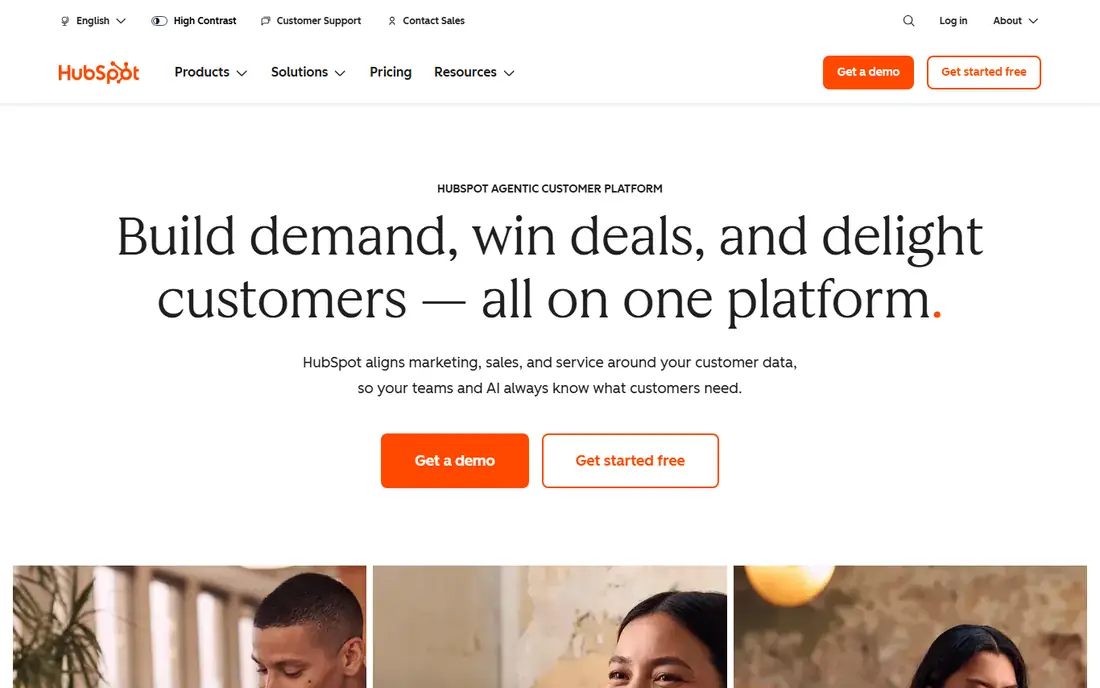
For many buyers, this is the first option worth a close look. HubSpot fits teams wanting a free mobile CRM. It stands out for a free CRM plan; a polished mobile app; sales, marketing, and service tools in one place. That combination makes it useful in daily work, not only on a demo page, and it helps explain why so many teams keep returning to it when they compare options side by side.
On a phone, the test that matters is whether you can log a call, update a deal, and find a contact quickly, without returning to a laptop. The trade-off is advanced automation and reporting sit on paid plans; costs rise as you add hubs. Before you commit, check the current price of Free and the free plan status of Yes on the vendor site, because plan limits and prices change. If the limits fit your team size and workflow, it is a sound shortlist choice.
- A free CRM plan
- A polished mobile app
- Sales, marketing, and service tools in one place
- Advanced automation and reporting sit on paid plans
- Costs rise as you add hubs
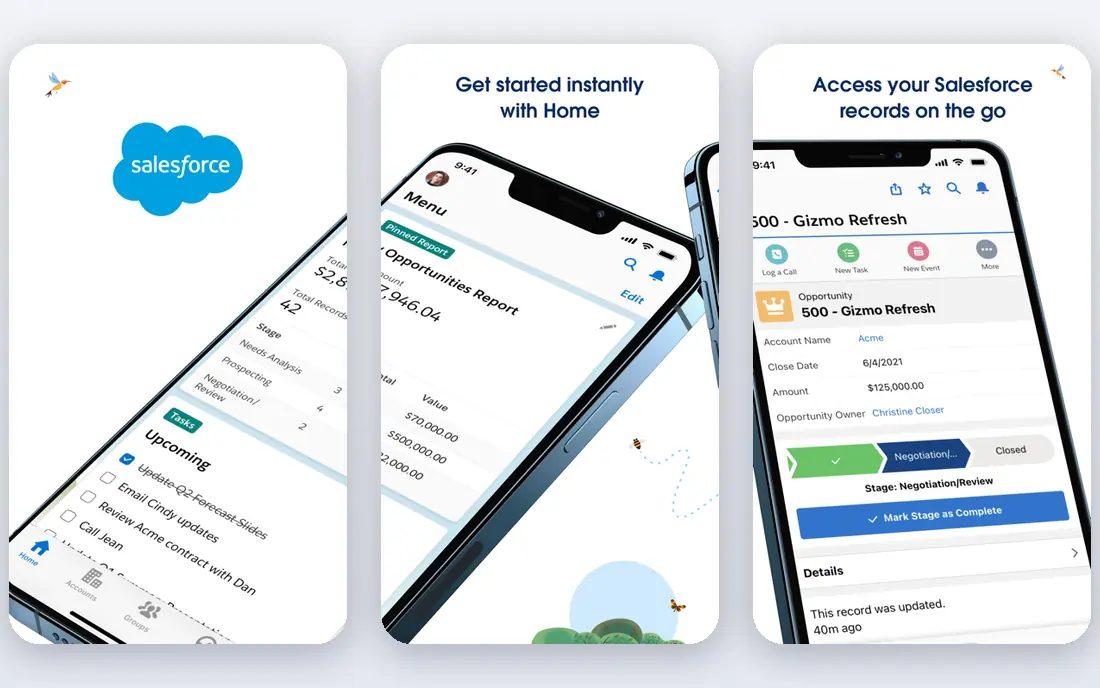
This option earns its place for a clear, practical reason. Salesforce fits large teams needing deep customization. It stands out for a mature mobile app; deep customization; a very large app ecosystem. That combination makes it useful in daily work, not only on a demo page, and it helps explain why so many teams keep returning to it when they compare options side by side.
Mobile adoption rises when reps can update records between meetings, so speed and offline access matter more than extra reports. The trade-off is setup can be heavy; higher tiers are costly for small teams. Before you commit, check the current price of $25 per user per month and the free plan status of Free trial on the vendor site, because plan limits and prices change. If the limits fit your team size and workflow, it is a sound shortlist choice.
- A mature mobile app
- Deep customization
- A very large app ecosystem
- Setup can be heavy
- Higher tiers are costly for small teams

If you want a focused tool rather than a sprawling suite, start here. Pipedrive fits sales teams focused on pipelines. It stands out for a clear visual pipeline; a fast mobile app; useful activity reminders. That combination makes it useful in daily work, not only on a demo page, and it helps explain why so many teams keep returning to it when they compare options side by side.
A good mobile CRM keeps the pipeline visible at a glance, so a rep can see the next action for each deal before a call. The trade-off is no built-in service ticketing; reporting is lighter on mobile than on desktop. Before you commit, check the current price of $14 per user per month and the free plan status of Free trial on the vendor site, because plan limits and prices change. If the limits fit your team size and workflow, it is a sound shortlist choice.
- A clear visual pipeline
- A fast mobile app
- Useful activity reminders
- No built-in service ticketing
- Reporting is lighter on mobile than on desktop
This is a strong choice when simplicity matters more than sheer depth. Zoho CRM fits value-focused teams that want depth. It stands out for a free plan for up to 3 users; offline mobile editing; a wide Zoho app suite. That combination makes it useful in daily work, not only on a demo page, and it helps explain why so many teams keep returning to it when they compare options side by side.
On a phone, the test that matters is whether you can log a call, update a deal, and find a contact quickly, without returning to a laptop. The trade-off is the interface can feel busy at first; the best AI features need higher plans. Before you commit, check the current price of $14 per user per month and the free plan status of Yes on the vendor site, because plan limits and prices change. If the limits fit your team size and workflow, it is a sound shortlist choice.
- A free plan for up to 3 users
- Offline mobile editing
- A wide Zoho app suite
- The interface can feel busy at first
- The best AI features need higher plans
Teams that need a dependable everyday option should weigh this one carefully. Freshsales fits small businesses wanting built-in calling. It stands out for a free plan for up to 3 users; built-in phone and email; clear mobile workflows. That combination makes it useful in daily work, not only on a demo page, and it helps explain why so many teams keep returning to it when they compare options side by side.
Mobile adoption rises when reps can update records between meetings, so speed and offline access matter more than extra reports. The trade-off is fewer third-party integrations than larger rivals; advanced AI sits on higher tiers. Before you commit, check the current price of $9 per user per month and the free plan status of Yes on the vendor site, because plan limits and prices change. If the limits fit your team size and workflow, it is a sound shortlist choice.
- A free plan for up to 3 users
- Built-in phone and email
- Clear mobile workflows
- Fewer third-party integrations than larger rivals
- Advanced AI sits on higher tiers
This pick suits buyers who want proven tools with wide support. monday Sales CRM fits visual teams that want flexible boards. It stands out for highly visual boards; flexible workflows; a strong mobile experience. That combination makes it useful in daily work, not only on a demo page, and it helps explain why so many teams keep returning to it when they compare options side by side.
A good mobile CRM keeps the pipeline visible at a glance, so a rep can see the next action for each deal before a call. The trade-off is a 3-seat minimum on paid plans; costs add up with automations and add-ons. Before you commit, check the current price of $12 per seat per month and the free plan status of Free trial on the vendor site, because plan limits and prices change. If the limits fit your team size and workflow, it is a sound shortlist choice.
- Highly visual boards
- Flexible workflows
- A strong mobile experience
- A 3-seat minimum on paid plans
- Costs add up with automations and add-ons
For a balance of price and features, this one deserves attention. Close fits inside sales teams that call a lot. It stands out for built-in calling, SMS, and email; a mobile app built for outreach; fast lead handling. That combination makes it useful in daily work, not only on a demo page, and it helps explain why so many teams keep returning to it when they compare options side by side.
On a phone, the test that matters is whether you can log a call, update a deal, and find a contact quickly, without returning to a laptop. The trade-off is pricing is not always simple to compare; it is less suited to complex service work. Before you commit, check the current price of See website and the free plan status of Free trial on the vendor site, because plan limits and prices change. If the limits fit your team size and workflow, it is a sound shortlist choice.
- Built-in calling, SMS, and email
- A mobile app built for outreach
- Fast lead handling
- Pricing is not always simple to compare
- It is less suited to complex service work
This final pick rounds out the list with a different strength. Copper fits Google Workspace teams. It stands out for deep Gmail and Google Workspace integration; a clean contact view; a simple mobile app. That combination makes it useful in daily work, not only on a demo page, and it helps explain why so many teams keep returning to it when they compare options side by side.
Mobile adoption rises when reps can update records between meetings, so speed and offline access matter more than extra reports. The trade-off is reporting is lighter than enterprise rivals; it is a weaker fit outside Google Workspace. Before you commit, check the current price of $9 per user per month and the free plan status of Free trial on the vendor site, because plan limits and prices change. If the limits fit your team size and workflow, it is a sound shortlist choice.
- Deep Gmail and Google Workspace integration
- A clean contact view
- A simple mobile app
- Reporting is lighter than enterprise rivals
- It is a weaker fit outside Google Workspace
How we picked these
We compared official feature pages, pricing pages, and mobile app listings for widely used CRM tools, and we kept only tools with a real mobile app for iOS and Android. We weighed pipeline clarity, contact and deal handling, calling and email tools, offline access, and the total cost at small team sizes. We did not claim hands-on testing, and we based the findings on vendor pages, app store listings, and public reviews. Price and plan details change, so confirm them on the vendor site before you sign up.
Choosing the right mobile CRM
Start with the work your team actually does away from a desk. Field reps need offline access, fast contact lookup, and simple deal updates. Office-based teams may care more about reporting, automation, and integrations with email, accounting, and marketing tools. Write down three tasks you repeat every day, then trial each shortlisted app with those tasks only. A tool that feels fast on those three tasks will usually win over a tool with a longer feature list that slows people down.
What to check before you pay
On a phone, small design choices matter. Look for large tap targets, a clear pipeline view, and a search tool that finds contacts by name, company, or recent activity. Check whether you can add a note, log a call, and move a deal stage without opening a laptop. Also check data use and battery impact during a busy day, and ask whether admins can set permissions so reps see only the records they need.
How to run a useful trial
Pick two apps, not six, and run them for one full working week with real leads and deals. Give each rep the same tasks, such as logging five calls and updating five deals, and compare how long each task takes. At the end of the week, check whether records are complete and whether anyone avoided the app. That simple test tells you more than a feature table, and it keeps the decision grounded in your own workflow.
FAQ
What is the best mobile CRM app?
HubSpot is a strong starting point for many small teams because it has a free plan and a polished app. Pipedrive suits pipeline-focused teams, while Salesforce suits larger teams with complex needs. The best mobile CRM software for you depends on team size, budget, and whether you need calling, offline access, or deep customization.
Is there a best CRM with mobile app support for free?
Yes. HubSpot offers a free CRM plan, and Zoho CRM and Freshsales offer free plans for up to 3 users. Free plans usually limit automation, reporting, and seats, so they suit solo users and very small teams. Check the current limits before you rely on a free plan for a growing team.
Which mobile CRM app is best for field sales?
Zoho CRM and Pipedrive are strong for field work because they focus on fast deal updates and contact access on a phone. Freshsales and Close add built-in calling, which helps reps who make many calls. Trial the app in the places you actually work, including areas with weak signal, to test offline access.
Do mobile CRM apps work offline?
Some do, with limits. Zoho CRM offers offline editing with sync, and several rivals offer partial offline viewing. Always test offline mode with your own records, because sync rules, attachments, and custom fields may differ. If offline work is essential, make it a pass or fail test in your trial.
How much does a mobile CRM cost?
Prices in this guide range from free plans to $25 per user per month for Salesforce at the entry level, with Pipedrive and Zoho CRM at $14 and Freshsales at $9. Enterprise tiers, add-ons, and minimum seats can raise the total, so price the plan you will need in six months, not only the entry plan.