Best CRM for Construction Company in 2026: 9 Tools Compared
Best CRM for construction company options compared, with lead tracking, estimates, job management and pricing for builders and contractors in 2026 today.
- Editor's choice
 Buildertrend
Residential builders and remodelers
Starts atSee websiteVisit buildertrend.comFull review - Great alternative
 JobNimbus
Roofing and exterior contractors
Starts atSee websiteVisit jobnimbus.comFull review - Also consider
 FollowUp CRM
Commercial subcontractors and bid tracking
Starts at$99 per user per monthVisit followupcrm.comFull review
TL;DR:
- Construction CRMs differ from generic CRMs because they must connect leads to estimates, jobs, schedules and invoices without losing details in handoff.
- Buildertrend and JobNimbus suit builders and trade contractors who want sales plus project delivery, while HubSpot and Salesforce suit firms that lead with marketing.
- Pricing models vary from flat monthly rates to per-user fees and quotes, so total cost depends on team size and whether field staff need logins.
- A CRM only helps if field teams use it, so mobile access, simple job views and client portals matter as much as sales features.
Quick comparison
| Tool | Best for | Starts at | Free plan? | |
|---|---|---|---|---|
| Buildertrend | Residential builders and remodelers | See website | No | Visit |
| JobNimbus | Roofing and exterior contractors | See website | No | Visit |
| FollowUp CRM | Commercial subcontractors and bid tracking | $99 per user per month | No | Visit |
 HubSpot CRM | Marketing-led construction firms | Free | Yes | Visit |
 Salesforce | Large construction companies | $25 per user per month | Free trial | Visit |
 Pipedrive | Small teams wanting a simple pipeline | $14 per seat per month | Free trial | Visit |
 AccuLynx | Roofing contractors | See website | No | Visit |
 Contractor Foreman | Budget-conscious small contractors | $49 per month | Free trial | Visit |
 Jobber | Small field-service contractors | See website | Free trial | Visit |
The best CRM for construction company
We compared construction-specific workflows, lead and bid tracking, estimating, job management, mobile use and pricing, with a focus on tools used by US builders and contractors today.
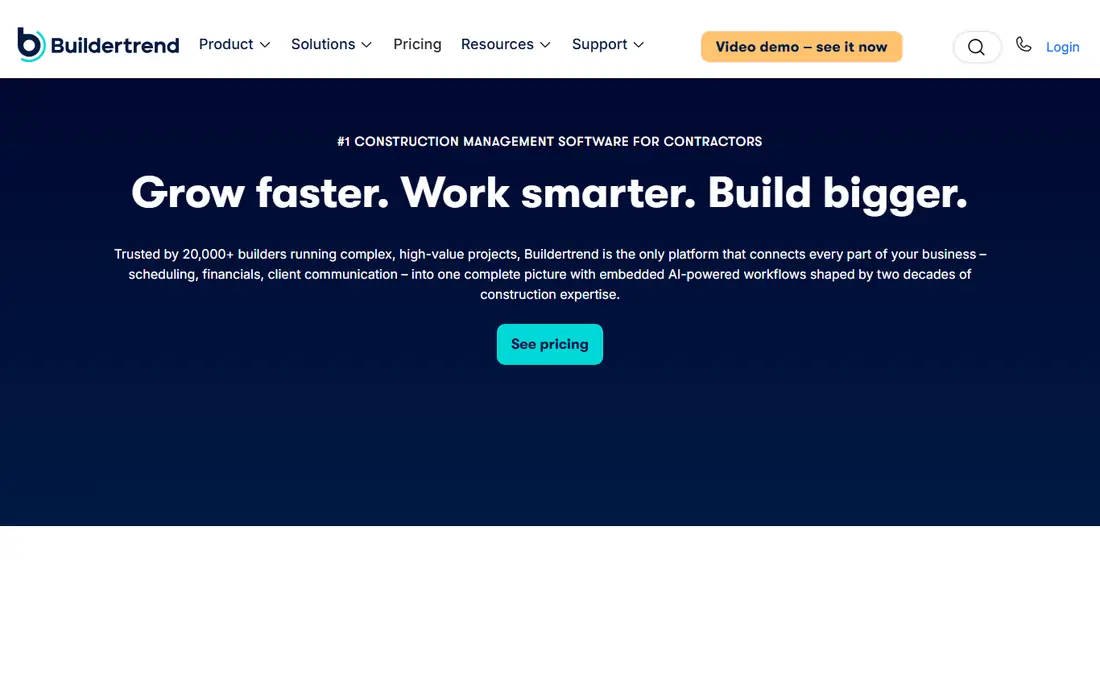
Buildertrend is the best-known all-in-one platform for residential builders and remodelers, and its CRM strength comes from connection to the rest of the job. A lead can move to an estimate, then to a schedule, change orders and a client portal without re-entering details. That continuity matters in construction, where a lost note about finishes or allowances can cost real money later in a project.
The main drawback is price clarity. Buildertrend now prices by quote, based on volume and needs, so small remodelers should get a firm number before committing. It also feels residential in shape, so a large commercial general contractor may prefer Procore or Salesforce. For a residential builder doing several projects a year, Buildertrend remains a strong, proven choice.
- Leads, estimates, schedules and client portal in one system
- Unlimited users on plans
- QuickBooks and Xero sync
- Quote based pricing
- Residential focus may not suit large commercial work
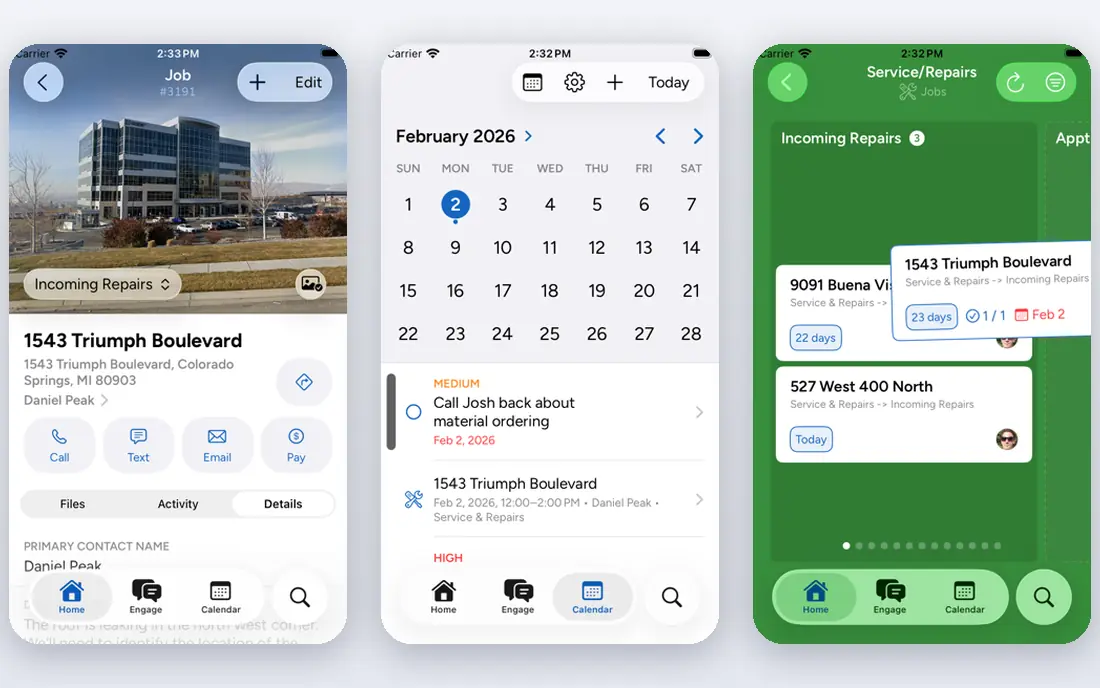
JobNimbus suits roofing and exterior contractors who live by job boards, inspections and fast follow-up. Leads, estimates, jobs and invoices sit in a visual workflow, and automation can move a job forward, remind staff and update clients as work changes. That trade-specific design helps crews adopt it, since the screens match how roofing and exterior jobs actually run.
Pricing is quote based, and some add-ons, such as texting, cost extra, so total cost needs careful checking. It is also less suited to a general contractor managing large commercial projects with complex accounting. For a roofing or exterior company that needs sales plus job tracking in one place, JobNimbus is a practical pick.
- Visual job boards and automation for trade workflows
- Strong roofing and exterior focus
- Mobile friendly
- Pricing is quote based
- Texting and some features are add-ons
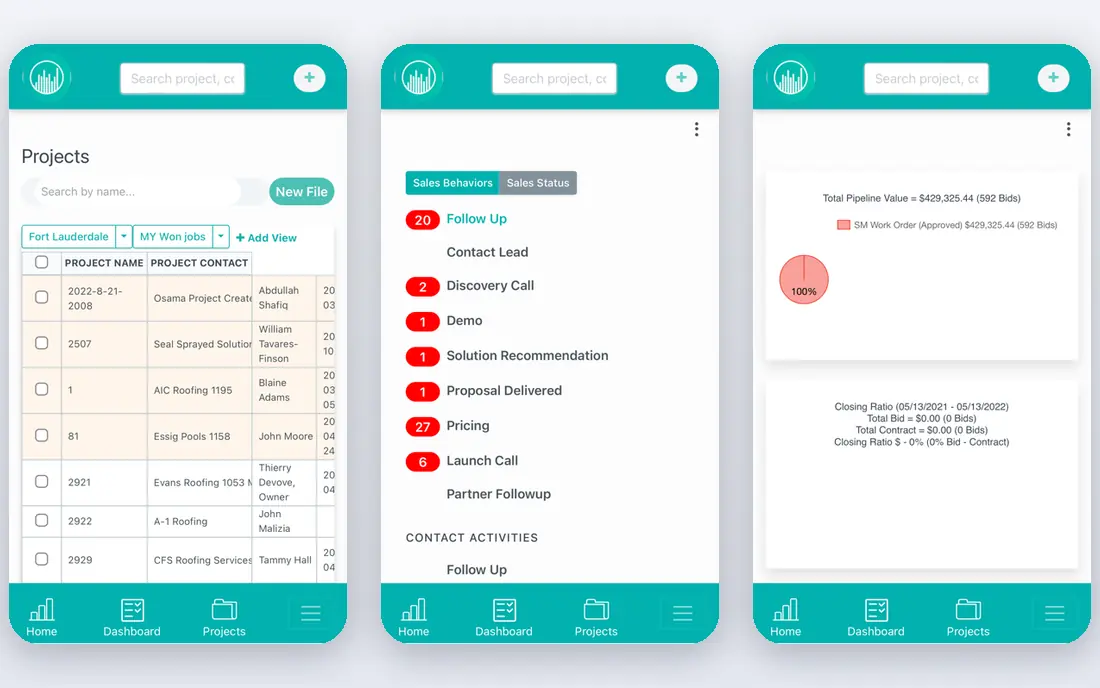
FollowUp CRM is built for construction sales teams, especially commercial subcontractors who track many bids at once. It helps teams log bids, follow up on time, assign owners and see which opportunities are stalling. That focus on follow-up is valuable, because many contractors lose work not on price, but because no one chased a bid after submitting it.
The cost is higher than a generic CRM, with per-user pricing and a minimum seat count reported for many plans. It also does not replace full project management, so larger firms may pair it with a delivery tool. For a sales-led subcontractor that needs bid discipline, FollowUp CRM is purpose built for the job.
- Built for construction sales and bid follow-up
- Pipeline views for commercial work
- Helps teams track bids that would otherwise slip
- Higher per-user price with a minimum seat count
- Less project delivery depth than Buildertrend
HubSpot suits construction firms that win work through marketing, content and lead nurturing rather than only referrals. The free CRM covers contacts, deals and pipelines, and paid hubs add email, landing pages, ads and service tools. For a remodeler or builder investing in a website and lead generation, that marketing depth is a real advantage over a trade-only CRM.
The trade-off is setup. HubSpot does not come with construction job costing, schedules or change orders out of the box, so you must build those workflows or integrate another tool. Costs also rise as you add hubs and seats. If marketing is your main growth engine, HubSpot is worth the setup effort.
- Free CRM to start
- Strong marketing, email and lead nurturing tools
- Many integrations
- Not construction specific, so jobs and estimates need custom setup
- Paid hubs add cost quickly
Salesforce is the enterprise option for large construction companies that need a CRM shaped exactly to their process. It can model complex sales cycles, subcontractor relationships, project handoffs and reporting across regions, and it integrates with accounting, project and document tools. For a large contractor or EPC firm, that flexibility is hard to match.
The cost is not just the per-user price. Salesforce needs setup, admin time and often a partner, and a poor setup can leave sales teams with a tool they avoid. Smaller firms will usually do better with a construction-specific tool. For a large company with dedicated operations staff, Salesforce offers scale and control.
- Very flexible and customizable
- Strong reporting and automation
- Huge integration range
- Needs admin time or a partner to set up well
- Cost and complexity rise with customization
Pipedrive is a simple, visual sales CRM that suits a small construction company that mainly needs to track leads and deals. The pipeline view makes it obvious which jobs are new, quoted, won or lost, and the interface is easy for office and sales staff to learn. That simplicity helps adoption, which is often the biggest risk with a new CRM.
It does not include estimating, scheduling or job costing, so a builder will still need separate tools for delivery. Higher tiers add automation and reporting, which raises the price. For a small team that wants a clean sales pipeline without enterprise complexity, Pipedrive is a good, low-cost start.
- Clear visual pipeline
- Easy to learn
- Affordable starting price
- No construction-specific job tools
- Reporting and automation need higher tiers
AccuLynx is built for roofing contractors, and that focus shows in features such as aerial measurements, material ordering and job tracking designed around roofing projects. Leads move into estimates and jobs with roofing details intact, and integrations with suppliers and accounting tools reduce double entry. For a roofing company, that specificity saves time compared with a generic CRM.
The main limits are price clarity and scope. Pricing is quote based, and a general contractor or remodeler will find many roofing features irrelevant. If roofing is your core trade, AccuLynx is one of the most tailored options available. If you work across many trades, a broader tool may fit better.
- Roofing-specific workflows, including measurements and material ordering
- Job and lead tracking in one place
- Integrations with suppliers
- Quote based pricing
- Roofing focus limits use for other trades
Contractor Foreman offers a lot for a low flat monthly price, covering CRM, estimating, scheduling, invoicing and project tools in one system. That breadth at that price makes it attractive for a small contractor who cannot justify a large platform fee. The flat rate also helps budgeting, since adding a team member does not always raise the price in the same way as per-user tools.
The interface is functional rather than refined, and some users report a learning curve across its many features. Larger firms may also want deeper reporting or integrations. For a small contractor that wants an affordable all-in-one system and is willing to learn it, Contractor Foreman offers strong value.
- Low flat starting price
- CRM plus estimating, scheduling and invoicing
- Good value for small teams
- Interface is more functional than polished
- Support and onboarding vary by plan
Jobber suits small field-service and home service contractors who need quoting, scheduling, invoicing and client communication in a mobile-friendly tool. Clients can approve quotes, book work and pay online, while field staff see jobs and routes on their phones. That client-facing polish helps smaller shops look professional without a large back office.
Jobber is less suited to a builder managing long, complex projects with change orders and job costing, where Buildertrend or Contractor Foreman fit better. Pricing also rises as you add users and features. For a small service contractor focused on jobs that last days rather than months, Jobber is a strong, easy-to-use choice.
- Mobile-first quoting and scheduling
- Client notifications and online booking
- Good for home service trades
- Less construction project depth than Buildertrend
- Pricing rises with team size and features
How we picked these
We compared official pricing and feature pages, construction-specific workflows, mobile use and user reviews for US contractors. We favored tools that connect sales to estimates and jobs, rather than only storing contacts, and we included both construction-specific platforms and strong generic CRMs that many construction firms actually use. We left out pure project management tools with no real CRM pipeline.
What to check before you buy a construction CRM
Start with your workflow, from first call to final invoice. List the stages a job passes through, who touches it, and which details must not get lost, such as bid dates, allowances, permits and client approvals. Test those exact stages in a trial, with a real past job if possible, rather than only watching a sales demo.
Next, check mobile use, client portals, estimating, accounting sync and pricing for your full team, including field staff. Ask whether pricing is per user or flat, what happens when you add seasonal staff, and how long onboarding takes. A CRM that office staff love but field crews ignore will not improve follow-up or job tracking.
FAQ
What is the best CRM for construction companies?
Buildertrend suits residential builders, JobNimbus and AccuLynx suit roofing and exterior trades, and FollowUp CRM suits commercial subcontractors focused on bids. HubSpot and Salesforce suit firms that lead with marketing or need enterprise customization. Pick by trade, project size and whether you need delivery tools as well as sales.
Do construction companies need a construction-specific CRM?
Not always, but it helps. A construction-specific CRM understands estimates, bids, jobs and change orders, while a generic CRM needs custom setup for those stages. A small firm with simple jobs can use Pipedrive or HubSpot well, while a builder with long projects usually benefits from a trade-specific tool.
How much does a construction CRM cost?
Costs range from free for a basic HubSpot CRM to flat monthly rates around 49 dollars for Contractor Foreman, per-seat rates from 14 dollars for Pipedrive, and quote-based pricing for Buildertrend, JobNimbus and AccuLynx. Total cost depends on seats, add-ons and whether project tools are included.
Can a construction CRM handle estimating and invoicing?
Some can, including Buildertrend, Contractor Foreman and Jobber, while others focus mainly on sales pipelines and need an accounting or estimating integration. Check whether estimates, change orders and invoices live in the CRM or in a connected tool before you buy.
Is HubSpot good for construction companies?
HubSpot is good for construction firms that rely on marketing and lead nurturing, thanks to its email, landing page and CRM tools. It needs custom setup for construction job stages, so firms that want estimating and project delivery built in may prefer Buildertrend or Contractor Foreman.