Best Credit Management Software in 2026: 8 Tools Compared
We compare 8 tools for best credit management software, covering credit checks, limits, collections, cash application, and pricing for finance teams. today

- Editor's choice
 Chaser
Automated chasing for small and mid firms
Starts atSee websiteVisit chaserhq.comFull review - Great alternative
 Upflow
B2B teams that want AR visibility
Starts atFreeVisit upflow.ioFull review - Also consider
 HighRadius
Enterprise order to cash
Starts atSee websiteVisit highradius.comFull review
TL;DR:
- Credit management covers more than chasing invoices, so look for credit checks, limits, and dispute handling in the same tool.
- Upflow and Paidnice publish prices, while most mid market and enterprise tools quote by invoice volume or company size.
- Small firms should start with a tool that links to their accounting system, so credit limits update from real payment history.
- This is not financial advice, and credit terms should be set with care for customer risk, cash flow, and local law.
Quick comparison
| Tool | Best for | Starts at | Free plan? | |
|---|---|---|---|---|
| Chaser | Automated chasing for small and mid firms | See website | Free trial | Visit |
| Upflow | B2B teams that want AR visibility | Free | Yes | Visit |
| HighRadius | Enterprise order to cash | See website | No | Visit |
 Esker | Mid market receivables and credit | See website | No | Visit |
 Gaviti | AI led collections prioritization | See website | No | Visit |
 Kolleno | Global all in one receivables | See website | No | Visit |
 Paidnice | Clear invoice volume pricing | $69 per month | Yes | Visit |
 Tesorio | Forecasting plus collections | See website | No | Visit |
The best credit management software
Good credit management prevents bad debt before it happens, then helps you collect what is owed without damaging customer relationships. The tools below span light chasing for small firms and full order to cash platforms for larger finance teams.
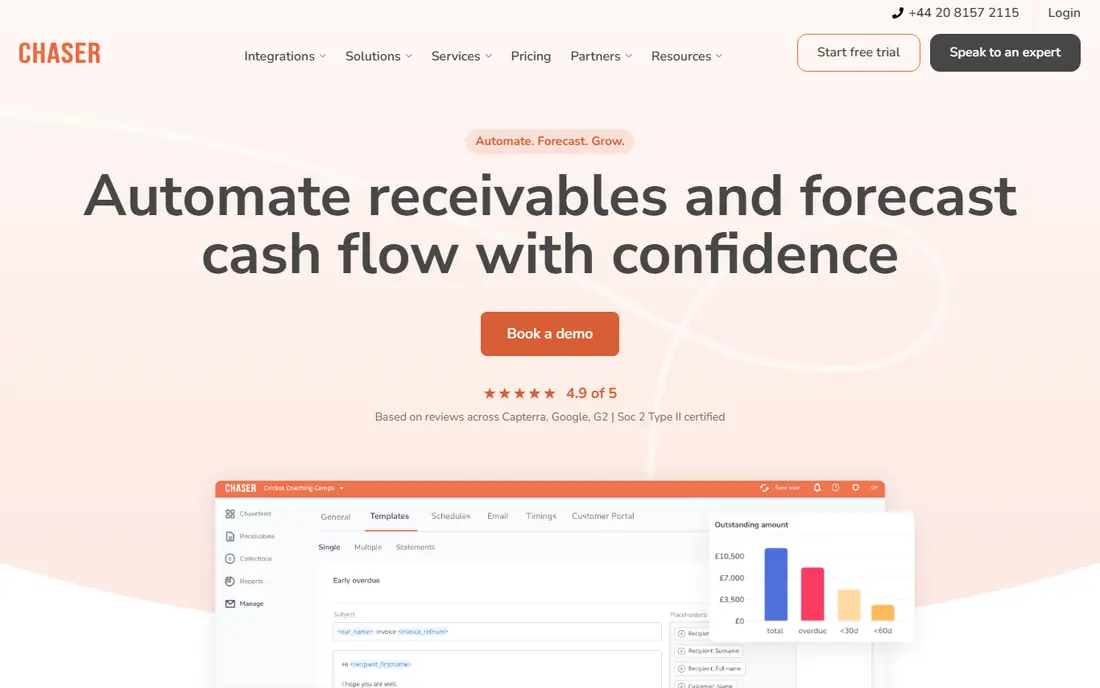
Chaser is a strong starting point for firms that spend too much time sending reminder emails by hand. It automates polite, timed chases, tracks who has paid, and gives customers a simple way to pay and raise a query. Credit features help teams check a customer before granting terms, rather than learning about risk after an invoice goes overdue.
The trade off is pricing clarity. Some plans are quoted rather than listed, so you will need a conversation to compare costs at scale. For small and mid firms on Xero, QuickBooks, or Sage, the time saved on chasing and the cleaner payment flow often justify that extra step.
- Strong automated chasing for Xero, QuickBooks, and Sage
- Credit checking and risk scoring in the workflow
- Clear payment portal for customers
- Pricing is not fully published on all plans
- Larger teams may need a higher tier for advanced controls

Upflow appeals to finance teams that want to see the whole receivables picture before they act. The free Discover plan shows AR health and benchmarks, while paid plans add automated collections workflows, a payment portal, and forecasting. For B2B SaaS and services firms billing through Stripe or Chargebee with NetSuite as the ledger, that visibility is the main draw.
The catch is cost structure. Paid tiers are tied to invoice volume and company size, so a growing firm should model the next tier before signing. If your team manages by metrics such as days sales outstanding and collection effectiveness, Upflow gives a clear dashboard to run weekly reviews from.
- Free Discover plan for AR health and benchmarks
- Strong analytics for DSO and at risk balances
- Good links to NetSuite, Stripe, and Chargebee
- Paid plans are priced by volume and can rise quickly
- Less focused on UK Xero and Sage workflows than some rivals

HighRadius is built for larger finance teams with complex receivables. Credit management sits beside collections, cash application, deductions, and electronic invoicing, so credit limits, payment behavior, and disputes share one data set. That breadth helps firms with many entities, currencies, and ERP systems, where a light tool would leave gaps.
The downside is scale and cost. Pricing is quoted, implementation is a project rather than a quick setup, and small firms will find the platform more than they need. For a mid market firm moving past a single entity, or an enterprise team that needs consistent credit policy across regions, HighRadius is a serious option to evaluate with a pilot.
- Covers credit, collections, cash application, and deductions
- Handles multi entity and multi currency work
- Wide ERP integration range
- No published list price
- Implementation can take months for large firms
Esker suits mid market teams that want receivables automation with credit discipline built in. Invoicing, collections, credit checks, and cash application work together, so a customer with a weak payment record does not keep receiving generous terms by default. Dashboards help finance leaders spot risk early and act before balances age.
Pricing is tailored by usage, which makes a quick price comparison harder. Ask for a quote based on your invoice volume, entity count, and ERP system, and confirm which credit features are included on the tier you would buy. For firms outgrowing manual chasing, Esker offers a step up without jumping straight to enterprise scale.
- Strong accounts receivable suite with credit controls
- Good automation for invoicing and cash application
- Established vendor for mid market firms
- Pricing is tailored by usage, so comparison takes a quote
- Setup needs planning for ERP links
Gaviti helps teams decide where to spend limited collections time. Instead of working an overdue list in order, staff see prioritized accounts, dispute status, and payment patterns, so they chase the balances most likely to move first. That focus matters when a small finance team faces hundreds of open invoices.
The limit is fit. Very small firms with a short customer list may not need AI prioritization, and pricing requires a quote. For mid sized B2B teams with many accounts, deductions, and disputes, Gaviti can shorten the time from invoice to cash and reduce the number of accounts that drift past 90 days.
- AI led prioritization for collections work
- Clear dashboards for overdue and disputed balances
- Good fit for teams drowning in deductions
- No published starting price
- Smaller firms may not need the full prioritization engine
Kolleno aims to bring credit, collections, cash application, and customer communication into one global platform. Finance teams can set credit limits, automate reminders, and give customers a portal to view invoices and pay, without stitching several tools together. That single view helps when customers operate in several countries and pay in different currencies.
As with other mid market tools, pricing is quoted, so budget planning needs a sales conversation. The platform also rewards firms that commit to a consistent process, because automation works best when credit rules, reminder schedules, and dispute steps are defined up front. For global B2B teams, that structure is a strength.
- All in one receivables with credit and collections
- Supports global teams and multiple currencies
- Strong automation for reminders and portals
- No published starting price
- Implementation and onboarding need time
Paidnice stands out for price transparency in a category where many vendors hide prices behind quotes. The Essentials plan starts at $69 per month, and a free tier covers a first set of actions, so small firms can test the workflow before paying. Automated reminders, payment links, and basic credit visibility cover the core needs of many B2B sellers.
The trade off is scale. Paidnice is not an enterprise order to cash suite, and firms with complex multi entity needs will outgrow it. For a small or mid firm that wants clear pricing, quick setup, and automated chasing with credit awareness, it is a practical and fairly priced choice.
- Published pricing from $69 per month
- Free tier for first actions
- Simple setup for small and mid firms
- Smaller integration and enterprise range than HighRadius
- Advanced features may require a higher tier
Tesorio pairs collections with cash forecasting, which helps finance leaders answer a simple question: when will this money actually arrive. Forecasts draw on invoice, payment, and collections data, so weekly cash planning becomes less guesswork. Collections workflows then focus staff on the accounts that most affect that forecast.
Pricing is quoted, and the forecasting strength matters most when a team reviews cash weekly. Firms that only need reminders may find a lighter tool cheaper. Firms that plan hiring, inventory, or payments around expected receipts will value the link between credit decisions, collections effort, and forecast accuracy.
- Cash flow forecasting beside collections
- AI led prioritization for at risk accounts
- Good ERP links for mid market teams
- No published starting price
- Best value appears for teams that use forecasting weekly
How we picked these
We compared official product pages, pricing pages where published, and public documentation for credit and receivables tools in use in October 2026. We favored tools that cover credit checks or limits beside collections, link to common accounting and ERP systems, and give customers a clear payment path. We mixed published price options with quoted enterprise platforms, because credit needs differ sharply between a small firm and a global finance team.
How to set up credit management without harming sales
Start with a simple credit policy before you buy software. Decide who gets terms, how long those terms run, what limit applies, and what happens when a payment slips. Write those rules down, share them with sales, and let the software enforce them, so decisions stay consistent and no single deal sets a risky precedent.
Credit checks, limits, and reviews
Run a credit check before granting terms to a new customer, and set a limit based on payment history, order size, and risk. Review limits on a schedule, such as quarterly for large accounts and annually for smaller ones, and lower limits promptly when payments slow. Use dispute tracking to separate genuine queries from late payment, because chasing a customer over a disputed invoice damages trust and wastes staff time.
Collections tone and timing
Send reminders early, politely, and on a set schedule, with a clear link to pay and a named contact for queries. Escalate in steps, from a friendly reminder to a firmer notice, and keep a record of every message. A calm, consistent tone collects more cash over time than aggressive chasing, and it protects the customer relationship for future orders.
FAQ
What does credit management software do?
Credit management software helps firms check customer credit, set limits, send invoices, automate reminders, collect payment, and track disputes. It links credit decisions to payment behavior, so risky accounts get tighter terms and reliable customers get a smoother experience. Larger platforms also handle cash application and deductions.
How much does credit management software cost?
Prices range from free or $69 per month for light tools to quoted enterprise pricing for large platforms. Most mid market vendors quote by invoice volume, revenue band, or company size, so the same tool can cost very different amounts for two firms. Ask for a quote based on your invoice count and entity count before you compare.
Is credit management software the same as accounts receivable software?
The two overlap, but credit management focuses on decisions before and during the sale, such as checks, limits, and risk scoring. Accounts receivable software focuses on invoicing, collections, and cash application after the sale. Many modern tools cover both, which is why this list includes receivables platforms with strong credit features.
Should a small business use credit management software?
Yes, in a simple form. Even a small firm benefits from automated reminders, a customer payment portal, and a basic credit check before granting terms. Start with a tool that links to your accounting system, keep terms short for new customers, and review limits as payment history builds.
What is DSO and why does it matter?
Days sales outstanding measures the average number of days it takes to collect payment after a sale. Lower DSO means faster cash conversion and less working capital tied up in unpaid invoices. Credit software tracks DSO in real time and helps reduce it through better credit decisions, prioritized collections, and clearer payment options.