Best Compensation Planning Software for Remote Teams for 2026: Our 5 Vetted Picks
Searching for the best compensation planning software for remote teams? Here are 5 options with prices and free plans. Each profile ends with a plain caveat.
- Editor's choice
 SAP SuccessFactors
AI-assisted human capital management
Starts atSee websiteVisit sap.comFull review - Great alternative
 Rippling
Unified HR, IT and finance for lean teams
Starts at$8 per employee a monthVisit rippling.comFull review - Also consider
 Workday
Enterprise HR, finance and pay alignment
Starts atSee websiteVisit workday.comFull review
Direct answer
If you need AI-assisted human capital management, SAP SuccessFactors is the first tool to look at here. Listed starting prices: Rippling from $8 per employee a month and Deel from $14 per worker a month. If your case is different, Rippling suits unified HR, IT and finance for lean teams and Workday suits enterprise HR, finance and pay alignment. The remaining 2 options are covered below with prices and limits.
TL;DR:
- This list starts with SAP SuccessFactors, which is built for AI-assisted human capital management.
- A permanent free plan is missing from all 5 tools, SAP SuccessFactors and Deel included; plan for a trial or a premium start.
- Deel fits global payroll and distributed teams.
- Rippling has the lowest monthly starting price in this list: $8 per employee per month.
- What to know about Workday first: complicated setup for small teams.
Last checked November 2026. Prices and plan details were read from the vendors' own pages in November 2026; vendors change plans often, so confirm the current price on the vendor site before you buy.
Quick comparison
| Tool | Best for | Starts at | Free plan? | |
|---|---|---|---|---|
| SAP SuccessFactors | AI-assisted human capital management | See website | Not stated | Visit |
| Rippling | Unified HR, IT and finance for lean teams | $8 per employee a month | Not stated | Visit |
| Workday | Enterprise HR, finance and pay alignment | See website | Not stated | Visit |
 Paycom | Single-database HR and payroll automation | See website | Not stated | Visit |
 Deel | Global payroll and distributed teams | $14 per worker a month | Not stated | Visit |
Every option for compensation planning software for remote teams explained
If you are comparing compensation planning software for remote teams, this page covers 5 tools in one place: what each is best for, what it costs to start, whether it has a free plan, and the main limit to know about.
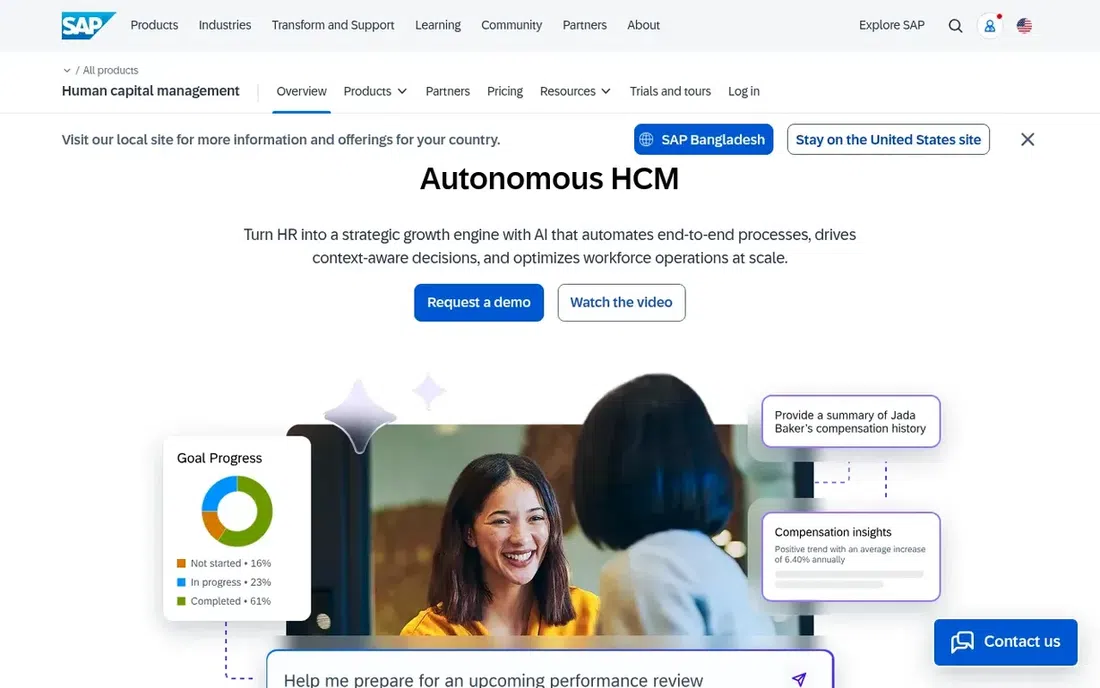
SAP SuccessFactors is a good fit for AI-assisted human capital management. Very small remote teams may not need the full breadth. As for the details, configuration depth is a strength and a burden, since tailoring modules takes time and expertise.
SAP SuccessFactors is a human capital management suite concentrated on automating HR work and supporting talent development with AI. As for the details, compensation planning sits within that broader HCM scope, which helps remote organizations keep pay cycles connected to performance and workforce processes. This comparison lists no price for SAP SuccessFactors; ask the vendor. Free access: Not stated.
Downsides: Configuration can be involved.
- AI-driven workforce processes
- Talent development tools
- Best value at bigger scale
Rippling is a good fit for unified HR, IT and finance for lean teams. Review which apps you actually need before rollout. Worth adding: for remote compensation planning, that means pay decisions can draw on connected employee, device and spend data.
Best features of Rippling: HR.
Where it falls short: Module choices need planning.
As for the details, Rippling merges HR, IT and finance applications on a unified data product, aiming to remove friction from running a business. The breadth is the point, but it also means teams must choose modules deliberately instead of adopting everything at once. Also, businesses wanting only compensation modeling may find the product wider than required. Rippling pricing: $8 per employee per month. As for free access: Not stated.
- Cuts tool sprawl
- Unified data model
- Breadth may exceed narrow needs

Workday works best for enterprise HR, finance and pay alignment. Workday presents itself as an enterprise AI product spanning HR, finance and IT.
Watch-outs: Complicated setup for small teams.
On top of that, for remote compensation planning, that combination matters since pay decisions rely on both people data and budget data living in one place. For everyday use, if your team is lean and wants a single light system for HR and finance, a more compact product may serve you better. This comparison lists no price for Workday; ask the vendor. As for free access: Not stated.
- Unified HR and finance data
- AI and agentic automation focus
- Implementation demands specialist staff
Pick Paycom if this describes you: single-database HR and payroll automation. For remote teams, that means compensation changes, payroll and employee records stay connected instead of scattered across tools.
What to check first: Less emphasis on global complexity.
If global payroll across numerous countries is the priority, a global-first product may fit better. Check the vendor site for Paycom pricing; none is listed in this comparison. Trial and free access: Not stated.
- Employee and leader self-service
- Automation of routine decisions
- Automation may need process adjustment
In short, Deel is for global payroll and distributed teams. For remote compensation planning, it addresses the hardest part of distributed teams: paying people correctly wherever they are. If your team is concentrated in one country and you chiefly need planning and budgeting tools, a domestic HCM suite may be more straightforward.
Where it is weaker: Complexity grows with country count.
In practice, the system is built around global employment, so deep compensation modeling may depend on which modules you use. For everyday use, Deel centres on hiring, paying and managing teams across numerous countries, combining global payroll, compliance and HR operations. Starting cost for Deel: $14 per worker per month. As for free access: Not stated.
- Global payroll and compliance focus
- Simplifies HR operations
- Compensation depth relies on modules
How we chose
Things to verify first
- Get a written quote from SAP SuccessFactors, Workday and Paycom; the list shows no starting price for them.
- Before choosing SAP SuccessFactors, weigh its main limit: configuration can be involved.
- Confirm that Rippling connects to the apps your team already uses, on the plan you would actually buy.
- Check the support hours and onboarding help Deel offers; smaller vendors vary a lot here.
- Price Workday for your actual team size; headline prices rarely include add-ons or overage.
FAQ
How are the tools for compensation planning software for remote teams ordered?
SAP SuccessFactors sits first and Deel last because the order follows typical fit for compensation planning software for remote teams, then price clarity and free access. It is a judgement call, so read each profile for fit and limits.
Can I try these tools before paying?
Not by default. None of the tools, from SAP SuccessFactors to Deel, lists a free plan or a free trial here, so ask each vendor for a demo before committing.
Does any tool for compensation planning software for remote teams here have a free plan?
A permanent free plan is not offered by SAP SuccessFactors, Deel or the other tools here. Plan a short evaluation period instead.
What is the cheapest option for compensation planning software for remote teams in this list?
On published monthly entry prices, Rippling is the lowest here at $8 per employee per month. Entry price is only part of the cost, because seats, add-ons and billing terms can change the total. All 5 picks in this compensation planning software for remote teams comparison list a starting price, free plan details and the main limits on their cards above.
What should small remote teams look for first?
Prioritize a single connected system for payroll and employee records, then check how compensation changes are approved. Confirm the modules you need before committing to a broader product.
Which tool is a good match for a completely remote team spread across countries?
The first pick on this list is SAP SuccessFactors, because it suits AI-assisted human capital management. Rippling is better for unified HR, IT and finance for lean teams, and Workday for enterprise HR, finance and pay alignment. Check price and limits against your own needs before choosing.
Sources
- https://www.sap.com/products/hcm.html
- https://www.rippling.com
- https://www.workday.com
- https://www.paycom.com
- https://www.deel.com