8 Best CMA Software for Realtors in 2026
We compared the best CMA software for realtors and best real estate CMA software for listing presentations, comps, pricing reports, and seller meetings in 2026.
- Editor's choice
 Cloud CMA
Polished interactive CMAs for listing presentations
Starts atSee websiteVisit cloudcma.comFull review - Great alternative
 RPR
NAR members who want deep free property research
Starts atFreeVisit narrpr.comFull review - Also consider
 ToolkitCMA
Budget-conscious agents who want branded reports
Starts atSee websiteVisit toolkitcma.comFull review
TL;DR:
- The best CMA software for realtors turns MLS comps into a client-ready comparative market analysis, with adjustments, maps, and a pricing recommendation a seller can follow.
- Cloud CMA leads for interactive listing presentations, RPR leads for free NAR member research, and ToolkitCMA leads for low-cost branded reports.
- MLS access decides much of the choice: many tools are bundled free through an MLS, while standalone pricing is often quote-based.
- Investor and off-market deals need a different data tool, such as PropStream, alongside a presentation-first CMA tool.
Quick comparison
| Tool | Best for | Starts at | Free plan? | |
|---|---|---|---|---|
| Cloud CMA | Polished interactive CMAs for listing presentations | See website | Free trial | Visit |
| RPR | NAR members who want deep free property research | Free | Yes | Visit |
| ToolkitCMA | Budget-conscious agents who want branded reports | See website | No | Visit |
 MoxiPresent | Brokerages that need brand control across agents | $30 per month | No | Visit |
 PropStream | Investors and agents comping off-market deals | See website | Free trial | Visit |
 Remine | Agents who want likely-to-sell prospecting plus CMAs | See website | No | Visit |
 HouseCanary | Agents and teams that need AI valuation and analytics | See website | No | Visit |
 Top Producer | Agents who want CRM plus CMA in one system | See website | No | Visit |
The best CMA software for realtors
We compared official feature pages, pricing pages, app store listings, and public reviews to find the best CMA tool for realtors. CMA stands for comparative market analysis, the report an agent builds from recently sold, pending, and active comparable homes to recommend a listing price. The tools below differ in data depth, presentation quality, and whether they are bundled with an MLS or a CRM.
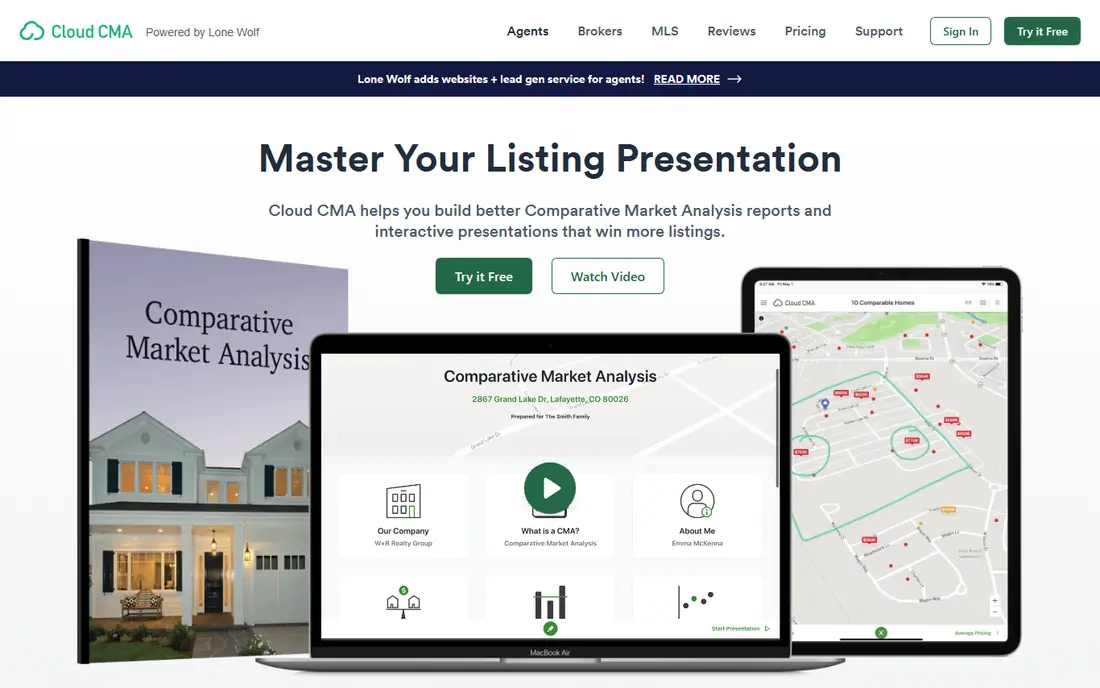
Cloud CMA earned its place as the default CMA tool by solving the presentation problem first. Its Live view lets you walk a seller through comps on a video call, with live MLS data and a marker tool to highlight points on the screen, which turns a routine pricing talk into a guided consult. The same workflow also produces print-ready CMAs, buyer tours, and flyers, so one set of comps covers the appointment and the leave-behind. The practical catch is access and price. Many MLS organizations bundle Cloud CMA free for members, which makes it an easy choice if yours does, but standalone pricing runs through the vendor store rather than a public pricing page. It is also built around MLS data, so agents working off-market or investor deals will want a data tool alongside it. For the standard listing presentation, Cloud CMA remains the benchmark.
- Live interactive view for screen-share presentations
- Print and digital reports from the same data
- Buyer tours and property flyers included
- Standalone pricing is not published on the homepage
- Requires MLS participation for full data
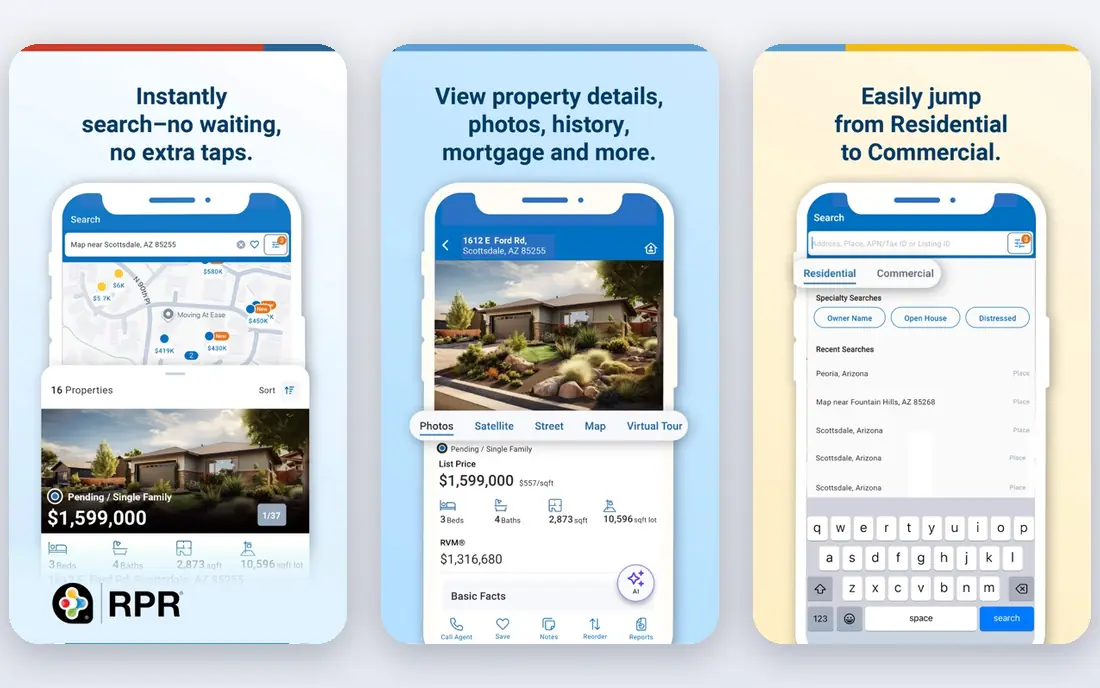
RPR, short for Realtors Property Resource, is the best free CMA starting point for agents who are members of the National Association of Realtors. It combines MLS and public record data with comps, market trends, and property details, and it generates CMA reports without a separate subscription. For an agent who needs solid research and a credible report at no extra cost, RPR is hard to beat. The limit is presentation and access. RPR reports are thorough, but some agents prefer Cloud CMA for a more interactive listing appointment. Access also depends on active NAR membership, so non-members need a different tool. If you are a member, start with RPR and add a presentation tool only if your listing appointments need more polish.
- Free for active NAR members
- Deep property data, comps, and market reports
- CMA reports plus neighborhood and school data
- Free access depends on NAR membership
- Presentation polish is below Cloud CMA for some agents
ToolkitCMA is popular with agents who want a franchise-style report package without an enterprise price. Templates can be branded with your photo, colors, and brokerage details, and sections can be rearranged to fit how you present pricing. That customization helps independent agents look as polished as a large team, without learning a complex design tool. The trade-off is interactivity. ToolkitCMA reports present well in print and PDF, but they do not offer the same live screen-share experience as Cloud CMA. Pricing also varies by plan and source, so confirm the current monthly rate on the vendor site before comparing it to Cloud CMA or MoxiPresent. For a low-cost, branded, print-first CMA, ToolkitCMA is a strong pick.
- Highly customizable branded templates
- Covers CMA, buyer tour, and listing presentation workflows
- Lower cost than many rivals
- Pricing varies by source and plan
- Less interactive than Cloud CMA Live view
MoxiPresent is built for brokerages that need every agent presentation to look consistent. Brand controls, templates, and MLS data sit in one system, so a broker can set the look once and agents can generate CMAs, buyer tours, and listing presentations without redesigning each report. That consistency matters for larger teams, where a seller should get the same quality no matter which agent they meet. As a standalone purchase, MoxiPresent is less compelling, because its strength comes from the wider MoxiWorks platform and brokerage controls. Smaller independent agents may get similar presentation quality from Cloud CMA or ToolkitCMA at lower friction. For brokerages already on MoxiWorks, or planning a platform move, MoxiPresent is the natural CMA choice.
- Strong brokerage branding and template control
- CMA plus buyer tours and presentations
- Works well inside the MoxiWorks platform
- Best value inside MoxiWorks, not as a standalone tool
- Enterprise pricing applies for larger brokerages
PropStream serves a different CMA job from the tools above. Instead of only MLS comps for a standard listing, it adds owner, mortgage, lien, and distress data that help agents and investors price off-market and investment properties. Lead lists, skip tracing, and comp tools sit in one workspace, so an investor-focused agent can move from finding a deal to pricing it without switching systems. For a standard residential listing, PropStream is more data than most agents need, and its reports are less presentation-ready than Cloud CMA. For investors, wholesalers, and agents who farm distressed or off-market properties, that data depth is the point. Use PropStream alongside a presentation tool when you need both deep data and a polished seller report.
- Deep property, owner, and lien data for off-market work
- Comps plus lead lists in one workspace
- Useful for investor clients
- Presentation reports are less polished than Cloud CMA
- Data depth can overwhelm a standard listing agent
Remine combines prospecting with valuation, which suits agents who farm a neighborhood and want to know who might sell next. Predictive models flag homeowners with a higher likelihood of listing, based on equity, tenure, and life-event signals, and agents can then run comps and outreach from the same workspace. That prospecting angle sets Remine apart from presentation-only CMA tools. Coverage is the limit to check first. Remine availability and data depth depend on your MLS and market, so confirm your area is covered before you rely on it for daily prospecting. Pricing is also quote-based for many users. If your MLS includes Remine, it is a valuable add-on for farming. If not, RPR plus a presentation tool may cover the same listing work at lower cost.
- Predictive analytics for likely sellers
- MLS-linked data and prospecting in one workspace
- Useful for farming a neighborhood
- Availability depends on MLS coverage
- Pricing is quote-based for many users
HouseCanary is a valuation and analytics platform, not just a report builder. Its models estimate home values, forecast market trends, and analyze comparable sales with a depth that suits teams, brokerages, and investors who price many properties or need portfolio-level insight. For a pricing conversation where a seller questions the comps, HouseCanary analytics can add a second, data-driven view. The trade-off is simplicity. HouseCanary is not the fastest tool for a single listing presentation, and pricing for its professional and API products is quoted rather than published. Use it when valuation accuracy and analytics matter more than a quick branded PDF. Use Cloud CMA or ToolkitCMA when the appointment itself is the main job.
- AI-driven valuation models and market analytics
- API options for portfolio-scale work
- Strong for data-driven pricing discussions
- Enterprise and API pricing is quote-based
- Less of a simple listing-presentation tool than Cloud CMA
Top Producer is a real estate CRM with CMA features, and it suits agents who prefer one system for leads, contacts, and pricing. You can track a lead, nurture it, and generate a CMA without exporting data to another tool, which reduces duplicate entry and missed follow-ups. For solo agents and small teams that already manage their business in a CRM, that integration saves daily admin time. The honest limit is CMA depth. Dedicated tools such as Cloud CMA and ToolkitCMA offer more presentation control and comp workflows than a CRM add-on. If CMA work is occasional and CRM work is daily, Top Producer is a sensible bundle. If you run listing presentations every week, pair a dedicated CMA tool with your CRM instead.
- CRM, lead management, and CMA workflows together
- Good for agents who live in one system
- Long track record in real estate
- CMA depth is below dedicated tools for some users
- Pricing is quote-based
How we picked these
We compared official feature pages, pricing pages, app store listings, and public reviews, and we kept only tools that are sold today for real estate CMA work. We weighted MLS data access, comp selection and adjustment tools, presentation quality, branding control, and price, including free MLS bundles. Where pricing is not published, we wrote See website rather than repeating directory estimates as vendor prices.
What to check before you buy
Check what your MLS already includes
Many agents pay for a CMA tool their MLS already bundles free. Ask your MLS or broker what is included before you buy a standalone subscription.
Test comps in your own market
Run a CMA for a recent listing you know well, and check whether the comps, adjustments, and price range match your judgment. A tool that works well in one market may have thinner data in another.
Compare print and live presentation
A printed PDF suits a leave-behind, while a live interactive view suits a video appointment. Pick the tool that matches how you actually meet sellers, not only which report looks best on screen.
Keep the pricing conversation honest
A CMA is an opinion of value based on comps, not a guarantee of sale price. Use the report to explain adjustments and market context, and let the seller see both the data and its limits.
FAQ
What is the best CMA software for realtors?
Cloud CMA is the best overall pick for listing presentations, thanks to its interactive Live view and print reports. RPR is best for free research if you are an NAR member, while ToolkitCMA is best for low-cost branded reports.
What is the best real estate CMA software for listing presentations?
Cloud CMA leads for presentations, with MoxiPresent close behind for brokerages that need brand control. ToolkitCMA is a strong print-first alternative when live screen-share is less important.
What is the best CMA tool for realtors on a budget?
RPR is free for active NAR members, and ToolkitCMA is a low-cost standalone option. Check your MLS bundle first, because Cloud CMA is often included free for members.
How does a CMA differ from an appraisal?
A CMA is an agent pricing opinion based on comparable sales, while an appraisal is a licensed appraiser valuation, often required by a lender. A CMA helps set a listing price, but it does not replace an appraisal for lending.
Can CMA software work without MLS access?
Some tools, such as PropStream and HouseCanary, use public and proprietary data beyond the MLS, which helps for off-market deals. Standard listing CMAs still work best with MLS data, so confirm your data source before you rely on a tool.
How many comps should a CMA include?
Most CMAs use three to six strong comparable sales, plus active and pending listings for context. More comps do not help if they are poor matches, so favor recent, nearby, and similar homes over a long list of weak comps.