Best Cloud Services for Sharing Large Media Files in 2026: 10 Services Compared
Looking for the best cloud service for sharing large media files? We compare 10 services on file size limits, speed, and price for video, photos, and audio.
- Editor's choice
 WeTransfer
Quick one-off file sends
Starts atSee websiteVisit wetransfer.comFull review - Great alternative
 Dropbox
Storage, sync, and sharing in one place
Starts at$11.99 per monthVisit dropbox.comFull review - Also consider
 Google Drive
Google users who collaborate on media
Starts at$9.99 per monthVisit drive.google.comFull review
TL;DR:
- MASV is the best choice for truly huge files, with pay-as-you-go pricing at $0.25 per GB and no practical size cap.
- WeTransfer remains the easiest one-off send, with a free tier for files up to 2GB and paid plans for larger transfers.
- Dropbox and Google Drive are the best all-around options if you also want storage, sync, and collaboration.
- Frame.io is the best pick for video teams that need time-coded review and approval, not just a download link.
- Free tiers expire or cap sizes quickly, so match the service to your largest typical file before you rely on it.
Quick comparison
| Tool | Best for | Starts at | Free plan? | |
|---|---|---|---|---|
| WeTransfer | Quick one-off file sends | See website | Yes | Visit |
| Dropbox | Storage, sync, and sharing in one place | $11.99 per month | Yes | Visit |
| Google Drive | Google users who collaborate on media | $9.99 per month | Yes | Visit |
 MASV | Very large video and media deliveries | $0.25 per GB | No | Visit |
 Frame.io | Video teams that need review and approval | $15 per user per month | Yes | Visit |
 Box | Business teams with compliance needs | See website | Yes | Visit |
 pCloud | Storage you pay for once | $4.99 per month | Yes | Visit |
 Sync.com | Encrypted private sharing | $8 per month | Yes | Visit |
 Smash | Simple large transfers without an account | See website | Yes | Visit |
 Filemail | Fast delivery of large files by email or link | See website | Yes | Visit |
The best cloud services for sharing large media files
Sharing large media files means moving video, photo libraries, and audio projects that are far too big for email. We compared services on transfer size limits, storage, speed, security, and price, from simple send-a-link tools to full collaboration platforms.
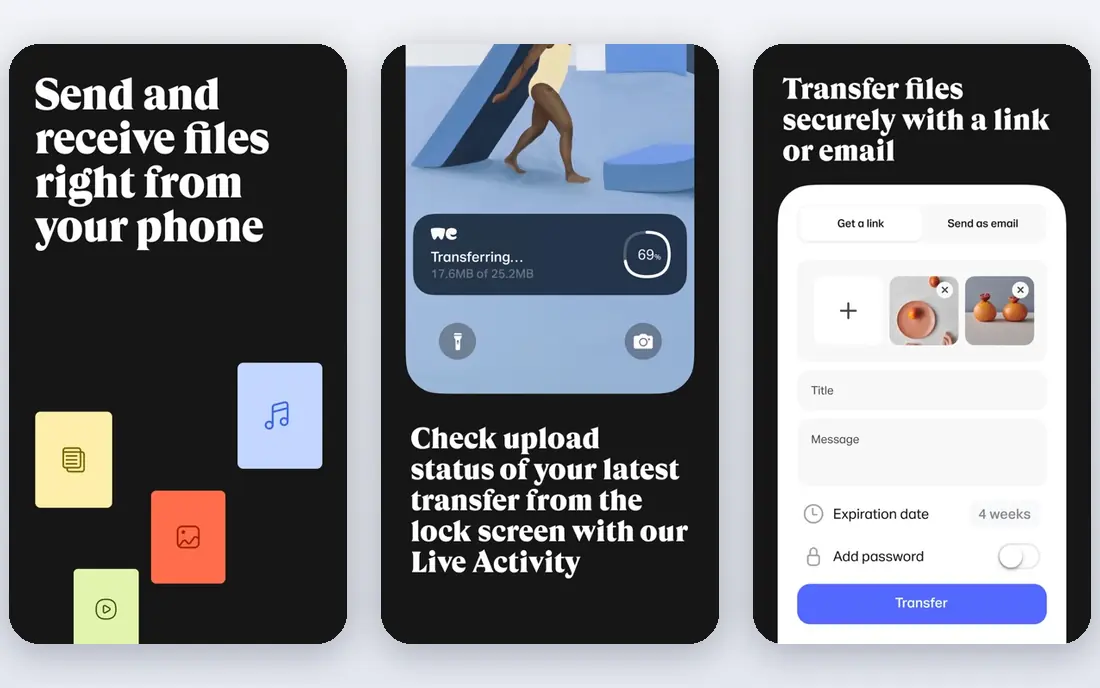
WeTransfer is still the default when you need to send a file to someone who does not want another account. You upload, paste an email address or copy a link, and the recipient downloads without signing up. The free tier covers transfers up to 2GB with a 7-day expiry, while paid plans start with a Starter tier and rise to an Ultimate tier with unlimited transfer size and storage, plus portals for feedback and approval.
The limits are expiry and branding: free links vanish after 7 days, and even paid links stay on wetransfer.com rather than your own domain. For agencies that want branded client handoffs, a service such as MASV or a custom portal fits better. For fast, familiar one-off sends, WeTransfer remains the easiest tool in this list.
- Simplest send flow: upload, add an email or copy a link, done
- Free tier handles files up to 2GB
- Paid plans raise limits to 200GB and beyond with 1TB storage
- Free transfers expire after 7 days
- No permanent storage on the free tier
- Branding stays on WeTransfer links even on paid plans
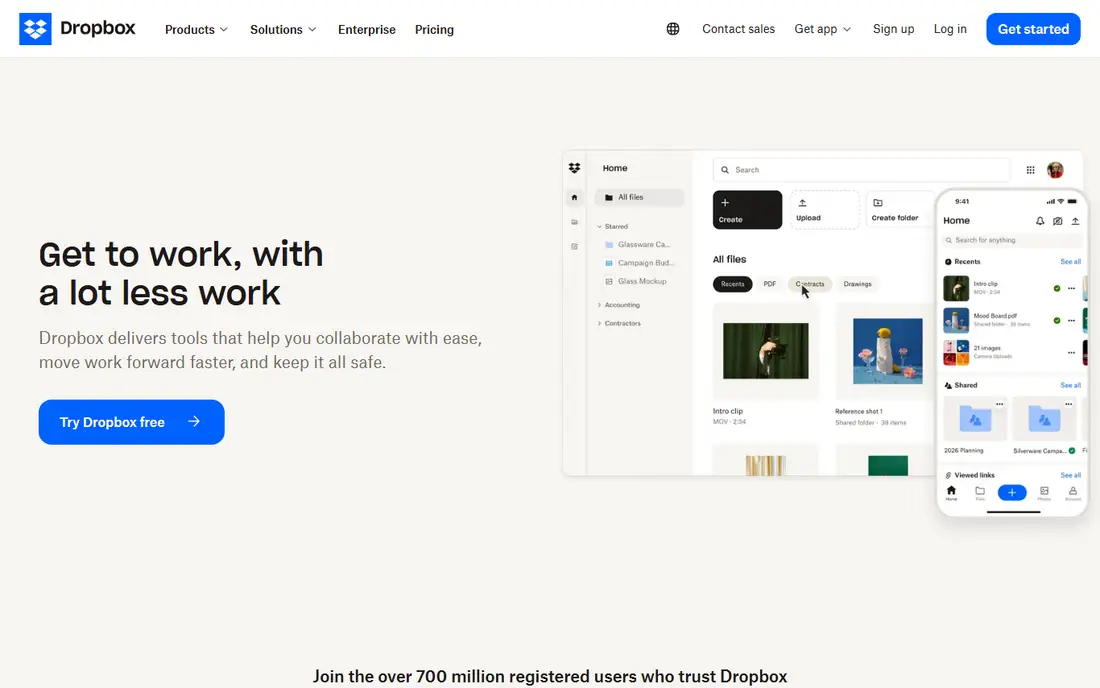
Dropbox pairs cloud storage with file sharing, which makes it the best all-around choice for people who also need their files synced across devices. The Plus plan costs $11.99 per month with 2TB of storage, and Dropbox Transfer lets paid users send files up to 100GB to anyone with a link, with password protection and expiry controls. Shared folders and team spaces add collaboration on top.
The free plan's 2GB of storage is small for media work, and Transfer's 100GB cap is lower than MASV's effectively unlimited transfers. Dropbox is the right pick if you want one service for storage, sync, and sharing. If you only need to move huge files occasionally, a pay-as-you-go tool will cost less.
- Plus plan with 2TB storage from $11.99 per month
- Dropbox Transfer sends up to 100GB on paid plans
- Strong sync apps for every device
- Free plan offers only 2GB of storage
- Transfer limits are lower than MASV
- Costs add up for large teams
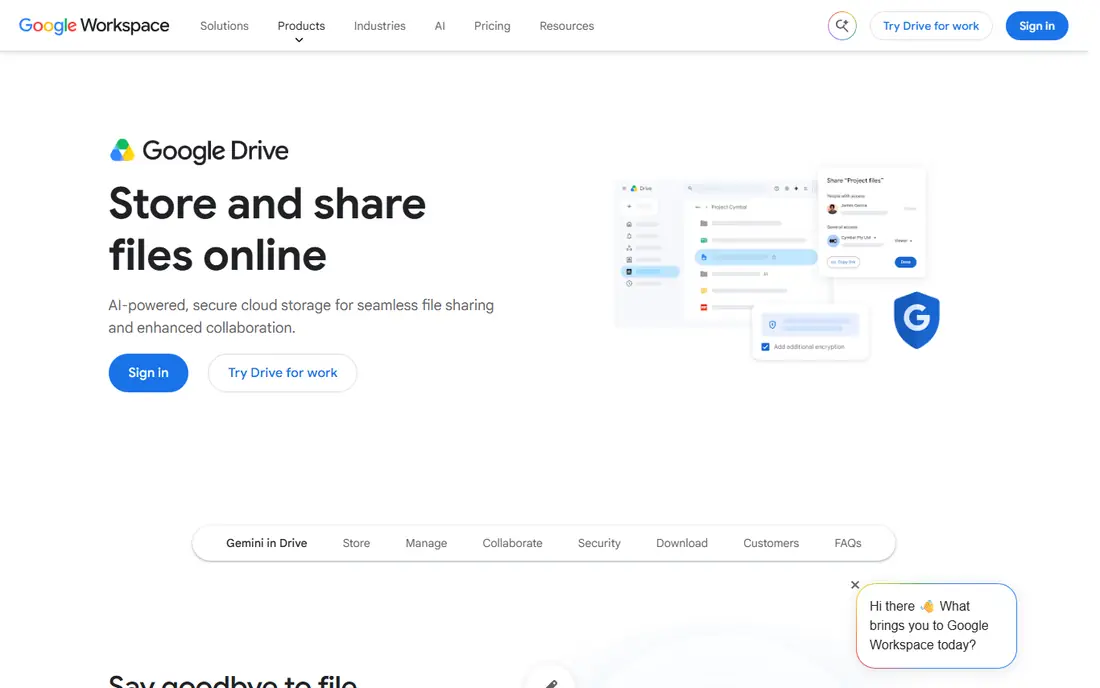
Google Drive is the natural choice for anyone already using Gmail, Google Photos, or Google Workspace. The free tier includes 15GB shared across Google services, and Google One's 2TB plan costs $9.99 per month. Sharing is flexible, with view, comment, and edit permissions, link expiry through Workspace controls, and video preview that lets recipients watch without downloading.
The drawback for media professionals is workflow: Drive is built for sync and collaboration, not for high-speed bulk delivery, and very large files can take a long time to upload and process. If your recipients already use Google accounts and you want ongoing collaboration, Drive is excellent. If you need to blast a 500GB raw footage package to a client today, MASV is faster.
- 2TB plan from $9.99 per month through Google One
- 15GB free
- Sharing with granular permissions
- Strong video preview and collaboration tools
- Upload speeds depend on your connection
- Very large single files can be slow to process
- Storage is shared across Gmail and Photos
MASV is built for media professionals who move files that break other services. Pricing is pay-as-you-go at $0.25 per GB, with no practical limit on file size, and accelerated transfer technology that keeps large uploads moving where a browser upload might stall. Recipients download from a link without creating an account, and senders can track delivery and set passwords and expiry dates.
MASV is not a storage service: files are delivered, not kept in a cloud drive, so you still need storage elsewhere. Frequent senders of huge files will also see costs add up at $0.25 per GB. For a production team delivering raw footage, finished masters, or large photo libraries to clients, MASV is the most capable transfer tool in this list.
- Pay-as-you-go at $0.25 per GB with no practical file size cap
- Fast accelerated uploads
- Delivery to clients without requiring an account
- No permanent storage: it is a transfer service, not a cloud drive
- Costs add up for frequent huge transfers
- No free tier
Frame.io, part of Adobe, is the standard tool for video review. Reviewers leave time-coded comments directly on the video, so feedback such as "cut this shot at 00:42" lands exactly where the editor needs it. The Pro plan costs $15 per user per month, the Team plan $25 per user per month, and a free tier covers up to 2 users. Integration with Premiere Pro and After Effects keeps review inside the editing workflow.
Frame.io is not a general file sharing service: it is built for video and media review, and per-user pricing grows with team size. If your work is video and your bottleneck is client feedback rather than raw transfer speed, Frame.io saves more time than any simple link sender. If you only need to move files, WeTransfer or MASV is cheaper.
- Time-coded comments on video
- Pro plan from $15 per user per month
- Free tier for up to 2 users
- Adobe integration for editors
- Built for video review, not general file storage
- Per-user pricing adds up for large teams
- Large storage needs higher tiers
Box is a business-grade file sharing and content management platform with strong admin controls, compliance certifications, and detailed permission settings. Teams can share large files with expiry dates, passwords, and download controls, track versions, and integrate with tools such as Microsoft 365, Google Workspace, and Slack. It suits companies that need audit trails and governance around shared media.
The business focus makes Box less friendly for casual one-off sends than WeTransfer, and pricing is per user, which adds up for large teams. The free tier's storage is limited. For a company sharing media under compliance rules, Box is a strong choice. For an individual sending a wedding video to family, it is more tool than needed.
- Strong admin controls and compliance certifications
- Granular sharing permissions
- Large file support with version history
- Interface is business-focused and less friendly for casual sharing
- Pricing is per user
- Free tier storage is limited
pCloud is a cloud storage service with a distinctive option: lifetime plans that you pay for once instead of monthly. The Premium 500GB plan starts at $4.99 per month, and sharing works through links with password protection and expiry dates, plus file versioning for recovering older copies. A free tier gives you starter storage to try the service.
Lifetime pricing means a larger upfront payment, and pCloud's sharing tools are simpler than video-focused platforms such as Frame.io. If you want a personal media library that you own outright and can share from, pCloud's lifetime plans are appealing. If you need team review workflows, look at Frame.io or Dropbox instead.
- Premium 500GB plan from $4.99 per month
- Lifetime plans available as a one-time purchase
- File versioning and sharing links with passwords
- Lifetime plans cost more upfront
- Sharing features are simpler than Frame.io
- Speeds vary by region
Sync.com is the privacy-first choice for sharing media. Its zero-knowledge encryption means only you and your recipients can read your files, and sharing links support passwords, expiry dates, and download notifications. The Pro Solo plan starts at $8 per month, and a free tier lets you test the service with basic storage.
Encryption has a cost: uploads can be slower than unencrypted rivals, and collaboration features are thinner than Google Drive's. If you share sensitive media, such as unreleased work, client footage under embargo, or personal family videos, Sync.com's privacy is worth the trade. If speed matters more than encryption, MASV or Dropbox will move files faster.
- Zero-knowledge encryption on all plans
- Pro Solo plan from $8 per month
- Sharing links with passwords and expiry
- Canadian-based with strong privacy practices
- Upload speeds can be slower due to encryption
- Collaboration features are thinner than Google Drive
- Free tier storage is small
Smash takes a different approach to free transfers: unlike WeTransfer's 2GB free cap, Smash's free tier has no file size limit, though free transfers are slower and expire sooner. Recipients can preview photos, video, and audio before downloading, and no account is needed to send. Paid plans add priority speed, longer availability, and customization.
The free tier's slower speed is the catch for urgent deliveries, and Smash has fewer team and review features than Frame.io or Box. For a free, no-signup way to send a very large file when you are not in a rush, Smash is the most generous free option here. For deadline work, pay for speed on Smash or use MASV.
- Free tier with no file size limit on transfers
- No account needed to send
- Preview for photos, video, and audio before download
- Free transfers are slower and expire
- Paid plans needed for priority speed and longer availability
- Fewer team features than rivals
Filemail is a transfer service built for speed with large files. The free tier covers files up to 5GB, larger than WeTransfer's free cap, and paid plans support very large transfers with desktop apps that handle big uploads more reliably than a browser tab. You can send by email or share a download link, with tracking and password options on paid plans.
Filemail is less well known than its rivals, which can matter when a client hesitates over an unfamiliar download link, and its business features sit in higher tiers. For a fast, reliable way to send files in the 5GB to 100GB range, especially with the desktop app, Filemail is a strong alternative to WeTransfer.
- Free tier for files up to 5GB
- Paid plans support very large transfers with fast infrastructure
- Desktop apps for reliable big uploads
- Less well known than WeTransfer or Dropbox
- Business features need higher tiers
- Free tier transfers expire
How we picked these
We compared services that move or share files too large for email, checking transfer size limits, storage, speed features, security, and current pricing. We used official pricing pages and current comparisons, including Dropbox Plus at $11.99 per month, Google One 2TB at $9.99 per month, MASV at $0.25 per GB, and Frame.io Pro at $15 per user per month. We did not claim hands-on testing; our comparison rests on official feature pages, pricing pages, and public documentation. Prices and limits change, so confirm them before sending critical files.
How to share large media files without headaches
Start by checking your largest typical file against each service's limit. A service with a 2GB free cap is useless for a 40GB video project, and a service built for 500GB transfers is overkill for a photo album. For one-off sends, a transfer service such as WeTransfer, Smash, or MASV is simpler than setting up shared folders.
Next, protect your work. Use password protection and expiry dates for client files, and keep a local backup until the recipient confirms a successful download. Transfers can fail, links expire, and re-uploading a 200GB file wastes a day. Finally, match the tool to the job: use Frame.io when feedback matters, MASV when size matters, and Dropbox or Google Drive when ongoing collaboration matters.
FAQ
What is the best free way to share large files?
Smash offers a free tier with no file size limit, though free transfers are slower. WeTransfer's free tier covers files up to 2GB, and Filemail's free tier covers up to 5GB. For ongoing storage and sharing, Google Drive's free 15GB and Dropbox's free 2GB are useful, but free tiers expire or cap quickly for media work.
How do I send a file larger than 100GB?
Use MASV, which charges $0.25 per GB with no practical size cap and accelerated uploads designed for huge media files. Dropbox Transfer supports up to 100GB on paid plans, and WeTransfer's Ultimate tier offers unlimited transfer size. For a single huge delivery, MASV is the most reliable choice.
Is it safe to share media files through the cloud?
Yes, with sensible precautions. Use password-protected links, set expiry dates, and choose a service with encryption for sensitive work, such as Sync.com's zero-knowledge encryption. Avoid sharing private media through public links, and confirm the recipient downloaded the file before deleting your copy.
What is the difference between cloud storage and file transfer?
Cloud storage keeps your files online for ongoing access and collaboration, as with Dropbox or Google Drive. File transfer services such as WeTransfer, MASV, and Smash move a file from you to a recipient, often with an expiry date, without keeping it permanently. Many professionals use both: storage for their library and transfer for client delivery.
Can I share large video files without the recipient creating an account?
Yes. WeTransfer, MASV, Smash, and Filemail all let recipients download from a link without signing up. Frame.io review links also work without an account for reviewers. Shared folder services such as Dropbox and Google Drive usually work without an account for view-only links, though editing requires one.
Sources
- https://www.bulkshare.cloud/blog/wetransfer-pro-pricing-worth-it
- https://picflow.com/compare/dropbox-vs-wetransfer
- https://wetransfer.com
- https://www.dropbox.com
- https://drive.google.com
- https://masv.io
- https://frame.io
- https://www.box.com
- https://www.pcloud.com
- https://www.sync.com
- https://www.smash.com
- https://www.filemail.com