Best Church Streaming Software (2026): 5 Picks Checked on Vendor Pages
5 options for the best church streaming software, with entry costs, free tiers and the buyer each one serves. The catches are listed up front. Prices included.
- Editor's choice
 vMix
Advanced production on Windows
Starts atSee websiteVisit vmix.comFull review - Great alternative
 OBS Studio
Free, configurable open-source streaming
Starts atSee websiteVisit obsproject.comFull review - Also consider
 Restream
Multistreaming to several systems
Starts at$239 a monthVisit restream.ioFull review
Direct answer
vMix comes first here, mainly for advanced production on Windows. Listed starting prices: Restream from $239 a month, BoxCast from $109 per month and Resi from $49 a month. Look at OBS Studio for free, configurable open-source streaming, and at Restream for Multistreaming to several systems. All 5 tools are compared below on price, free plan and limits.
TL;DR:
- Top of the list is vMix, which targets advanced production on Windows.
- Resi is the one to check for dependable streaming with internet backup.
- Check the limits for BoxCast before you commit: may need vendor consultation for setup.
- Starting prices begin at $49 per month with Resi.
Last checked November 2026. Prices and plan details were read from the vendors' own pages in November 2026; vendors change plans often, so confirm the current price on the vendor site before you buy.
Quick comparison
| Tool | Best for | Starts at | Free plan? | |
|---|---|---|---|---|
| vMix | Advanced production on Windows | See website | Not stated | Visit |
| OBS Studio | Free, configurable open-source streaming | See website | Not stated | Visit |
| Restream | Multistreaming to several systems | $239 a month | Not stated | Visit |
| BoxCast | Integrated streaming with expert support | $109 per month | Free trial | Visit |
| Resi | Steady streaming with internet backup | $49 a month | Not stated | Visit |
Tool-by-tool breakdown
LinkVetted put together this guide to church streaming software for readers who want a clear shortlist without reading every vendor page. It compares 5 tools on starting price, free plans, who each one suits and where each one falls short.
vMix is built with advanced production on Windows in mind. Churches with a tech-savvy team and a Windows computer can use vMix for multi-camera productions, graphics, and high-quality output, making it a good match for services that need advanced production value.
For everyday use, vMix is Windows-only and has a steeper ramp-up time compared with more straightforward tools, which may overwhelm volunteers. Pricing for vMix is not stated here, so ask the vendor for current figures. Free access: Not stated.
Where it is weaker: Steeper ramp-up time.
- Supports recording and live streaming
- Windows-based with solid features
- Windows-only
OBS Studio is built with free, configurable open-source streaming in mind. OBS Studio is free and open source software for video recording and live streaming, allowing you to stream to Twitch, YouTube, and numerous other providers or record your own videos with high quality H264/AAC encoding.
What to check first: No official support.
Pricing for OBS Studio is not stated here, so ask the vendor for current figures. Trial and free access: Not stated.
- Highly configurable
- Free and open source
- Needs technical knowledge
Restream was built for Multistreaming to several platforms. If your church needs broad production tools, consider pairing Restream with production software or choosing a more full system. On top of that, Restream is a simple live video product that enables you to produce beautiful videos and multistream them to your favorite channels.
Honest limits: Restricted production features.
Worth adding: Restream centres on multistreaming instead of advanced production. So it may not offer the camera switching, graphics, or audio control that some churches need. It also may have limitations on simultaneous streams or features based on the service level. For everyday use, for churches looking to reach congregants across several social media products simultaneously, Restream simplifies the process by allowing you to broadcast to multiple destinations at once without complicated setup, making it a practical choice for expanding online reach. Price to start with Restream: $239 per month. Free plan details: Not stated.
- Supports plenty of destinations
- Straightforward multistreaming
- May need premium level for advanced needs
BoxCast
Best for: Integrated streaming with expert support
BoxCast is a good fit for integrated streaming with expert support. If your church requires highly specialized production capabilities, alternative tools like vMix or OBS Studio might offer more adaptability. In practice, the homepage does not detail specific production features or customization choices, so churches needing broad multi-camera switching or advanced graphics may have to explore further.
Also, the level of support and integration may come with associated considerations. This makes it a suitable choice for churches that value a unified option with vendor support and want to ease their streaming workflow without assembling several tools. Entry price for BoxCast: $109 per month. Free plan details: Free trial.
Limits to weigh: Restricted details on advanced production features.
- Made for community engagement
- Supportive expert team
- May need vendor consultation for setup
Resi
Best for: Steady streaming with internet backup
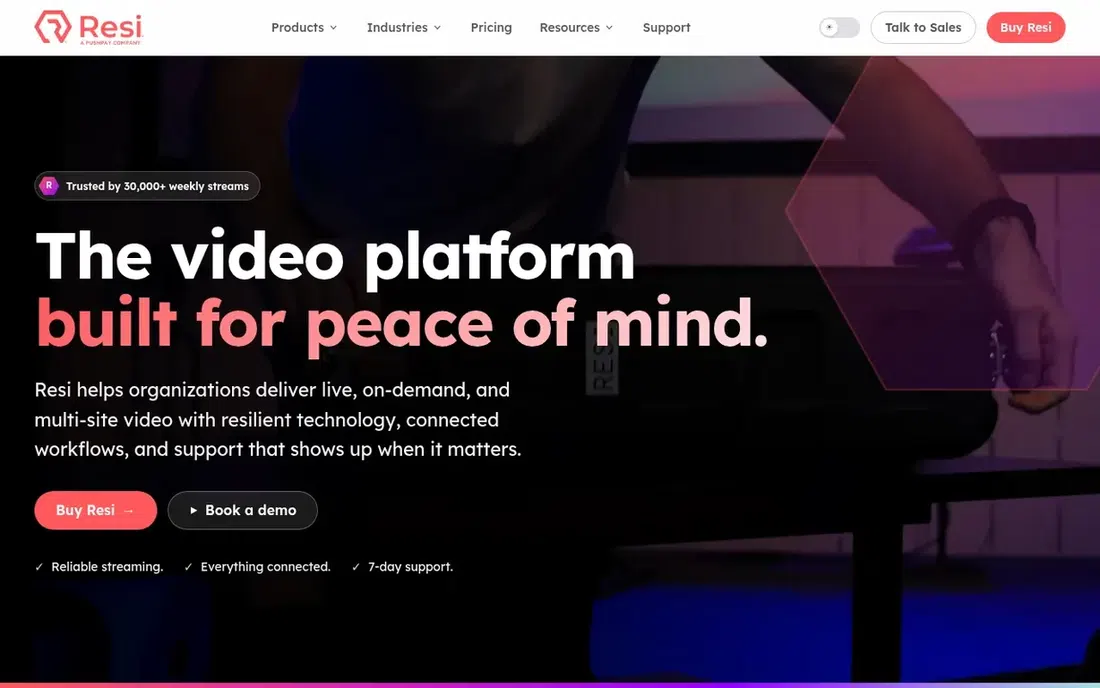
Resi is aimed squarely at dependable streaming with internet backup. The system is built to maintain a stable connection, ensuring your congregation stays connected.
Resi cost at the entry level: $49 per month. Trial and free access: Not stated.
What to check first: May require specific hardware for full benefits.
- Suited for churches and events
- Patented reliability technology
- Restricted production features highlighted
Our selection method
For each of the 5 tools we noted price, free plan or trial, fit for church streaming software and the main limit, using vendor pages and documentation. Seat minimums, billing terms and add-ons can move the real cost, so the starting prices here are a guide and not a quote. Position on the page reflects fit for a typical buyer first, with price clarity and free access breaking ties. Treat it as a guide, not a ruling.
A buyer's checklist
- Ask vMix and OBS Studio for a written quote, since no starting price is shown.
- Use real work to test the free trial from BoxCast, rather than a demo project.
- Read the limits listed for vMix first: Windows-only.
- Compare total cost, not headline price: for vMix, add extra seats, add-ons and any usage-based charges.
- Look at the help docs and support options for Resi before you commit.
FAQ
Do these tools publish their prices?
Not all of them. vMix and OBS Studio publish no starting price, so expect a quote request for those. The rest, Restream included, show a starting price, though seats and billing terms still change the final cost.
What is the cheapest option for church streaming software in this list?
On published monthly entry prices, Resi is the lowest here at $49 per month. Entry price is only part of the cost, because seats, add-ons and billing terms can change the total.
How are the tools for church streaming software ordered?
The order follows typical fit for church streaming software, with vMix first and Resi last, then price clarity and free access. It is editorial judgement, not a score, so another team could rank the tools differently.
How does Resi ensure streaming reliability during internet outages?
This is especially valuable for churches that cannot afford interruptions. Even so, specific details about how it works are best confirmed straight with the vendor.
Does any tool for church streaming software here have a free plan?
No tool in this list, vMix and Resi included, has a permanent free plan. BoxCast offer a trial. Trials and quotes are the usual route, so plan a short evaluation period.
Is free streaming software like OBS Studio sufficient for church services?
OBS Studio can be sufficient if you have tech-savvy volunteers who can configure and troubleshoot it. It provides deep customization and high-quality encoding, but lacks official support and may need extra setup for multistreaming.
Sources
- https://www.vmix.com
- https://obsproject.com
- https://restream.io
- https://www.boxcast.com
- https://www.resi.io