Best Catalog Management Software in 2026: 7 Tools Compared
We compared the best catalog management software and best catalog management tools for clean product data, channels, pricing, and team workflows for buyers.
- Editor's choice
 Salsify
Large multi channel catalogs
Starts atSee websiteVisit salsify.comFull review - Great alternative
 Akeneo
Governed product data
Starts atSee websiteVisit akeneo.comFull review - Also consider
 Plytix
Small teams and growth brands
Starts at$499 per monthVisit plytix.comFull review
TL;DR:
- Catalog tools are mostly product information management systems, so judge them on data quality, approvals, and channel publishing, not just storage.
- Salsify and Akeneo suit large catalogs, while Plytix and Sales Layer are easier starting points for smaller teams.
- Most enterprise catalog pricing is quote based, so compare total cost including onboarding, integrations, and data cleanup.
- A free or low cost plan helps only if it covers your channels, attributes, and approval steps.
Quick comparison
| Tool | Best for | Starts at | Free plan? | |
|---|---|---|---|---|
| Salsify | Large multi channel catalogs | See website | No | Visit |
| Akeneo | Governed product data | See website | Yes | Visit |
| Plytix | Small teams and growth brands | $499 per month | Yes | Visit |
 Pimcore | Open source flexibility | $9,900 per year | No | Visit |
 inRiver | Complex B2B catalogs | See website | No | Visit |
 Syndigo | Retailer content and syndication | See website | No | Visit |
 Sales Layer | Configurable B2B PIM | See website | Free trial | Visit |
The best catalog management software
We focused on tools that keep product data in one place, improve it through approvals, and publish it to stores, marketplaces, and retailer sites. Each pick below has a different strength, from retailer syndication to open source control.
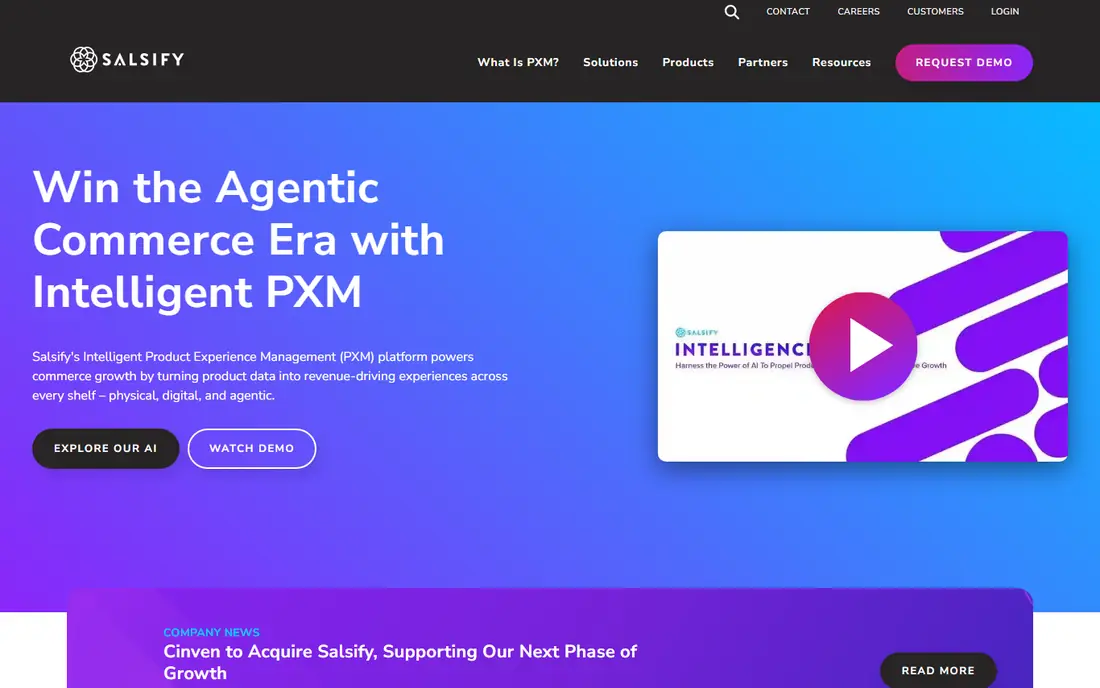
Salsify is our pick for brands that sell through many retailers and marketplaces and need one trusted source for product content. It brings product data, images, and enriched copy together, then pushes approved content to channels with rules for each retailer. That control matters when a small error in a title, spec, or image can cause a listing to be rejected or a return to follow. Large teams also get workflows that show who changed what and what still needs approval.
The trade off is scale and cost. Salsify is built for larger operations, and pricing is quote based, so small brands should expect a sales process and implementation work. If your catalog is small and you sell on one store only, a lighter tool will be faster and cheaper. If you manage thousands of SKUs across retailers, Salsify is the kind of platform that pays for itself in fewer listing errors and faster launches.
- Strong retailer syndication
- Central product content hub
- Workflow and analytics for large teams
- Quote based pricing
- Onboarding can be heavy for small teams

Akeneo suits teams that need clean, governed product data across languages and channels. Its completeness view shows which products are missing required attributes, which helps merchandising teams fix gaps before a launch instead of after. Attribute modeling is flexible, so a team can shape product families, variants, and localised copy without forcing every product into one flat template. A free Community Edition also lets a technical team try the core model before paying.
The catch is cost and effort at scale. Paid Akeneo plans are quote based and can grow with users, channels, and add ons, so get a full quote that covers your real catalog size. Very custom setups may need developer time for integrations and API work. We would shortlist Akeneo when data quality and governance are the main problem, and when the team has someone who can own the product model day to day.
- Clear data completeness view
- Flexible attribute modeling
- Free Community Edition for smaller trials
- Paid plans can be costly
- Heavy custom setups may need developer help

Plytix is the friendliest starting point on this list for small and growing brands. It combines product information with digital assets, so product specs and images live in one place instead of in scattered folders and spreadsheets. The free Standard plan lets a small team test the core workflow, while the Pro plan at $499 per month gives a clear paid step before enterprise pricing. That transparency is rare in this category and makes budgeting much easier.
The limit is scale. Plytix will handle many growth brands well, but a very large enterprise catalog with complex governance and many retailer rules may need Salsify, Akeneo, or inRiver instead. We would pick Plytix when the team is small, the catalog is growing, and the main need is to stop managing product data in spreadsheets. Start on the free plan, test imports and channel exports, and only move up when volume or workflow needs demand it.
- Free Standard plan for small catalogs
- Combined PIM and digital asset tools
- Clear Pro pricing
- Enterprise features are quote based
- Less depth than enterprise PIM for very large catalogs
Pimcore is for teams that want control and have the technical skill to use it. It combines product information, digital assets, and master data management in one open platform, which suits companies building a custom commerce or data setup. The open source core gives developers room to shape data models, workflows, and integrations without waiting for a vendor roadmap. Published Professional pricing starts at $9,900 per year, with higher enterprise tiers for larger needs.
That freedom comes with responsibility. Pimcore is not a plug and play tool for a non technical team, and hosting, upgrades, and custom work all need owner time or a partner. We would choose Pimcore when the catalog is part of a larger data platform, when custom rules matter more than a simple setup, and when the team can support the platform long term. If you want a tool your merchandising team can run alone, look at Plytix or Sales Layer first.
- PIM, digital assets, and master data in one platform
- Open source core
- Strong for custom builds
- Needs technical skill to run well
- Enterprise and hosting costs add up
inRiver fits B2B companies with complex products, many variants, and long sales cycles. It helps teams build rich product stories, with specs, documents, and images tied to the right variant, then publish that content to sales channels and customer portals. Workflow controls help product, marketing, and sales teams agree on data before it reaches a customer, which matters when a wrong spec can stall a deal or cause a costly return.
The downside is the usual enterprise pattern. Pricing is quote based, and a smaller team may find setup heavier than a simpler PIM. We would shortlist inRiver when B2B complexity is the core problem, for example configurable products, distributor channels, and technical documentation that must stay linked to each SKU. Ask for a demo using your own hardest product family, because that will show whether the model fits your real data.
- Strong for B2B product stories
- Good for complex variants and channels
- Solid workflow controls
- Quote based pricing
- Implementation effort for smaller teams
Syndigo is built around getting product content right for retailers. It helps brands create, validate, and send content that meets retailer rules, and it tracks content quality across channels so teams can fix gaps that block listings. For brands where retail shelf presence, online and in store, drives most sales, that retailer focus is a real advantage over a general PIM that treats all channels the same. The platform also covers digital shelf analytics in some packages, which helps teams see how content performs.
Syndigo is less appealing if you sell mainly direct to consumer on your own store. In that case, a general PIM with store integrations may be simpler and cheaper. Pricing is quote based, so ask what is included for your retailer list and whether validation, analytics, and support are separate charges. We would pick Syndigo when retailer compliance and syndication speed are the top buying reasons.
- Retailer network and content syndication
- Content validation for retailer rules
- Analytics on content quality
- Quote based pricing
- Best value when retailer channels are central to sales
Sales Layer is a configurable PIM that suits mid market B2B teams that need a tailored data model without enterprise weight. Teams can shape catalogs, attributes, and channels to fit their products, then publish to stores, marketplaces, and B2B portals. The trial period helps a team test imports, workflows, and exports before a contract, which is useful when the catalog model is still being cleaned up. It is a practical middle ground between a simple tool and a large enterprise platform.
The catch is pricing transparency and scale. Plans are quote based, so you will need a sales conversation to get a firm number for your catalog size and channels. Sales Layer also has a smaller public footprint than the largest vendors, so ask for customer references in your industry and test support response during the trial. We would shortlist it when you need B2B flexibility, want a guided trial, and do not need the largest retailer network on day one.
- Configurable data model
- Multi channel publishing
- Trial period for testing fit
- Quote based pricing across plans
- Smaller vendor footprint than Salsify or Akeneo
How we picked these
We compared official product pages, pricing pages, and public feature descriptions for catalog and PIM tools, and we favored tools that are still sold and supported in 2026. We looked for central product data, approval workflows, asset handling, and channel publishing, and we noted where pricing was quote based instead of publishing a guess. We did not claim hands on testing, and we did not include simple spreadsheet tools that do not publish to channels.
What to check before you buy catalog software
Start with your worst data problems, not a feature list. Count your SKUs, variants, languages, and channels, and list the attributes each channel actually requires. That count will quickly show whether you need an enterprise platform or a simpler PIM, and it will make vendor quotes far more comparable.
Imports, approvals, and exports
Test the full loop during a trial. Import a messy sample of your real data, run it through approvals, fix a missing attribute, and export it to your main store or marketplace. If any step needs a developer or a workaround, note it now, because that step will repeat every week after launch.
Total cost and ownership
Ask for total cost, including onboarding, integrations, and training, and name the person who will own the catalog model. Catalog tools fail most often when no one owns data quality after launch. A named owner, a weekly cleanup habit, and clear approval rules matter more than extra features.
FAQ
What is the difference between catalog management software and a PIM?
Catalog management software is a broad term, and most tools in this group are product information management systems. A PIM stores product data in one place, improves it through workflows, and publishes it to channels. A simple catalog tool may only store and display data, without approvals or channel publishing.
What are the best catalog management tools for a small business?
Plytix is a good starting point because it offers a free plan and clear Pro pricing. Sales Layer is worth a trial for B2B teams that need more configuration. Avoid enterprise platforms until your SKU count, channels, and team size justify the cost and setup effort.
How much does catalog management software cost?
It varies widely. Plytix Pro starts at $499 per month, Pimcore Professional starts at $9,900 per year, and larger platforms such as Salsify, Akeneo, inRiver, and Syndigo use quote based pricing. Always ask for onboarding and integration costs in the same quote.
Do I need a PIM if I only sell on Shopify?
You may not, if your catalog is small and Shopify handles your attributes well. A PIM becomes worth it when you sell on several channels, manage many variants or languages, or spend too much time fixing the same product data in different places.
How long does it take to set up a catalog tool?
A small team can set up Plytix or Sales Layer in weeks, while an enterprise rollout can take months. Data cleanup is usually the longest part, so start by fixing your top selling products and your most error prone attributes first.