Best Cash Flow Management Software in 2026: 8 Tools Compared
The best cash flow management software for small businesses: we compared forecasts, bank links, pricing, scenarios and reports to find eight tools for 2026.

- Editor's choice
 QuickBooks Online
Accounting plus cash flow
Starts atSee websiteVisit quickbooks.intuit.comFull review - Great alternative
 Xero
Small business accounting
Starts atSee websiteVisit xero.comFull review - Also consider
 Float
Detailed forecasts
Starts atSee websiteVisit floatapp.comFull review
TL;DR:
- QuickBooks Online and Xero suit firms that want accounting plus cash flow views in one system.
- Float and Agicap suit teams that need detailed forecasts, scenarios and bank-linked cash views.
- Pulse and Dryrun suit smaller firms that want simple, visual forecasts without full accounting.
- Fathom and PlanGuru suit firms that need reports, budgets and longer planning horizons.
- This article is for general information only and is not financial advice.
Quick comparison
| Tool | Best for | Starts at | Free plan? | |
|---|---|---|---|---|
| QuickBooks Online | Accounting plus cash flow | See website | No | Visit |
| Xero | Small business accounting | See website | No | Visit |
| Float | Detailed forecasts | See website | No | Visit |
 Pulse | Simple visual forecasts | See website | No | Visit |
 Dryrun | Scenario planning | See website | No | Visit |
 Fathom | Reports and analysis | See website | No | Visit |
 PlanGuru | Budgets and forecasts | See website | No | Visit |
 Agicap | Bank-linked cash views | See website | No | Visit |
The best cash flow management software
Cash flow tools show money coming in and going out, and forecast what happens next. We compared bank links, forecast tools, scenario planning, reports and pricing to pick eight tools for small and mid-size businesses. This article is for general information only and is not financial advice.
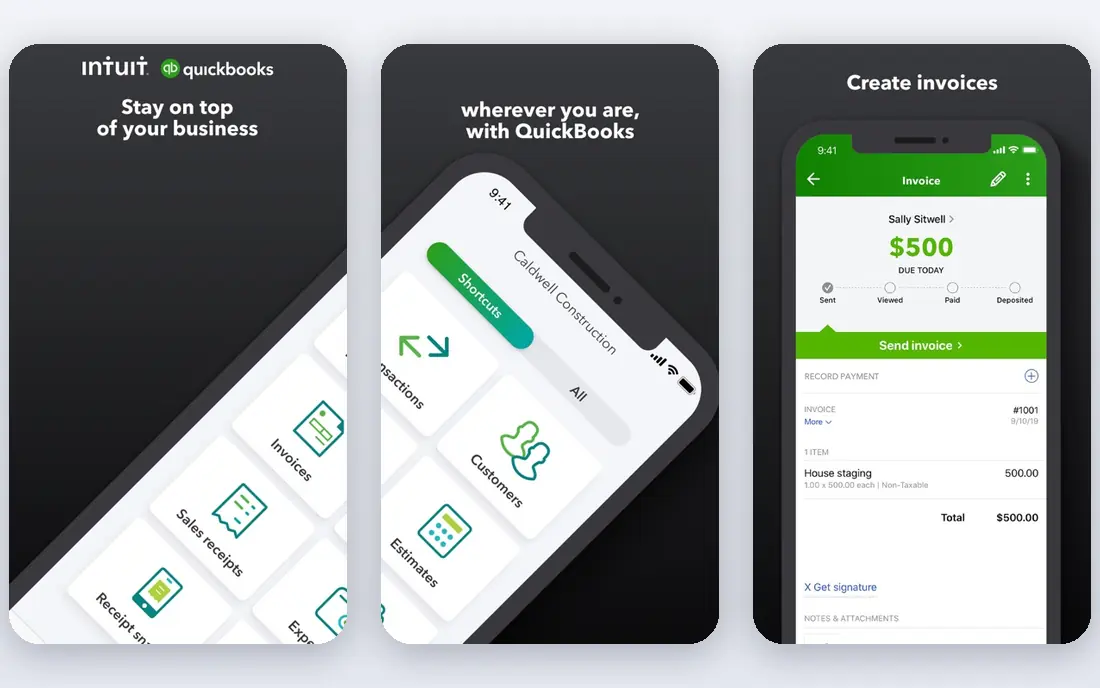
QuickBooks Online is a natural pick for firms that already track income and spending there. Its cash flow planner uses bank and invoice data to show short-term cash trends, and higher plans add more forecasting detail. Invoicing, expense tracking and payroll add-ons keep most finance work in one place.
The planner itself is simpler than Float or Agicap, so firms that need scenario modeling may want a dedicated tool alongside it. Pricing also rises as you add users and features. For a small firm that wants accounting and a cash view together, QuickBooks Online covers both needs well.
- Full accounting plus cash flow planner
- Bank links
- Invoicing and payroll add-ons
- Cash flow planner is basic on lower plans
- Price rises with users and features

Xero offers clean accounting with bank feeds, invoicing and a short-term cash flow view. That view helps owners see upcoming bills and expected receipts without opening a separate tool. Integrations with forecasting apps extend its reach when deeper planning is needed.
Deep scenario work is not built in at the same level as Float or Dryrun, so larger firms may pair Xero with a forecast tool. Payroll and some features also vary by country and plan. For a small firm that wants tidy books plus a cash snapshot, Xero is easy to use and well supported.
- Clean accounting dashboard
- Bank feeds
- Short-term cash flow view
- Forecasting needs add-ons for depth
- Payroll varies by region

Float builds visual cash flow forecasts from your accounting data, with scenarios for best, worst and expected cases. You can test the effect of a late payment, a new hire or a large purchase before it happens. That view helps owners plan hiring and spending with more confidence.
Float works best when linked to QuickBooks or Xero, so firms without accounting software get less value. Cost is also higher than simple forecast tools like Pulse. For a growing firm that needs clear, scenario-based forecasts, Float is one of the strongest tools here.
- Visual cash forecasts
- Scenario planning
- Links to QuickBooks and Xero
- Needs an accounting link for best results
- Higher cost than simple tools
Pulse suits owners who want a simple cash forecast without accounting jargon. You enter income and expenses, set recurring items, and see a chart of future cash. That simplicity makes it easy to update weekly and share with a partner or bookkeeper.
Integrations are fewer than Float or Agicap, so data entry can be manual for some banks and systems. Complex firms with many entities may also outgrow it. For a solo owner or small team that wants a clear weekly cash picture, Pulse is fast to learn and easy to keep current.
- Simple cash forecast charts
- Easy setup
- Income and expense tracking
- Fewer integrations
- Less suited to complex multi-entity firms
Dryrun focuses on what-if planning. You can model new contracts, delayed payments, loans and hires, then see how each change affects cash over months. Visual forecasts and team sharing make it useful for owners and advisers planning together.
Setup takes effort, since accurate forecasts need clean income and expense data. Accounting links also vary by plan, so check whether your system connects directly. For firms that make big decisions based on cash timing, Dryrun gives a clear way to test choices before committing.
- Scenario and what-if planning
- Visual forecasts
- Team sharing
- Setup takes time
- Accounting links vary by plan
Fathom turns accounting data into clear reports, charts and KPI tracking, including cash flow analysis. It suits owners and advisers who want to explain cash trends to a team or board, with visuals that are easier to read than raw ledgers. Forecasting and budgeting tools are included on higher plans.
Fathom is more report-focused than Float or Dryrun, so pure scenario planning may feel lighter. It also needs accounting data from QuickBooks, Xero or similar tools to work well. For firms that value clear reports alongside cash views, Fathom is a strong pick.
- Clear financial reports
- Cash flow analysis
- KPI tracking
- More report-focused than forecast-first
- Needs accounting data
PlanGuru suits firms that need detailed budgets and multi-year forecasts, not just a 90-day cash view. It builds projected income statements, balance sheets and cash flow statements, which helps with loans, investor plans and annual budgets. That depth appeals to advisers and finance-led firms.
Setup is heavier than web-first tools, and the interface feels less modern than Float or Pulse. Small firms with simple cash needs may find it more than they require. For detailed planning and formal forecasts, PlanGuru offers depth few simple tools match.
- Detailed budgeting
- Multi-year forecasts
- Financial statements
- Desktop roots make setup heavier
- Interface is less modern
Agicap links bank accounts and accounting tools to show real-time cash positions and forecasts. You can track actual cash against forecast, test scenarios, and manage payments in one dashboard. That live view helps finance teams spot shortfalls early.
Pricing is quote-based, so small firms need to request a price based on accounts and users. Agicap also works best when bank feeds are steady and complete. For a firm that wants a live cash dashboard tied to real bank data, Agicap is a capable and modern choice.
- Bank and accounting links
- Real-time cash views
- Scenario tools
- Pricing is quote-based
- Best for firms with steady bank data
How we picked these
We compared official feature pages, forecast tools, bank and accounting links, reporting options and pricing pages for cash flow software available in 2026. We favored tools with a working forecast, clear cash views and links to banks or accounting systems. We also weighed ease of use, since a forecast tool only helps if owners update it regularly.
What to check before you choose
Start with your planning horizon. A 90-day cash view suits day-to-day operations, while a 12-month forecast suits hiring, loans and growth plans. Pick a tool that covers your horizon without forcing you into complex modeling you will not use.
Data links and accuracy
Check whether the tool links to your bank and accounting system, and how often data refreshes. Manual entry can work for a tiny firm, but it quickly becomes a chore as transactions grow. Clean, current data matters more than fancy charts.
Scenarios and reports
Decide whether you need what-if scenarios, board-ready reports or both. Float, Dryrun and Agicap lead on scenarios, while Fathom leads on reports. A tool that does one job well often beats a tool that does both poorly.
Cost and team access
Compare per-user pricing and who needs access. Owners, bookkeepers and advisers may all need views, and seat costs add up. Start with a trial using real data, since a forecast tool only proves its value on your actual numbers.
Run a trial on real numbers
A cash flow tool only proves its value on your real data, so run any trial with actual bank feeds, invoices and bills rather than sample figures. Import at least three months of history, check that recurring income and expenses appear correctly, and compare the forecast against what actually happened in a recent month. That backtest shows whether the tool handles seasonality, late payments and one-off costs in a way you trust. Also test a scenario that matters to your firm, such as a delayed client payment or a planned hire, and see whether the forecast updates clearly and quickly. Share the forecast view with your bookkeeper or adviser and ask whether the reports make sense to them, since a tool that only you understand will not help team decisions. Finally, check how long a weekly update takes, since a forecast that needs an hour of manual fixes will soon fall out of date. A real-data trial takes effort, but it prevents paying for a tool that looks good on sample data and fails on your books.
FAQ
What is the best cash flow management software for a small business?
QuickBooks Online and Xero suit firms that want accounting plus cash views, while Pulse suits owners who want a simple forecast. Float suits growing firms that need scenario planning.
Do I need separate cash flow software if I use QuickBooks or Xero?
Not always. Both offer basic cash views, but dedicated tools like Float, Dryrun and Agicap add deeper scenarios and live dashboards. Add a dedicated tool when basic views no longer answer your planning questions.
How far ahead should a cash flow forecast go?
Most small firms benefit from a 13-week rolling forecast for operations, plus a 12-month view for larger plans. Update the short forecast weekly so it stays tied to real bills and receipts.
Can cash flow software link to my bank?
Yes, most tools here link to banks, accounting systems or both. Check that your bank is supported and how often feeds refresh before you buy.
Is this financial advice?
No, this article is for general information only and is not financial advice. For tax, loan or investment decisions, speak to a qualified accountant or financial adviser about your situation.