Best Business Process Mapping Software in 2026: 8 Tools Compared
Compare the best business process mapping software for flowcharts, BPMN diagrams and process documentation, with pricing and honest limits for each tool.
- Editor's choice
 Lucidchart
Professional collaborative process diagrams
Starts at$7.95 per user per monthVisit lucidchart.comFull review - Great alternative
 Microsoft Visio
Organizations invested in Microsoft 365
Starts at$5 per user per monthVisit microsoft.comFull review - Also consider
 Miro
Live workshops and process discovery
Starts at$8 per user per monthVisit miro.comFull review
TL;DR:
- Lucidchart is the best all round diagramming pick, with a free plan and paid plans from about 7.95 dollars per user per month.
- Microsoft Visio suits Microsoft 365 shops, with Plan 1 from 5 dollars per user per month and Plan 2 from 15 dollars per user per month.
- Draw.io, now Diagrams.net, is free and a strong choice for simple maps where budget is the main constraint.
- Bizagi Modeler is free for BPMN modeling, while SAP Signavio and Bizagi Studio target enterprise process governance and automation.
- Miro and Creately work best for live discovery workshops, where a team maps a process together before formalizing it.
Quick comparison
| Tool | Best for | Starts at | Free plan? | |
|---|---|---|---|---|
| Lucidchart | Professional collaborative process diagrams | $7.95 per user per month | Yes | Visit |
| Microsoft Visio | Organizations invested in Microsoft 365 | $5 per user per month | No | Visit |
| Miro | Live workshops and process discovery | $8 per user per month | Yes | Visit |
 Creately | Process maps connected to documentation | $5 per user per month | Yes | Visit |
 Bizagi Modeler | Free, standards based BPMN modeling | Free | Yes | Visit |
 SAP Signavio Process Manager | Enterprise process governance and analysis | See website | No | Visit |
 Draw.io | Free diagramming with local storage | Free | Yes | Visit |
 SmartDraw | Fast template driven process maps | See website | Free trial | Visit |
The best business process mapping software
We compared diagram types, BPMN support, collaboration, templates and pricing to find the best business process mapping software for different teams.
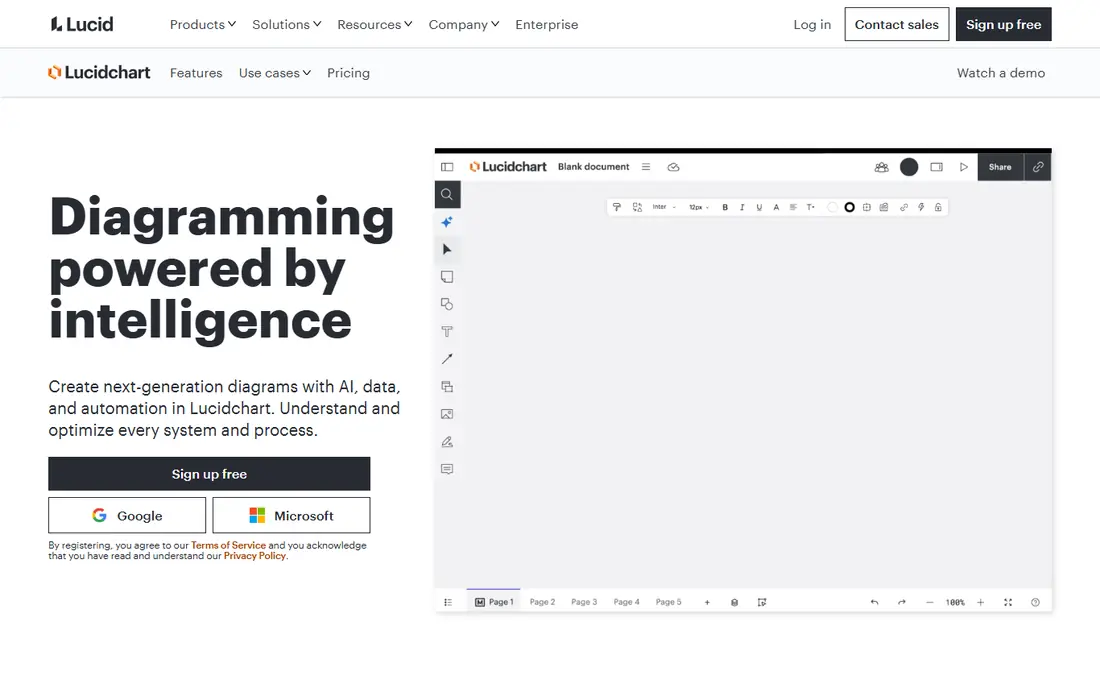
Lucidchart is our pick for most teams that need proper process maps, from simple flowcharts to swimlane diagrams and BPMN models. It runs in the browser, supports real-time collaboration and comments, and offers templates for onboarding, approvals, customer journeys and operations. Data linking can connect shapes to live data, so a diagram can stay current without manual redrawing.
The free plan is useful for learning the tool, but it limits how many editable documents you can keep, so an active team will need a paid plan. Pricing has varied by bundle, with individual plans reported from around 7.95 to 9 dollars per user per month, so check the current page before budgeting. For everyday process mapping, Lucidchart is the safest default.
- Large template and shape libraries
- Real-time collaboration
- Data linking for live diagrams
- Advanced features need higher tiers
- Free plan limits document count
Visio has been a standard diagramming tool for years, and it remains a natural choice if your company already lives in Microsoft 365. Plan 1 starts at 5 dollars per user per month for web based diagramming, while Plan 2 at 15 dollars per user per month adds the desktop app and more advanced features. Diagrams can be shared in Teams and stored with other Microsoft documents.
The trade-off is collaboration. Visio feels more like a desktop diagramming tool with web access than a tool built for live multi-user workshops, and non-Microsoft users may find sharing clunky. If your processes are documented by a small group and consumed by a Microsoft based company, Visio is a practical, well supported pick.
- Deep Microsoft 365 and Teams integration
- Broad stencil libraries
- Desktop and web options
- Collaboration is weaker than web native rivals
- Higher plan needed for full desktop app

Miro is a digital whiteboard, and that is exactly why it works for the first stage of process mapping. A team can stick notes, draw flows, vote on bottlenecks and reorganize a process live, with remote colleagues on the same canvas. Paid plans start at 8 dollars per user per month, and the free plan covers small boards for testing.
Miro is not the best place to enforce BPMN notation or to govern a final, approved process library. Use it to discover and agree the process, then move the approved version to Lucidchart, Visio or Signavio for governance. For workshops and cross functional mapping sessions, Miro is hard to beat.
- Infinite canvas for workshops
- Strong real-time collaboration
- Many templates
- Less strict BPMN governance than dedicated tools
- Can get messy at large scale
Creately combines diagramming with linked process documentation, so a shape in a map can connect to the procedure, owner and data behind that step. That helps teams that want a map to be more than a picture: a front door to how work is actually done. Paid plans start at 5 dollars per user per month, with a free plan for basic use.
It does not have the same depth of integrations or enterprise governance as SAP Signavio, and its template library, while good, is smaller than Lucidchart. For a small or mid-sized team that wants affordable BPMN maps tied to written procedures, Creately is a strong value choice.
- BPMN and swimlane templates
- Linked data and docs
- Affordable paid plans
- Smaller community than Lucidchart
- Advanced automation is limited
Bizagi Modeler is a free desktop tool for creating BPMN process models, with simulation, documentation and publishing features. It is popular with process analysts and students because it follows BPMN notation closely and costs nothing to start. Teams can model, check and share processes without a subscription.
The limit is that Modeler alone does not automate processes. To turn a model into a running workflow with forms and integrations, you need Bizagi Studio, which is a paid enterprise product. Use Modeler when the goal is clear, standards based documentation. Use Studio, or another automation tool, when the goal is to run the process in software.
- Free BPMN modeler
- Simulation and publishing
- Strong BPMN compliance
- Full automation needs paid Bizagi Studio
- Collaboration features are basic
SAP Signavio Process Manager is built for companies that treat process models as governed assets, not one-off diagrams. It provides a central repository, modeling conventions, version control, approvals, collaboration and process analysis, and it fits naturally with SAP systems. Large organizations use it to keep hundreds of processes consistent across business units.
That governance comes with enterprise pricing by quote and a longer setup than a simple diagramming tool. A small team mapping ten processes does not need it. A large company that must prove how processes work, who approved them and how they changed over time will get real value from Signavio.
- Central process repository
- Governance, approvals and analysis
- SAP ecosystem fit
- Enterprise pricing by quote
- Heavier setup than diagramming tools
Draw.io, now branded Diagrams.net, is an open source diagramming tool that costs nothing and stores diagrams in Google Drive, OneDrive, GitHub or locally. It covers flowcharts, BPMN shapes, swimlanes and org charts, and it works well for individuals and small teams that need clear diagrams without a subscription.
It does not offer the same real-time collaboration, governance or data linking as paid rivals, and support is community based. For budget conscious users, students and teams with simple mapping needs, Draw.io is the obvious first try. If you outgrow it, your diagrams export cleanly to other tools.
- Completely free
- Works offline and in browser
- Stores files where you choose
- No built-in process governance
- Collaboration is basic compared with Lucidchart
SmartDraw is a long standing diagramming tool known for templates and automatic formatting. You pick a process map template, add steps, and SmartDraw keeps spacing and alignment tidy, which speeds up work for people who do not want to fuss over layout. It supports flowcharts, BPMN, swimlanes and org charts, with export to common formats.
Pricing varies by plan and is best confirmed on the vendor site, and the interface feels less modern than Lucidchart or Miro. For a team that values templates and fast, tidy output over live collaboration, SmartDraw remains a useful, practical option.
- Huge template library
- Automatic formatting
- Broad export options
- Pricing is not published on all pages
- Interface feels dated next to web rivals
How we picked these
We compared official product pages, pricing pages and documentation, focusing on BPMN support, swimlane diagrams, collaboration, templates, governance and export options. We included free tools, mid-market diagramming products and enterprise governance platforms, since process mapping ranges from a quick flowchart to a governed process library. Where pricing was not published, we wrote "See website" rather than inventing a figure.
How to map a business process well
Start by agreeing the scope: what triggers the process, what outcome counts as done, and who owns each step. Interview the people who actually do the work, not just managers, and walk through a real case from start to finish, including exceptions and rework. Draw the current process first, even if it is messy, because improving a process you have not mapped honestly usually just automates its problems.
Then use swimlanes to show who does what, mark decision points, handoffs and waiting time, and note systems and documents used at each step. Keep notation simple for a general audience, and use full BPMN only when the team that will maintain the map understands it. Finally, publish the approved map where staff can find it, assign an owner, and review it when the process, system or regulation changes.
FAQ
What is the best business process mapping software for a small team?
Lucidchart is the best all round pick, with a free plan and affordable paid plans. Draw.io is the best free option, and Creately is a strong value alternative with linked documentation. Choose based on whether you need BPMN rigor, live collaboration or simply clear flowcharts.
What is BPMN, and do I need it?
BPMN, or Business Process Model and Notation, is a standard set of symbols for process diagrams, including events, tasks, gateways and swimlanes. You need it when processes must be shared across teams, audited or turned into automation. For a simple internal flowchart, basic flowchart symbols are enough.
Is Draw.io really free?
Yes. Diagrams.net, formerly Draw.io, is free to use in the browser and as a desktop app, with storage in your own Drive, OneDrive or local files. There is no paid plan required for core diagramming, though some integrations may have their own costs.
Can I turn a process map into automation?
Yes, with the right tool. Bizagi Studio, SAP Signavio with related SAP tools, and workflow platforms can turn models into running processes. A diagramming tool alone, such as Lucidchart or Draw.io, documents the process but does not run it, so check automation needs before you choose.
How is process mapping different from process mining?
Process mapping is a human drawn model of how work should or does happen, based on interviews and observation. Process mining analyzes event logs from real systems to show how work actually happened. Mapping is best for design and agreement, while mining is best for finding hidden bottlenecks in system data.
Should we use Miro or Lucidchart for process mapping?
Use Miro for live discovery workshops, where a team explores and agrees a process together on a shared canvas. Use Lucidchart for the final, governed diagram that staff will follow. Many teams use both, with Miro for discovery and Lucidchart for the published map.
Sources
- https://www.lucidchart.com/pricing
- https://www.microsoft.com/en-us/microsoft-365/visio
- https://miro.com/pricing/
- https://creately.com/pricing/
- https://www.bizagi.com/en/platform/modeler
- https://www.sap.com/products/technology-platform/process-automation/signavio.html
- https://app.diagrams.net/
- https://www.smartdraw.com/