Best Bundled Pay Management Software in 2026: 8 Tools Compared
We compared the best bundled pay management software that combines payroll, benefits, and HR, with prices and honest notes on what each bundle covers.
- Editor's choice
 Gusto
Simple bundled payroll
Starts at$49 per month plus $6 per personVisit gusto.comFull review - Great alternative
 OnPay
Flat-rate bundled payroll
Starts at$49 per month plus $6 per personVisit onpay.comFull review - Also consider
 Rippling
Payroll plus HR and IT
Starts atSee websiteVisit rippling.comFull review
TL;DR:
- Gusto at 49 dollars per month plus 6 dollars per person is the simplest bundled option for small United States teams.
- OnPay matches Gusto on price and includes unlimited runs at one flat rate, which suits teams with frequent payrolls.
- Rippling and ADP Workforce Now bundle payroll with HR and IT or enterprise compliance, but both are quote-based for full platforms.
- Justworks as a PEO bundles payroll with group benefits and shared compliance work, starting at 50 dollars per month plus 8 dollars per employee.
- Bundled pricing looks simple, but benefits, workers comp, and add-on modules can raise the real monthly total.
Quick comparison
| Tool | Best for | Starts at | Free plan? | |
|---|---|---|---|---|
| Gusto | Simple bundled payroll | $49 per month plus $6 per person | No | Visit |
| OnPay | Flat-rate bundled payroll | $49 per month plus $6 per person | No | Visit |
| Rippling | Payroll plus HR and IT | See website | No | Visit |
 ADP Workforce Now | Enterprise bundle | See website | No | Visit |
 Paychex Flex | Growing business bundle | See website | No | Visit |
 Paycor | Analytics plus payroll | See website | No | Visit |
 Justworks | PEO bundle | $50 per month plus $8 per employee | No | Visit |
 BambooHR | HR-first bundle | $10 per employee per month | No | Visit |
The best bundled pay management software
We compared tools that bundle pay with at least one other area, such as benefits, HR records, time tracking, or IT, and we kept only tools that are currently sold in the United States. A bundle should reduce admin work, not just add features you never open.
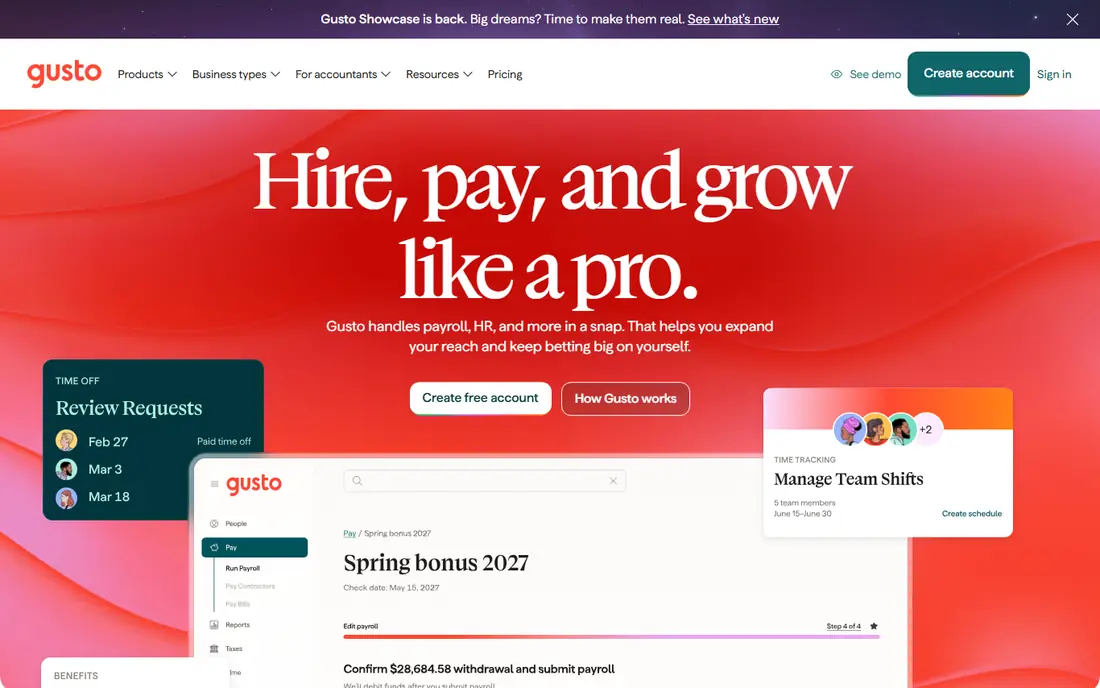
Gusto is our pick for most small teams that want payroll, benefits, and basic HR in one place. Its Simple plan starts at 49 dollars per month plus 6 dollars per person, and it includes full-service federal and state tax filing, contractor payments, and W-2 and 1099 handling. Employees manage their own pay stubs, benefits enrollment, and paperwork through a clear portal.
The bundle has limits. Multi-state payroll sits on higher tiers, and international payroll is limited, so a remote team spread across many states or countries may need a different tool. For a typical United States team of 2 to 50 people, Gusto remains the easiest bundle to run.
- Full-service payroll with automatic tax filing
- Benefits administration
- Clean employee self-service
- Multi-state payroll needs higher tiers
- Price rises with headcount
- Limited international payroll
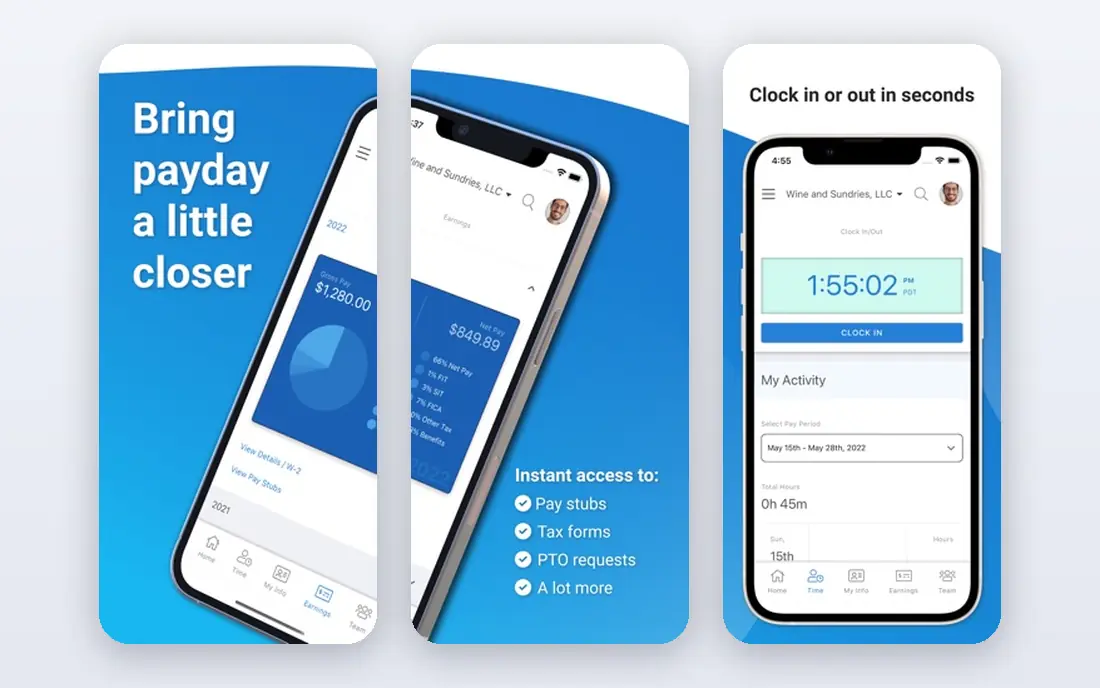
OnPay matches Gusto on starting price but differs on structure. Every plan includes unlimited payroll runs at the same flat rate, so teams that pay weekly or run off-cycle payrolls do not face extra run fees. Full-service tax filing, multi-state support, and basic HR tools are included, which makes the total easy to predict.
The trade-off is breadth. Benefits administration and integrations are solid but less deep than Gusto, and the interface favors function over polish. OnPay suits owners who want predictable pricing and do not need the widest benefits marketplace.
- One flat rate with unlimited runs
- Full-service tax filing
- Simple HR tools included
- Benefits options are narrower than Gusto
- Interface is plain
- No international payroll
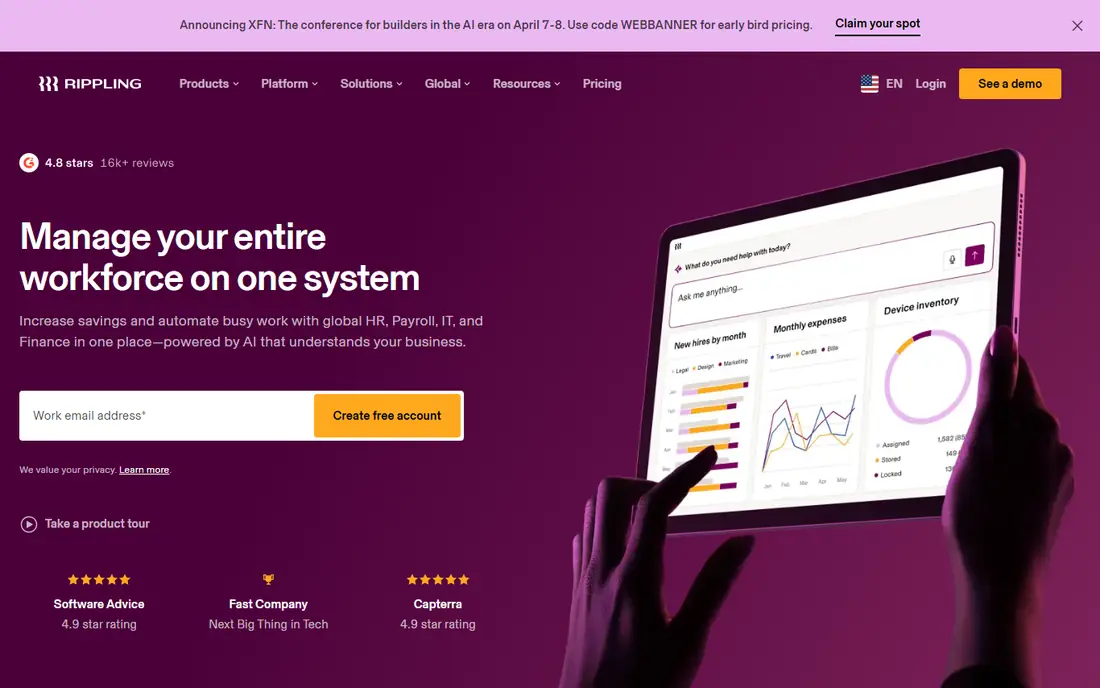
Rippling is the bundle for companies that want payroll tied to everything else. When a new hire joins, Rippling can set up payroll, benefits, laptop provisioning, and app access from one workflow, and it reverses those steps when someone leaves. That joined-up flow saves real time for growing tech and remote teams.
The cost is harder to pin down, since payroll starts around 8 dollars per employee per month and modules add more. Small teams may find the platform more than they need, while companies with 10 to 500 employees and remote hiring will get the most from it.
- Payroll, HR, benefits, and IT in one workflow
- Automated onboarding and offboarding
- Global hiring options
- Full platform pricing is quote-based
- Modules add cost quickly
- Setup is heavier than simple payroll tools
ADP Workforce Now bundles payroll, benefits, time, and HR for companies from about 50 to over 1,000 employees. Its compliance engine, tax filing, and HR support are built for multi-state and multi-entity operations, and global payroll is available as a separate product. Companies that need a provider with long experience and broad coverage often start here.
The drawback is opacity and weight. Pricing is quote-based, and implementation takes more effort than a self-serve signup. ADP suits established companies that value support and scale over the lowest price or fastest setup.
- Payroll and tax compliance at scale
- Benefits and time tracking
- Deep HR resources and support
- Quote-based pricing
- Implementation can be slow
- Smaller teams may find it heavy
Paychex Flex is a strong bundle for businesses that expect to grow from small to mid-sized. It combines payroll, HR, benefits administration, and retirement plans in one system, with support from a dedicated representative on many plans. That single provider model simplifies questions about taxes, benefits, and compliance.
Pricing is custom, so two similar companies can receive different quotes, and some features require higher tiers. Paychex suits owners who want a guided setup and a provider that can stay with them as they add locations and employees.
- Payroll, HR, benefits, and 401(k) from one provider
- Dedicated support options
- Scales with headcount
- Quote-based pricing
- Plan structure can be confusing
- Some features need higher tiers
Paycor bundles payroll with HR, benefits, and workforce analytics that managers actually use. Its reporting helps leaders see labor costs, turnover patterns, and scheduling gaps alongside pay data, which is useful for companies with hourly and salaried staff. Paycor has been part of Paychex since April 2025, so it now sits alongside Paychex Flex as a sister platform for different company sizes.
The main caution is pricing and product direction after the acquisition. Quotes are custom, and buyers should confirm which Paycor modules remain distinct from Paychex Flex. Mid-sized teams that value analytics will like it most.
- Payroll with workforce analytics
- HR and benefits tools
- Strong reporting for managers
- Quote-based pricing
- Now part of Paychex, so product lines may shift
- Best value needs mid-sized teams
Justworks offers two bundles: plain payroll starting at 50 dollars per month plus 8 dollars per employee, and a PEO starting at 59 dollars per employee per month. The PEO model gives small teams access to group health benefits and shared compliance work that they could not set up alone, since Justworks acts as a co-employer for tax and benefits purposes.
That shared model is also the trade-off. You give up some control, and the PEO price is far higher than plain payroll. Justworks suits remote-first startups that want better benefits and less compliance admin, and are willing to pay for that help.
- PEO access to group benefits
- Payroll with shared compliance work
- Published starting prices
- PEO plans start at 59 dollars per employee per month
- You share employer responsibilities
- Less control than plain payroll
BambooHR starts from HR, not payroll. Its Core plan starts at 10 dollars per employee per month and covers employee records, onboarding, time off, and hiring, with payroll available as a separate quoted module. Teams that care most about people data, performance, and onboarding often prefer this order.
The catch is total cost. Once payroll is added, the bundle may cost more than Gusto or OnPay, and payroll depth is narrower than payroll-first rivals. BambooHR suits mid-sized teams that want a people-focused system first and payroll second.
- Clean HR records and onboarding
- Hiring tools built in
- Payroll available as an add-on
- Payroll is quoted separately
- Bundle cost depends on modules
- Less payroll depth than payroll-first tools
How we picked these
We compared official pricing, bundle contents, and public reviews, and we required each tool to combine pay with at least one other major function. We favored published starting prices and clear statements about what is included versus quoted. We noted where a PEO model changes the employer relationship, since that matters more than a feature list.
How to compare bundles fairly
List what you actually need: payroll, tax filing, benefits, time tracking, HR records, and IT setup. Then ask each vendor for a written total that includes base fees, per-person fees, benefits admin, and any module charges. A bundle that looks cheap can cost more once benefits and workers comp are added.
Check who does the compliance work. Plain payroll software files your taxes but leaves benefits and labor compliance largely with you, while a PEO shares more of that work. Also confirm contract terms, since some bundles lock you into annual terms or charge for leaving mid-year.
FAQ
What is bundled pay management software?
Bundled pay management software combines payroll with related functions such as benefits administration, HR records, time tracking, or IT setup in one system. Instead of paying separate vendors for each task, you manage pay, benefits, and people data from one dashboard. The bundle should reduce duplicate data entry and admin time.
Which bundled pay software is best for a small business?
Gusto is the best bundled pay software for most small United States businesses, starting at 49 dollars per month plus 6 dollars per person. OnPay matches that price with unlimited runs, while Justworks suits startups that want PEO benefits. The best pick depends on headcount, states, and whether you need benefits help.
Is a PEO the same as bundled payroll software?
No, a PEO such as Justworks acts as a co-employer for tax and benefits purposes and shares compliance work, while bundled payroll software simply combines tools under one vendor. A PEO usually costs more but gives access to group benefits and more compliance support. Plain bundled payroll leaves more employer responsibility with you.
How much does bundled pay management software cost per month?
Small-team bundles start at 49 dollars per month plus 6 dollars per person at Gusto and OnPay, while Justworks payroll starts at 50 dollars per month plus 8 dollars per employee. Enterprise bundles from ADP, Paychex, and Rippling are quote-based and vary by headcount and modules. Always request a total that includes benefits admin and add-ons.
Can I switch bundled pay providers mid-year?
Yes, but switching mid-year needs care with tax filings, year-to-date pay data, and benefits enrollment. Most providers help import prior payroll data, and you should confirm who files year-end forms for the part of the year each provider covered. Plan the switch between pay periods and keep records from both systems.