5 Bug Tracking Software for Dental Practices Worth Shortlisting in 2026
Searching for the best bug tracking software for dental practices? Here are 5 options with prices and free plans. Short verdicts, no fluff. Quick to scan.

- Editor's choice
 Freshdesk
Omnichannel ticketing with automation
Starts atSee websiteVisit freshworks.comFull review - Great alternative
 ClickUp
All-in-one task and issue tracking
Starts at$9 per user per monthVisit clickup.comFull review - Also consider
 Asana
Coordinating practice workflows and tasks
Starts at$10.99 per user per monthVisit asana.comFull review
Direct answer
Start with Freshdesk if you need omnichannel ticketing with automation. Listed starting prices: ClickUp from $9 per user per month, Asana from $10.99 per user per month and Zendesk from $19 agent/month premium yearly. If your case is different, ClickUp suits all-in-one task and issue tracking and Asana suits coordinating practice workflows and tasks. The remaining 2 options are covered below with prices and limits.
TL;DR:
- This list starts with Freshdesk, which is built for omnichannel ticketing with automation.
- 2 of 5 tools offer a free plan: ClickUp, Asana.
- Jira is the one to check for structured technical issue tracking.
- The lowest published monthly entry price here is $9 per user per month, from ClickUp.
- Check the limits for Zendesk before you commit: geared toward support instead of dev bugs.
Last checked November 2026. Prices and plan details were read from the vendors' own pages in November 2026; vendors change plans often, so confirm the current price on the vendor site before you buy.
Quick comparison
| Tool | Best for | Starts at | Free plan? | |
|---|---|---|---|---|
| Freshdesk | Omnichannel ticketing with automation | See website | Not stated | Visit |
| ClickUp | All-in-one task and issue tracking | $9 per user per month | Yes | Visit |
| Asana | Coordinating practice workflows and tasks | $10.99 per user per month | Yes | Visit |
 Zendesk | Patient support and issue resolution | $19 agent/month premium yearly | Free trial | Visit |
 Jira | Structured technical issue tracking | See website | Not stated | Visit |
Bug Tracking Software for Dental Practices compared in detail
LinkVetted compared 5 bug tracking software for dental practices. The goal is a practical shortlist: published prices, free plan facts, best-fit use cases and honest limits for every entry.

Freshdesk serves omnichannel ticketing with automation. Freshdesk is an AI-powered customer service option from Freshworks with omnichannel ticketing and automatic workflows meant to boost agent productivity and deliver smooth experiences. As for the details, for dental practices, it can collect requests from different channels into tickets, which helps front-office teams track follow-ups on billing questions, scheduling problems, or complaints.
Its strength is customer service, so it lacks the deep defect-tracking conventions a software team might expect. Practices with very light request volume may not need the automation layer. Also, consider it when you want organized, automatic handling of patient and internal requests. No starting price is listed for Freshdesk here; confirm pricing on the vendor site. Trial and free access: Not stated.
What to check first: Support focus.
- Automatic workflows to route requests
- AI features pitched at agent productivity
- Not deep bug tracking
ClickUp is a good fit for all-in-one task and issue tracking. ClickUp is positioned as the everything app for work, combining tasks, docs, goals, and chat with a mission to make the world more productive.
Worth adding: a more straightforward board tool may be simpler to adopt. Price to start with ClickUp: $9 per user per month. A free plan is available with ClickUp.
Honest limits: Needs setup time to fit a practice.
- Chat together
- Tasks, docs, goals
- Feature depth can feel busy
Asana is built with coordinating practice workflows and tasks in mind. Asana is work management software for teams and AI agents, built to plan, automate, and execute critical workflows together.
Downsides: Needs discipline to keep boards current.
Worth adding: Asana is general work management instead of a purpose-built bug tracker, so defect-specific fields and reporting are restricted. Practices needing strict technical issue logs may prefer a dedicated tool. Price to start with Asana: $10.99 per user per month. Asana offers a free plan.
- Works for mixed human and AI teams
- Clear task and project planning
- Not a dedicated bug tracker

In short, Zendesk is for patient support and issue resolution. A dental practice could use it to centralize patient inquiries, appointment questions, and complaints so nothing gets lost between staff members. For everyday use, Zendesk is built around customer service instead of software defect tracking.
Drawbacks to consider: Geared toward support instead of dev bugs.
So it is not the natural home for technical bug reports. Beyond that, pick it when patient-facing issue resolution is the main concern. Zendesk cost at the entry level: $19 agent/month premium yearly. Free plan details: Free trial.
- Focus on service quality and speed
- AI agents that resolve issues end to end
- May be more than a small practice needs
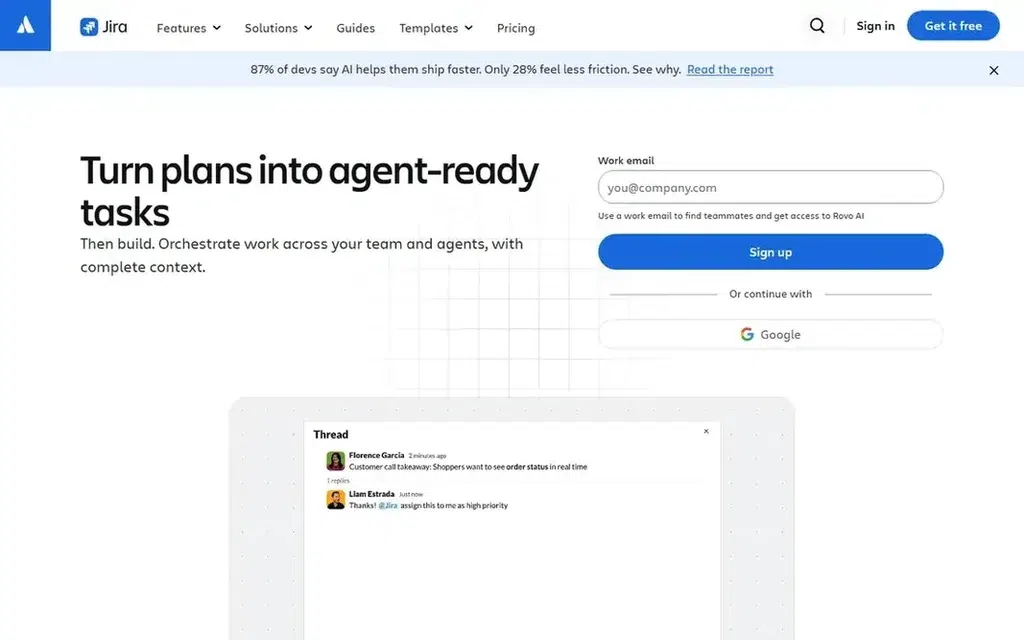
Choose Jira for structured technical issue tracking. If your primary need is handling patient questions and requests instead of software defects, a support-focused tool may be a better match. Worth adding: the system is oriented toward project and engineering work, so non-technical front-desk staff may find it less easy-to-learn than a straightforward board.
Watch-outs: Setup can feel heavy for small teams.
Worth adding: for a dental practice, it suits situations where an IT or software vendor handles practice systems and needs a clear record of bugs, fixes, and follow-ups. Choose Jira when technical issue tracking is the priority. This comparison lists no price for Jira; ask the vendor. Free access: Not stated.
- AI agents that orchestrate and track projects
- In-depth issue tracking and planning
- Less centred on patient conversations
What went into this list
We compared the tools on published pricing, free plan or trial availability, feature coverage for bug tracking software for dental practices, and the limits each vendor documents. Where a vendor does not publish a price, the entry says quote. Where a price depends on seats or billing term, the entry says so. Order on the page follows fit for the typical buyer first, then price transparency and free access. Your own requirements should decide the final pick.
What to check before you buy
- Get a written quote from Freshdesk and Jira; the list shows no starting price for them.
- Look at free plan limits closely: ClickUp and Asana have one, and the caps decide whether it is usable for real work.
- Use real work to test the free trial from Zendesk, rather than a demo project.
- Read the limits listed for Freshdesk first: support focus, not deep bug tracking.
- Ask Asana which support channels and response times come with the plan you would buy.
- Before you load data into Jira, check what an export looks like and who can run it.
FAQ
Do these tools publish their prices?
Not all of them. Freshdesk and Jira publish no starting price, so expect a quote request for those. The rest, ClickUp included, show a starting price, though seats and billing terms still change the final cost.
Does a dental practice really need bug tracking software?
A light tracker also produces a record of recurring issues to share with vendors. The right choice relies on whether issues are technical or patient-facing.
What is the cheapest option for bug tracking software for dental practices in this list?
On published monthly entry prices, ClickUp is the lowest here at $9 per user per month. Entry price is only part of the cost, because seats, add-ons and billing terms can change the total. Prices, free plan details and limits for all 5 tools in this Bug tracking software for Dental practices roundup sit on the individual cards above.
How are the tools for bug tracking software for dental practices ordered?
Freshdesk sits first and Jira last because the order follows typical fit for bug tracking software for dental practices, then price clarity and free access. It is a judgement call, so read each profile for fit and limits.
Which options for bug tracking software for dental practices have a free plan?
ClickUp and Asana offer a free plan in this list. Free plans usually cap users, projects or features, so check the limits on the vendor page. One other tool offers a trial instead.
Can these tools work alongside practice management software?
Most of the tools listed offer integrations and automation that can link with other systems, though the specifics vary by vendor. Confirming this before committing avoids rework later.
Sources
- https://www.freshworks.com/freshdesk
- https://clickup.com
- https://asana.com
- https://www.zendesk.com
- https://www.atlassian.com/software/jira