Best Bank Apps for Teens and Parents in 2026: 8 Apps Compared
best bank app for teens and parents: we compare 8 apps for debit cards, spending controls, chores, savings goals and fees so families can choose with care.
- Editor's choice
 Greenlight
Deep parental controls
Starts at$5.99 per monthVisit greenlight.comFull review - Great alternative
 Acorns Early
Money lessons for younger kids
Starts at$8 per monthVisit acorns.comFull review - Also consider
 Chase First Banking
Chase families
Starts atFreeVisit chase.comFull review
TL;DR:
- Chase First Banking, Capital One MONEY and Step offer strong free options, while Greenlight and Acorns Early charge for deeper controls and lessons.
- The best app depends on age, with younger kids benefiting from chores and lessons and older teens benefiting from real checking and credit building.
- Parental controls matter more than rewards, especially spending limits, instant alerts and card locking.
- Fees and interest rates vary, so check the current plan price and savings terms before you sign up.
- A teen account should teach saving and spending habits, not just provide a card for purchases.
Quick comparison
| Tool | Best for | Starts at | Free plan? | |
|---|---|---|---|---|
| Greenlight | Deep parental controls | $5.99 per month | Free trial | Visit |
| Acorns Early | Money lessons for younger kids | $8 per month | Free trial | Visit |
| Chase First Banking | Chase families | Free | Yes | Visit |
 Capital One MONEY | Free teen checking | Free | Yes | Visit |
 Step | Older teens and credit building | Free | Yes | Visit |
 Cash App Families | Families already using Cash App | Free | Yes | Visit |
 Revolut <18 | Travel and multi-currency families | Free | Yes | Visit |
 BusyKid | Chores and investing basics | See website | Free trial | Visit |
The best bank apps for teens and parents
We compared pricing, age ranges, parental controls, savings tools and investing options from official product pages and recent reviews. Every app here is designed for a parent to oversee a teen account, but the depth of that oversight varies a lot.
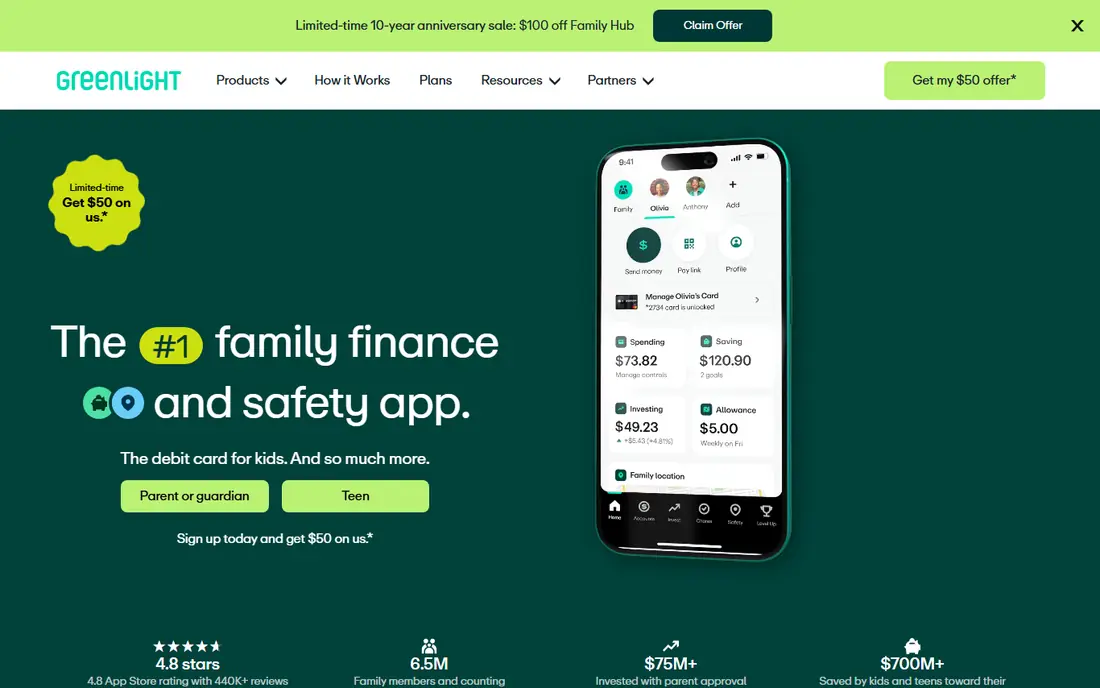
Greenlight is our pick for parents who want the most control without constant arguments. Parents can set spending limits by category or store, receive instant transaction alerts, and lock a card from the app. Chores and allowance tools link money to tasks, and savings goals give kids a reason to hold money back rather than spend it all at once.
The fee is the main drawback. Greenlight starts at $5.99 per month for the core plan, with higher tiers adding investing, identity protection and other extras. Families with one child may find a free bank account does enough, but families with several kids or a strong need for category controls often find the fee easier to justify. Check the current tier details before choosing, because features move between plans.
- Spending limits by store and category
- Chores, allowance and savings goals
- Investing options on higher tiers
- Cards for up to five kids
- Monthly fee applies after trial
- Investing features need higher tiers
- Savings rate terms vary by plan
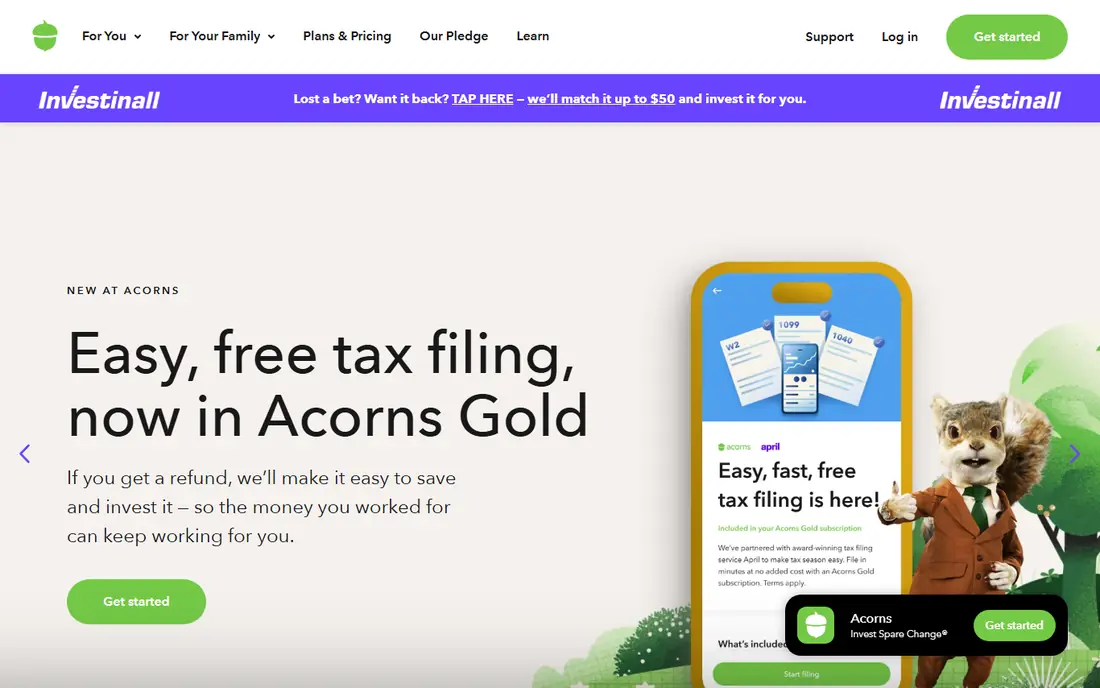
Acorns Early, formerly GoHenry, is best for younger kids who need lessons alongside a card. Money Missions use short activities and quizzes to teach saving, spending, interest and investing in age appropriate language. Parents can set spending limits, track chores and allowance, and help kids set savings goals. The card works wherever Visa is accepted, which gives kids real practice in shops and online.
The price is $8 per month for the Lite plan, with a higher Gold tier adding investing features. That fee buys structure and lessons that free checking accounts do not offer, but older teens may outgrow the lessons quickly. Acorns Early is a strong starter account, and families can move to a free teen checking account as kids get older.
- Money Missions lessons for kids
- Chore and allowance tracking
- Savings goals and spending controls
- Cards for up to four kids
- Monthly fee is higher than free bank options
- Investing features sit on higher tiers
- Lessons suit younger kids more than older teens
Chase First Banking is the simplest strong choice for families who already use Chase. There is no monthly fee, and parents can set spending limits, monitor transactions and lock the debit card. Kids get a real debit card and an app view suited to their age, while parents keep oversight from the main Chase app. The branch network also helps when a teen needs in-person help.
The limits are scope and savings. Chase First Banking is a spending and saving account, not an investing platform, and interest on savings is low. Families who do not bank with Chase will need to open a parent account first, which adds friction. For Chase families, though, the combination of free pricing and solid controls is hard to beat.
- No monthly fee
- Strong parental controls for a bank account
- Large branch and ATM network
- Parent and child app views
- Best value if a parent already banks with Chase
- Savings interest is low
- Investing is not a core feature
Capital One MONEY is a free teen checking account that treats teens more like young adults. There is no monthly fee and no minimum balance, and the account is joint, so a parent can monitor activity. Teens get a debit card and can use mobile deposit, alerts and budgeting views inside the Capital One app.
The trade-off is depth of parental tools. Controls are solid but less granular than Greenlight, and there is no chore or allowance system built in. Families who want a free, real checking experience will like MONEY, especially for teens aged 13 and older who are ready for more independence. Families who want category limits and lessons should pair it with a separate habit, such as a weekly money check-in.
- No monthly fee and no minimum balance
- Joint parent and teen account
- Debit card with parental oversight
- Controls are less detailed than Greenlight
- No built-in chore system
- Savings features are basic
Step is the most interesting free option for older teens, because it can help build credit history before age 18 through its secured card features. Teens get a Visa card, instant notifications and savings goals, and parents can monitor activity. The app design feels modern, which helps teens actually open it and check balances rather than ignoring the account.
Credit building is a benefit only when used carefully. Parents should understand how the secured card reports, what limits apply, and how missed payments could affect the record. Step is not a chore or lesson app, so families who want structured teaching should look elsewhere. For a 16 or 17 year old preparing for adult banking, Step is a strong free step forward.
- Free account with Visa card
- Secured card option that can build credit history
- Instant alerts and savings goals
- No chore system
- Credit building needs careful use and parent understanding
- Investing features are limited compared with Greenlight
Cash App Families lets a parent sponsor a teen account inside Cash App, with approval controls and spending oversight. Teens can receive money, spend with a card and track balances in an app many parents already know. That familiarity lowers setup friction, especially for families who already use Cash App for friends and family payments.
The limits are scope and availability. Teen accounts are sponsored accounts, not standalone bank accounts, and features vary by age and location. Cash App Families also lacks the lesson and chore depth of Greenlight and Acorns Early. It is best for families who already live in Cash App and want a simple, free teen card with parent approval.
- No subscription fee
- Parental approval for payments
- Spending controls and instant alerts
- Familiar app for Cash App parents
- Teen accounts need a parent sponsor
- Features vary by age and state
- Not a full bank with branch access
Revolut <18 is designed for families who travel or hold money in more than one currency. A parent with a Revolut account can create a <18 account for a child, set spending controls and receive alerts. Teens get a card and an app view, and families can use Revolut currency features when travelling.
The main requirement is that a parent must hold a Revolut account, which may not suit families who bank elsewhere. The teen account is also simpler than the adult Revolut app, so it is not a full replacement for a teen checking account. For travel families, though, the multi-currency angle and free pricing make Revolut <18 worth a look.
- No monthly fee for the <18 account
- Parent controls and spending alerts
- Multi-currency features for travel families
- Requires a parent Revolut account
- Teen account features are narrower than the adult app
- Availability varies by country and state
BusyKid takes a different approach from bank-led apps, by starting with chores. Kids complete tasks, earn allowance, and split money into spend, save and share buckets. That structure teaches a simple but powerful habit: money has jobs, and not every dollar is for spending. Investing basics add a next step for older kids who want to learn how shares work.
The fee and design are the drawbacks. BusyKid charges a monthly fee after a trial, and the app feels less polished than Greenlight or Step. Families who value the chore system above all else may accept that trade, especially for younger kids. Families who want a modern bank app may prefer Greenlight or a free checking account instead.
- Chore and allowance system tied to real money
- Spend, save and share buckets
- Investing basics for kids
- Monthly fee applies after trial
- Interface feels less modern than rivals
- Card and investing features need plan checks
How we picked these
We compared official pricing, age ranges and parental control features, and we favoured apps that are available in the United States, offer clear spending controls, and provide a real card or account rather than a points system. We also weighed savings tools, lessons and investing options, because a teen app should teach habits as well as enable spending.
What to check before you choose
Match the app to the age and stage
Younger kids benefit from chores, lessons and tight category limits, while older teens benefit from real checking, direct deposit for a part-time job and credit building. An app that fits a 9 year old will feel restrictive to a 17 year old, and an app that fits a 17 year old will feel overwhelming to a younger child. Plan to move accounts as kids grow.
Read the fee and savings terms
Monthly fees, ATM fees and savings rates vary, and some apps offer higher savings rates only on certain plans. Check whether the fee covers all your kids or charges per child, and whether a free trial turns into a paid plan automatically. A free bank account can be the right choice even when a paid app looks more feature rich.
Set the rules together
Parental controls work best when teens understand them. Agree on spending limits, what needs approval, and how allowance and chores connect to money. Review transactions together each week at first, then step back as trust builds. The goal is a teen who can manage money without the app doing all the thinking.
FAQ
What age can a teen get a bank app?
Age ranges vary by app, with some accounts open to kids as young as 6 with a parent sponsor and others aimed at teens aged 13 and older. Chase First Banking covers ages 6 to 17, Capital One MONEY covers a similar teen range, and Step and Revolut <18 have their own age rules. Check the app for your state, because rules can vary.
Are teen bank apps safe?
Reputable teen apps use encryption, card locking, instant alerts and parental oversight, and funds in partner banks are typically FDIC insured up to legal limits. Safety also depends on habits, so teach teens not to share PINs or login codes, and review transactions together regularly.
Do teen apps help build credit?
Most teen debit accounts do not build credit, because debit spending is not borrowing. Step offers a secured card route that can build credit history when used carefully, and some other apps offer credit building features for older teens. Read the credit terms closely before relying on any app for credit building.
Can parents control where a teen spends?
Yes, on many apps parents can set spending limits, block categories or stores, and lock the card instantly. Greenlight offers the most detailed category controls on this list, while bank accounts offer solid but less granular controls. Check the control options for the app you choose, because they vary by plan.
Is Greenlight worth the monthly fee?
It can be, for families who will use category controls, chores and allowance tools every week, or who have several kids on one plan. Families who only need a card and basic alerts may do just as well with a free account from Chase, Capital One or Step. Try the free trial with a real weekly routine before deciding.
Can a teen get paid from a part-time job into these accounts?
Yes, many teen accounts support direct deposit, mobile check deposit and transfers from a parent. Check direct deposit support and any holds on first deposits, especially for a first job. A teen checking account is often the most practical choice once regular pay starts.