Best Asset Tracking Software in 2026: 9 Tools Compared
Compare the best asset tracking software for 2026, including barcode, QR and RFID tools, pricing, mobile apps and maintenance features for teams today.

- Editor's choice
 Asset Panda
Custom asset records
Starts atSee websiteVisit assetpanda.comFull review - Great alternative
 EZOfficeInventory
Equipment checkout and maintenance
Starts atSee websiteVisit ezofficeinventory.comFull review - Also consider
 AssetTiger
Small teams on a budget
Starts at$20 per monthVisit assettiger.comFull review
TL;DR:
- Asset Panda and EZOfficeInventory suit larger teams that need custom fields, workflows and detailed history for each item.
- AssetTiger and Snipe-IT give small teams a low cost start, with a free tier or self-hosted option for basic barcode tracking.
- UpKeep and FMX add maintenance work orders, which matters when assets need regular service rather than simple location checks.
- Barcode and QR scanning on a phone is now standard, while RFID and GPS tracking usually cost more and suit high value or mobile fleets.
- Price by asset count, user count or both, so check the model that matches your mix before you commit to a yearly plan.
Quick comparison
| Tool | Best for | Starts at | Free plan? | |
|---|---|---|---|---|
| Asset Panda | Custom asset records | See website | Free trial | Visit |
| EZOfficeInventory | Equipment checkout and maintenance | See website | Free trial | Visit |
| AssetTiger | Small teams on a budget | $20 per month | Yes | Visit |
 UpKeep | Maintenance-led asset tracking | $24 per user per month | Free trial | Visit |
 Snipe-IT | IT and self-hosted teams | $39.99 per month | Yes | Visit |
 Sortly | Visual inventory for small teams | See website | Free trial | Visit |
 GoCodes | Simple QR tracking | See website | Free trial | Visit |
 Cheqroom | Shared equipment checkout | See website | Free trial | Visit |
 FMX | Facilities and maintenance teams | See website | Free trial | Visit |
The best asset tracking software
The best asset tracking software gives every item a clear record, a current location and a history you can trust. These nine tools cover barcode scanning, checkout, maintenance and reporting, with options for small teams and for larger operations.
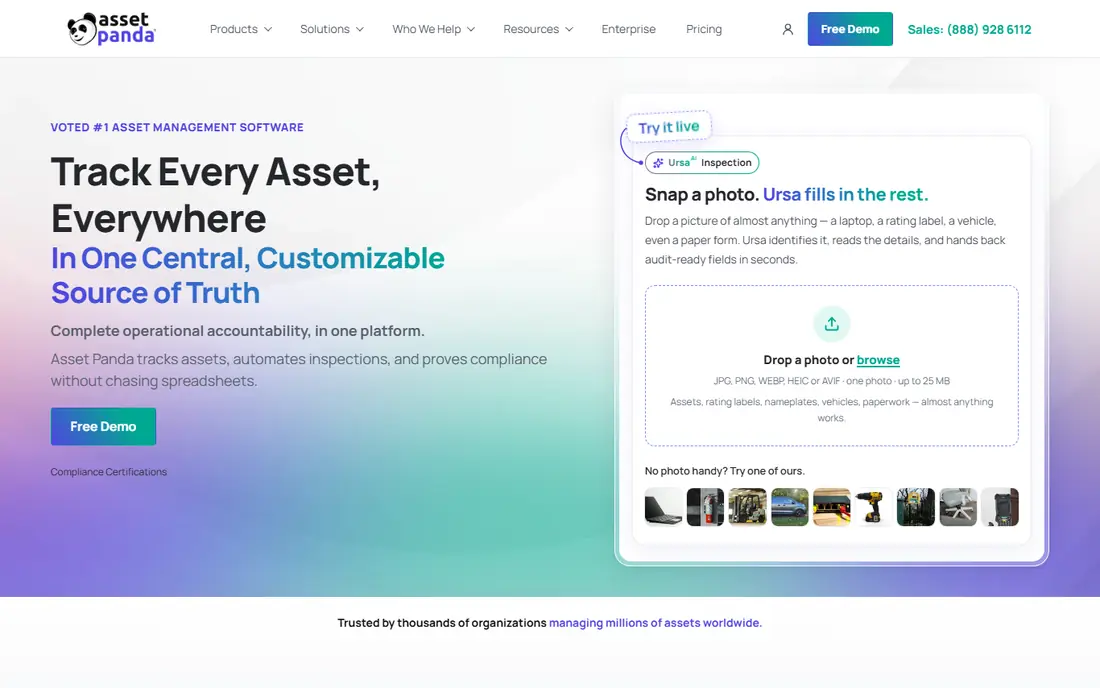
Asset Panda works best when your assets do not fit a simple template. You can build custom fields for serial numbers, warranties, vendors, purchase dates and condition notes, then shape workflows around approvals and checkouts. The mobile app lets staff scan barcodes and QR codes in the field and update records on the spot, which keeps the central register closer to reality.
The trade-off is effort at the start. A highly flexible system asks you to decide how you want fields, groups and permissions to work before the team adopts it. Pricing is quote-based, so small teams should ask for a total yearly figure, including onboarding, before comparing it with simpler tools. For regulated or complex operations, that flexibility is the main reason to pay more.
- Highly customizable fields and workflows
- Strong mobile app
- Detailed lifecycle history
- Quote-based pricing can be costly for small teams
- Setup takes time to configure well
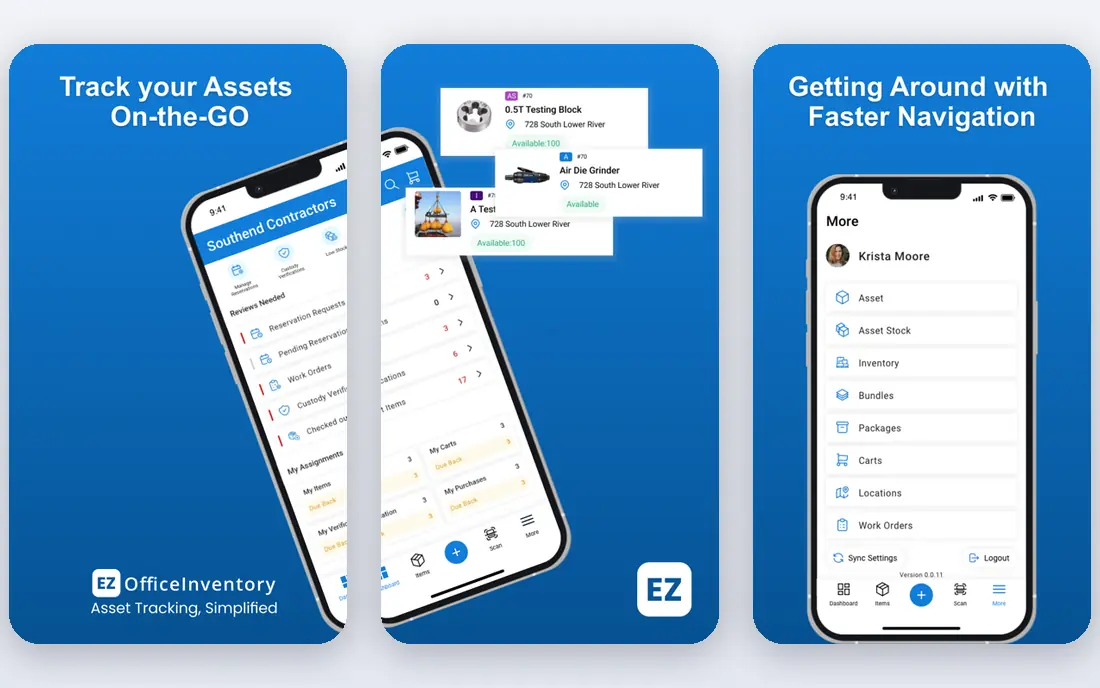
EZOfficeInventory is built around the daily rhythm of borrowing and returning equipment. Staff can reserve items ahead of time, check them out with an ID scan where required, and see availability on a calendar view. Maintenance scheduling sits in the same system, so a service date, repair record and vendor note stay linked to the asset itself.
That breadth can make the first week feel crowded, especially if you only need simple tracking. Take time to turn off modules you will not use and to set clear rules for who can reserve high demand items. Teams that manage tools, lab gear or field equipment across sites will get more value from it than a team tracking a handful of laptops.
- Checkout and reservation calendar
- Maintenance scheduling
- Broad asset grouping
- Interface can feel busy for new users
- Pricing rises with users and add-ons
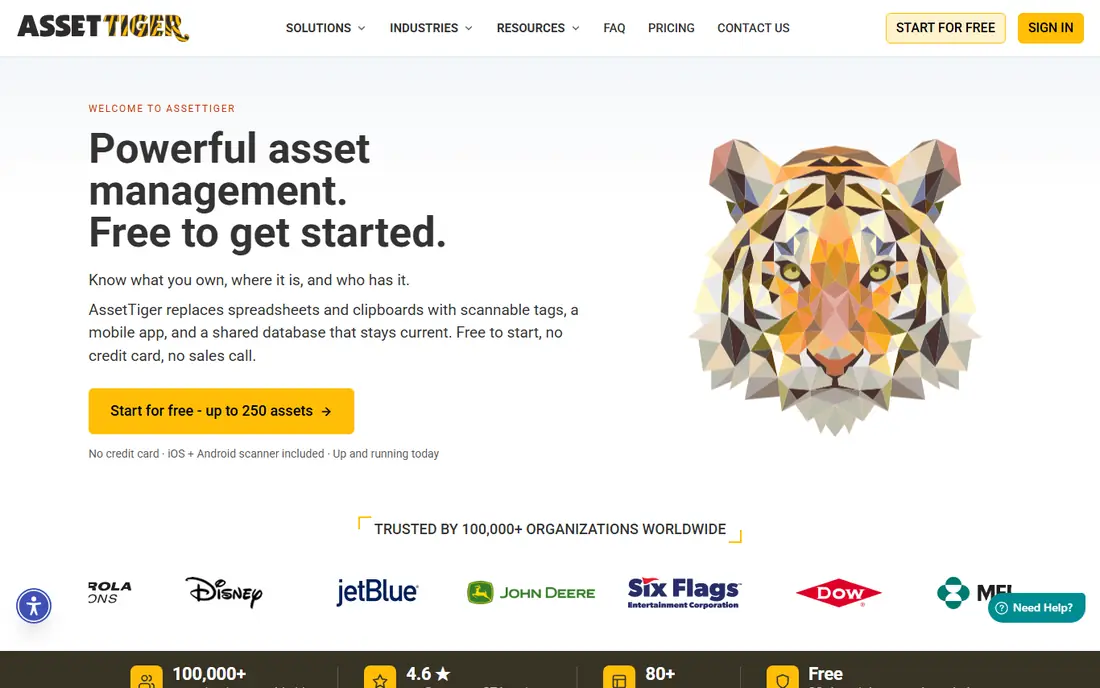
AssetTiger is a sensible first step for a small business that needs order without a large bill. Paid plans start at 500 assets with unlimited users, and a free tier covers up to 250 assets, which lets a team test the workflow with real items before paying. Barcode and QR scanning, check-in and check-out, maintenance alerts and depreciation records cover the core jobs well.
You will notice limits if you need deep custom workflows or advanced reporting. The design favors clear, standard asset records over endless configuration. For schools, clinics, workshops and small offices, that simplicity is a strength, because staff are more likely to scan and update items consistently.
- Low entry price for up to 500 assets
- Free tier for up to 250 assets
- Unlimited users on paid plans
- Less customization than enterprise tools
- Reporting is more basic
UpKeep starts from maintenance and adds asset tracking around it. You can create assets, attach manuals and photos, schedule preventive work by calendar or meter reading, and turn faults into work orders with assigned technicians. That link between an asset and its service history helps teams spot repeat failures and plan replacements with evidence rather than guesswork.
If you only need to know where items are, UpKeep may offer more than you need. Per-user pricing also means a large field team should model the full monthly cost, not just the starter rate. For facilities, manufacturing and property teams, the combination of assets, work orders and parts tracking in one place is hard to beat.
- Strong preventive maintenance and work orders
- Mobile-first field app
- Broad integrations
- Asset tracking alone may feel secondary to maintenance
- Costs grow with each user
Snipe-IT is an open source IT asset tool with a hosted option for teams that prefer not to run servers. It handles hardware, software licences, accessories and consumables, with check-in and check-out, audit logs and depreciation. IT teams like the precise fields for models, manufacturers, warranties and licence seats, which fit computers and network gear better than generic inventory tools.
The free self-hosted version is a real advantage, but it comes with responsibility for updates, backups and security. Hosted plans remove that burden at a modest monthly price. If your team has IT skills and a clear asset register to import, Snipe-IT gives strong control for a low cost.
- Free self-hosted option
- Strong IT asset fields
- Hosted plans from $39.99 per month
- Self-hosting needs technical skill
- Setup is less guided than commercial rivals
Sortly suits teams that think in photos and folders rather than spreadsheets. You organize items into folders by room, site or category, add photos, quantities and custom fields, and scan barcodes to update stock. New staff can learn it in a short session, which helps adoption in retail stockrooms, studios and small warehouses.
The catch is depth. Sortly is stronger on visual inventory than on preventive maintenance, complex approvals or detailed depreciation. If your main job is to know what you have, where it is and how many remain, it is a good fit. If you need work orders and service history as the core, pair it with a maintenance tool or choose a maintenance-led option above.
- Visual, folder-based layout
- Easy barcode scanning
- Quick to learn
- Less depth for maintenance and lifecycle workflows
- Pricing is quote-based on some plans
GoCodes keeps asset tracking close to its simplest form: print a QR label, stick it on the item, and scan it to check the item in or out. The cloud dashboard shows location, custodian and history, and staff can use phones they already carry. That low friction matters, because a system only works when people actually scan items.
Larger operations may outgrow it when they need custom workflows, detailed maintenance or complex reporting. For contractors, schools and small offices tracking tools, keys and shared gear, GoCodes offers a fast setup and a clear price path. Start with one site or one category, prove the scanning habit, then expand.
- Simple QR code workflow
- Affordable for small teams
- Cloud-based with mobile scanning
- Fewer advanced features than larger platforms
- Customization is limited
Cheqroom is designed for equipment that moves between people every day, such as cameras, laptops, tools and lab kits. Users can book items, check them out, report damage and return them, while managers see availability and usage patterns. That booking view prevents double bookings and makes it clear who holds an item when a deadline approaches.
It is less focused on fixed asset accounting, so teams that need detailed depreciation schedules may want a dedicated fixed asset tool alongside it. For media teams, universities and rental-style internal stores, Cheqroom matches the real workflow better than a generic register. Ask for a quote based on your item count and user count, and test the booking flow with your busiest items.
- Clear checkout and booking flow
- Good for shared gear
- Usage insights
- Quote-based pricing
- Less suited to fixed asset depreciation
FMX brings facilities management, maintenance and asset tracking together. Teams can log assets, schedule preventive maintenance, manage work requests and track space and equipment in one dashboard. That combination suits schools, hospitals, local government and multi-site facilities where maintenance requests and asset records are closely linked.
Small teams tracking only a few dozen items may find FMX broader than needed, and pricing requires a quote. For facilities leaders, the value lies in seeing a work request, the asset involved, its service history and its location without switching tools. A trial with your actual maintenance workflow will show whether the breadth saves time or adds steps.
- Maintenance, assets and facilities in one system
- Scheduling and reporting
- User-friendly layout
- Quote-based pricing
- May be more than a small team needs
How we picked these
We compared official feature pages, pricing pages, app store listings and public user reviews for asset tracking tools that work in 2026. We favored tools with barcode or QR scanning, a mobile app, check-in and check-out, and a clear record for each asset. We kept a mix of low cost starters, IT-focused options and maintenance-led platforms, and we used See website where a vendor does not publish a fixed starting price. Prices change, so check the vendor pricing page before you buy.
What to check before you choose
Match the tool to your main job
Start by naming the job you do most often. If it is checkout and booking, favor EZOfficeInventory, GoCodes or Cheqroom. If it is service and repairs, favor UpKeep or FMX. If it is IT hardware and licences, favor Snipe-IT. A tool that matches the main job will get used, while a broader tool that misses that job will sit unused.
Count assets, users and sites honestly
Pricing models differ in ways that change the bill. AssetTiger prices by asset count with unlimited users on paid plans, while UpKeep prices per user. Count every item you plan to label, every person who will scan or approve, and every site you need to cover. Add a margin for growth, because a tool that is cheap at 200 items can become costly at 2,000.
Test scanning in the real setting
Run a short pilot in the place where scanning will happen, not only at a desk. Check barcode and QR labels under low light, on curved surfaces and on items that move between sites. Confirm offline behavior, because field and warehouse teams often lose signal. A pilot with 50 real items will reveal label, app and habit problems before you label everything.
Plan labels, imports and ownership
A clean import saves weeks of cleanup. Decide on a naming rule, a label type and a single owner for the register. Import existing spreadsheets in small batches and check serial numbers, locations and custodians as you go. Assign one person to approve new asset types and one routine, such as a monthly audit of high value items, to keep records accurate.
FAQ
What is the best asset tracking software for a small business?
AssetTiger is a strong low cost start, with a free tier up to 250 assets and paid plans from $20 per month for 500 assets. Sortly and GoCodes also suit small teams that want visual or QR-based tracking without a long setup. Choose based on whether you need checkout, maintenance or simple location records most.
What is the best asset tracking app for barcode scanning?
Most tools here support barcode and QR scanning through a phone app, including Asset Panda, EZOfficeInventory, AssetTiger and Sortly. The best app for your team is the one that scans reliably in your setting and updates the record with the fewest taps. Test it on your actual labels and devices during a trial.
Do I need RFID or GPS tracking?
Most teams do not need RFID or GPS at the start. Barcode and QR labels cover location and custody for offices, schools and workshops at a low cost. RFID suits large warehouses and high volume checkouts, while GPS suits vehicles and high value mobile fleets. Add those technologies only when manual scanning clearly slows work or losses justify the cost.
How much does asset tracking software cost?
Costs range from free self-hosted Snipe-IT and a free AssetTiger tier to quote-based enterprise tools. Expect roughly $20 to $40 per month at the low end for small teams, and per-user or per-asset pricing that rises with scale. Always ask for the total yearly cost, including onboarding and any label or integration fees.
Can asset tracking software handle maintenance too?
Yes, UpKeep, EZOfficeInventory and FMX link assets to preventive maintenance, work orders and service history. That link helps you plan service, track repeat faults and decide when to replace an item. If maintenance is your main need, choose a maintenance-led tool rather than a simple register.
How do I move from a spreadsheet to asset tracking software?
Export your spreadsheet, clean duplicate serial numbers and missing locations, then import in batches by category or site. Label items as you import them, and run a short pilot before you migrate the full register. Keep the old spreadsheet as a backup until the new system has passed a full audit cycle.