Best AR/VR Software in 2026: 8 Platforms Compared
The best ar/vr software, compared for games, training, retail, and marketing, with pricing, devices, and limits for teams in 2026 before you choose a platform.
- Editor's choice
 Unity
Cross-platform AR and VR
Starts atFreeVisit unity.comFull review - Great alternative
 Unreal Engine
High-end VR visuals
Starts atFreeVisit unrealengine.comFull review - Also consider
 Vuforia Engine
Industrial AR
Starts atSee websiteVisit developer.vuforia.comFull review
TL;DR:
- Unity is the most flexible starting point for teams building both AR and VR across phones, headsets, and PCs.
- Unreal Engine leads on high-end visuals for VR games and detailed simulations.
- 8th Wall and ZapWorks suit web-based AR that runs in a browser with no app install.
- Vuforia fits industrial AR, including maintenance guidance and factory training.
- The top ar/vr software choice depends on device first, so confirm headset and phone support before building.
Quick comparison
| Tool | Best for | Starts at | Free plan? | |
|---|---|---|---|---|
| Unity | Cross-platform AR and VR | Free | Yes | Visit |
| Unreal Engine | High-end VR visuals | Free | Yes | Visit |
| Vuforia Engine | Industrial AR | See website | Free trial | Visit |
 8th Wall | Web AR campaigns | See website | Free trial | Visit |
 ZapWorks | No-code web AR | See website | Free trial | Visit |
 Adobe Aero | Simple AR scenes | Free | Yes | Visit |
 Lens Studio | Snapchat AR lenses | Free | Yes | Visit |
 Meta Horizon Studio | Quest VR worlds | Free | Yes | Visit |
The best ar/vr software
AR and VR software splits into two jobs. One job is building full 3D worlds for headsets, and the other is placing digital objects into the real world through a phone camera. The platforms below cover both, but each one leans clearly toward one side, so the device and the audience should drive the choice.
Unity is the default engine for many AR and VR teams because one project can reach so many devices. AR Foundation lets a team build phone AR for both major mobile platforms from shared code, while its XR tools cover Quest and PC VR headsets. The asset store also shortens early work, with ready-made interaction, locomotion, and UI pieces.
The trade-off is polish. Unity gives a team freedom, but that freedom means performance, lighting, and interaction quality depend on the team itself. Small teams should start with a narrow device target and expand only after the core experience runs smoothly. For most mixed AR and VR work, Unity is our pick for most people.
- Builds for phones, Quest, PC VR, and consoles
- Huge asset store and tutorials
- AR Foundation covers major phone platforms
- Large projects need careful performance tuning
- Advanced features sit on paid plans
Unreal Engine is the choice when visual quality is the selling point. Its lighting, materials, and rendering tools help VR games, architectural walkthroughs, and training simulations look close to real, and its VR templates give developers a working starting point for headset interaction. Large studios use it for exactly that reason.
That power comes with weight. Unreal projects demand stronger hardware, and a small team may spend more time on optimization than on content. Royalty terms also apply once a commercial product passes a revenue threshold, so commercial teams should read the current license before launch. For high-end VR, the visual payoff is real.
- Excellent lighting and graphics tools
- Strong VR templates
- Proven in games and simulation
- Heavier hardware needs
- Steeper learning curve for small teams
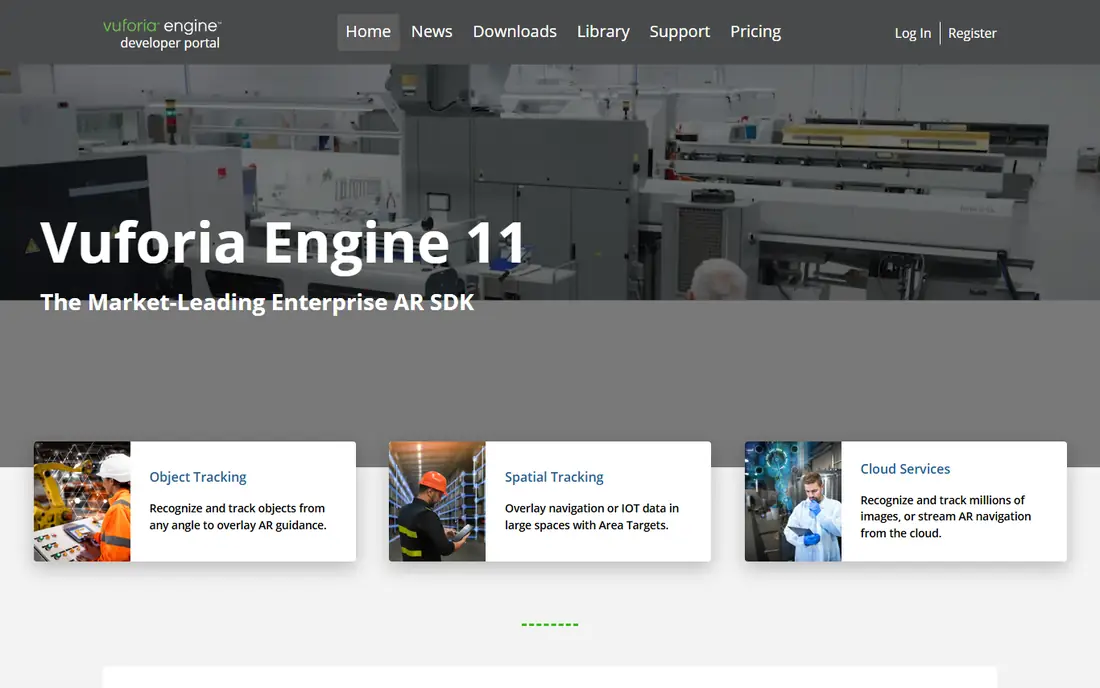
Vuforia Engine is built for industrial AR, where a phone or headset must recognize a machine part, a printed marker, or a full 3D model in a busy factory. It supports model targets, image targets, and area targets, which lets a maintenance worker point a device at equipment and see step-by-step guidance overlaid on the real part. That reliability in tough lighting and cluttered scenes is its main strength.
Marketing teams will find it heavy and expensive for a simple product demo. Vuforia fits best when AR supports training, inspection, or repair, and when accuracy matters more than a low price. Teams already using Unity or a similar engine can add Vuforia as a tracking layer.
- Strong model and image tracking
- Built for factory and field use
- Works with major engines
- Enterprise pricing
- Overkill for simple marketing AR
8th Wall solves the biggest friction in phone AR, which is asking a customer to install an app first. Its web AR runs in a mobile browser, so a shopper can scan a QR code and see a product in their room within seconds. Face effects, image targets, and world tracking cover most retail, packaging, and event uses.
The cost reflects that convenience, and custom projects still need web developers who know JavaScript and 3D workflows. For a brand campaign where reach matters more than deep 3D simulation, 8th Wall is a strong pick. For a one-off demo, a cheaper no-code tool may be enough.
- AR runs in a mobile browser, no app needed
- Strong face and world tracking
- Good for campaigns and retail
- Subscription pricing
- Needs web development skills for custom work
ZapWorks targets marketers, teachers, and small teams who want AR without hiring a game studio. Its studio lets a user attach images, video, and 3D models to a printed trigger or a web link, then publish a browser-based experience. That speed makes it useful for classroom materials, packaging, and event displays.
Serious 3D games and complex simulations will hit its limits quickly. Custom interactions and large scenes still benefit from code, and the tool is best judged on a small pilot rather than a feature list. For fast, simple web AR, it is one of the easiest routes in this list.
- No-code studio for simple AR
- Web AR with no app install
- Good for educators and marketers
- Less control than a full engine
- Advanced 3D work still needs code
Adobe Aero lets designers turn 2D artwork into AR scenes without code. A designer can import art from Photoshop or Illustrator, place it in a real space, add simple animations, and share a link or file for viewing on a phone. That makes it a good bridge for brand and design teams that already work in Adobe tools.
Interactivity is limited compared with Unity or 8th Wall, and complex logic or data-driven scenes are out of reach. Aero works best for portfolios, product previews, and simple storytelling, where the art matters more than the interaction. It is a low-risk way to test whether AR fits a brand at all.
- Easy to build AR from Photoshop and Illustrator assets
- No code needed
- Free to start
- Limited interactivity
- IOS-focused history, check current platform support
Lens Studio is the tool for creators who want to publish AR lenses on Snapchat. It offers face tracking, world tracking, body tracking, and a library of templates, so a creator can build a filter, a try-on effect, or a small game and reach Snapchat users directly. The tool itself is free, which keeps the barrier low for students and independent creators.
The main limit is distribution. A lens built for Snapchat does not automatically run as a standalone app or on another platform. Brands that want AR on their own site should pair Lens Studio with a web AR tool. For social AR and creator work, it is hard to beat.
- Free and powerful for face and world lenses
- Large Snapchat audience
- Strong templates and assets
- Tied mainly to Snapchat
- Limited use outside that platform
Meta Horizon Studio lets creators build VR worlds for Quest without a full game engine. Users can shape environments, add objects and simple logic, and invite others into a shared social space. That makes it useful for events, classrooms, and community experiences where social presence matters more than photoreal graphics.
The platform lock-in is the catch. Worlds live inside Horizon, and a team that later wants a standalone PC VR app will need to rebuild in Unity or Unreal. For Quest-first social VR, though, Horizon Studio is the fastest path from idea to a room full of people.
- Free to build for Quest
- Social worlds and multiplayer built in
- No engine install for basic worlds
- Tied to Meta Quest and Horizon
- Less control than Unity or Unreal
How we picked these
We compared official feature pages, pricing pages, and developer documentation for each platform, and we checked device support, tracking features, and publishing routes. We favored platforms that are actively maintained and that clearly support a real device or audience, rather than demos with no publishing path. Where pricing was not clearly published, we used See website.
We also judged each platform on its stated job. A web AR campaign tool and a high-end VR engine solve different problems, so we did not penalize a simple tool for lacking game-engine depth, or an engine for lacking one-click campaign publishing.
What to check before you build
Confirm the device list first
List every phone and headset the audience will actually use, then check that list against the platform. A tool that supports only recent phones will fail in a classroom or a factory with older devices, and a Quest-only world will not reach PC VR users. Device support should come before feature lists.
Test tracking in the real location
AR tracking behaves differently in bright sunlight, dim warehouses, and cluttered rooms. Test the exact trigger, lighting, and movement the audience will use, not just a clean desk demo. Industrial and retail projects live or die on this test.
Plan for content cost
A platform can be free while the 3D models, animations, and testing still cost real time and money. Budget for model creation, device testing, and updates after launch, and keep the first version small enough to finish and measure before expanding it.
FAQ
What is the best ar/vr software for beginners?
Unity is a strong beginner pick for serious AR and VR work, thanks to tutorials and a large community. For simple AR with no code, Adobe Aero or ZapWorks are easier first steps, while Lens Studio is best for social lenses on Snapchat.
What are the top ar/vr software options for web AR?
8th Wall and ZapWorks lead for web AR, because experiences run in a mobile browser with no app install. That reach matters for retail, packaging, and event campaigns, where asking customers to install an app can lose most of the audience.
Is Unity or Unreal Engine better for VR?
Unity is better for cross-platform VR and smaller teams that need to reach many headsets quickly. Unreal Engine is better when high-end visuals and detailed simulation matter most and the team has the hardware and skills to optimize for them.
Do I need to code to make AR?
Not always. ZapWorks, Adobe Aero, and Lens Studio offer no-code or template-based routes for simple AR. Full games, industrial training, and custom interactions still need code, usually in Unity, Unreal, or a web AR framework.
What hardware do I need to test VR?
For Quest development, a Quest headset and a capable PC are enough for most projects. PC VR needs a stronger graphics card and a compatible headset, so check the engine and headset requirements before buying hardware for a team.
Can AR run without an app?
Yes, with web AR platforms like 8th Wall and ZapWorks, a user opens a link or scans a QR code in a mobile browser. Native AR apps still offer deeper tracking and offline use, but web AR removes the install barrier for campaigns.