Best Apty Alternatives in 2026: 9 Digital Adoption Tools Compared
Need apty alternatives for in-app guidance, employee training, and onboarding? We compare 9 digital adoption platforms on features and pricing. - 2026 guide.
- Editor's choice
 WalkMe
Enterprise cross app guidance
Starts atSee websiteVisit walkme.comFull review - Great alternative
 Whatfix
Enterprise training and support
Starts atSee websiteVisit whatfix.comFull review - Also consider
 Pendo
Analytics plus in-app guides
Starts atSee websiteVisit pendo.ioFull review
TL;DR:
- Apty is digital adoption software that guides employees through web apps with in-app walkthroughs, tooltips, and analytics, so replacements must support employee training, not just customer onboarding.
- WalkMe and Whatfix are the enterprise leaders for cross app guidance, while UserGuiding and Appcues suit smaller SaaS teams that need customer onboarding.
- Pendo adds product analytics to guidance, which helps teams that want to link adoption to product usage data.
- Pricing is often quote based at the enterprise end, so budget planning needs a demo and a clear count of apps and users.
- Good adoption is measured by fewer support tickets and faster task completion, not by how many guides you publish.
Quick comparison
| Tool | Best for | Starts at | Free plan? | |
|---|---|---|---|---|
| WalkMe | Enterprise cross app guidance | See website | Free trial | Visit |
| Whatfix | Enterprise training and support | See website | Free trial | Visit |
| Pendo | Analytics plus in-app guides | See website | Yes | Visit |
 UserGuiding | Budget friendly onboarding | See website | Free trial | Visit |
 Appcues | No code customer onboarding | $249 per month | Free trial | Visit |
 Userlane | Employee interactive guidance | See website | Free trial | Visit |
 Spekit | Just in time sales enablement | See website | Free trial | Visit |
 Userpilot | Product growth and activation | See website | Free trial | Visit |
 Chameleon | Custom in-app experiences | $279 per month | Free trial | Visit |
The best Apty alternatives
Apty helps teams learn software in the flow of work, with step by step guides, announcements, and usage data inside the apps employees already use. The tools below cover that same ground from different angles. Some focus on large enterprise rollouts across many apps, others focus on SaaS customer onboarding, and a few focus on sales teams that need answers inside their CRM. We compared official feature pages, pricing pages, and public reviews, and we kept tools that offer no code or low code guidance, targeting, and analytics.

WalkMe is the best known digital adoption platform, and it is built for large companies rolling out guidance across many internal apps. It offers walkthroughs, smart tips, automation for repetitive tasks, and analytics that show where users struggle. Security options such as private cloud and data controls suit regulated industries that need tight governance.
The cost and effort are the main barriers. Pricing is quote based, implementation often needs a dedicated team, and content creation can take significant time. For a large enterprise that needs guidance across dozens of apps, that investment can pay off. For a small team with one app, a lighter tool will be faster and cheaper.
- Works across many apps
- Workflow automation
- Strong security and governance options
- Quote based pricing
- Implementation can take months

Whatfix is the closest enterprise rival to WalkMe, with flows that guide users step by step and a self help widget that surfaces articles, videos, and FAQs inside the app. One useful feature is content that can be turned into help articles, videos, and PDFs from the same flow, which cuts the work of maintaining separate training docs. It supports web, desktop, and mobile apps, so teams with mixed software estates can use one platform.
Like WalkMe, Whatfix is quote based and best suited to larger deployments. Smaller teams may find the sales process heavy for a single app. If your priority is employee training across several systems, with a self help layer that reduces support tickets, Whatfix is a strong Apty replacement.
- Auto generated help content
- Desktop and mobile support
- Self help widgets
- Quote based pricing
- Enterprise setup takes time
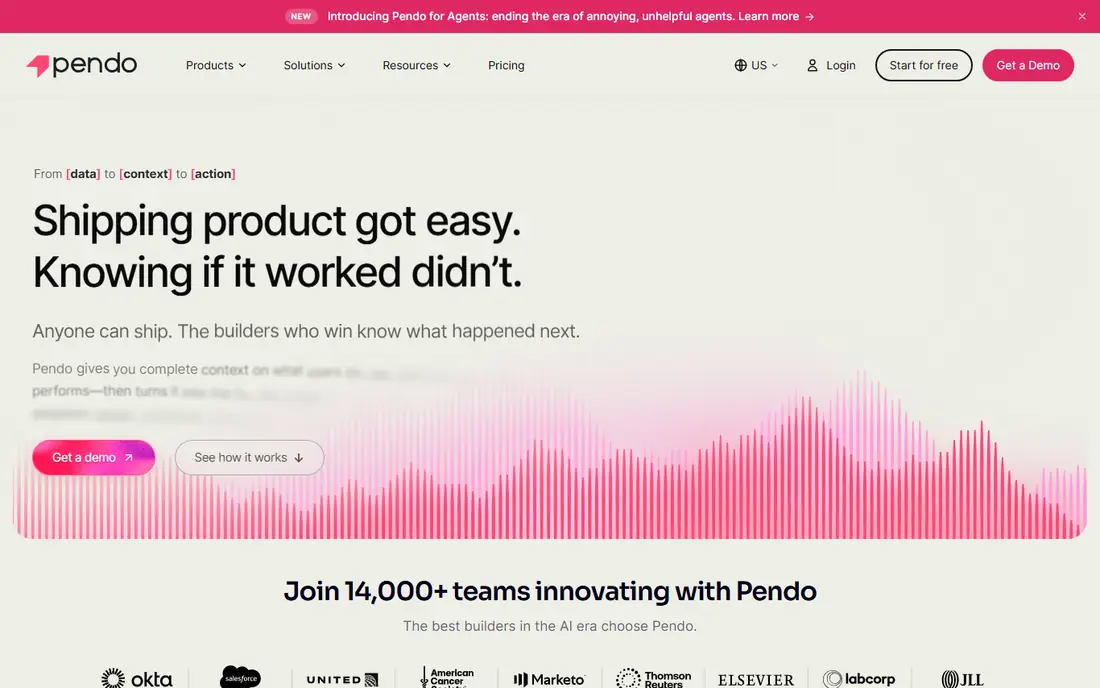
Pendo combines product analytics with in-app guides, so teams can see how users behave and then guide them based on that behavior. The free tier covers small products, which makes it easy to test analytics and basic guides before paying. Feedback tools, roadmaps, and session data sit alongside guides, giving product teams a fuller view than a guides only tool.
The catch is that Pendo Adopt, the employee focused adoption product, is sold separately from the core product analytics plans in many cases. Check which product you are being quoted for, and confirm whether guides, analytics, and feedback are all included. For SaaS teams that want analytics and onboarding together, Pendo is a compelling pick.
- Product analytics and guides in one place
- Free tier for small products
- Feedback tools
- Paid plans are quote based
- Adoption features are an add on for some plans
UserGuiding is the budget friendly pick for SaaS teams that need guides, checklists, surveys, and a resource center without enterprise pricing. The no code builder lets non technical team members create flows, and templates speed up common onboarding patterns. It is a practical choice for startups and small SaaS companies that want to improve activation quickly.
It does not match WalkMe or Whatfix on cross app enterprise governance, security depth, or desktop app coverage. That is a fair trade for the price. If your main app is a web product and your team is small, UserGuiding covers the core onboarding job well and leaves budget for other tools.
- Low entry price
- Checklists and resource center
- Simple no code builder
- Less enterprise governance than WalkMe
- Analytics are lighter
Appcues is a polished no code onboarding tool for SaaS products, with flows, tooltips, checklists, and announcements built in a visual editor. A/B testing helps teams learn which onboarding path leads to activation, and integrations with analytics and CRM tools keep user data in sync. The product feels designed for product and growth teams rather than IT trainers.
The entry price of $249 per month puts it above UserGuiding, so it suits teams with some budget and a clear activation goal. If you need deep enterprise controls or employee training across many internal apps, look at Whatfix or WalkMe. If you need customer onboarding for a web SaaS product, Appcues is a strong, focused choice.
- Visual no code builder
- A/B testing
- Strong integrations
- Entry price is higher than budget tools
- Mobile needs a separate plan in some cases
Userlane focuses on employees learning software by doing, with interactive guides that walk users through real tasks inside the app. Its analytics use a HEART style framework to track happiness, engagement, adoption, retention, and task success, which helps training teams show whether a rollout is working. That employee focus makes it a close match for Apty use cases such as ERP or CRM rollouts.
Userlane is less of a customer onboarding tool, so SaaS teams that want marketing style product tours may prefer Appcues or UserGuiding. Pricing is quote based, which suits mid sized and large companies more than tiny teams. For a change project where staff must learn a new system quickly, Userlane is worth a demo.
- Learning by doing guides
- Employee focused analytics
- Good for change projects
- Quote based pricing
- Less suited to customer onboarding
Spekit takes a different angle: instead of long walkthroughs, it puts short answers, playbooks, and process notes inside the tools sales teams already use, such as Salesforce. When a rep is unsure about a field, a stage, or a process, Spekit surfaces the right note in context, without leaving the CRM. That just in time help suits fast moving sales orgs where training docs go stale quickly.
It is not a full replacement for step by step flows across many apps, so teams that need guided tasks in an ERP should look elsewhere. For sales enablement and CRM adoption, though, Spekit is a sharp, focused tool, and its content is easier to keep current than a library of long guides.
- In app answers inside CRM tools
- Easy content updates
- Strong for sales teams
- Not a full walkthrough platform
- Best inside Salesforce and similar tools
Userpilot is a product growth platform with onboarding flows, checklists, surveys, and a resource center, plus analytics that tie guidance to user behavior. Event based segmentation lets teams show different flows to new users, power users, or users who have not finished a key task. Mobile support is a plus for products with both web and app users.
Pricing is based on monthly active users, so fast growing products should model costs at higher user counts, not just at launch. Setup also needs clean event data to get the most from segmentation. For a SaaS team that wants onboarding tied closely to product usage, Userpilot is a strong Apty alternative with a growth focus.
- Event based segmentation
- Checklists and resource center
- Mobile support
- Pricing rises with monthly active users
- Setup needs product data
Chameleon gives product teams deep control over how in-app experiences look and behave, with custom CSS, rate limiting, and precise targeting. Tours, surveys, and launchers can match a product brand closely, which matters for companies that care about design consistency. The builder is flexible, and teams can create experiences that feel like part of the product rather than a bolt on layer.
That flexibility takes time. Design heavy experiences need more effort than a template flow in UserGuiding, and the entry price is higher. For teams with design resources and a clear brand standard, Chameleon is a rewarding pick. For teams that want speed over polish, a simpler builder will ship faster.
- Deep design control
- Rate limiting
- Strong targeting
- Higher entry price
- Design work takes more time
How we picked these
We started with the Apty job: guide people through software in context, with no code creation, targeting, and analytics. We compared official feature pages, pricing pages, and public reviews, and we kept tools that support in-app guidance for employees, customers, or both. We included enterprise platforms, budget SaaS tools, and focused options such as Spekit, so readers can match a tool to their audience and app count.
We did not claim hands-on testing, and we did not include generic tooltip libraries that lack targeting and analytics. A digital adoption platform needs to show the right guide to the right user at the right time, and to report whether that guide helped, or it is just a set of popups.
What to check before you buy
Audience and app count
Decide whether you are guiding employees, customers, or both, and count the apps you need to cover. Enterprise platforms suit many internal apps, while SaaS onboarding tools suit one customer facing product. Buying an enterprise platform for a single SaaS app wastes budget, and buying a SaaS tool for a 20 app ERP rollout will leave gaps.
Content ownership
Ask who will create and maintain guides, and how much time that takes each month. Guides go stale when apps change, so a tool with easy editing, version control, and auto generated help content will save work over time. Pilot with one high value workflow, measure support tickets and task time, and only then expand to more apps.
Security and privacy
Check data handling, single sign on, and role based access, especially for employee tools that sit inside HR, finance, or CRM systems. Confirm where data is stored, how long it is kept, and whether the vendor supports your compliance needs. A demo should cover these points before pricing talks go far.
FAQ
What is Apty?
Apty is digital adoption software that helps employees learn and use web applications through in-app guides, tooltips, announcements, and analytics. It is used for software rollouts, training, and change management, so staff can complete tasks without leaving the app or searching through separate manuals. The goal is faster adoption and fewer support requests.
Are apty alternatives better for employees or customers?
It depends on the tool. WalkMe, Whatfix, and Userlane focus on employees and internal apps, while Appcues, UserGuiding, Userpilot, and Chameleon focus on SaaS customers. Pendo covers both, with separate products for product analytics and employee adoption. Match the tool to your audience before comparing features.
How much does a digital adoption platform cost?
Costs vary widely. Budget SaaS tools start around $69 to $279 per month, while enterprise platforms are quote based and can cost tens of thousands per year, plus implementation. Always ask for the total first year cost, including implementation, training, and any per user or per app fees, not just the license price.
Do I need coding skills to build guides?
Most tools on this list offer no code builders, so product managers, trainers, and customer success staff can create flows without developers. Complex targeting, custom styling, and integrations may still need technical help. A short pilot will show how much of the work your own team can handle.
How do I measure digital adoption success?
Track task completion time, error rates, support ticket volume for the guided workflow, and guide completion rates. Compare those numbers before and after launch, and survey users on confidence and ease. Guide views alone do not prove adoption, since a user can view a guide and still fail the task.
Can these tools work with desktop apps?
Whatfix and WalkMe support desktop apps in addition to web apps, while many SaaS onboarding tools are web only. If your team uses desktop software, confirm desktop coverage, operating system support, and deployment method before shortlisting. A web only tool will not cover a desktop ERP or CRM.