Choosing Apps for Hosting Online Seminars in 2026: 6 Options Compared
Best apps for hosting online seminars: 6 contenders ranked by fit, with entry costs and free tiers. Caveats come with every verdict. Checked this month.
- Editor's choice
 Livestorm
Marketing teams proving event ROI
Starts at€2.50 per attendeeVisit livestorm.coFull review - Great alternativeCisco Webex Webinars
Enterprises in the Cisco ecosystem
Starts atSee websiteVisit webex.comFull review - Also consider
 GoTo Webinar
Focused standalone seminar hosting
Starts atSee websiteVisit goto.comFull review
Direct answer
For marketing teams proving event ROI, Livestorm is where this list starts. Listed starting prices: Livestorm from €2.50 per attendee. Cisco Webex Webinars is better for enterprises in the Cisco ecosystem, and GoTo Webinar is better for focused standalone seminar hosting. All 6 tools are compared below on price, free plan and limits.
TL;DR:
- The list opens with Livestorm, aimed at marketing teams proving event ROI.
- For Cisco Webex Webinars, GoTo Webinar, WebinarJam and others, you have to request a quote because no starting price is shown.
- Cisco Webex Webinars stands alone as the one tool in this list with a free plan.
- For Teams already using Zoom, Zoom Events is worth a look.
Last checked November 2026. Prices and plan details were read from the vendors' own pages in November 2026; vendors change plans often, so confirm the current price on the vendor site before you buy.
Quick comparison
| Tool | Best for | Starts at | Free plan? | |
|---|---|---|---|---|
| Livestorm | Marketing teams proving event ROI | €2.50 per attendee | Not stated | Visit |
| Cisco Webex Webinars | Enterprises in the Cisco ecosystem | See website | Yes | Visit |
| GoTo Webinar | Focused standalone seminar hosting | See website | Not stated | Visit |
 WebinarJam | Live and automatic conversion events | See website | Not stated | Visit |
| Microsoft Teams Webinars | Microsoft 365 organizations | See website | Not stated | Visit |
 Zoom Events | Teams already using Zoom | See website | Not stated | Visit |
The 6 tools in detail
LinkVetted put together this guide to apps for hosting online seminars for readers who want a clear shortlist without reading every vendor page. It compares 6 tools on starting price, free plans, who each one suits and where each one falls short.
Livestorm works best for marketing teams proving event ROI. Livestorm describes itself as an all-in-one webinar platform for marketing teams, including branded events, engagement insights and CRM sync so teams can link events to ROI, with AI enhancements. Organizations that chiefly need internal meetings or occasional all-hands sessions may find a marketing-first webinar product more than required.
Teams without a CRM workflow to link to will get less from the data features. In daily use, choose Livestorm when seminars are a marketing channel and proving their impact is the goal. From a buyer's view, the product is built around the event itself instead of general collaboration. On cost, Livestorm starts like this: €2.50 per attendee. Trial and free access: Not stated.
Drawbacks to consider: Marketing focus may exceed needs of internal teams.
- CRM data sync to link events to pipeline
- Engagement insights captured during events
- Feature set is oriented to events, not general meetings
Cisco Webex Webinars
Best for: Enterprises in the Cisco ecosystem

Cisco Webex Webinars serves enterprises in the Cisco ecosystem. Cisco Webex Webinars is part of the Webex collaboration and customer experience product, which Cisco positions around AI-powered collaboration, devices and product options.
From a buyer's view, small teams with occasional seminars may not use enough of the surrounding features to justify the complexity. Worth adding: the product's enterprise scope means setup and administration can be more involved than with more straightforward webinar apps. Check the vendor site for Cisco Webex Webinars pricing; none is listed in this comparison. Cisco Webex Webinars offers a free plan.
Where it falls short: Breadth of the system takes time to learn.
- Plugs into a wide device and product lineup
- Backed by Cisco's collaboration product
- Enterprise orientation can suit smaller teams less well
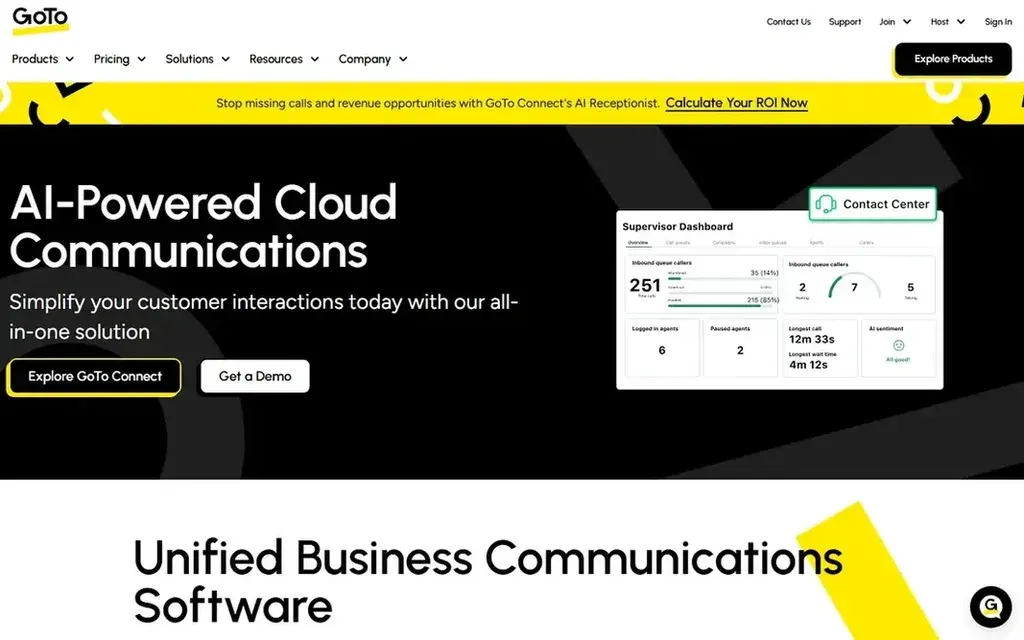
GoTo Webinar is designed for focused standalone seminar hosting. GoTo Webinar is the dedicated seminar product within GoTo's business communication and IT support lineup, which also comes with phone systems and contact center tools.
GoTo Webinar is most solid when seminars are a distinct activity handled by a marketing or events team. GoTo Webinar does not show a starting price in this comparison, so check the vendor site for current pricing. Free plan details: Not stated.
Trade-offs to know: Feature depth varies by product line.
- Dedicated webinar product
- Part of a wider business communication suite
- Less unified with general meeting tools than some rivals
In short, WebinarJam is for live and automatic conversion events. Automatic or evergreen sessions let hosts reuse presentations without going live each time.
What to check first: Marketing-heavy interface for some hosts.
In practice, pick WebinarJam when the seminar is part of a sales funnel and built-in offer tools matter. Beyond that, Teams that require attendee collaboration, file sharing or enterprise administration may prefer a broader collaboration suite. No starting price is listed for WebinarJam here; confirm pricing on the vendor site. Free plan details: Not stated.
- HD streaming for presentations
- Live and evergreen webinar formats
- Conversion focus may not suit neutral training
Microsoft Teams Webinars
Best for: Microsoft 365 organizations
In short, Microsoft Teams Webinars is for Microsoft 365 organizations. Microsoft Teams Webinars extends the Teams video conferencing and meetings system to structured seminar sessions.
In practice, because Teams keeps tools and files in one place, organizers can run registration, presentation and follow-up inside an environment employees already use. In practice, Teams is built around workplace collaboration first, so marketing teams needing landing pages, engagement analytics or CRM sync may find it thin for demand-generation seminars. Microsoft Teams Webinars does not show a starting price in this comparison, so check the vendor site for current pricing. Free options: Not stated.
Points against: Guest experience relies on familiarity with Teams.
- Files and tools available in one place
- Natural fit for Microsoft-centric workplaces
- Marketing-specific webinar features are restricted
Choose Zoom Events for Teams already using Zoom. Zoom Events sits within Zoom's broader collaboration product, which also spans video meetings, chat, phone, webinars, whiteboard and contact center.
Downsides: Event features overlap with standard webinars.
Choose Zoom Events when consolidation with existing Zoom usage matters more than a narrow feature set. More specifically, since the product spans so plenty of products, small teams may find the event tooling heavier than they need for a single recurring seminar. Zoom Events does not show a starting price in this comparison, so check the vendor site for current pricing. As for free access: Not stated.
- Meetings
- Familiar Zoom interface for hosts and guests
- Numerous features can feel complicated for straightforward seminars
How we built this list
The comparison looks at four things: starting price, free access, how well the feature set matches apps for hosting online seminars, and the main limit of each tool. Prices and plan limits come from vendor pages and can change, so confirm them on the vendor site before you buy. Order on the page follows fit for the typical buyer first, then price transparency and free access. Your own requirements should decide the final pick.
Things to verify first
- Confirm the entry price on the vendor page. For Cisco Webex Webinars, GoTo Webinar, WebinarJam and others that means a quote rather than a fixed price.
- Look at the free plan from Cisco Webex Webinars closely: its caps decide whether it is usable for real work.
- Before choosing Livestorm, weigh its main limit: marketing focus may exceed needs of internal teams.
- Verify that exporting from Cisco Webex Webinars is possible on your plan and covers all your records.
- Confirm minimum seats and billing terms with GoTo Webinar before you commit to an annual plan.
FAQ
Is Livestorm the right pick for everyone comparing apps for hosting online seminars?
No single tool suits every team. Livestorm comes first because it fits marketing teams proving event ROI, while Cisco Webex Webinars suits enterprises in the Cisco ecosystem and GoTo Webinar suits focused standalone seminar hosting. Match the tool to your own size, budget and workflow before deciding.
How are the tools for apps for hosting online seminars ordered?
The order follows typical fit for apps for hosting online seminars, with Livestorm first and Zoom Events last, then price clarity and free access. It is editorial judgement, not a score, so another team could rank the tools differently.
How do marketing-focused seminar apps differ from meeting systems?
Meeting products for example Microsoft Teams and Cisco Webex prioritize collaboration and workplace integration. The right choice relies on whether your seminar is a marketing channel or an internal communication.
Which options for apps for hosting online seminars have a free plan?
Cisco Webex Webinars is the only tool in this list with a free plan. Free plans usually cap users, projects or features, so check the limits on the vendor page.
Can I try these tools before paying?
Often, yes. Cisco Webex Webinars has a free plan. Use your own data and a real task during the test, and check what the free tier or trial limits before you rely on it.
Sources
- https://www.livestorm.co
- https://www.webex.com
- https://www.goto.com
- https://www.webinarjam.com
- https://www.microsoft.com/en-us/microsoft-teams
- https://www.zoom.com