8 Best Apps for Health and Fitness in 2026
We compared 8 best apps for health and fitness, from free guided workouts to nutrition tracking, running, strength and guided classes (checked October 2026).
- Editor's choice
 Nike Training Club
Free guided workouts
Starts atFreeVisit nike.comFull review - Great alternative
 MyFitnessPal
Nutrition tracking
Starts atFreeVisit myfitnesspal.comFull review - Also consider
 Strava
Running and cycling
Starts atFreeVisit strava.comFull review
TL;DR:
- Nike Training Club and FitOn give the best free guided workouts for beginners and home training.
- MyFitnessPal suits nutrition tracking, while Strava suits runners and cyclists who want GPS and community.
- Fitbod and Apple Fitness Plus suit strength training and guided classes, with different device needs.
- Garmin Connect and Peloton suit owners of those devices or fans of live and on demand classes.
Quick comparison
| Tool | Best for | Starts at | Free plan? | |
|---|---|---|---|---|
| Nike Training Club | Free guided workouts | Free | Yes | Visit |
| MyFitnessPal | Nutrition tracking | Free | Yes | Visit |
| Strava | Running and cycling | Free | Yes | Visit |
 Apple Fitness Plus | Guided classes on Apple devices | $9.99 per month | No | Visit |
 Fitbod | Strength training plans | $12.99 per month | No | Visit |
 FitOn | Free home workouts | Free | Yes | Visit |
 Garmin Connect | Garmin device data | Free | Yes | Visit |
 Peloton App | Live and on demand classes | See website | No | Visit |
The best apps for health and fitness
The best app is the one you will actually open, so this list covers different habits, from free home workouts to nutrition tracking to GPS running to strength plans. Note on health: this article is not medical advice. If you have a medical condition, are pregnant, are returning from injury or are starting a new intense program, talk to a clinician first, and stop any workout that causes sharp pain.
Nike Training Club remains the best free starting point for most people, with guided workouts for strength, cardio, mobility and yoga, plus training plans that build over weeks. The workouts are coached on video with clear cues, and most need little or no equipment, which suits home training. Since the full library is free, there is no paywall surprise after a trial.
The limits show for serious lifters, since progression tracking and custom strength programming are lighter than on Fitbod. Nutrition tracking is also basic, so users who want food logging should pair it with MyFitnessPal. For a free, well coached general fitness app, Nike Training Club is hard to beat.
- Large free workout library
- Plans for many levels
- No subscription needed
- Less strength progression tracking
- Nutrition tools are basic
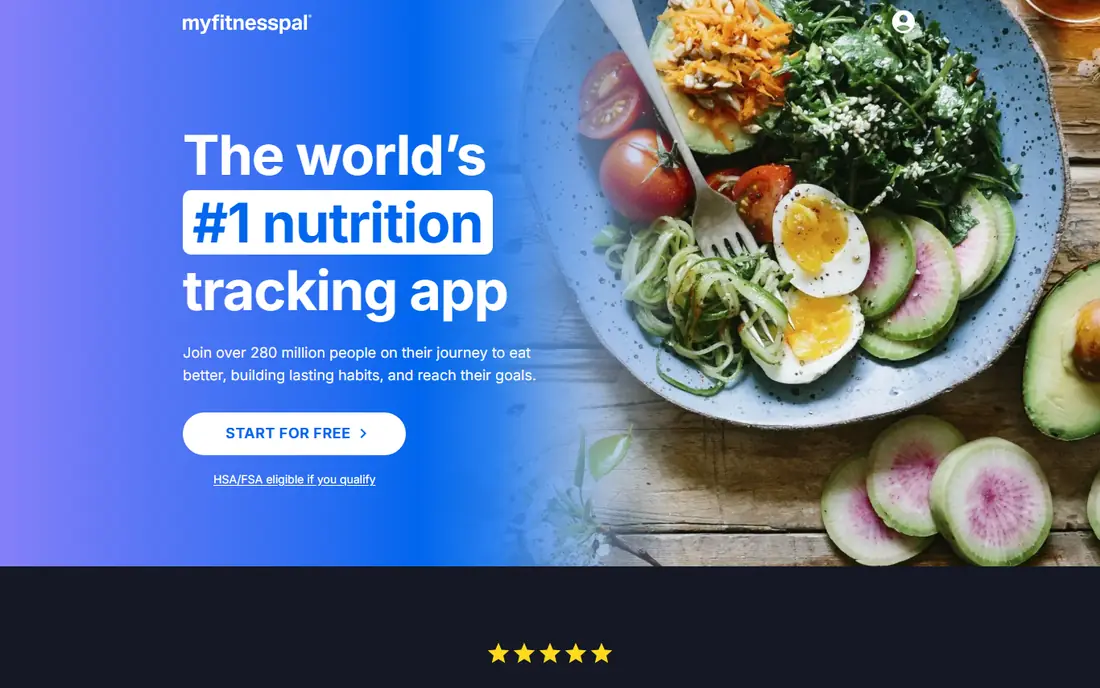
MyFitnessPal is the standard nutrition app for people who want to understand what they eat, with a large food database, barcode scanning and recipe logging. It tracks calories and nutrients, sets daily targets and links to Apple Watch, Fitbit, Garmin and other wearables for activity data. That combination helps users see food and movement together.
Daily logging is the hard part, since it takes a few minutes after every meal and can feel tedious over months. The free plan covers core logging, while premium adds deeper nutrient detail and meal planning tools for around $19.99 per month. For nutrition focused health goals, it is the most practical pick here.
- Very large food database
- Barcode scanning
- Links to many wearables
- Daily logging takes discipline
- Premium features need a paid plan
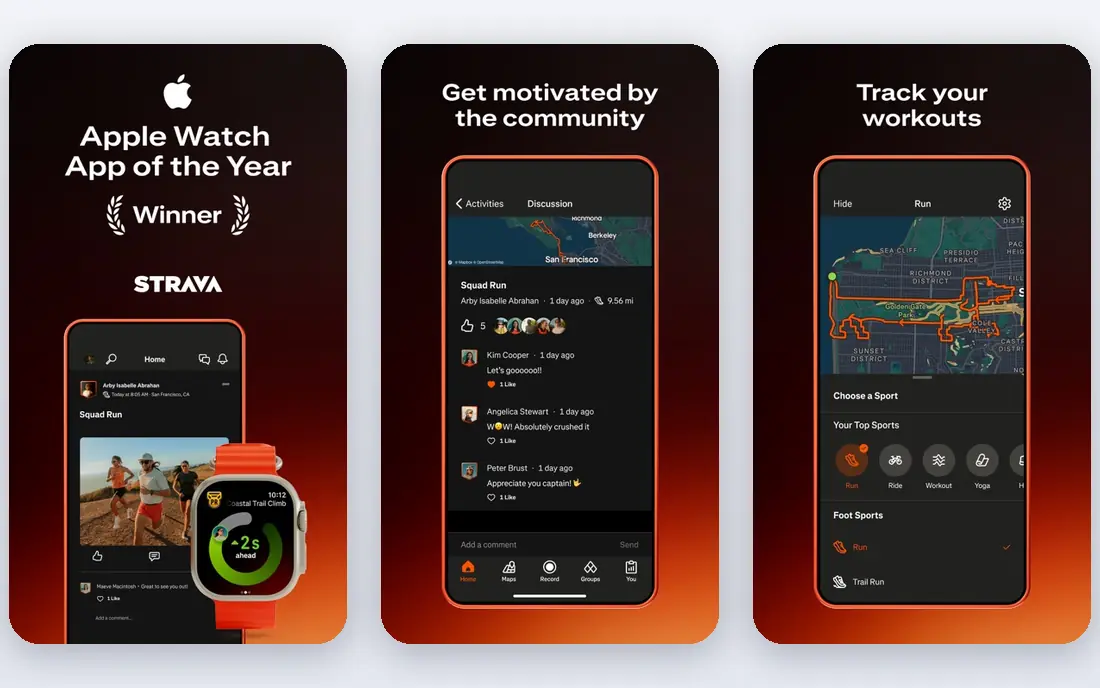
Strava is the social home for runners and cyclists, with GPS tracking for runs, rides, walks and many other activities, plus segments, challenges and clubs that keep training social. It accepts uploads from Garmin, Apple Watch, COROS, Polar, Suunto and Wahoo, so you are not locked to one watch brand. The free plan covers core recording and social features well.
Advanced route planning, deeper analysis and training tools sit behind a subscription of around $11.99 per month. Privacy settings deserve attention, since activity maps can reveal home locations, so set a privacy zone before sharing runs publicly. For cardio training with friends, Strava is the clear leader.
- Reliable GPS tracking
- Large active community
- Works with most watches
- Advanced analysis needs a paid plan
- Social feed can distract
Apple Fitness Plus offers studio style classes for strength, HIIT, yoga, dance, cycling, rowing and more, with trainers on screen and live Apple Watch metrics during workouts. New classes arrive weekly, and the service works on iPhone, iPad and Apple TV, which makes home training feel polished. A trial is often offered with new Apple devices.
The Apple only limit is real, since Android users cannot use it at all, and full live metrics need an Apple Watch. Pricing is around $9.99 per month or $79.99 per year, with family sharing on some plans. For Apple households that want guided classes, it is a premium and consistent choice.
- High quality guided classes
- Apple Watch metrics on screen
- Many workout types
- Apple devices only
- No Android version
- Needs an Apple Watch for full metrics
Fitbod builds strength workouts that adapt to your available equipment, muscle recovery and past performance, which suits gym goers who want a plan without hiring a coach. It logs sets, reps and weights, suggests progression and adjusts when muscles are still recovering. Home and gym modes cover different equipment levels, from dumbbells to full gym access.
It is a strength app first, so cardio tracking and nutrition tools are lighter than on Strava or MyFitnessPal. Pricing is around $12.99 per month or $79.99 per year, with a trial offered. For lifters who want a smart, changing plan, Fitbod is the strongest pick in this list.
- Adaptive strength plans
- Tracks sets, reps and recovery
- Gym and home options
- Strength focus only
- Monthly cost
- Less cardio and nutrition depth
FitOn offers a large library of free home workouts, from cardio and strength to yoga and Pilates, with trainers and short sessions that fit busy schedules. The core app is free, which makes it a good companion to Nike Training Club for users who want variety without paying. Community features and challenges add motivation for users who like training with others.
Analytics are lighter than on Strava or Fitbod, so users who want deep progress data should look elsewhere. A paid upgrade adds meal plans and premium content, but the free workouts alone cover most home training needs. For free, friendly home workouts, FitOn is an easy download.
- Fully free core workouts
- Celebrity trainers
- Short sessions for busy days
- Performance analytics are light
- Premium upgrade adds meal plans and more
Garmin Connect is the companion app for Garmin watches and devices, turning steps, runs, rides, sleep, heart rate and training load into one dashboard. It offers training plans, challenges and detailed health metrics, with a paid Connect Plus tier adding AI insights and extra dashboards for around $6.99 per month. The free core app already covers most daily use.
The catch is obvious, since it only makes sense with a Garmin device, and the interface packs many metrics into one view. Beginners may prefer a simpler app at first, then grow into Garmin data over time. For Garmin owners, it is the natural health and fitness hub.
- Deep activity, sleep and health data
- Free core app
- Training plans
- Needs a Garmin device
- Interface can feel dense for beginners
Peloton App brings live and on demand classes for cycling, running, strength, yoga and more to phones, tablets and TVs, with or without Peloton hardware. The community, leaderboards and instructor styles keep many users consistent, and class variety covers beginners to advanced levels. It suits users who thrive on scheduled classes and social energy.
Pricing varies by plan and region, so check the current app page, and the experience is richest with a Peloton bike or treadmill, though app only use still works well. Users who dislike class based training will prefer Nike Training Club or Fitbod. For class lovers, Peloton remains a leading choice.
- Live and on demand classes
- Strong community
- Many class types
- Monthly cost
- Best with Peloton hardware
- App only use feels thinner
How we picked these
We compared official app pages, pricing pages and app store listings in October 2026, and we kept only live apps with clear health or fitness functions and current pricing. We weighed free tier depth, workout variety, tracking quality, wearable support and ease of use for beginners. We did not claim hands on testing, and we used See website where pricing varies by plan or region.
How to pick a health and fitness app that sticks
Start with the habit you already have, not the habit you wish you had. If you walk or run already, Strava will reward that habit. If you cook at home, MyFitnessPal will help that habit. If you need guidance at home, Nike Training Club or FitOn will help that habit. An app that fits your current routine is far more likely to survive past week two.
Pair apps by job, not by brand
Most users need two apps, not one perfect app. Pair a workout app such as Nike Training Club or Fitbod with a nutrition app such as MyFitnessPal, or pair a GPS app such as Strava with a class app such as Apple Fitness Plus. Keep the pair small, since three or four apps often lead to logging fatigue and dropped habits.
Set privacy and safety basics first
Check privacy settings before your first public post, especially on Strava, where activity maps can reveal home or work locations. Set a privacy zone, review who can see activities, and keep health data sharing limited to apps you trust. If an app asks for health data it does not need for its core job, turn that permission off.
FAQ
What is the best free health and fitness app?
Nike Training Club is the best free all round pick for guided workouts, while FitOn is a strong free alternative for home workouts. Strava and MyFitnessPal also offer generous free plans for cardio tracking and nutrition. Try one free app for two weeks before paying for a premium plan.
Can one app cover workouts and nutrition?
MyFitnessPal covers nutrition plus basic workout logging, but it is not a guided workout app. Most users do better pairing a workout app with MyFitnessPal, since each app does its core job well. Apple Fitness Plus and Garmin Connect add health data, but nutrition still needs a dedicated tracker for most users.
Do I need a wearable to use these apps?
No. Nike Training Club, FitOn, MyFitnessPal and Peloton App work well with a phone alone, while Strava can track with a phone GPS. Apple Fitness Plus works best with an Apple Watch, and Garmin Connect needs a Garmin device. Start phone only, and add a wearable only if tracking motivates you.
Are these apps suitable for beginners?
Yes, especially Nike Training Club, FitOn and Peloton beginner classes, which offer low impact and short sessions. Start with shorter workouts, build gradually, and talk to a clinician if you have a medical condition or are returning from injury. This article is not medical advice, and sharp pain is a reason to stop and seek care.