Best Apps for ADHD in 2026: 9 Apps Compared
Discover the best apps for ADHD in 2026 for planning, focus and habits, including Todoist, Tiimo, Forest, TickTick and Focusmate, with free options today.

- Editor's choice
 Todoist
Quick task capture
Starts atFreeVisit todoist.comFull review - Great alternative
 Tiimo
Visual daily planning
Starts atSee websiteVisit tiimoapp.comFull review - Also consider
 TickTick
Tasks, habits and Pomodoro in one
Starts atFreeVisit ticktick.comFull review
TL;DR:
- No single app fixes ADHD; the best setup pairs a task catcher with a visual planner or a focus timer, depending on your main problem.
- Todoist and TickTick are the most flexible task managers, while Tiimo and Structured make time visible for people who struggle with time blindness.
- Forest and Focusmate help with starting and staying on task, one through a visual timer and the other through live accountability.
- Free plans from Todoist, TickTick, Goblin Tools, Habitica and Structured are strong enough to test a system before you pay.
Quick comparison
| Tool | Best for | Starts at | Free plan? | |
|---|---|---|---|---|
| Todoist | Quick task capture | Free | Yes | Visit |
| Tiimo | Visual daily planning | See website | Yes | Visit |
| TickTick | Tasks, habits and Pomodoro in one | Free | Yes | Visit |
 Forest | Focus sessions without phone distraction | $3.99 one time | Yes | Visit |
 Structured | Visual time blocking | Free | Yes | Visit |
 Focusmate | Body doubling with a real person | $12 per month | Yes | Visit |
 Goblin Tools | Breaking tasks into small steps | Free | Yes | Visit |
 Habitica | Gamified habits and tasks | Free | Yes | Visit |
 Brain.fm | Focus music for deep work | $6.99 per month | Free trial (7 days) | Visit |
The best apps for ADHD
ADHD affects planning, starting, time awareness and follow through in different ways, so the right app depends on the problem you face most often. The nine apps below cover task capture, visual planning, focus, habits and accountability. A short disclaimer first: these apps are tools for organization and focus, not a substitute for professional advice, diagnosis or treatment. If ADHD affects your work, study or health, talk to a qualified clinician about support that fits you.
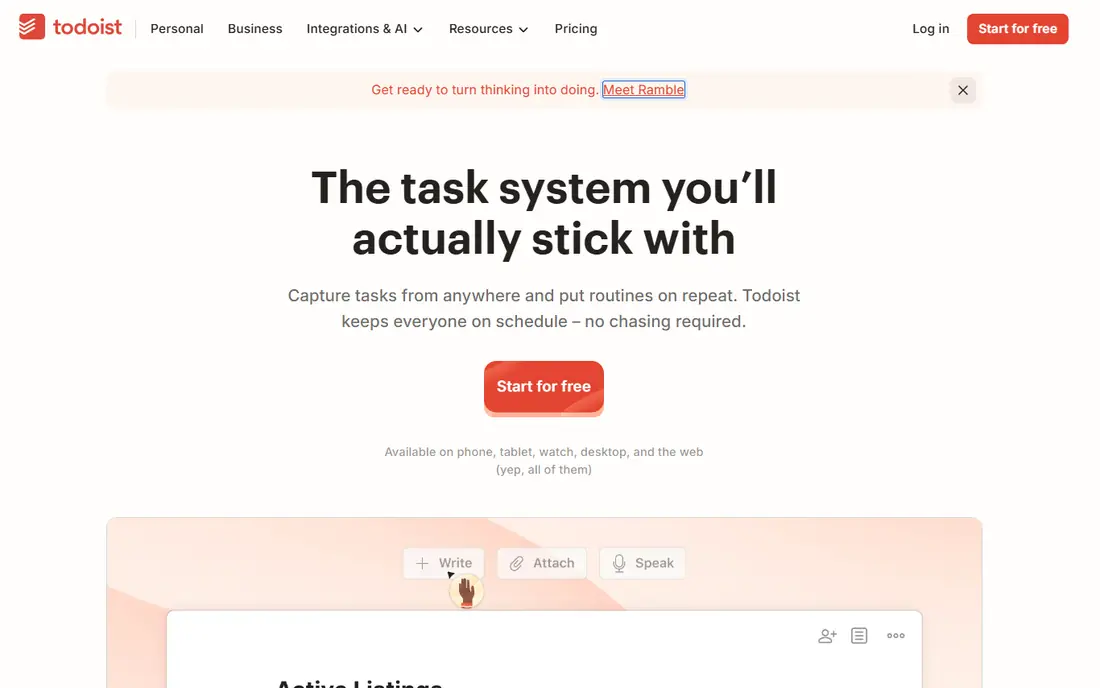
Todoist is our pick for most people because capturing a task takes seconds. You can type a task in plain language, add a date and project, and move on, which lowers the chance that a thought disappears before it is written down. Recurring tasks, priorities and filters help you find the next step without rebuilding a system every day.
The weakness for ADHD users is time. Todoist shows what is due, but it does not show your day as a visual timeline by default. Pair it with a calendar block or a visual planner such as Tiimo or Structured if you often lose track of how long tasks take. As a catcher, though, few apps are faster or more reliable.
- Fast natural language task entry
- Works on almost every platform
- Simple projects, labels and filters
- No built in visual timeline on the free plan
- Time blindness needs another tool alongside it

Tiimo turns a day into a picture. Tasks and routines appear as colored blocks on a timeline, so you can see when something starts, how long it lasts and what comes next. That visual shape helps with time blindness, a common ADHD problem where a day can feel like one long stretch until a deadline suddenly arrives.
Tiimo also includes a focus timer and routine templates, which help you repeat a morning or work routine without rebuilding it each day. Pricing varies by region and plan, so check the current price in your app store or on the vendor site. If lists feel abstract and a picture of the day feels clearer, Tiimo is the strongest visual planner in this list.
- Visual timeline with color coded blocks
- Routines and focus timer
- Designed with neurodivergent users in mind
- Paid price varies by region
- Web access is limited on some plans
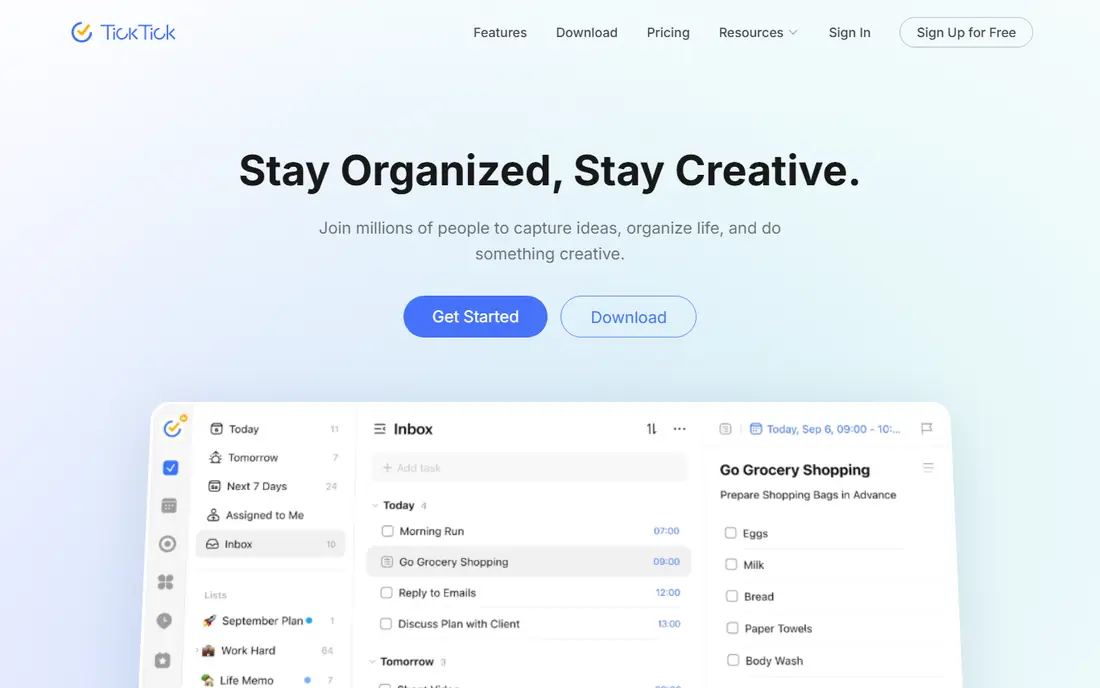
TickTick is the best all in one option for people who want fewer apps. It combines task lists, a calendar view, habit tracking and a Pomodoro timer, so you can pick a task, start a timed session and track a habit without switching tools. The free plan covers the core task and timer features well.
The range of features can feel busy when you first open it. Start with tasks and the Pomodoro timer, then add habits or calendar views only if you need them. Premium adds more lists, filters and calendar options, but many ADHD users will get real value from the free plan alone.
- Tasks, calendar, habits and Pomodoro timer in one app
- Flexible views
- Good free plan
- Many features can feel busy at first
- Some advanced views need Premium
Forest makes focus visible. You plant a virtual tree, set a timer, and the tree grows while you stay in the app. If you leave to check another app, the tree dies. That simple visual consequence works well for people who respond to immediate feedback more than to a plain countdown.
Forest is not a planner, so it works best alongside Todoist, TickTick or Tiimo. Use the planner to decide what to do, then use Forest to stay with that task for a set period. The one time price on iOS is low, and Android offers a free version with optional extras, so the cost barrier is small.
- Simple visual focus timer
- A tree grows while you stay focused
- Real tree planting partners on some plans
- Limited task management
- Focus only, so you still need a planner
Structured shows your whole day as one timeline, from morning routine to work blocks to evening tasks. That single view helps you see gaps, overlaps and free time without opening several screens. Task entry is quick, and the design stays clean, which matters when a busy screen itself becomes a distraction.
The main limit is platform parity. Some focus timer features are Apple only, and Android users should check the current feature list before they rely on a specific tool. As a day planner, though, Structured is one of the clearest options here, and the free plan is enough to test whether a timeline helps you.
- Whole day as a single timeline
- Simple task entry
- Clean design that is easy to scan
- Focus timer is Apple only on some versions
- Android feature parity varies
Focusmate is body doubling as a service. You book a short session, meet another person on video, state what you will work on, then work quietly together with cameras on. That social presence helps many ADHD users start a task they have been avoiding, because someone else is there and expects a check in at the end.
The free plan includes three sessions per week, which is enough to test whether body doubling helps you. Paid plans add unlimited sessions. You need a webcam, a reasonably quiet space and a willingness to work on camera, which will not suit every task or workplace. For starting difficult work, though, few tools match a live partner.
- Live accountability sessions
- Short sessions that lower the barrier to starting
- Community of focused workers
- Needs a webcam and a quiet space
- Scheduled sessions suit some routines better than others
Goblin Tools is a set of small tools built for neurodivergent users, and Magic ToDo is the standout. Type a vague task such as sorting out car insurance, and it breaks it into smaller steps, with a control for how detailed you want the breakdown. That first step is often the hardest part for ADHD users, and Goblin Tools makes it concrete.
The limit is follow through. Goblin Tools does not remind you, track progress or sync with your task list. Copy the steps into Todoist or TickTick once they are broken down. Used that way, it is a free and powerful starting tool, and the mobile apps cost a small fee that helps keep the website free.
- Magic ToDo breaks vague tasks into concrete steps
- Website is free
- No account needed for the web tools
- No reminders or task tracking
- Steps stay in the tool unless you copy them out
Habitica turns daily habits, to do items and routines into a role playing game. Completing a task earns rewards, builds your character and can help a party of friends or colleagues stay accountable. That game loop helps people who find plain checklists dull and need a small reward to keep a routine going.
The game can also become a distraction if you spend more time on rewards than on tasks. Keep the setup simple at first: a few daily habits, a short to do list and one reward you care about. Habitica is free at its core, with optional paid extras, so you can test the game approach without a subscription.
- Turns habits and tasks into a game with rewards
- Party and accountability features
- Free core app
- Game elements can distract some users
- Setup takes time to learn
Brain.fm offers music designed to support focus, relaxation and sleep, with sessions you can set for a work block or a wind down period. For ADHD users who work better with sound than silence, but find lyrics or shuffled playlists distracting, a steady focus track can help you stay with a task longer.
Music taste is personal, and no app can promise focus for everyone. Use the trial to test whether Brain.fm helps you during real work, not just during a demo. Pair it with Forest or Focusmate if you need both sound and accountability, and check whether offline listening matters for your routine.
- Music designed for focus, relaxation and sleep
- Offline listening on some plans
- Simple session lengths
- Subscription cost
- Music preference is personal, so a trial matters
How we picked these
We compared official feature pages, pricing pages, app store listings and public reviews about ADHD use, and we favored apps that are actively maintained in October 2026 and that solve a specific ADHD problem rather than offering a generic to do list. We looked at task capture speed, visual planning, focus support, habit building and accountability, and we noted free plan limits because cost is a real barrier. We did not claim clinical testing; our comparison rests on vendor pages and user focused reviews.
What to check before you pay
Start by naming your main problem. If you forget tasks, start with Todoist or TickTick. If time feels vague, start with Tiimo or Structured. If starting is the hardest part, try Focusmate or Goblin Tools. If phone distraction breaks your focus, try Forest. One app that fits your main problem will help more than five apps you barely open.
Test the free plan for at least a week of real work before you pay. Check whether the app works on your phone and computer, whether reminders arrive reliably, and whether the design feels calm rather than busy. Also check privacy: read what data the app collects, whether it syncs to a cloud account, and whether you can export your tasks if you leave.
Finally, keep the system small. Two apps, one for capture and planning and one for focus, often beat a large stack. Add a third only when a clear gap remains, such as habits or accountability, and remove an app that you have not opened in two weeks.
FAQ
What is the best app for ADHD?
There is no single best app, because ADHD affects people differently. Todoist is best for fast task capture, Tiimo and Structured are best for visual planning and time blindness, and Focusmate is best for starting work with accountability. Pick the app that fits your main problem first.
What are the best free apps for ADHD?
Todoist, TickTick, Goblin Tools, Habitica and Structured all offer useful free plans. Goblin Tools is free on the web, while Todoist and TickTick cover task capture and timers without a subscription. Focusmate also offers three free sessions per week.
What is the best app for ADHD time management?
Tiimo and Structured are the strongest time management choices here, because they show your day as a visual timeline rather than a list. TickTick also helps, with a calendar view and a Pomodoro timer built into the same app.
Can apps help with ADHD focus?
Apps can support focus by making time visible, blocking distraction or adding accountability, but they are not treatment. Forest helps you stay off your phone during a timed session, Brain.fm offers focus music, and Focusmate adds a live partner. If focus problems affect your daily life, seek professional advice alongside any app.
Is Tiimo good for ADHD?
Tiimo is designed with neurodivergent users in mind and is well suited to visual planners. Its colored timeline, routines and focus timer help with time blindness and daily structure. Pricing varies by region, so check the current plan before you subscribe.