Best Appraisal Software in 2026: 8 Tools Compared
Compare the best appraisal software for appraisers in 2026, with UAD 3.6 support, MLS import, sketching, and pricing for solo and multi-appraiser firms.
- Editor's choice
 TOTAL by a la mode
Residential appraisers who want the market-leading forms tool
Starts atSee websiteVisit alamode.comFull review - Great alternative
 ACI Sky
Appraisers and firms that want a cloud-connected workflow
Starts atSee websiteVisit aciweb.comFull review - Also consider
 ClickFORMS
Independent appraisers who want a long-established desktop tool
Starts atSee websiteVisit bradfordtech.comFull review
TL;DR:
- UAD 3.6 support is now the first filter, since lender work depends on verified, data-first reporting.
- Desktop forms tools still suit many solo appraisers, while browser tools suit firms that work from more than one device.
- MLS and public record import saves more time than any other single feature in a busy week.
- Price is usually quoted, so compare the full bundle, including sketching, data import, and support, before you commit.
Quick comparison
| Tool | Best for | Starts at | Free plan? | |
|---|---|---|---|---|
| TOTAL by a la mode | Residential appraisers who want the market-leading forms tool | See website | Free trial | Visit |
| ACI Sky | Appraisers and firms that want a cloud-connected workflow | See website | Free trial | Visit |
| ClickFORMS | Independent appraisers who want a long-established desktop tool | See website | Free trial | Visit |
 NightHawk by Bradford Technologies | Appraisers moving to UAD 3.6 lender reporting | See website | Free trial | Visit |
 Appraise-It Pro | Small firms that want forms plus narrative flexibility | See website | Free trial | Visit |
 Anow | Multi-appraiser firms that need order and workflow control | See website | Free trial | Visit |
 Valcre | Commercial appraisers who need valuation workflow software | See website | No | Visit |
 Reggora | Lenders, AMCs, and appraisers who need order and appraisal management | See website | No | Visit |
The best appraisal software
We compared the tools appraisers actually use for lender and non-lender work, with attention to UAD 3.6 readiness, data import, sketching, and office workflow. The right choice depends less on brand loyalty and more on how you inspect, how you import comparable sales, and how many people touch each file.
TOTAL by a la mode
Best for: Residential appraisers who want the market-leading forms tool
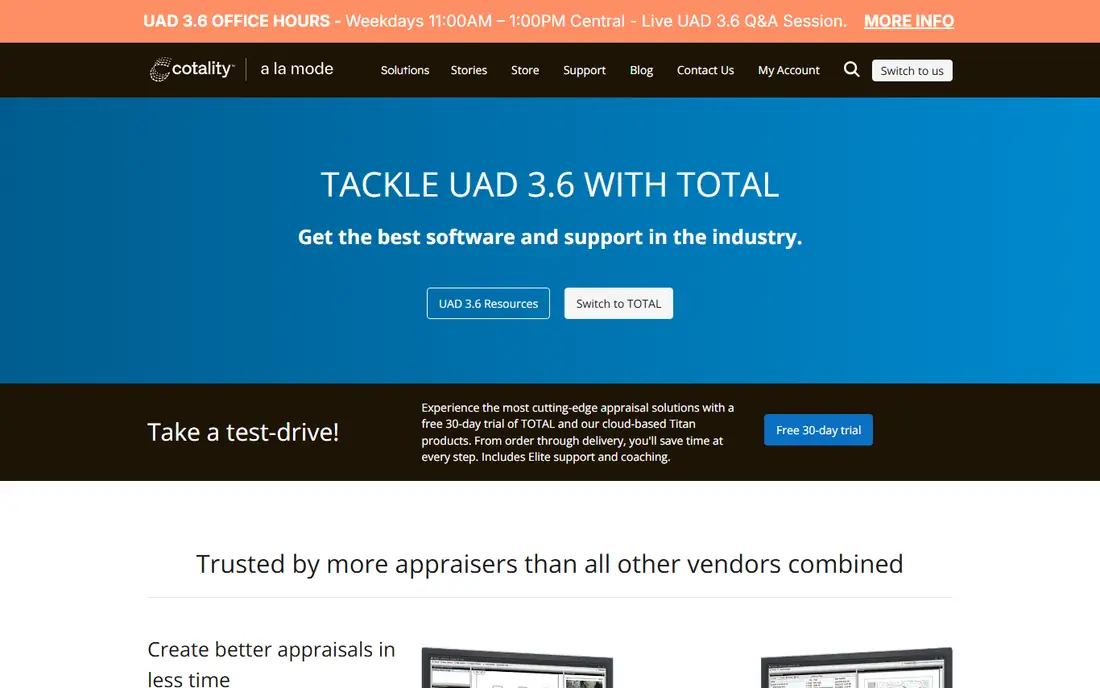
TOTAL is the default choice for many residential appraisers, and that familiarity matters when clients and reviewers expect a standard file format. Its form library covers the assignments most solo appraisers handle every week, and its import tools cut down on manual entry from MLS and public records.
The trade-off is price transparency and platform style. You will usually need a quote to compare plans, and the desktop workflow suits appraisers who work mainly from one computer. If you want a browser-first office, test how its cloud and mobile pieces fit your day before committing.
- Deep form library
- Strong MLS import options
- Widely accepted for lender delivery
- Pricing is quote-based
- Desktop focus can feel dated for some firms
ACI Sky pairs a browser workspace with mobile inspection capture, which helps firms where field staff and office staff handle different parts of the same file. Reports, photos, and status updates stay in one place, so handoffs need less chasing by email.
The catch is complexity for very small shops. A solo appraiser who only needs forms and delivery may find the wider platform more than necessary. Ask for a clear quote for your user count, and confirm which report types and delivery channels are included.
- Cloud-synced workspace
- Mobile inspection capture
- Strong lender and enterprise links
- Enterprise pricing can be hard to compare
- Some users prefer a simpler desktop tool
ClickFORMS
Best for: Independent appraisers who want a long-established desktop tool
ClickFORMS has served independent appraisers for years, and its desktop workflow still appeals to appraisers who like local control over files. It connects to common sketching tools, and Bradford offers training that helps new users learn the system without guessing.
The main point to check is the split between ClickFORMS and NightHawk. Classic ClickFORMS covers traditional work, while newer UAD 3.6 reporting sits in the browser tool. If lender work dominates your order book, confirm which product you actually need.
- Established forms platform
- Sketching integrations
- Training resources included in the wider Bradford range
- Desktop only for classic work
- UAD 3.6 work moves to its newer browser tool
NightHawk by Bradford Technologies
Best for: Appraisers moving to UAD 3.6 lender reporting
NightHawk was built for the UAD 3.6 shift, with a browser workflow that pulls MLS and public record data into the new dynamic report format. It also includes market analysis, regression, and cost and income tools, which helps on assignments that need more than a simple form fill.
Because it is newer, a few conveniences from older desktop tools are still catching up, including some imports and saved templates. Bradford has offered free use through 2026 for some ClickFORMS members, with paid plans listed for 2027, so check current terms and complete its required training.
- Built for UAD 3.6 reporting
- MLS and public record pulls
- Market analysis tools
- Newer platform, so some imports and templates are still being added
Appraise-It Pro suits firms that handle both standard forms and longer narrative assignments. A unified editor means you can add custom narrative sections without moving the file to separate authoring software, which reduces duplicate entry on complex jobs.
Its smaller footprint is both a strength and a limit. Support can feel more personal, but integration coverage and reviewer familiarity may vary by client. Test delivery to your main clients and confirm sketching support before you switch a whole office.
- Unified editor for forms and narrative sections
- Local file control
- Long track record
- Smaller vendor footprint than the two largest brands
- Pricing needs a quote
Anow fills the office management gap that forms software often leaves open. It tracks orders, schedules inspections, manages invoicing, and gives clients status visibility, which matters once more than a couple of appraisers share one order book.
It does not replace your report writer, so budget for it as an addition rather than a swap. The return appears when manual coordination starts costing turn time, so smaller solo practices may not need it yet. Trial it with your real order flow, not a demo dataset.
- Order tracking
- Scheduling
- Invoicing
- Client status visibility
- Not a forms replacement on its own
- Adds a second subscription for many firms
Valcre is aimed at commercial valuation rather than residential forms, with tools for comparable analysis, cash flow work, and team review. That focus makes it a clearer fit for firms that value income-producing property and need consistent workpapers across a team.
Residential appraisers should not force it into a lender forms workflow, since that is not its job. Commercial teams should ask about data sources, report templates, and review controls, and confirm how it handles the property types they value most often.
- Commercial valuation workflows
- Comparable and cash flow tools
- Team collaboration
- Residential form appraisers will find it a poor fit
- Pricing is quote-based
Reggora
Best for: Lenders, AMCs, and appraisers who need order and appraisal management
Reggora focuses on the management side of appraisal work, including ordering, workflow automation, and communication between lenders, AMCs, and appraisers. For firms that lose time to status calls and manual updates, that coordination can matter as much as report writing speed.
It is not a direct substitute for TOTAL, ACI, or ClickFORMS if you need to author reports yourself. Think of it as the layer around the report, and check whether your clients already use it, since shared workflows work best when both sides are on the same system.
- Order management
- Appraisal workflow automation
- Lender and AMC connections
- More of a management platform than a report writer
- Enterprise pricing varies
How we picked these
We compared official feature pages, pricing pages, and public reviews for each tool, and we checked that each product exists, works today, and truly fits the topic. Where a vendor quotes rather than publishes a price, we say so instead of guessing a number.
We also weighed fit for different team sizes, since the best choice for a solo operator is rarely the best choice for a larger team. That is why the list mixes well-known leaders with smaller options that suit narrower needs, and why each write-up names an honest weakness as well as a strength.
How to choose appraisal software
Start with the work you must deliver. If most of your orders are lender assignments, confirm UAD 3.6 verification and delivery options before you look at anything else. If you do narrative or non-lender work, form flexibility, custom sections, and report layout matter more than lender delivery features.
Check data import and sketching first
Ask which MLS boards and public record sources connect directly, and whether sketching works on the device you carry in the field. A tool that forces manual retyping of comparable data will cost you hours every week, even if the monthly price looks low.
Count the whole cost
Add sketching, data services, extra users, and support to the base price. A quote that looks cheap can grow quickly once those items are included. Also ask about contract length, renewal terms, and what happens to your files if you leave.
Test a real file before you switch
Run one completed assignment through a trial, from import to delivery, and time each step. Check how comments transfer, how photos are handled, and how easy it is to fix an error after delivery. That single test tells you more than a feature list.
Before you pay, run a short trial with your real work, not a demo dataset. Check setup time, support response, and the total monthly cost at your real user or volume level. A tool that passes that test is far more likely to still suit you in six months than a tool chosen from a feature list alone.
FAQ
Do I need separate software for inspections?
Not always. Many forms tools now include a mobile inspection app or connect to a sketching tool. If you inspect in areas with weak signal, check offline support and how field data syncs back to the report before you buy.
What is UAD 3.6?
UAD 3.6 is the updated Uniform Appraisal Dataset standard for lender appraisal reports, with dynamic, data-first forms. Software must be verified by Fannie Mae and Freddie Mac to produce compliant reports, so confirm verification for the exact report type you deliver.
How much does appraisal software cost?
Costs vary by package, users, and add-ons, and many vendors quote rather than publish prices. Expect annual subscriptions in the hundreds to low thousands of dollars per appraiser for forms software, plus data and sketching services.
Can appraisal software import MLS data?
Most leading tools import MLS and public record data, but coverage varies by board and region. Confirm your board is supported and test import quality on a real assignment, since incomplete data still needs manual checking.
Is desktop or browser software better?
Desktop tools can feel faster for heavy form work and offline use. Browser tools make it easier to work from different devices and share files across a firm. Your inspection habits and office setup should decide the choice.