8 Best App Localization Providers for Mobile and Web Teams
Compare the best app localization providers for mobile and web apps, with pricing, integrations, and workflows that fit small teams and enterprises alike.

- Editor's choice
 Lokalise
Product teams that ship mobile and web apps on a fast release cycle
Starts at$144 per monthVisit lokalise.comFull review - Great alternative
 Phrase
Organizations that localize both software strings and longer content
Starts at$27 per monthVisit phrase.comFull review - Also consider
 Smartling
Enterprises with high volume and complex approval workflows
Starts atCustomVisit smartling.comFull review
TL;DR:
- Lokalise and Crowdin suit product teams that ship often and want strong developer integrations.
- Phrase and Smartling fit larger organizations that need deeper workflow control and vendor management.
- Weblate and POEditor keep costs down for small teams and open source projects.
- Always check string limits, seat pricing, and machine translation costs before you commit to a plan.
- A free plan or trial is worth using to test file formats, integrations, and reviewer workflows with real strings.
Quick comparison
| Tool | Best for | Starts at | Free plan? | |
|---|---|---|---|---|
| Lokalise | Product teams that ship mobile and web apps on a fast release cycle | $144 per month | Free trial | Visit |
| Phrase | Organizations that localize both software strings and longer content | $27 per month | Free trial | Visit |
| Smartling | Enterprises with high volume and complex approval workflows | Custom | Free Core plan for limited document work | Visit |
 Crowdin | Teams that want many integrations and community translation options | $59 per month | Yes | Visit |
 Transifex | SaaS teams running continuous localization through CI/CD | $139 per month | Free trial | Visit |
 Weblate | Open source projects and teams that want to self-host | Free self-hosted | Yes | Visit |
 POEditor | Small teams that want simple, low-cost string management | $17 per month | Yes, up to 1,000 strings | Visit |
 Tolgee | Developers who want in-context editing inside the live app | $66 per month | Yes | Visit |
The best app localization providers
App localization is more than translating words. It covers string management, screenshots for context, translator review, and keeping every language in step with each new release. A good provider keeps developers, translators, and product managers in one workflow instead of passing spreadsheets back and forth. We compared official feature pages, pricing pages, app store and review listings, and public documentation for the tools below.
Lokalise
Best for: Product teams that ship mobile and web apps on a fast release cycle
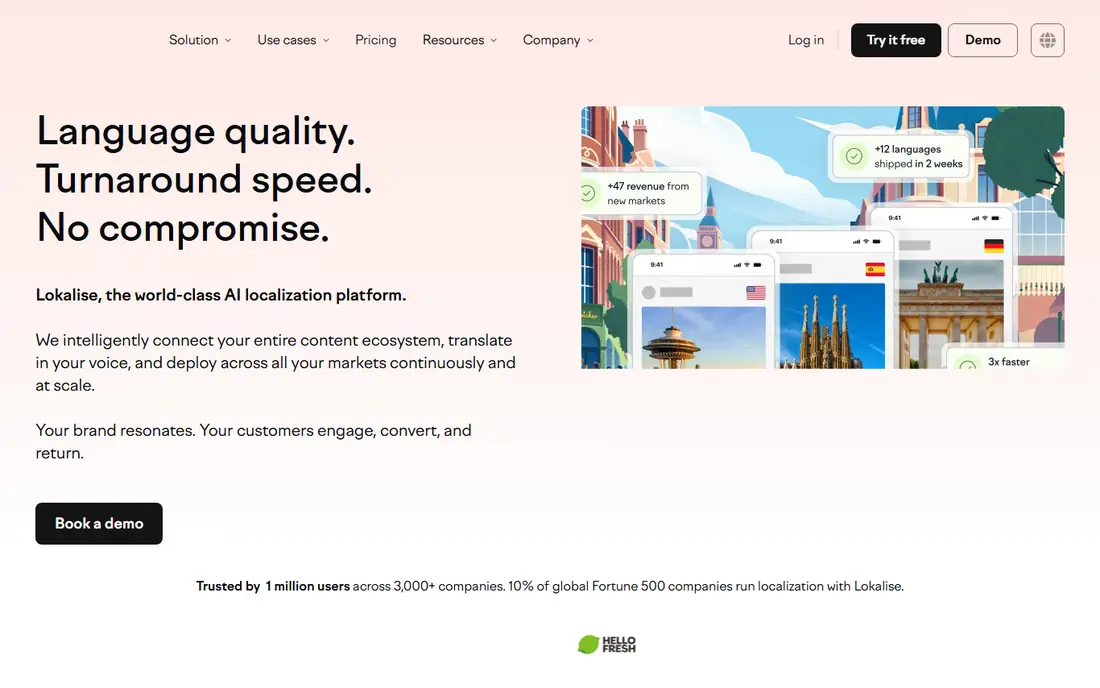
Lokalise is built around the way product teams actually work. Developers push strings from code or design files, translators see screenshots and context, and approved translations flow back into the next build. That loop matters when you release weekly and cannot afford a manual handoff each time. The interface is clean enough for non-technical reviewers, which helps product managers approve copy without learning a complex tool. The trade-off is price. The entry plan covers a limited number of keys, so a growing app with many screens can outgrow it sooner than expected. Teams should count keys and collaborators before signing up, and test the Figma and SDK integrations during the trial. For teams that ship often and value speed, the workflow savings can still justify the cost.
- Strong integrations with GitHub, Figma, and mobile SDKs
- Clear visual context for translators
- Costs rise quickly as keys and seats grow
- Smaller teams may find the entry plan steep
Phrase
Best for: Organizations that localize both software strings and longer content
Phrase brings several products under one roof, which suits companies that translate app strings, help articles, and marketing pages in the same program. Its software localization tools handle keys, branches, and integrations, while its document tools cover longer texts. Quality checks, glossaries, and translation memory help keep wording consistent across languages. That breadth is useful when localization is a company-wide job rather than a developer-only task. The entry price looks low, but it reflects a freelancer plan rather than a full team setup. Team pricing is higher, and configuring workflows, roles, and machine translation engines takes some care. Companies with varied content types will get the most value, while a small team with only app strings may prefer a simpler tool.
- Broad platform covering software, documents, and machine translation routing
- Mature workflow controls
- Team plans cost much more than the entry freelancer plan
- Setup takes time for complex projects
Smartling is aimed at companies that treat localization as a large ongoing program. It offers visual context so translators see where each string appears, automation that moves content through review steps, and access to professional translators through the same platform. That combination suits marketing sites, apps, and documentation that must stay consistent across dozens of languages. Reporting and quality controls also help large teams prove what was translated and when. The downside is access. Full product workflows are sold as enterprise plans with custom pricing, so small teams cannot easily judge cost from the website. Implementation also takes longer than a self-serve signup. Smartling makes sense when volume and governance matter more than a quick start, and when a dedicated team will run the program.
- Visual context, strong workflow automation, and managed translation services in one platform
- Enterprise pricing is opaque and likely out of reach for small teams
- Onboarding is heavier than self-serve tools
Crowdin
Best for: Teams that want many integrations and community translation options
Crowdin has long been a favorite for developers because it connects to GitHub, GitLab, and many other tools, and it supports continuous localization well. New strings can be uploaded automatically, translators work in a web editor with context, and finished translations sync back without manual file handling. Crowdsourcing support also helps open source projects and games that rely on volunteer translators. The free plan lets small projects start without paying. New users may find the settings and project options a lot to take in at first. Some workflow automation and reporting features require higher tiers, so teams should map their review steps against each plan. For app teams that want flexibility and a strong integration catalog, Crowdin is a solid middle ground between simple tools and enterprise platforms.
- Large integration library, crowdsourcing features, and a free plan for getting started
- The interface can feel busy for newcomers
- Advanced workflow features sit on higher plans
Transifex focuses on keeping software translations current as code changes. It integrates with common developer tools, supports over-the-air delivery for some mobile setups, and gives translators translation memory and glossary suggestions. That focus helps SaaS teams that release often and support many languages. Project management features, such as assignments and progress tracking, help coordinators see what still needs review. Cost is the main barrier. The starter plan is priced for companies rather than hobby projects, and smaller teams may struggle to justify it. The editor is functional rather than flashy, which matters less once translators settle into a routine. Teams that value steady automation over a modern interface will find Transifex dependable.
- Reliable automation for software projects
- Translation memory and glossary controls
- Pricing is high for small teams
- The editor feels dated next to newer rivals
Weblate stands apart because the code is open and teams can run it on their own servers. That appeals to organizations with strict data rules or a preference for open tools. It supports common file formats, translation memory, glossaries, and quality checks, and it integrates with version control systems. Libre projects can also use hosted Weblate at no cost, which has made it popular in the open source world. Self-hosting is not free in effort. Someone must install, update, and back up the instance, and support comes mainly from documentation and community channels. Hosted plans charge by volume, so large commercial projects should compare that cost with other platforms. For teams that value control and openness, Weblate is hard to beat.
- Open source code, self-hosting option, and free hosted tiers for libre projects
- Self-hosting needs technical upkeep
- Hosted pricing scales with string counts
POEditor keeps things simple. Teams upload language files, invite translators, and export finished files, without a long setup process. It supports a wide range of formats used by mobile and web apps, and its pricing is among the lowest in this list. The free tier covers up to 1,000 strings, which suits a small app or a first localization test. For teams that mainly need a shared place to manage strings, that simplicity is a strength. The limits show up as projects grow. Workflow automation, advanced reporting, and deep integrations are thinner than on Crowdin or Lokalise. Larger teams may miss approval chains and detailed analytics. POEditor is best when budget and ease matter more than enterprise controls, and when the team can handle some manual steps.
- Low price, simple interface, and support for many file formats
- Fewer automation and enterprise features than larger platforms
- Collaboration tools are basic
Tolgee takes a different approach by letting translators edit strings directly in the running app. Instead of guessing from a key name, they see the button, label, or screen where the text appears and change it in place. That reduces context errors and speeds up review, especially for apps with tight layouts. Developers integrate an SDK, and Tolgee handles key management, machine translation suggestions, and exports. The platform is younger than Lokalise or Phrase, so its integration catalog and community resources are smaller. Teams should test the SDK with their stack and confirm support for their frameworks before committing. For product teams frustrated by missing context in traditional editors, Tolgee offers a genuinely useful difference.
- In-context editing lets translators fix text while seeing the real interface
- Developer-friendly SDKs
- Smaller ecosystem than the biggest platforms
- Some features are newer and less proven at scale
How we picked these
We compared official feature pages, pricing pages, documentation, and public reviews for each provider. We favored tools that support mobile and web app formats, offer translator context, and provide automation through integrations or APIs. We also weighed pricing transparency, free plans or trials, and suitability for different team sizes. No provider paid for placement, and we did not claim hands-on testing.
What to check before you choose
Start with your file formats and platforms. An iOS and Android app needs support for strings files, plural forms, and placeholders, while a web app may need JSON or similar formats. Check that the tool handles your formats without manual conversion, and that its SDK or API fits your release process. A tool that looks good in a demo can still slow you down if it forces extra file work each release. Next, count the real cost. Look at included keys or words, extra seats, machine translation charges, and overage fees. A low headline price can grow fast once collaborators and languages are added. Test reviewer workflows during a trial by inviting a translator and a product reviewer, and see how approvals, comments, and screenshots work in practice. Finally, check data handling and privacy terms, especially if your app stores user-facing copy that includes personal or regulated content.
FAQ
What is the best localization software for a small app team?
POEditor and Crowdin are strong starting points for small teams. POEditor keeps costs low and setup simple, while Crowdin adds more integrations and a free plan. Choose POEditor when budget is tight and Crowdin when you expect to add integrations or community translators.
How much does app localization software cost?
Prices range from free self-hosted options to custom enterprise plans. Entry paid plans in this list run from about $17 to $144 per month, but seats, keys, and machine translation can add cost. Always confirm current pricing on the vendor site before budgeting.
Do I need human translators or is machine translation enough?
Machine translation works well for first drafts and internal testing, but human review matters for public app copy. Tone, idioms, and legal wording often need a person who knows the target market. Many teams use machine translation for speed and human review for release quality.
What is continuous localization?
Continuous localization means new and changed strings move to translators automatically as developers commit code, and finished translations return without manual file handling. It suits teams that release often, since translations stay current instead of batching into a large project before each launch.
Can I localize an app without developers?
Some tools offer no-code or design-based workflows, but developers usually need to prepare strings and integrate an SDK or file pipeline. Product managers and translators can handle the wording once that setup exists. Plan for a short technical setup even with the friendliest tools.
Is a free plan enough for a real app?
A free plan can work for a small app with few strings and one or two languages. Larger apps usually need a paid plan for more keys, seats, and automation. Start free to test the workflow, then upgrade when string counts or collaborators grow.
Sources
https://lokalise.com https://phrase.com https://smartling.com https://crowdin.com https://transifex.com https://weblate.org https://poeditor.com https://tolgee.io