8 Best Apartment Apps NYC in 2026: Renting Apps Compared
Looking for the best apartment apps nyc for rentals in the five boroughs? We compare 8 apps on listings, fees, alerts, and broker coverage for renters.
- Editor's choice
 StreetEasy
NYC-first listings
Starts atFreeVisit streeteasy.comFull review - Great alternative
 Zillow
Broad search and alerts
Starts atFreeVisit zillow.comFull review - Also consider
 RentHop
Verified and no-fee focus
Starts atFreeVisit renthop.comFull review
TL;DR:
- StreetEasy is the NYC-first pick, with the deepest local listings and a strong focus on Manhattan, Brooklyn, and Queens.
- Zillow, Apartments.com, Trulia, and Realtor.com add national inventory and useful filters, but check for duplicate and stale listings.
- RentHop and Listings Project help with no-fee and curated options, which matter a lot in a broker-fee market.
- Set alerts, save searches, and tour fast, since good NYC apartments often go within days of listing.
Quick comparison
| Tool | Best for | Starts at | Free plan? | |
|---|---|---|---|---|
| StreetEasy | NYC-first listings | Free | Yes | Visit |
| Zillow | Broad search and alerts | Free | Yes | Visit |
| RentHop | Verified and no-fee focus | Free | Yes | Visit |
 Apartments.com | Large national inventory | Free | Yes | Visit |
 Trulia | Neighborhood research | Free | Yes | Visit |
 Realtor.com | Agent-linked listings | Free | Yes | Visit |
 Listings Project | Curated, no-fee listings | See website | Free trial | Visit |
 Compass | Broker listings and tours | Free | Yes | Visit |
The best apartment apps NYC
New York City renting is its own game, with broker fees, fast turnover, and listings that appear in several places at once. The apps below cover the main ways people search: NYC-first sites, national portals, verified-listing services, and curated boards. Use more than one, since no single app catches every good apartment.
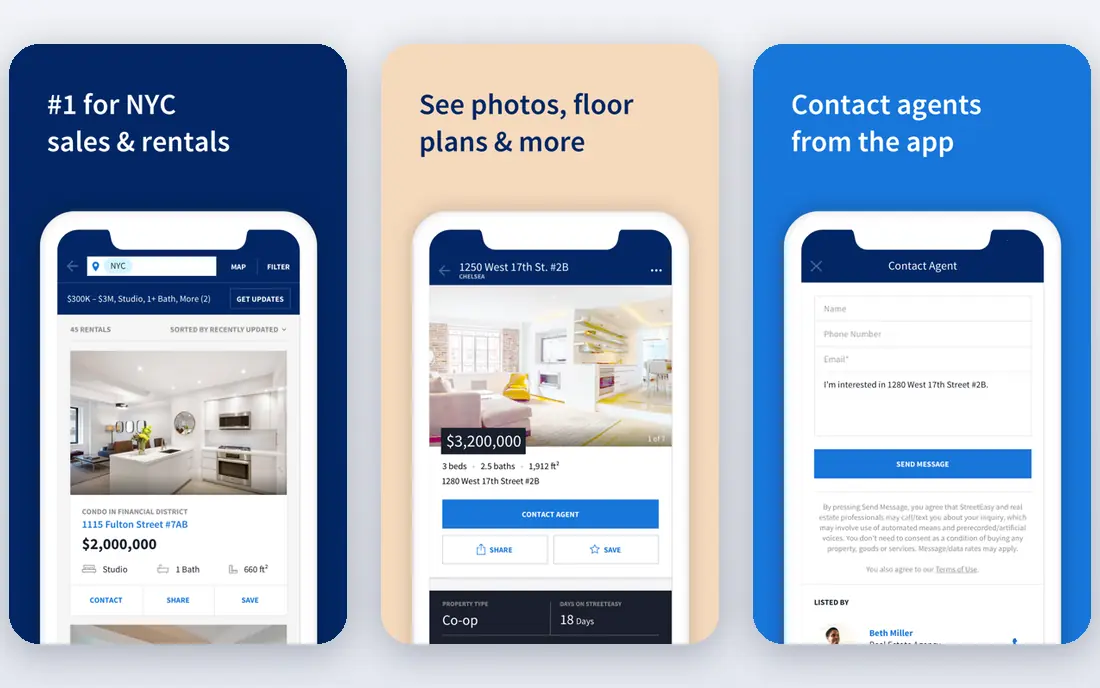
StreetEasy is the starting point for most NYC renters, because it is built for the city rather than adapted to it. Listings cover Manhattan, Brooklyn, Queens, the Bronx, and Staten Island, with filters for price, beds, baths, neighborhood, and building features. Price history, days on market, and building pages help you judge whether a rent is fair or a unit has sat for a reason.
The catch is that StreetEasy does not remove broker fees, and many listings still come through brokers. Check the fee note on each listing, and ask the broker directly before you tour. Set saved searches and alerts for your exact budget and neighborhoods, since the best units in this market often receive applications within days. For NYC-first searching, StreetEasy remains the app to check first each morning.
- Deepest NYC inventory and local data
- Price history and days-on-market
- Strong Manhattan and Brooklyn coverage
- Some listings are broker-posted with fees
- Popular apartments move fast, so alerts are essential

Zillow is the broadest search tool in this list, with map-based browsing, strong filters, and alerts that push new matches to your phone. It works well as a second net after StreetEasy, catching listings from landlords and agents who post nationally rather than only locally. Rent estimates and building details help you compare neighborhoods, even when a listing itself is thin.
NYC renters should treat Zillow as a supplement, not a replacement, for StreetEasy. Duplicate listings, outdated units, and broker-heavy posts still appear, so confirm availability before you plan a tour around a single listing. Use Zillow alerts for your price range and commute, and keep StreetEasy open for the most complete local picture.
- Large listing pool and map search
- Saved searches and instant alerts
- Rent estimates and building info
- Duplicate and stale listings appear
- NYC broker coverage is thinner than StreetEasy
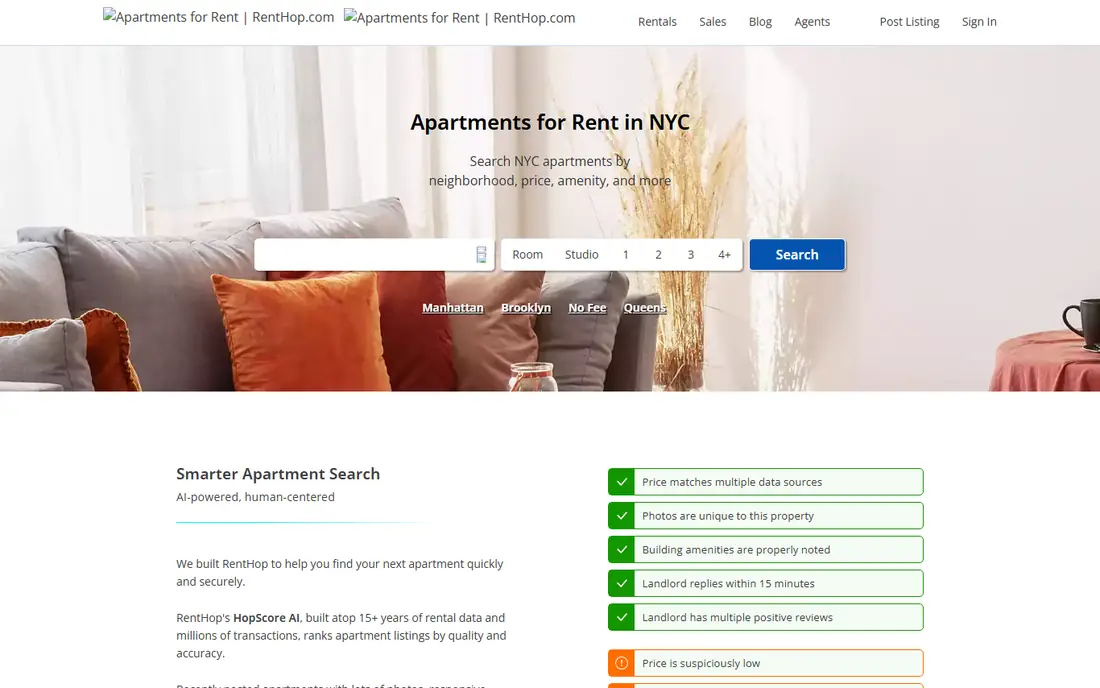
RentHop focuses on a problem every NYC renter knows: figuring out which listings are real, current, and fee-free. Its verification steps and filters for no-fee apartments help you skip broker-fee units when that matters to your budget. The site is NYC-focused, with data on neighborhoods, buildings, and listing freshness that feels more local than a national portal.
Inventory is smaller than StreetEasy, so RentHop works best as a quality filter alongside a larger app. Check it when you want to compare no-fee options, or when a StreetEasy listing looks stale and you want a second source. For renters who would rather see fewer, cleaner listings than a large, noisy pool, RentHop is a strong daily check.
- Verified listings and no-fee filters
- NYC-focused data
- Shows broker fee status clearly
- Inventory is smaller than StreetEasy
- Some areas have thinner coverage
Apartments.com is a national portal with a large pool of rental listings, including many large buildings and managed properties in NYC. Photos, 3D tours, and amenity filters help you narrow a search before you tour, and pet policy, parking, and laundry filters save time for renters with specific needs. It is a good catch-all app when you are also considering suburbs or other cities.
For NYC-only searching, Apartments.com is less deep than StreetEasy on small landlords and broker listings. Treat it as a second source for large buildings and managed rentals, and verify availability and fees directly with the listing contact. Its strength is breadth, not NYC specialization, and that breadth still helps in a fast market.
- Large listing pool
- 3D tours and photos on many listings
- Useful filters for amenities and pet policy
- NYC-specific depth is thinner than StreetEasy
- Duplicates and broker listings still appear
Trulia, part of the Zillow group, adds neighborhood context to rental searching, with maps, local insights, and commute information that help newcomers judge an area. If you are moving to NYC from elsewhere, that context matters, since a neighborhood name alone does not tell you about transit, noise, or daily life. Saved searches and alerts work much like Zillow, with a cleaner neighborhood view.
Rental inventory overlaps heavily with Zillow, so Trulia is best used for research rather than as a separate listing source. Check a shortlist of neighborhoods here, then search those areas in StreetEasy and RentHop for the freshest listings. For out-of-town renters, Trulia shortens the learning curve, even if it does not add many unique apartments.
- Neighborhood maps, crime and commute context
- Saved searches
- Zillow-linked inventory
- Rental inventory overlaps heavily with Zillow
- NYC broker detail is thinner than StreetEasy
Realtor.com is a national portal with agent-linked listings, which helps when you want a direct contact for a unit or a building. Map search, filters, and building pages cover the basics well, and the app is easy to use for renters who already use Realtor.com for buying research. It also catches some listings that appear first through an agent rather than a landlord portal.
NYC rental depth is thinner than StreetEasy, and duplicates across portals are common, so Realtor.com works best as another alert source. Set a saved search for your budget and neighborhoods, and use it to catch agent-posted units you might miss elsewhere. It will not replace a NYC-first app, but it adds a useful extra net.
- Agent-linked listings with contact details
- Map search and filters
- Building and neighborhood pages
- NYC rental depth is thinner than local apps
- Some listings duplicate other portals
Listings Project is a curated board rather than an open portal, with weekly listings that often come directly from landlords, artists, and small owners. That curation cuts broker noise and surfaces no-fee options, sublets, and creative spaces that rarely appear on large portals. For renters who value a smaller, cleaner pool and are willing to pay for access, it is a distinct option.
Access is paid after a trial period, so check the current price on the Listings Project site before you subscribe. Inventory is selective by design, which means fewer listings and a narrower geographic spread than StreetEasy. Use it as a supplement for no-fee and community listings, not as your only search, and set aside time each week to review the new batch.
- Curated weekly listings, often no-fee
- Strong for creative and community-minded renters
- Less broker noise
- Paid access after a trial
- Inventory is smaller and more selective than open portals
Compass is a brokerage with a strong NYC presence, and its app reflects that model, with agent listings, tour scheduling, and neighborhood guides. Renters working with a Compass agent get a tidy workflow for tours, applications, and building details, and the app is useful for tracking a shortlist with an agent. For newcomers who want agent help, that structure can be reassuring.
Compass inventory reflects its own agents rather than the whole NYC market, so it should not be your only source, and broker fees may apply on some rentals. Use Compass alongside StreetEasy and RentHop, and ask about fees and application costs early. As a broker-led complement to open portals, Compass adds tour convenience and agent access that open apps do not.
- Broker listings with tour scheduling
- Neighborhood guides
- Large NYC agent network
- Broker-led model means fees may apply
- Inventory reflects Compass agents, not the whole market
How we picked these
We compared official app listings, listing pages, and NYC rental guides for apartment search apps, and we kept only apps that are currently offered and that list NYC rentals. We favored a mix of NYC-first, national, verified, and curated sources, since no single app covers the whole NYC market. Prices are listed as Free where the app is free to search, and See website where access is paid or varies, since rental apps change access terms more often than they change search features.
How to search for an NYC apartment
Start with a realistic budget that includes broker fees, application fees, and moving costs, not just rent. Then pick two or three apps: StreetEasy for depth, RentHop for no-fee and verified listings, and one national portal for breadth. Save the same search on each app, turn on alerts, and check new listings daily, since timing matters more in NYC than in most rental markets.
Fees, scams, and tours
Ask about broker fees before you tour, and get the fee, the application cost, and the lease terms in writing. Never pay a deposit or a fee before you have seen a unit or verified the listing, and be wary of prices far below market for a prime neighborhood. Tour in person when you can, check the building and the street at different times, and confirm what is included in rent, from heat and hot water to laundry and gym access.
A fast, organized search
Keep a shortlist with rent, fees, neighborhood, commute time, and tour date for each unit, and apply quickly when a good unit fits. Prepare documents in advance, including ID, proof of income, tax returns, and references, since landlords often ask for them at the tour. A ready file turns a good tour into a submitted application the same day, which is often the difference in a competitive building.
FAQ
What is the best app for NYC apartments?
StreetEasy is the best overall app for NYC apartments, with the deepest local listings and the most NYC-specific data. RentHop is the best supplement for verified and no-fee listings, while Zillow and Apartments.com add breadth. Most successful NYC searches use StreetEasy plus one or two other apps, rather than a single source.
Are there no-fee apartment apps in NYC?
No app is fully no-fee, but RentHop and Listings Project make no-fee listings easier to find, with filters and curated boards that highlight them. StreetEasy also shows fee status on many listings, so you can filter or ask before touring. Always confirm the fee with the broker or landlord, since a listing label is not a contract.
How do I avoid rental scams in NYC?
Never pay before you tour or verify a listing, and be skeptical of prime apartments priced far below market. Check the building and the broker, ask for a lease and fee details in writing, and meet in person for keys and paperwork. If a listing asks for payment by gift card, wire, or an unusual method, treat it as a scam and report it.
When is the best time to search for an NYC apartment?
Search 30 to 60 days before your move date, with daily alerts in the final month, since good units move fast. Summer and early fall are the busiest seasons, with more listings and more competition, while winter can offer less competition but fewer choices. Start early, keep your documents ready, and be prepared to apply the same day you tour a strong unit.
Do I need a broker to rent in NYC?
No, you can rent directly from landlords and no-fee listings, and RentHop and Listings Project help with that route. A broker can still help if you are new to the city, have a tight timeline, or want access to broker-listed buildings. Weigh the broker fee against the time saved, and ask about the fee before you start touring with an agent.
What documents do NYC landlords usually ask for?
Most NYC landlords ask for photo ID, proof of income, recent pay stubs or tax returns, bank statements, and references, plus an application and sometimes a credit check. Having these ready in a single file speeds up an application a lot. Requirements vary by building and landlord, so ask for the full list at the tour, not after you decide you want the unit.